
SFZ-PiTechCar (Python Package)
|
Python-based software for controlling a Fischertechnik Maker Kit car via a custom-built PCB and
Raspberry Pi. Provides precise motor control (forward/backward) and steering via a servo. Supports
the official 8.4V Fischertechnik NiMH battery. |
Required Hardware
|
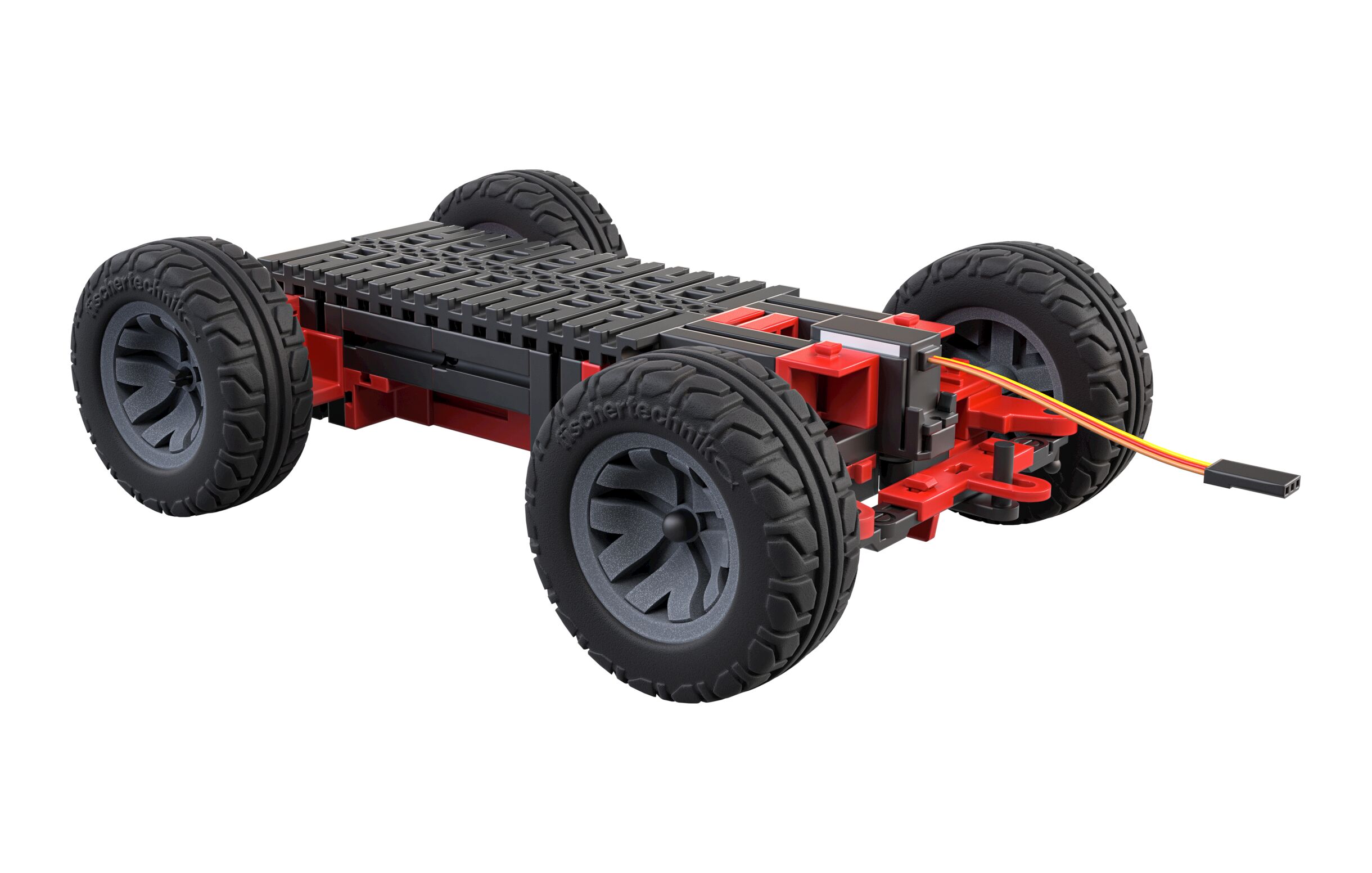
Fischertechnik Maker Kit Car |
|
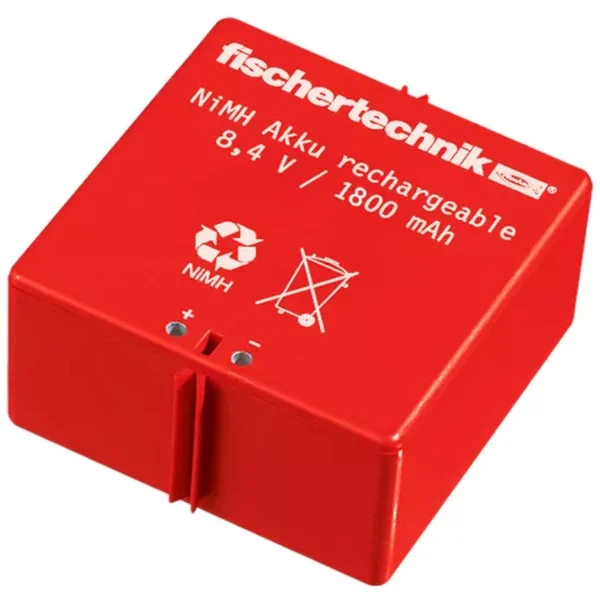
Fischertechnik 8.4V NiMH Battery Note: Higher-power Raspberry Pi models may draw too much current, causing undervoltage warnings or preventing the Raspberry Pi from starting. It is recommended to use a Raspberry Pi 3 or Raspberry Pi 3A+. |
|
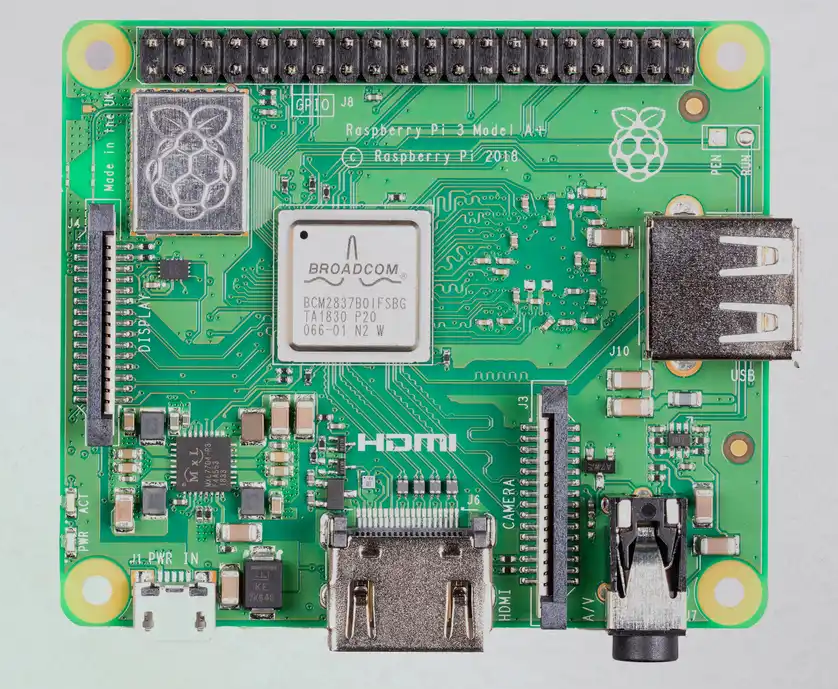
Raspberry Pi 3A+ |
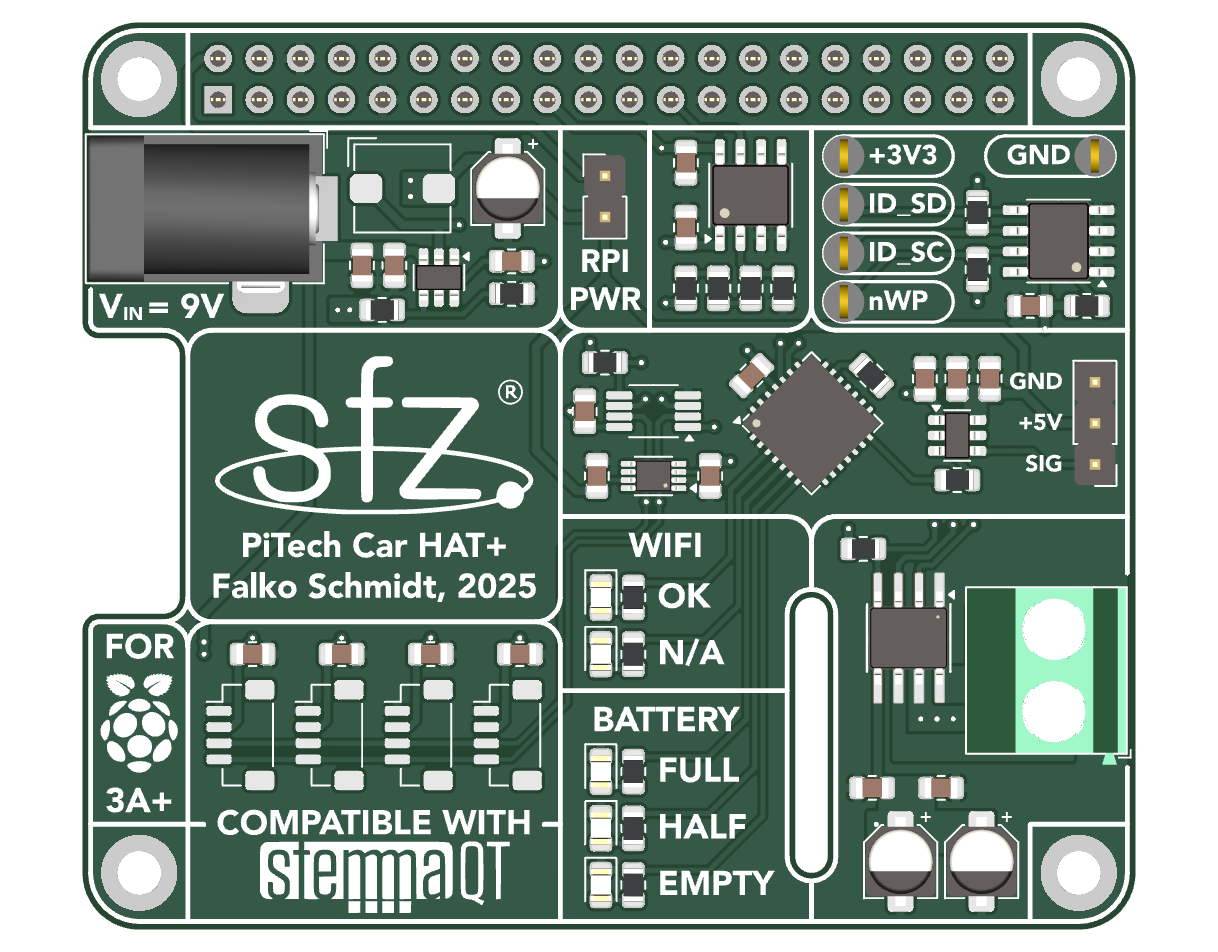
|
Custom-Built PiTech Car HAT+, Falko Schmidt, SFZ, 2025 |

|
Pi Hut Controller (Remote Control) |
Software Prerequisites
⚠️ This software only works on Raspberry Pi systems!
Create a virtual Python environment to isolate and manage all required software libraries:
python -m venv ftberry_python_venv
source ftberry_python_venv/bin/activate
The Python control software requires several CircuitPython libraries to interface with sensors. On Raspberry Pi, these libraries rely on the Blinka compatibility layer from Adafruit. To install Blinka, run the following commands:
cd ~
pip3 install --upgrade adafruit-python-shell
wget https://raw.githubusercontent.com/adafruit/Raspberry-Pi-Installer-Scripts/master/raspi-blinka.py
sudo -E env PATH=$PATH python3 raspi-blinka.py
Software Installation
Before installing the software, make sure the Python virtual environment is activated. Then install the software by running:
pip install sfz-pitechcar
All required dependencies listed below will be installed automatically.
Pre-Usage
Before running the software, you need to identify and profile the controller you are using. The Python library ApproxEng Input is used for this purpose. Follow the official profiling instructions here:
ApproxEng Input Profiling Guide
After profiling, move the generated YAML file into the correct directory as described in the documentation. Once this is done, your controller is ready for use with the PiTech Car software.
Usage
After installing the package, the pitechcar command will be available in your shell.
Basic usage
Start the car with the default (mixed) joystick control mode:
pitechcar
Control modes
You can select how the joystick axes are mapped using the --control option:
mixed(default):- Left joystick vertical axis controls speed
- Right joystick horizontal axis controls steering
left_only:- Left joystick controls both speed and steering
right_only:- Right joystick controls both speed and steering
Example:
pitechcar --control left_only
Stopping the car
Press Ctrl+C at any time to safely stop the motor and shut down all hardware components.
Auto-start on boot
To have PiTechCar start automatically when the system boots, you can set it up
as a systemd service. First, create a small shell script that activates your
virtual environment and starts PiTechCar:
cd ~
nano pitechcar_controller.sh
Add the following content (adjust the virtual environment path and control mode if needed):
#!/bin/bash
source ~/ftberry_python_venv/bin/activate
pitechcar
Make the script executable:
chmod +x ~/pitechcar_controller.sh
Next, create a new service file:
sudo nano /etc/systemd/system/pitechcar_controller.service
Paste the following configuration and replace USERNAME with your actual Linux username:
[Unit]
Description=PiTechCar Controller
After=usb-devices.target
Wants=usb-devices.target

[Service]
Type=simple
User=USERNAME
WorkingDirectory=/home/USERNAME
ExecStart=/bin/bash /home/USERNAME/pitechcar_controller.sh
Restart=on-failure
StandardOutput=journal
StandardError=journal

[Install]
WantedBy=multi-user.target
Enable the service so it starts automatically on boot:
sudo systemctl enable pitechcar_controller.service
Once enabled, PiTechCar will launch automatically on every boot. If you want to start it immediately, you can either reboot or enter this command (without reboot):
sudo systemctl start pitechcar_controller.service
Python Package Dependencies
ℹ️ All dependencies listed here are automatically installed with the package.
-
ApproxEng Input 2.6.4 (Linux only)
Provides joystick and controller input handling. -
Adafruit Python Shell 1.11.1
Helps run Python scripts on the Raspberry Pi via the shell, required for Blinka. -
Adafruit CircuitPython PCA9685 3.4.20
Controls PCA9685 PWM controllers. -
Adafruit CircuitPython ServoKit 1.3.22
Provides an easy interface to control multiple servos via ServoKit. -
Adafruit CircuitPython MCP3xxx 1.5.0
Reads analog sensors via MCP3008/MCP3208 ADC chips.
Project Structure
sfz-pitechcar/
├── assets/              # Images and diagrams for README
├── scripts/             # Example scripts
│   └── run_car.py       # Main script to start the PiTech Car
├── src/pitechcar/       # Python package
│   ├── hardware/        # Low-level hardware modules (motors, sensors, battery)
│   └── modules/         # Higher-level control modules (motor, battery, WiFi)
├── README.md
├── pyproject.toml
Contributing
Contributions are welcome! To contribute, please fork the repository, make your changes, and submit a merge request. For major changes or feature additions, consider opening an issue first to discuss your ideas.
License
This project is licensed under the BSD-3-Clause License. © 2026 Falko Schmidt.
1 maintainer

Metadata
1 maintainer
Release files for sfz-pitechcar 1.0.0
For a detailed explanation of source distributions (sdists) and built distributions (wheels), please see the package formats documentation.
Source distribution (sdist)
| File | Size | Uploaded | Provenance | Actions |
|---|---|---|---|---|
| sfz_pitechcar-1.0.0.tar.gz | 14.8 kB | Without provenance | Details for sfz_pitechcar-1.0.0.tar.gz |
Built distribution (wheel)
| File | Interpreter | ABI | Platform | Actions Reset |
|---|---|---|---|---|
| sfz_pitechcar-1.0.0-py3-none-any.whl | Python 3 | none | any | Details for sfz_pitechcar-1.0.0-py3-none-any.whl |
Total release size: 29.5 kB
Release files / sfz_pitechcar-1.0.0.tar.gz
| Download URL | sfz_pitechcar-1.0.0.tar.gz |
|---|---|
| Size | 14.8 kB |
| Tags | Source |
|
SHA-256 checksum How to use checksums |
8fdd25e7513bbc4f45f3f39373227605ec144fa53a2b5c40a9d2985885a886ed
|
|
BLAKE2b-256 checksum How to use checksums |
bb100f8a643a9144db15dde5c041e366a187d080f17a1c7360d9d3165928383d
|
| Upload date | |
|
Uploaded using Trusted Publishing? What is trusted publishing? |
No |
| Uploaded via |
twine/6.2.0 CPython/3.9.6
|
Release files / sfz_pitechcar-1.0.0-py3-none-any.whl
| Download URL | sfz_pitechcar-1.0.0-py3-none-any.whl |
|---|---|
| Size | 14.7 kB |
| Tags | Python 3 |
|
SHA-256 checksum How to use checksums |
d27e7810bb0a1d374999980fbdfbd5cf69c669b183d9bf6f3b460761b34aa2ec
|
|
BLAKE2b-256 checksum How to use checksums |
5ea20dd8d96cf213e6ee993a238e14ed8dd64049a66e97541e89396e22388dc9
|
| Upload date | |
|
Uploaded using Trusted Publishing? What is trusted publishing? |
No |
| Uploaded via |
twine/6.2.0 CPython/3.9.6
|
Security for sfz-pitechcar 1.0.0
Provenance
Provenance describes where a file came from. On PyPI, provenance is shared via attestations, which provide a verifiable record of the build or publishing details. View details, limitations and caveats.
No provenance found
None of the files in this release were uploaded with provenance metadata.
A note on package security
PyPI is a repository for distributing packages, not a service for auditing them. While third-party security researchers and our staff do their best to detect and remove malicious packages, PyPI cannot guarantee the quality, security or suitability of any given package.
To learn more about protecting yourself from malicious actors, visit our package security documentation.














