
sg-widgets-qt
Flow Production Tracking (formerly ShotGrid) widgets for Qt: pickers, editors, tables, trees, grids and search. For pipeline developers writing tools inside Maya, Houdini, Nuke, RV or a standalone app.
Install
pip install "sg-widgets-qt[pyside6]"
uv add "sg-widgets-qt[pyside6]"
Python 3.9 and up. [pyqt5] is the other extra; PyQt6 and PySide2 carry no extra and install by
name beside the package. PySide2 has no Apple Silicon wheel, so on an M-series Mac name one of the
other three.
Inside a DCC, install sg-widgets-qt on its own. Maya, Houdini, Nuke and RV import their own Qt
binding before your code runs, and a second binding in that interpreter breaks it. The package
brings shotgun_api3 and qtpy and, without an extra, no binding at all.
Every Qt import here goes through qtpy, so one widget runs on
PySide2, PySide6, PyQt5 and PyQt6, and on whichever of them the host imported first. Where more than
one is importable, QT_API picks.
The showcase
sg-widgets-showcase
python -m sg_widgets_qt.showcase
Either line opens the same window: one page per widget, with a live demo, the props, signals, slots and keyboard tables, and the docs prose. The pages ship inside the package, so it needs no checkout. The demos run on the mock, so it needs no site; its toolbar offers Live where the three values below are set.
A first widget
The mock site is generated in process, so this block runs on a fresh install with no credentials and no network.
import os

from qtpy.QtWidgets import QApplication

from sg_widgets_core import MockClient, create_sg_context
from sg_widgets_qt.widgets.entity_picker import EntityPicker

app = QApplication([])
context = create_sg_context(MockClient())
picker = EntityPicker(entity_types=["Shot"], context=context)
picker.value_changed.connect(lambda ref, row: print(ref))
picker.show()
if os.environ.get("QT_QPA_PLATFORM") != "offscreen":
    app.exec()
The context is built once and handed to every widget. Swapping the mock for a site is the client
line alone. ShotgunClient.from_env() needs three environment values: FPT_API_SITE_URL,
FPT_API_SCRIPT_NAME and FPT_API_API_KEY.
# Needs a site: FPT_API_SITE_URL, FPT_API_SCRIPT_NAME and FPT_API_API_KEY.
from sg_widgets_core import ShotgunClient, create_sg_context
from sg_widgets_qt.widgets.entity_picker import EntityPicker

context = create_sg_context(ShotgunClient.from_env())
picker = EntityPicker(entity_types=["Shot"], context=context)
The widgets
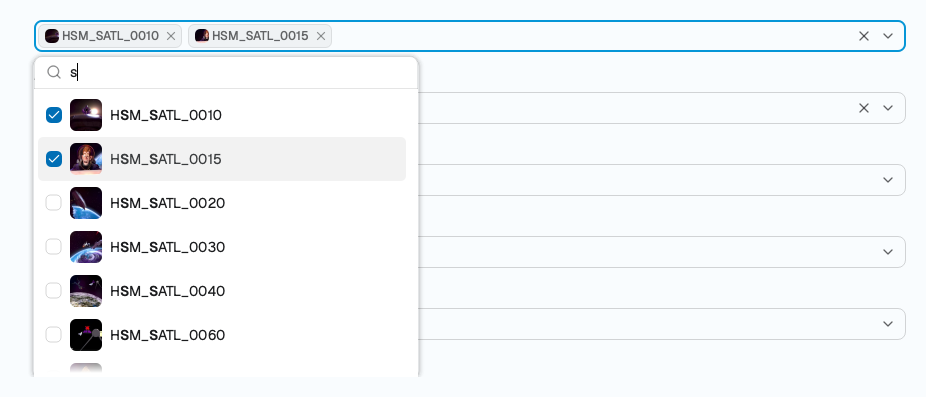 |
A picker searches the site, holds what was ticked as chips, and emits references. |
 |
The filter editor builds a condition tree and serialises it for the API. |
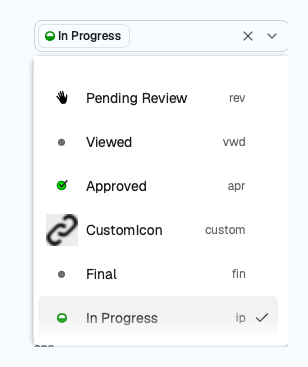 |
Statuses carry the site's own names, codes, colours and icons, per project. |
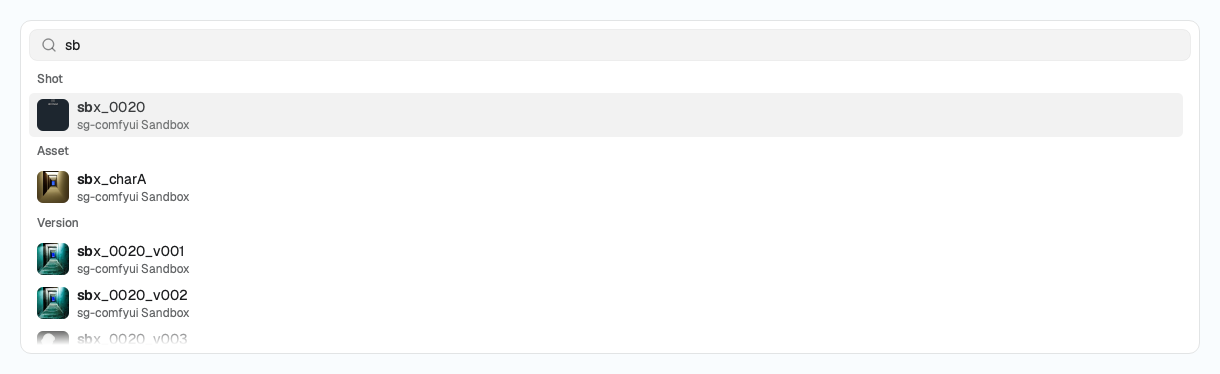 |
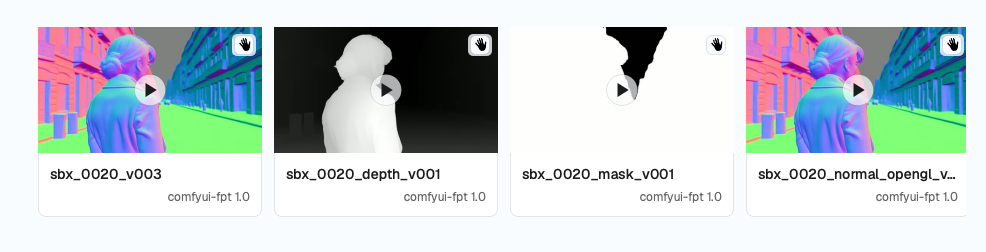
Global search reads across entity types and marks what matched. |
 |
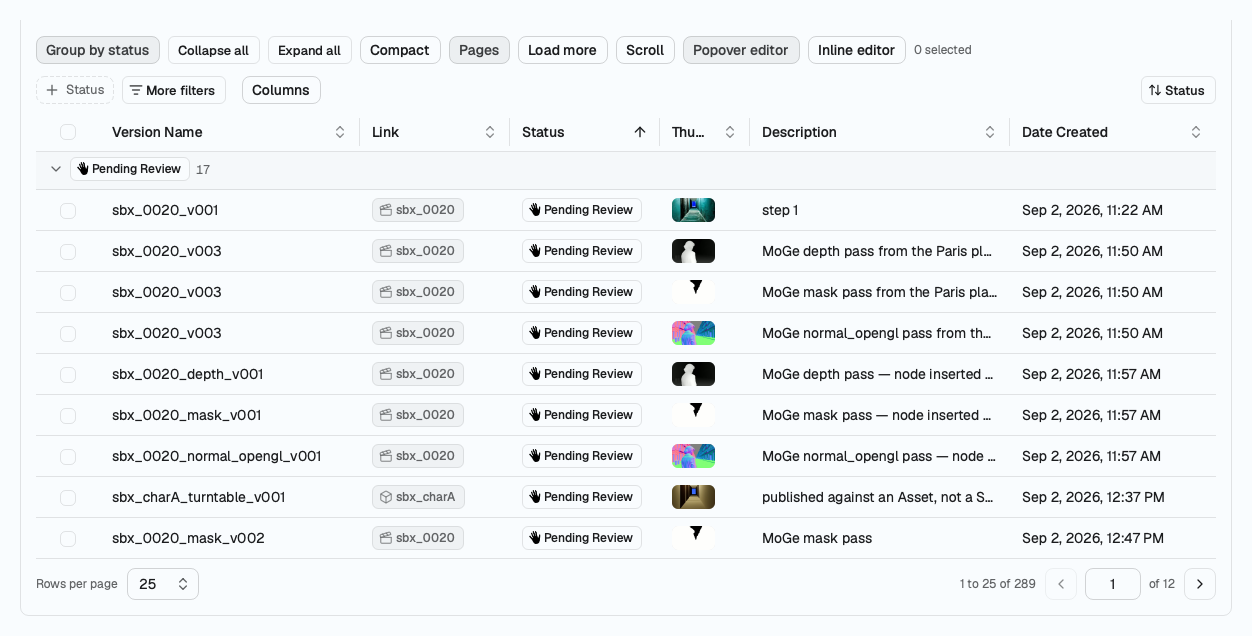
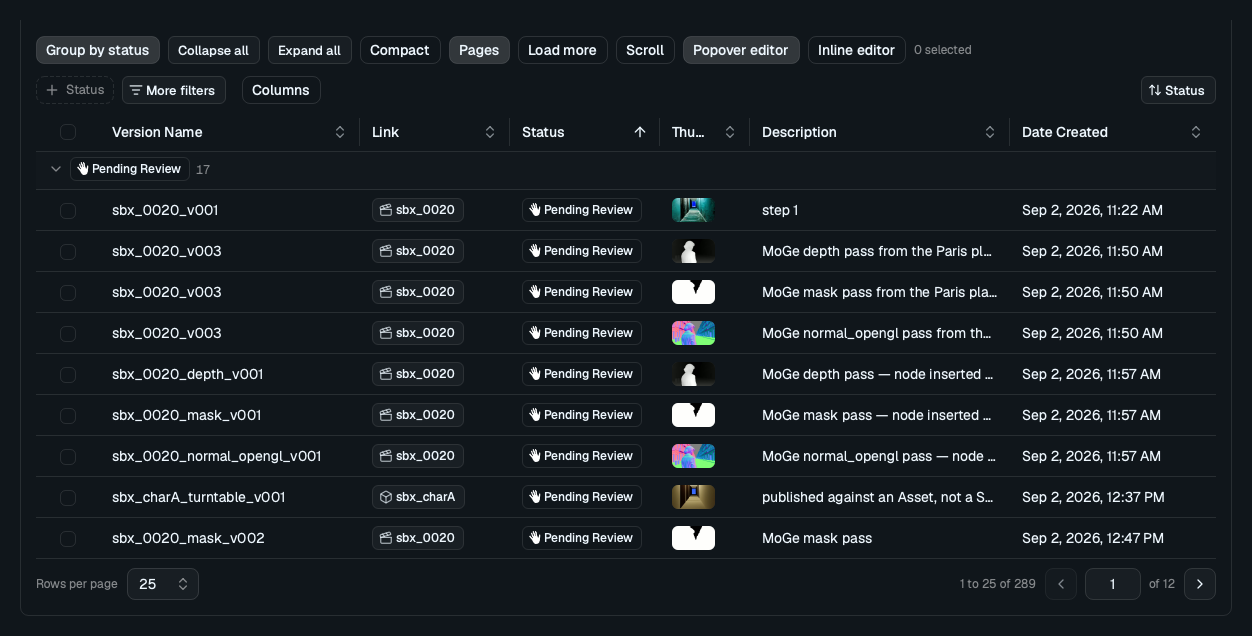
A table, a grid and a tree page a set, sort it, group it and edit a cell. |
 |
Every widget wears a light and a dark theme, or the host application's palette. |
Every shot above reads a live site. One page per widget says what each one takes and emits, beside the introduction, install and the core.
How it relates to sg-widgets
This is a port of sg-widgets, whose React and Svelte
widgets carry the same names, props and behaviour, and whose
documentation site is the reference for what a widget does; the
pages here say where Qt or Python forced a difference. The framework-neutral half comes with it as
sg_widgets_core, which holds the field data types, the operator vocabularies, the filter tree,
status logic, the formatters, the parsers, the client protocol and a generated mock site, and
imports no Qt, so it runs in a farm job as well as in a window. What either repo claims about the
API is measured in sg-groundtruth and cited where it
is relied on.
Status
Alpha. 45 widgets, 30 core modules and 51 documentation pages are complete, on Python 3.9 through
3.13 and on Qt 5.15 and Qt 6. Both packages carry py.typed. Names, props and signals can still
change between 0.x releases, and the
changelog records what changed.
Ask for a widget, report a defect or say what reads wrong in the
issues.
Licence
MIT. See LICENSE.
1 maintainer

Metadata
1 maintainer
Release files for sg-widgets-qt 0.1.1
For a detailed explanation of source distributions (sdists) and built distributions (wheels), please see the package formats documentation.
Source distribution (sdist)
| File | Size | Uploaded | |
|---|---|---|---|
| sg_widgets_qt-0.1.1.tar.gz | 2.4 MB | Details |
Built distribution (wheel)
| File | Interpreter | ABI | Platform | Reset |
|---|---|---|---|---|
| sg_widgets_qt-0.1.1-py3-none-any.whl | Python 3 | none | any | Details |
Total release size: 4.4 MB
Release files / sg_widgets_qt-0.1.1.tar.gz
| Download URL | sg_widgets_qt-0.1.1.tar.gz |
|---|---|
| Size | 2.4 MB |
| Tags | Source |
|
SHA-256 checksum How to use checksums |
a8671af78f0de66c7d6051b86b2aea1b8802cc8d2f03f5a5efeadbf029f6e290
|
|
BLAKE2b-256 checksum How to use checksums |
759baabadd300345bf2f3e2bd8dacb31720f82244c9e25b984329b0fb7657c48
|
| Upload date | |
|
Uploaded using Trusted Publishing? What is trusted publishing? |
Yes |
| Uploaded via |
twine/7.0.0 CPython/3.13.14
|
Provenance
Provenance describes where a file came from. On PyPI, provenance is shared via attestations, which provide a verifiable record of the build or publishing details. View details, limitations and caveats.


PyPI Publish Attestation
PyPI verified that this artifact, at this checksum, originated from the publisher listed below.
Signed by GitHub Actions, verified by PyPI on Sep 21, 2026.
Transparency logRelease files / sg_widgets_qt-0.1.1-py3-none-any.whl
| Download URL | sg_widgets_qt-0.1.1-py3-none-any.whl |
|---|---|
| Size | 1.9 MB |
| Tags | Python 3 |
|
SHA-256 checksum How to use checksums |
c5e50a5692dfbbca51fede1adba65357148bdb6bda1c6ab782da7fe06a7c16d0
|
|
BLAKE2b-256 checksum How to use checksums |
6b5e9aabf17728394875e046747ae0453e5be58611d907e6a79ba1a444339bfa
|
| Upload date | |
|
Uploaded using Trusted Publishing? What is trusted publishing? |
Yes |
| Uploaded via |
twine/7.0.0 CPython/3.13.14
|
Provenance
Provenance describes where a file came from. On PyPI, provenance is shared via attestations, which provide a verifiable record of the build or publishing details. View details, limitations and caveats.
PyPI Publish Attestation
PyPI verified that this artifact, at this checksum, originated from the publisher listed below.
Signed by GitHub Actions, verified by PyPI on Sep 21, 2026.
Transparency log













