





ShadowCat
AI-Powered Autonomous Penetration Testing Agent
National Software Contest 2026 (NSC2026) Entry
Official Website: shadowcat.com »
Report Bug
·
Request Feature
🇹🇭 NSC2026 Competition Entry — SecureThai
National Software Contest 2026 (NSC2026) submission. An enterprise-grade, AI-driven DAST platform that autonomously tests web applications for OWASP Top 10 vulnerabilities and proves every finding with deterministic, evidence-grounded verification — the agent gathers HTTP evidence; a separate oracle renders the verdict. No hallucinated findings.
What makes it competitive
| Capability | Where |
|---|---|
| Autonomous ReAct agent (mode-agnostic, safety-gated tool dispatch) | backend/core/orchestrator.py |
| Evidence-grounded verification (agent collects, oracle judges) | backend/verification/ |
| Concurrent authenticated spider + JS API & subdomain discovery | backend/crawler/ |
| WAF fingerprinting + payload evasion | backend/waf/ |
| Real-time scan streaming (SSE) to the SecureThai dashboard | backend/api/routes_scan.py |
| Self-contained HTML/PDF report generation | backend/reporting/ |
| Thai PDPA compliance mapping | backend/compliance/ |
Multi-gateway LLM (PSU Blue sk-user-… / OpenRouter sk-or-…, auto-routed) |
backend/core/llm_client.py |
Run the competition entry
# 1. Backend (FastAPI + SSE) — from the repo root
cp .env.example .env          # set OPENROUTER_API_KEY (PSU Blue sk-user-… or OpenRouter sk-or-…)
uv sync
uv run uvicorn backend.api.routes_scan:app --port 8000

# 2. Frontend (SecureThai dashboard) — separate Next.js repo
#    npm install && npm run dev   →   http://localhost:3000
Documentation
- Architecture & design source of truth:
docs/ENTERPRISE_ARCH.md - Backend module guide:
backend/README.md - Build progress / changelog:
docs/PROGRESS.md
Repository map
backend/      NSC2026 entry — enterprise AI DAST (FastAPI + SSE)
agent/        Agentic TUI package (CTF/HTB) — `shadowcat-agent` CLI
docs/         Architecture, progress notes, demo media
tests/        Test suite
scripts/      Container + helper scripts
archive/      Superseded code (old api/ DAG-RAG attempt, legacy v0.15)
benchmark/    XBOW validation benchmarks (submodule)
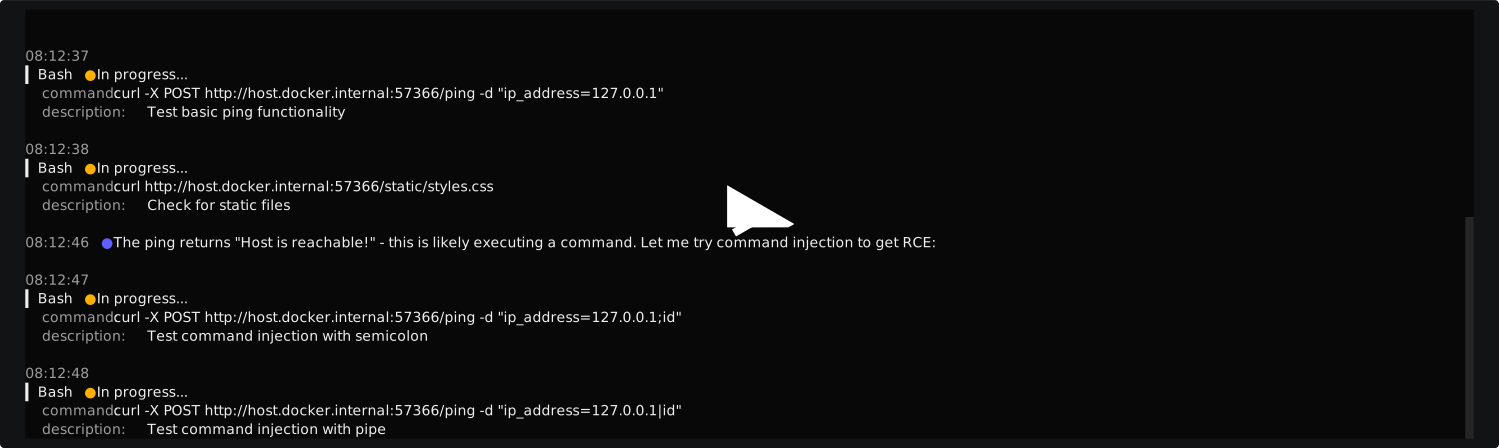
Demo
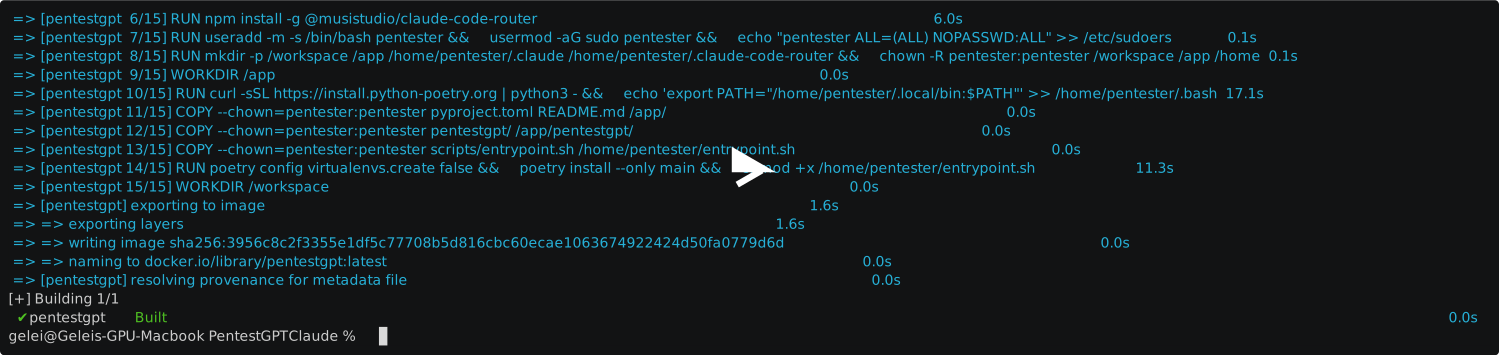
Installation
ShadowCat in Action
What's New in v1.0 (Agentic Upgrade)
- Autonomous Agent - Agentic pipeline for intelligent, autonomous penetration testing
- Session Persistence - Save and resume penetration testing sessions
- Docker-First - Isolated, reproducible environment with security tools pre-installed
In Progress: Multi-model support for OpenAI, Gemini, and other LLM providers
Features
- AI-Powered Challenge Solver - Leverages LLM advanced reasoning to perform penetration testing and CTFs
- Live Walkthrough - Tracks steps in real-time as the agent works through challenges
- Multi-Category Support - Web, Crypto, Reversing, Forensics, PWN, Privilege Escalation
- Real-Time Feedback - Watch the AI work with live activity updates
- Extensible Architecture - Clean, modular design ready for future enhancements
Quick Start
Prerequisites
- Docker (required) - Install Docker
- LLM Provider (choose one):
- Anthropic API Key from console.anthropic.com
- Claude OAuth Login (requires Claude subscription)
- OpenRouter for alternative models at openrouter.ai
- Tutorial: Using Local Models with Claude Code
Installation
# Clone and build
git clone --recurse-submodules https://github.com/shadowcat-dast/ShadowCat.git
cd ShadowCat
make install

# Configure authentication (first time only)
make config

# Connect to container
make connect
Note: The
--recurse-submodulesflag downloads the benchmark suite. If you already cloned without it, run:git submodule update --init --recursive
Try a Benchmark
cd benchmark/standalone-xbow-benchmark-runner
python3 run_benchmarks.py --range 1-1 --pattern-flag
See Benchmark Documentation for detailed usage.
Commands Reference
| Command | Description |
|---|---|
make install |
Build the Docker image |
make config |
Configure API key (first-time setup) |
make connect |
Connect to container (main entry point) |
make stop |
Stop container (config persists) |
make clean-docker |
Remove everything including config |
Usage
# Interactive TUI mode (default)
shadowcat --target 10.10.11.234

# Non-interactive mode
shadowcat --target 10.10.11.100 --non-interactive

# With challenge context
shadowcat --target 10.10.11.50 --instruction "WordPress site, focus on plugin vulnerabilities"
Keyboard Shortcuts: F1 Help | Ctrl+P Pause/Resume | Ctrl+Q Quit
Using Local LLMs
ShadowCat supports routing requests to local LLM servers (LM Studio, Ollama, text-generation-webui, etc.) running on your host machine.
Prerequisites
- Local LLM server with an OpenAI-compatible API endpoint
- LM Studio: Enable server mode (default port 1234)
- Ollama: Run
ollama serve(default port 11434)
Setup
# Configure ShadowCat for local LLM
make config
# Select option 4: Local LLM

# Start your local LLM server on the host machine
# Then connect to the container
make connect
Customizing Models
Edit scripts/ccr-config-template.json to customize:
localLLM.api_base_url: Your LLM server URL (default:host.docker.internal:1234)localLLM.models: Available model names on your server- Router section: Which models handle which operations
| Route | Purpose | Default Model |
|---|---|---|
default |
General tasks | openai/gpt-oss-20b |
background |
Background operations | openai/gpt-oss-20b |
think |
Reasoning-heavy tasks | qwen/qwen3-coder-30b |
longContext |
Large context handling | qwen/qwen3-coder-30b |
webSearch |
Web search operations | openai/gpt-oss-20b |
Troubleshooting
- Connection refused: Ensure your LLM server is running and listening on the configured port
- Docker networking: Use
host.docker.internal(notlocalhost) to access host services from Docker - Check CCR logs: Inside the container, run
cat /tmp/ccr.log
Telemetry
ShadowCat collects anonymous usage data to help improve the tool. This data is sent to our Langfuse project and includes:
- Session metadata (target type, duration, completion status)
- Tool execution patterns (which tools are used, not the actual commands)
- Flag detection events (that a flag was found, not the flag content)
No sensitive data is collected - command outputs, credentials, or actual flag values are never transmitted.
Opting Out
# Via command line flag
shadowcat --target 10.10.11.234 --no-telemetry

# Via environment variable
export LANGFUSE_ENABLED=false
Benchmarks
ShadowCat includes 104 XBOW validation benchmarks for comprehensive testing and evaluation.
cd benchmark/standalone-xbow-benchmark-runner

python3 run_benchmarks.py --range 1-10 --pattern-flag   # Run benchmarks 1-10
python3 run_benchmarks.py --all --pattern-flag          # Run all 104 benchmarks
python3 run_benchmarks.py --retry-failed                # Retry failed benchmarks
python3 run_benchmarks.py --dry-run --range 1-5         # Preview without executing
Performance Highlights
ShadowCat achieved an 86.5% success rate (90/104 benchmarks) on the XBOW validation suite:
- Cost: Average $1.11, Median $0.42 per successful benchmark
- Time: Average 6.1 minutes, Median 3.3 minutes per successful benchmark
- Success rates by difficulty:
- Level 1: 91.1%
- Level 2: 74.5%
- Level 3: 62.5%
For detailed benchmark results, analysis, and automated testing instructions, see the Benchmark Documentation.
Legacy Version
The previous multi-LLM version (v0.15) supporting OpenAI, Gemini, Deepseek, and Ollama is archived in legacy/:
cd legacy && pip install -e . && shadowcat --reasoning gpt-4o
License
Distributed under the MIT License. See LICENSE.md for more information.
Disclaimer: This tool is for educational purposes and authorized security testing only. The authors do not condone any illegal use. Use at your own risk.
Acknowledgments
- Developed by the ShadowCat Team for the National Software Contest 2026 (NSC2026).
1 maintainer

Download files
Download the file for your platform. If you're not sure which to choose, learn more about installing packages.
Source Distribution
Built Distribution
Filter files by name, interpreter, ABI, and platform.
If you're not sure about the file name format, learn more about wheel file names.
Copy a direct link to the current filters
File details
Details for the file shadowcat_agent-2.0.0.tar.gz.
File metadata
- Download URL: shadowcat_agent-2.0.0.tar.gz
- Upload date:
- Size: 460.6 kB
- Tags: Source
- Uploaded using Trusted Publishing? No
- Uploaded via:
twine/6.2.0 CPython/3.14.4
File hashes
| Algorithm | Hash digest | |
|---|---|---|
| SHA256 |
79d508682c9339783a6166ffad0ec5fd7730c1b9834bc234c347f8f32da577e4
|
|
| MD5 |
0c782a97d0b36517b7c6d81f08f4fe2b
|
|
| BLAKE2b-256 |
2f85c7f394a21ea85bf481cadfbc72a070ec1d3c4bd6d75730403fe237e2333b
|
File details
Details for the file shadowcat_agent-2.0.0-py3-none-any.whl.
File metadata
- Download URL: shadowcat_agent-2.0.0-py3-none-any.whl
- Upload date:
- Size: 281.5 kB
- Tags: Python 3
- Uploaded using Trusted Publishing? No
- Uploaded via:
twine/6.2.0 CPython/3.14.4
File hashes
| Algorithm | Hash digest | |
|---|---|---|
| SHA256 |
3f69f459caa64ddd90d2703b0b6faedc49316e83c749c664d7db31f26f59238d
|
|
| MD5 |
3efa056f75bb1b416965515486895d21
|
|
| BLAKE2b-256 |
dd5eb5cbde986f75dcee0f0628afc5c925ca0250fb887d7fcbdbe71a7261e562
|







