
Shape detector with YOLOv5 🚀
This Package contains YOLOv5 model which has been trained over dataset of shapes (containing two classes of polygons and ellipse), model is capable of detecting two classes and counting the number of each class in a given image
What is YOLOv5?
YOLOv5 🚀 is a family of compound-scaled object detection models trained on the COCO dataset, and includes simple functionality for Test Time Augmentation (TTA), model ensembling, hyperparameter evolution, and export to ONNX, CoreML and TFLite.
Data Set Structure 💻:
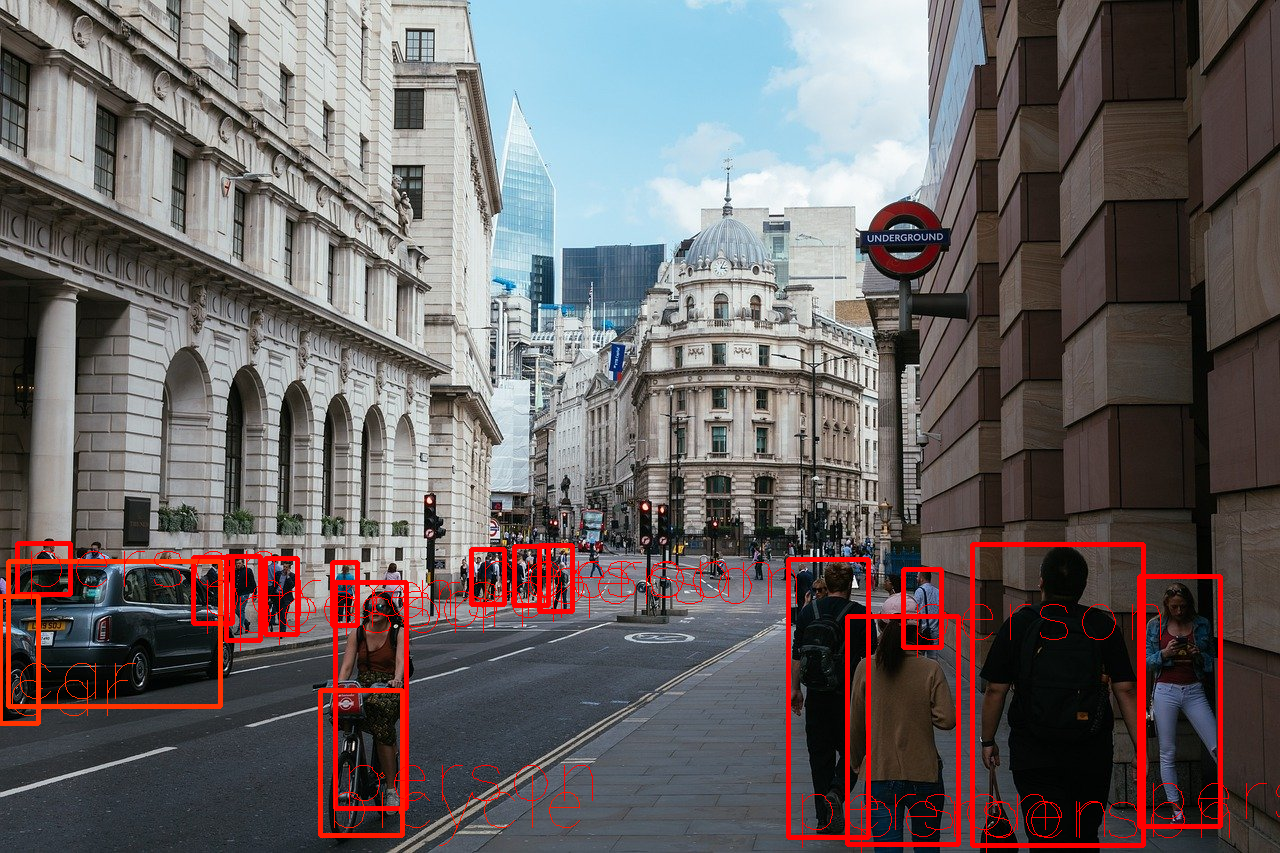
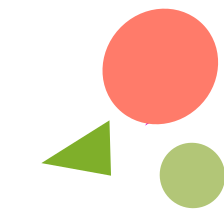
For this model I used about 700 images containing different number of ellipses and polygons which all has been labeled manually, down below you can find some of the images which used for training:

YOLOv5 Advantages? 🏛️:
- It is about 88% smaller than YOLOv4 (27 MB vs 244 MB)
- It is about 180% faster than YOLOv4 (140 FPS vs 50 FPS)
- It is roughly as accurate as YOLOv4 on the same task (0.895 mAP vs 0.892 mAP)


Prerequisites 🧰
YOLOv5PytorchNumpyPandasgdown
Accuracy 📈
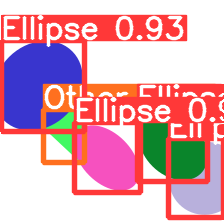
For accuracy I used about 1864 images to get the number of ellipses, out of this number only 193 of images were predicted wrong with the count of ellipses. the overall accuracy of the model was about 90%. here is a sample of out put from the model with the image and text file with containes the number of each object and their exact position.
2 0.283482 0.604911 0.183036 0.236607
0 0.872768 0.792411 0.245536 0.352679
0 0.767857 0.647321 0.3125 0.321429
0 0.189732 0.381696 0.370536 0.40625
0 0.477679 0.700893 0.294643 0.3125
First column shows the classes (0 for ellipse, 1 for triangle, 2 for general polygon), and the rest of columns show position of the item
Features
- Easy to use
- Fast
- Accurate
Usage
Pip install the package:
pip install shapedetector==0.0.1
Download Weights :
gdown https://drive.google.com/uc?id=1nXiNOfZRfovIWDz00rgSbFJp2a0mlHrX
Some Imports
from shape_detector.main import init_detector
from shape_detector.main import detect_ellipse
init the modell:
init_detector()
Run the model (you might need to run this code twice to load properly) arguments are (path to model, image dim, path to image file)
detect_ellipse("/content/best.pt", 224, "/content/test0099.png")
To see the result image run:
from IPython.display import Image
Image('/content/yolov5/runs/detect/exp2/test0036.png', width=500)
To get the file containing classes, number of objects and their position run:
cat /content/yolov5/runs/detect/exp2/labels/test0036.txt

>>>
2 0.283482 0.604911 0.183036 0.236607
0 0.872768 0.792411 0.245536 0.352679
0 0.767857 0.647321 0.3125 0.321429
0 0.189732 0.381696 0.370536 0.40625
0 0.477679 0.700893 0.294643 0.3125
First column shows the classes (0 for ellipse, 1 for triangle, 2 for general polygon), and the rest of columns show position of the item
Author
| Name | Github | Home Page |
|---|---|---|
| Mehdi Hosseini Moghadam | https://github.com/mehdihosseinimoghadam | https://mehdihosseinimoghadam.github.io/ |
License
MIT
Free Software, Hell Yeah!
1 maintainer

Release files for shapedetector 0.0.1
For a detailed explanation of source distributions (sdists) and built distributions (wheels), please see the package formats documentation.
Source distribution (sdist)
| File | Size | Uploaded | |
|---|---|---|---|
| shapedetector-0.0.1.tar.gz | 3.4 kB | Details |
Built distribution (wheel)
| File | Interpreter | ABI | Platform | Reset |
|---|---|---|---|---|
| shapedetector-0.0.1-py3-none-any.whl | Python 3 | none | any | Details |
Total release size: 7.3 kB
Release files / shapedetector-0.0.1.tar.gz
| Download URL | shapedetector-0.0.1.tar.gz |
|---|---|
| Size | 3.4 kB |
| Tags | Source |
|
SHA-256 checksum How to use checksums |
1217a3c899d1770bb2452a9580c0fcadadc2cbcb3da492abb2039d70e6b58cf7
|
|
BLAKE2b-256 checksum How to use checksums |
932e5d1e3d0108a79ab865934b13af5bec9ad2776e3d0d12497c25a57d2b0c74
|
| Upload date | |
|
Uploaded using Trusted Publishing? What is trusted publishing? |
No |
| Uploaded via |
twine/4.0.1 CPython/3.7.13
|
Release files / shapedetector-0.0.1-py3-none-any.whl
| Download URL | shapedetector-0.0.1-py3-none-any.whl |
|---|---|
| Size | 3.8 kB |
| Tags | Python 3 |
|
SHA-256 checksum How to use checksums |
ca14f59ef6f73aa6636c1d85b5ee9cb7340db9acb716b918abc313e19b0cdd34
|
|
BLAKE2b-256 checksum How to use checksums |
040c5a9a07d182eef76b0410320ad4d9d5675e88abc23ee404cdd3e844f38c61
|
| Upload date | |
|
Uploaded using Trusted Publishing? What is trusted publishing? |
No |
| Uploaded via |
twine/4.0.1 CPython/3.7.13
|













