
Terminal OPDS catalog browser and book downloader
Verified details
These details have been verified by PyPIProject links
GitHub Statistics
Maintainers

Project description
Shelfline
Shelfline is a terminal bookshelf for OPDS catalogs: browse Calibre-Web and other OPDS 1.x libraries, download books, manage a local library, and read EPUBs from the terminal.
The app is catalog-first: add an OPDS catalog, browse folders and book entries, download one book at a time, then read supported EPUB text directly inside the terminal.
Who Shelfline Is For
- Calibre-Web users who browse their library through OPDS.
- Self-hosters with private OPDS book catalogs.
- Terminal-first readers who want keyboard-first download, library, and EPUB reading workflows.
- People managing local ebook collections across Windows and Linux.
Screenshots
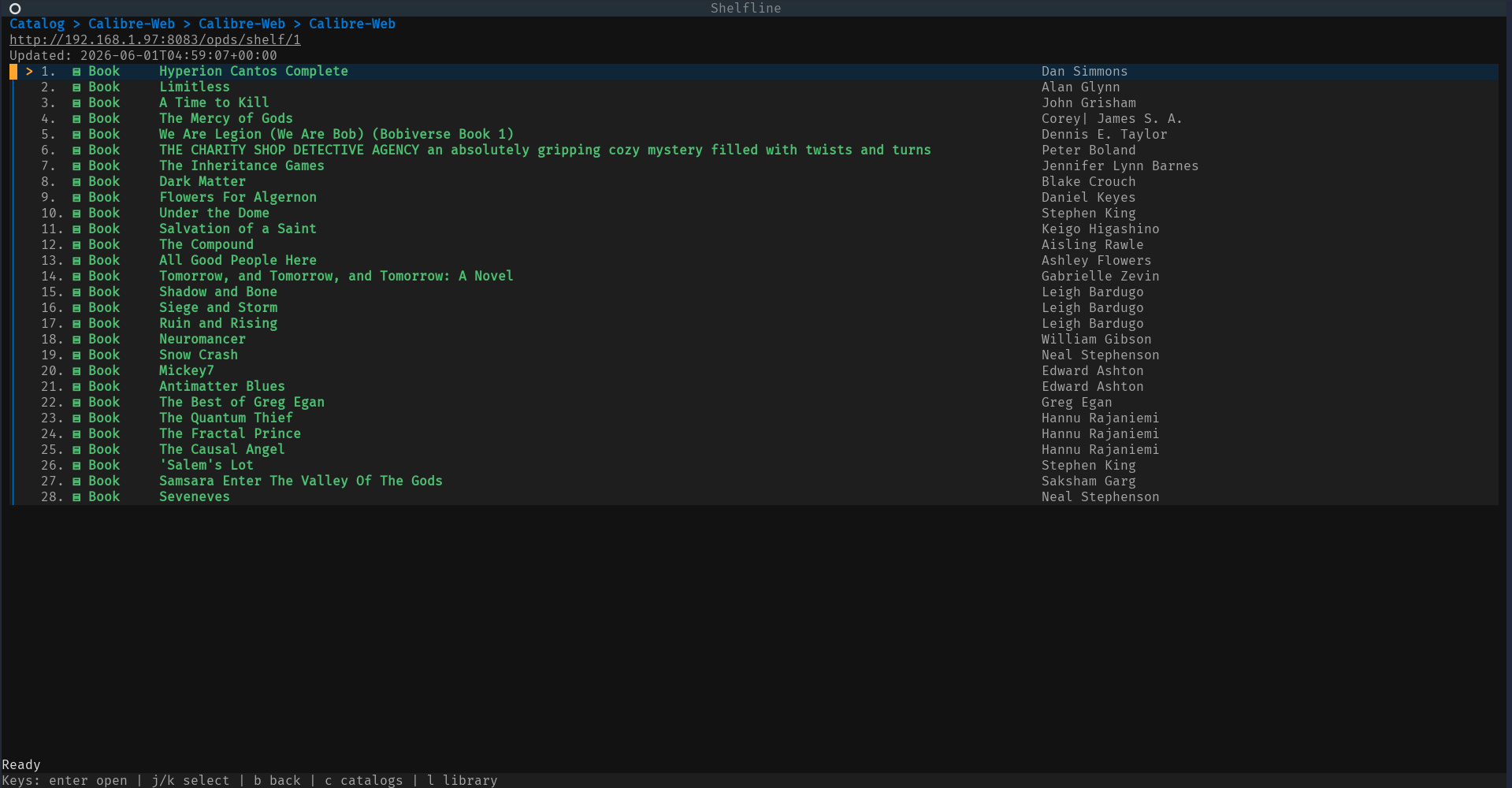
OPDS catalog book listing from Calibre-Web, showing authors and the current selection:
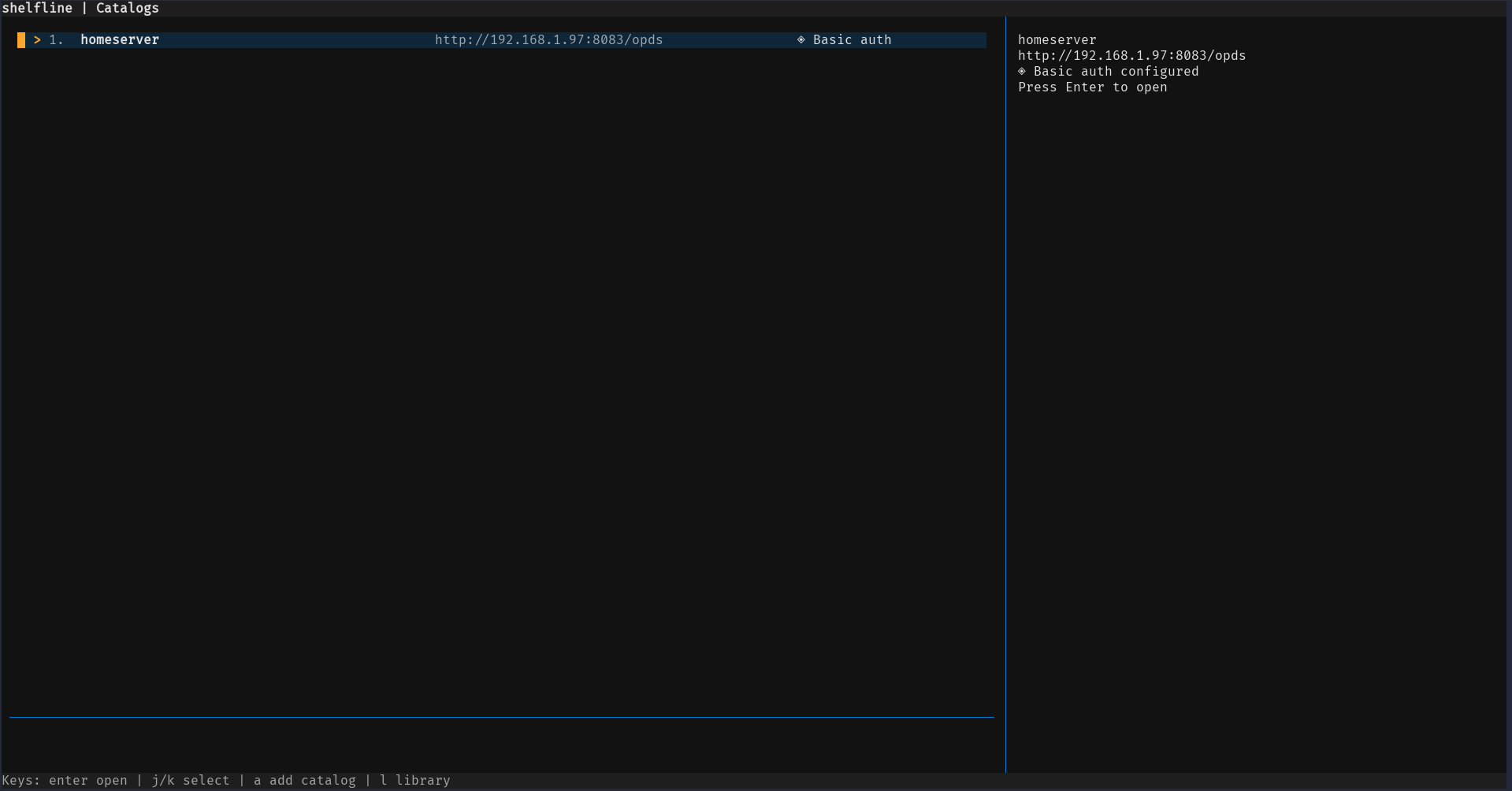
Saved catalog selector with the catalog detail pane:
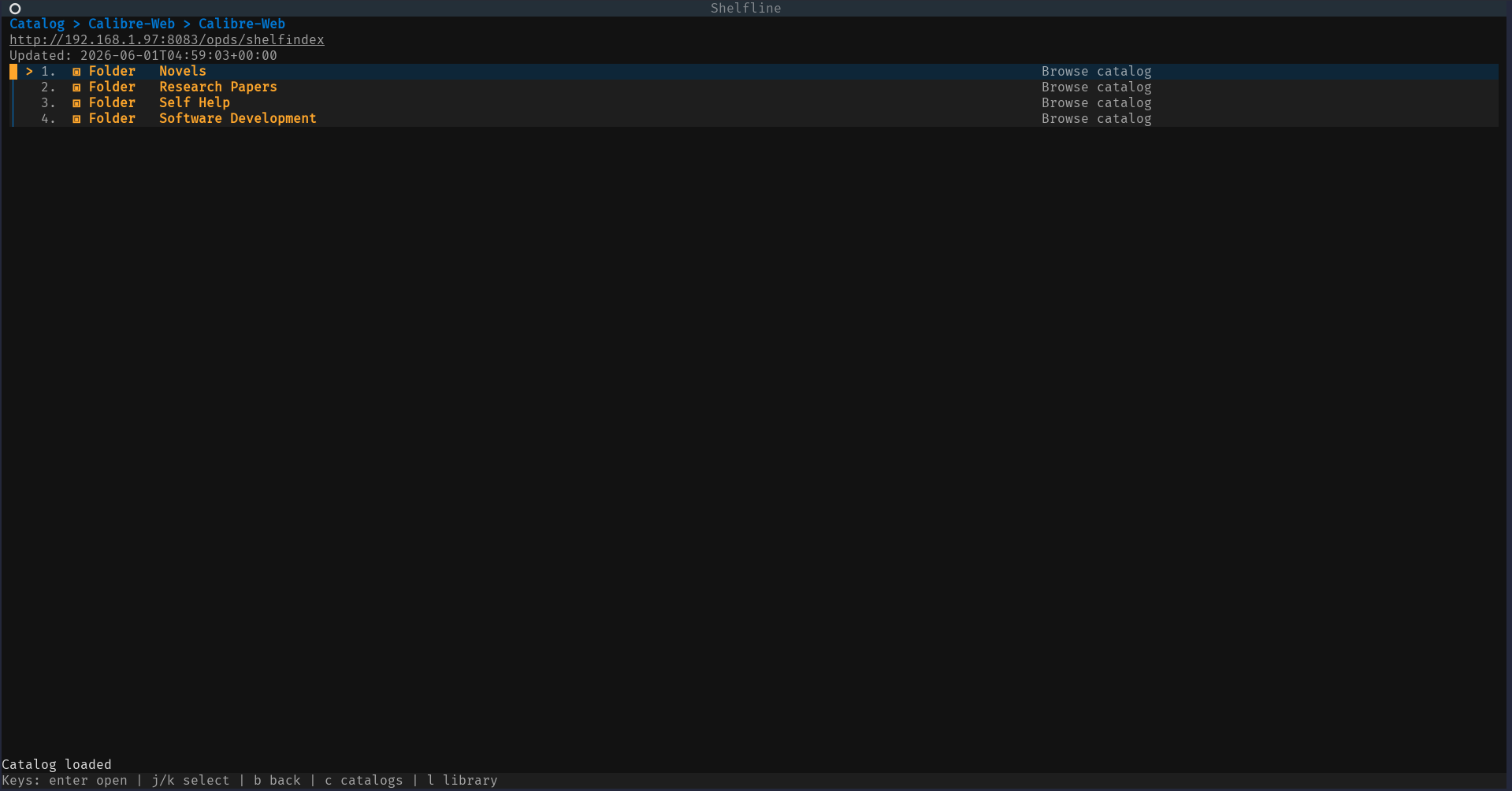
OPDS folder and group navigation:
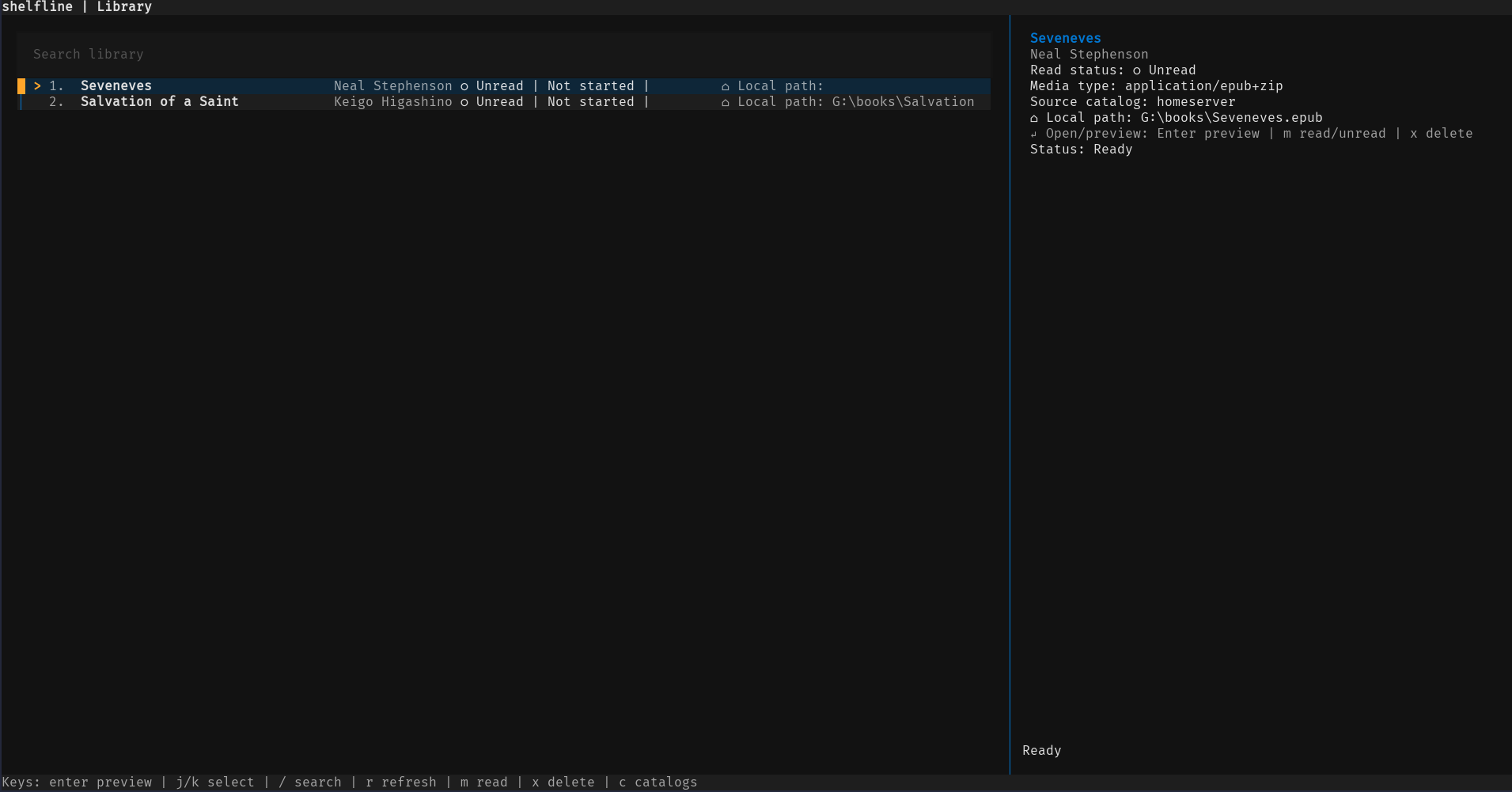
Local library with book details:
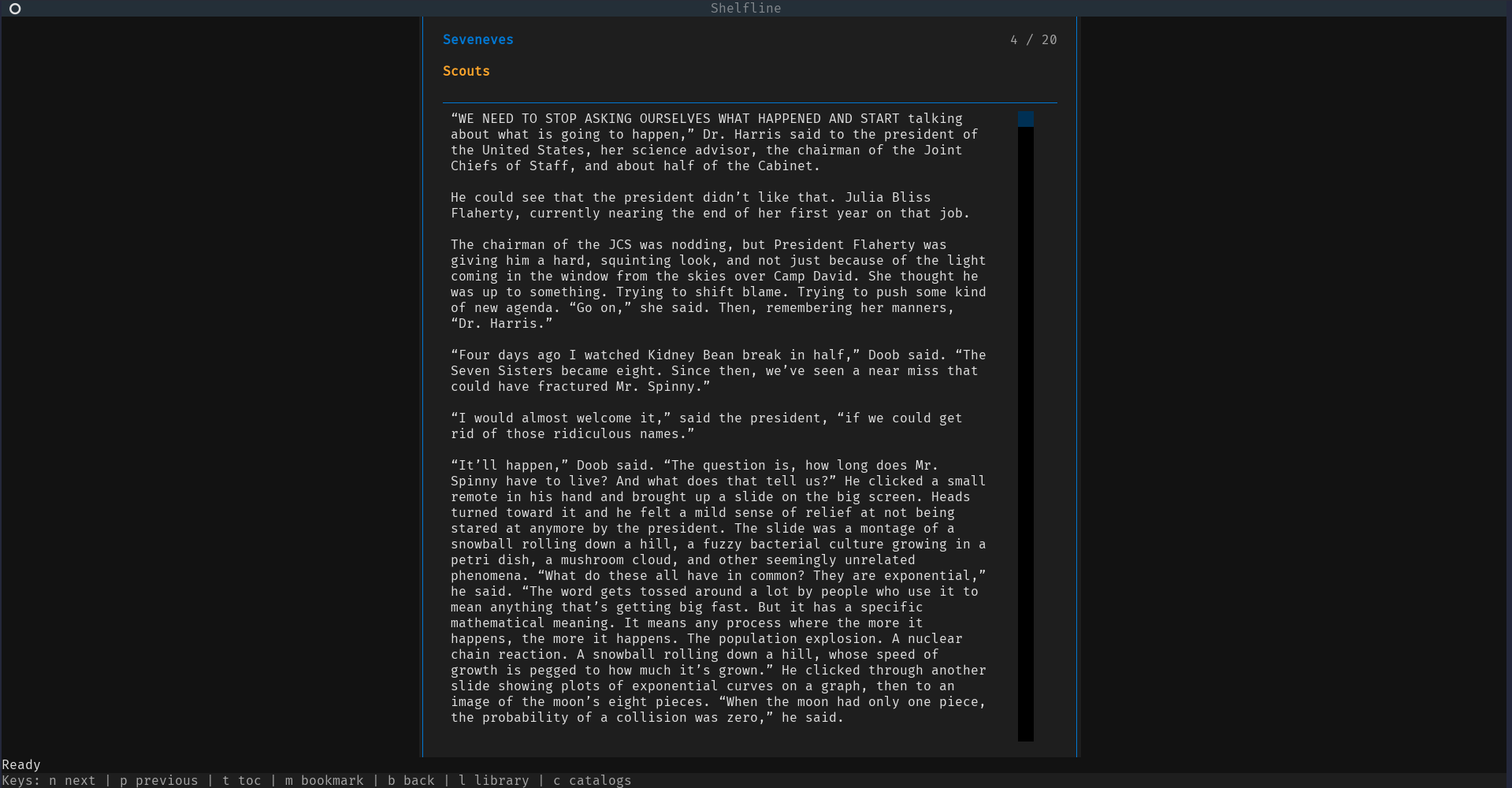
EPUB reader view:
Capabilities
- Browse OPDS 1.x Atom catalogs, including nested folders/groups.
- Access public catalogs and catalogs protected with HTTP Basic Auth.
- Add and edit saved catalog details through a human-editable JSON config file.
- Download EPUB, PDF, DjVu, CBR, CBZ, and other acquisition formats.
- Track downloaded books in a local library.
- Search downloaded books by title and author.
- Mark books read/unread.
- Delete downloaded books from the library.
- Show known-total download progress as percentage/bytes and unknown totals with a byte counter.
- Show busy indicators while the app waits on catalog, refresh, navigation, and download-related outgoing calls.
- Show title/author metadata in catalog and library detail views, with text fallback behavior where cover display is unavailable.
- Preview and read EPUB text in the terminal.
- Navigate EPUB sections, open a table of contents with
t, and jump to a selected section. - Save and resume EPUB reading progress for library-backed books.
- Add/remove local EPUB bookmarks at the current section.
- Store catalog metadata in JSON and local book state/cache in SQLite.
- Resolve Basic Auth passwords from an OS keyring reference where configured, with a JSON password fallback for portable or headless setups.
Requirements
- Python 3.11 or newer.
- Windows or Linux. macOS should work where the Python dependencies support it, but Windows and Linux are the primary targets.
- A terminal that can run Textual applications.
- Network access to any OPDS catalogs you want to browse.
- An existing local directory to use as the book download/library path.
Python package dependencies are declared in pyproject.toml:
textualrichhttpxfeedparserebooklibkeyringtextual-image
Development and test dependencies are available through the dev extra.
Installation Status
Shelfline is always installable from source. PyPI and pipx availability
follows published releases; release notes live in
docs/release.md.
Installation From Source
Installing from a source checkout is the recommended path today.
Clone the repository, install the package in editable mode, then run Shelfline:
Windows PowerShell:
git clone https://github.com/nikhilsahoo/shelfline.git
cd shelfline
python -m pip install -e ".[dev]"
shelfline
Linux shell:
git clone https://github.com/nikhilsahoo/shelfline.git
cd shelfline
python -m pip install -e '.[dev]'
shelfline
Run the app from an editable checkout with either the console script or module entrypoint:
shelfline
python -m shelfline
Configuration
Use --config to point at a specific JSON config file:
python -m shelfline --config .\config.json
shelfline --config C:\Users\you\AppData\Roaming\shelfline\config.json
Without --config, Shelfline looks for a config file at:
- Windows:
%APPDATA%\shelfline\config.json - Linux/macOS with
XDG_CONFIG_HOME:$XDG_CONFIG_HOME/shelfline/config.json - Linux/macOS fallback:
~/.config/shelfline/config.json
If the config file is missing, the app opens the setup screen and asks for an existing library/download directory.
Example config:
{
  "library_path": "C:/Users/you/Books/shelfline",
  "catalogs": [
    {
      "name": "Public OPDS",
      "url": "https://example.test/opds"
    },
    {
      "name": "Private Library",
      "url": "https://library.example.test/opds",
      "auth": {
        "username": "reader@example.test",
        "password": "change-me"
      }
    }
  ],
  "preferences": {}
}
Credentials
Catalog metadata remains in JSON. Basic Auth usernames remain visible in JSON.
Passwords can be resolved from the OS keyring when the catalog config uses a
password_ref. JSON auth.password remains supported as an explicit fallback
for editable config files, headless environments, and portable setups where
keyring access is unavailable.
Use password_ref to point at a keyring service/reference:
{
  "library_path": "C:/Users/you/Books/shelfline",
  "catalogs": [
    {
      "name": "Private Library",
      "url": "https://library.example.test/opds",
      "auth": {
        "username": "reader@example.test",
        "password_ref": "shelfline:Private%20Library"
      }
    }
  ],
  "preferences": {}
}
The JSON fallback remains valid:
{
  "auth": {
    "username": "reader@example.test",
    "password": "change-me"
  }
}
Usage
Common keys:
c: show catalogs.a: add a catalog.l: show library.j/down: move selection down.k/up: move selection up.enter: open selected item.b: go back from screens that support back navigation.d: download the selected acquisition from an entry screen.m: mark a library book read/unread, or add/remove a reader bookmark.x: delete a library book.r: refresh the library.q: quit.
Catalog feeds show breadcrumbs for nested OPDS folders and label rows as folder, book, or entry rows with terminal-friendly glyphs. Download status screens show percentage and byte progress where the server reports a content length and an indeterminate byte counter otherwise.
Library
l: open the local library./: focus the library search box.enter: apply the current search while the search box is active, or open the selected book otherwise.j/down: move to the next book.k/up: move to the previous book.r: refresh the library, preserving the current search when one is active.m: mark the selected book read/unread.x: delete the selected book and clear its saved progress/bookmarks.
Library rows show title, authors, read state, media type, source catalog, and local file path. Search matches downloaded book titles and authors from the local SQLite library metadata.
EPUB Reader
n: next EPUB section.p: previous EPUB section.t: open the table of contents.enter: jump to the selected table-of-contents entry while the TOC is open.m: add a bookmark at the current section, or remove an existing bookmark at the same section and position.b: back to the previous screen.c: show catalogs.l: show library.q: quit.
Opening a downloaded EPUB from the library starts the reader. When the reader moves between sections or jumps through the table of contents, Shelfline saves reading progress to the local SQLite state database. Reopening the same library-backed EPUB resumes at the saved section. If progress cannot be loaded or saved, the reader keeps working and shows a recoverable status message.
Bookmarks are local-only. Pressing m in the reader adds a bookmark labeled
with the current section heading. Pressing m again at the same section and
position removes the existing bookmark.
Storage
- JSON config stores the user-selected library path, saved catalogs, and editable preferences.
- SQLite local state stores downloaded book metadata, feed cache, reading progress, bookmarks, and read/unread state.
- Downloaded files are stored in the configured library path.
- Keyring-backed credentials can be resolved through the operating system
keyring backend when a catalog uses
auth.password_ref.
Renaming from epub-tui
Shelfline does not automatically migrate old epub-tui data yet. Previous config
files used %APPDATA%\epub-tui\config.json,
$XDG_CONFIG_HOME/epub-tui/config.json, or ~/.config/epub-tui/config.json;
new config paths use shelfline instead. The old local state DB was under the
configured library path at .epub-tui/state.db; the new state DB is
.shelfline/state.db. Old keyring references used the epub-tui: prefix, and
new references use shelfline:.
To preserve catalog config, reading progress, bookmarks, and local metadata, users can manually copy or move the config file and state DB. Password references may need to be updated or re-saved in the keyring.
Verification
Run the full test suite and CLI smoke check before merging or releasing:
python -m pytest -v
python -m shelfline --help
Manual smoke checklist for an interactive terminal and test OPDS catalog:
- First-run setup accepts an existing library/download directory.
- Add OPDS catalog works.
- Basic Auth catalog works with a configured keyring password reference or the documented JSON password fallback.
- Browse nested OPDS folders.
- Open a book detail page.
- Download an EPUB.
- Open Library.
- Search Library.
- Mark a book read/unread.
- Open an EPUB reader from the library.
- Navigate reader sections with
nandp. - Open the reader table of contents with
tand jump to another section. - Close and reopen the EPUB, confirming progress resumes at the saved section.
- Add a bookmark with
m, then pressmagain at the same section to remove it. - Trigger a duplicate download error and confirm the error remains visible.
TODO
- Add OPDS 2.x support.
- Add OAuth or browser-based authentication.
- Render downloaded PDF, DjVu, CBR, and CBZ files in the terminal.
- Render cover images with terminal graphics instead of text-only fallback.
- Add queued or multi-file downloads.
- Improve EPUB rendering beyond text-focused, section-based reading.
- Add annotations, sync, and full-text book search.
Project details
Verified details
These details have been verified by PyPIProject links
GitHub Statistics
Maintainers
Release history Release notifications | RSS feed

Download files
Download the file for your platform. If you're not sure which to choose, learn more about installing packages.
Source Distribution
Built Distribution
Filter files by name, interpreter, ABI, and platform.
If you're not sure about the file name format, learn more about wheel file names.
Copy a direct link to the current filters
File details
Details for the file shelfline-0.1.0.tar.gz.
File metadata
- Download URL: shelfline-0.1.0.tar.gz
- Upload date:
- Size: 63.3 kB
- Tags: Source
- Uploaded using Trusted Publishing? Yes
- Uploaded via: twine/6.1.0 CPython/3.13.12
File hashes
| Algorithm | Hash digest | |
|---|---|---|
| SHA256 |
bf25e5086b8bd31da42bee2dd46e5c63ec5cde17bab634100e19f745cdedead9
|
|
| MD5 |
4f8e415ff278a32df02b27e4d8dd90c5
|
|
| BLAKE2b-256 |
623504c49b7e072b5aa70d4b54dcd228362adcf00edba3c35a2e50c0d970f771
|
Provenance
The following attestation bundles were made for shelfline-0.1.0.tar.gz:
Publisher:
publish.yml on nikhilsahoo/shelfline
-
Statement:
-
Statement type:
https://in-toto.io/Statement/v1 -
Predicate type:
https://docs.pypi.org/attestations/publish/v1 -
Subject name:
shelfline-0.1.0.tar.gz -
Subject digest:
bf25e5086b8bd31da42bee2dd46e5c63ec5cde17bab634100e19f745cdedead9 - Sigstore transparency entry: 1689644638
- Sigstore integration time:
-
Permalink:
nikhilsahoo/shelfline@813b65ddabf0596c213d5678f18a3f36b64937ae -
Branch / Tag:
refs/tags/v0.1.0 - Owner: https://github.com/nikhilsahoo
-
Access:
public
-
Token Issuer:
https://token.actions.githubusercontent.com -
Runner Environment:
github-hosted -
Publication workflow:
publish.yml@813b65ddabf0596c213d5678f18a3f36b64937ae -
Trigger Event:
release
-
Statement type:
File details
Details for the file shelfline-0.1.0-py3-none-any.whl.
File metadata
- Download URL: shelfline-0.1.0-py3-none-any.whl
- Upload date:
- Size: 40.5 kB
- Tags: Python 3
- Uploaded using Trusted Publishing? Yes
- Uploaded via: twine/6.1.0 CPython/3.13.12
File hashes
| Algorithm | Hash digest | |
|---|---|---|
| SHA256 |
67f895acdcff10e0a91981ab616bfda6dd5adbabfb812c5fa5157e1728244bb9
|
|
| MD5 |
667cc5a591f5e18e3a256280ac61f26b
|
|
| BLAKE2b-256 |
f8812660979a3de01d047524def227e715fa24f14e2e088a7b5992d1f101542f
|
Provenance
The following attestation bundles were made for shelfline-0.1.0-py3-none-any.whl:
Publisher:
publish.yml on nikhilsahoo/shelfline
-
Statement:
-
Statement type:
https://in-toto.io/Statement/v1 -
Predicate type:
https://docs.pypi.org/attestations/publish/v1 -
Subject name:
shelfline-0.1.0-py3-none-any.whl -
Subject digest:
67f895acdcff10e0a91981ab616bfda6dd5adbabfb812c5fa5157e1728244bb9 - Sigstore transparency entry: 1689644644
- Sigstore integration time:
-
Permalink:
nikhilsahoo/shelfline@813b65ddabf0596c213d5678f18a3f36b64937ae -
Branch / Tag:
refs/tags/v0.1.0 - Owner: https://github.com/nikhilsahoo
-
Access:
public
-
Token Issuer:
https://token.actions.githubusercontent.com -
Runner Environment:
github-hosted -
Publication workflow:
publish.yml@813b65ddabf0596c213d5678f18a3f36b64937ae -
Trigger Event:
release
-
Statement type:






