
shinyswatch
Bootswatch + Bootstrap 5 themes for Shiny.
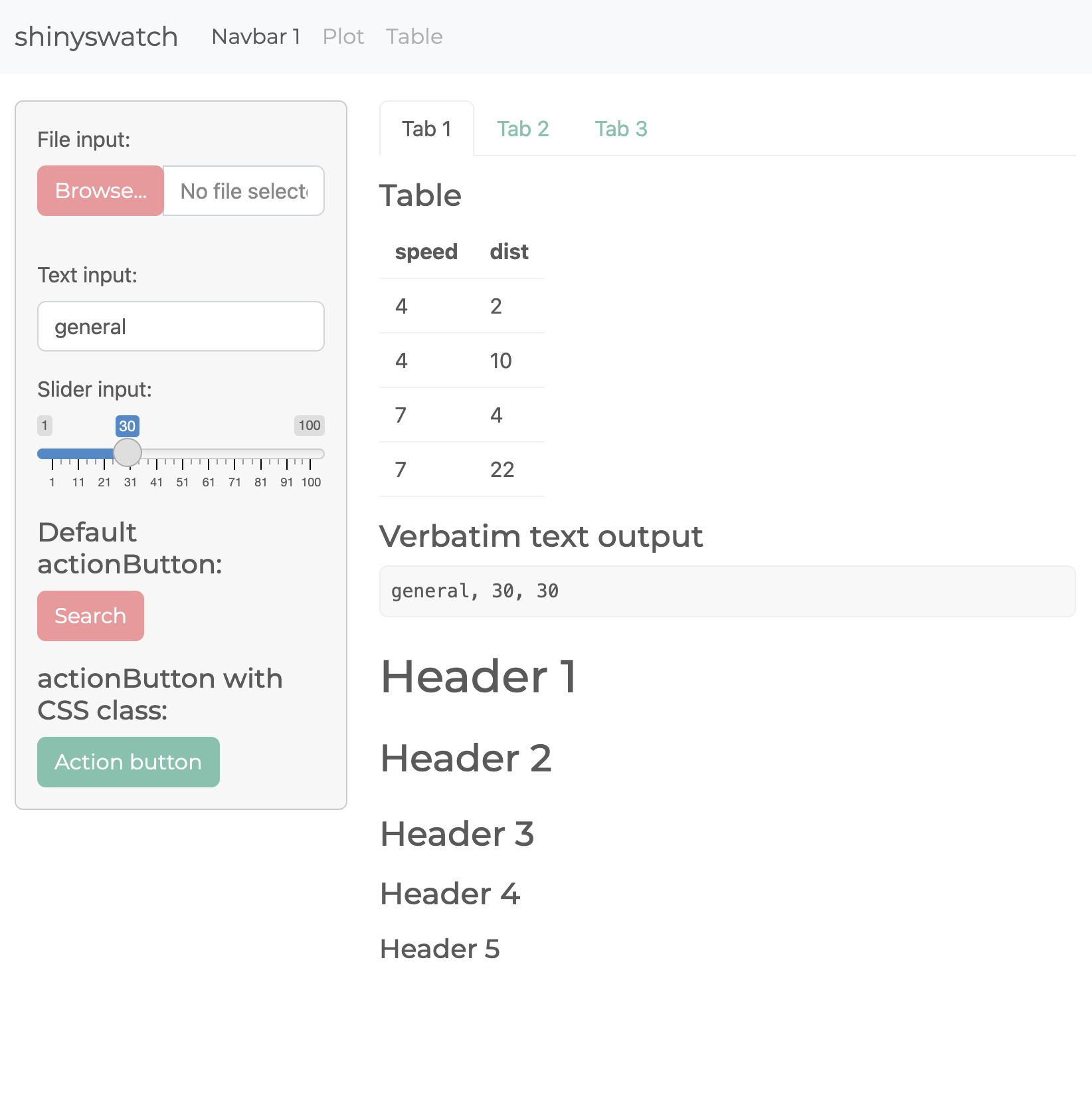
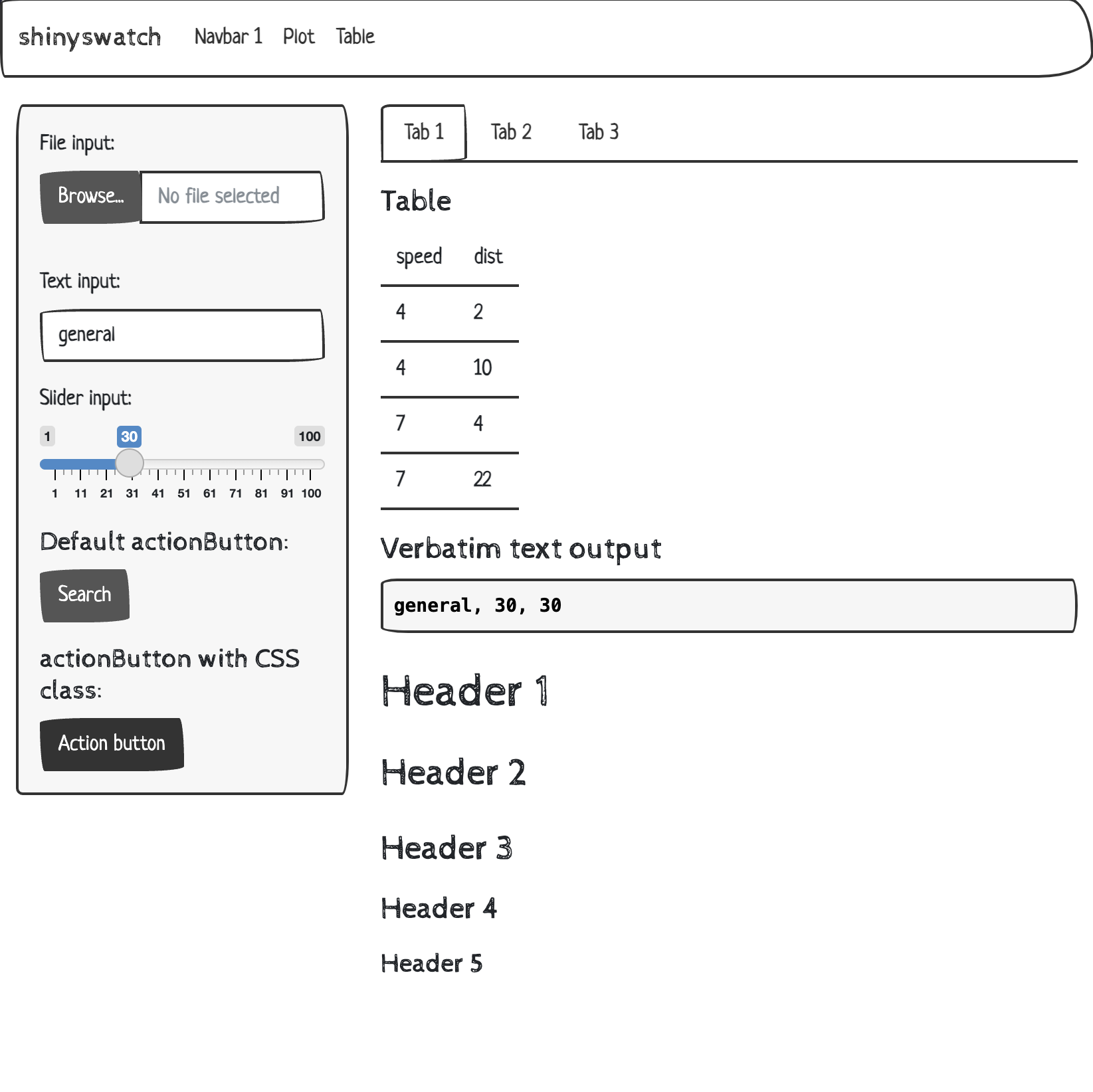
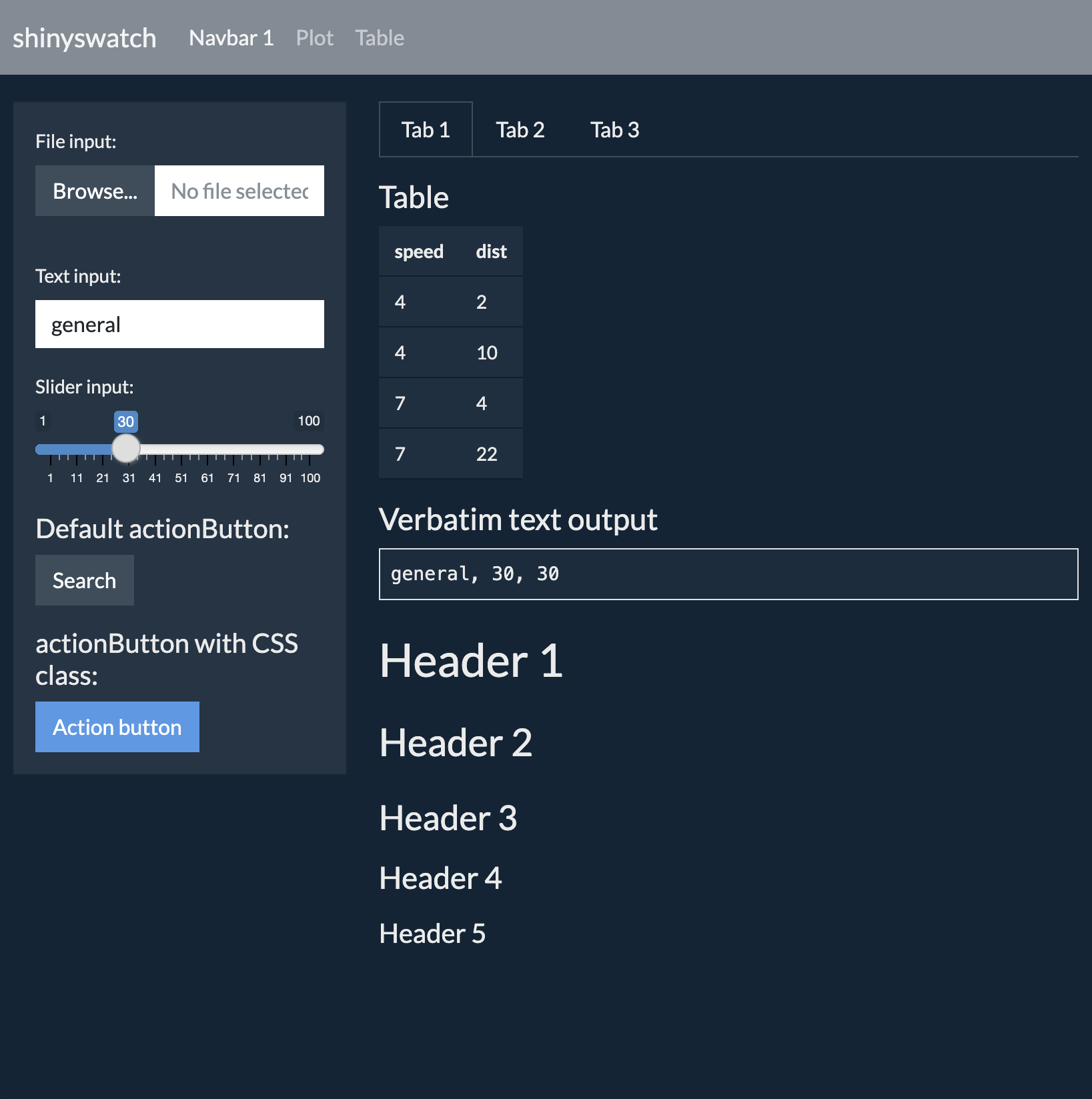
Here are just three of the 25 themes in shinyswatch:
| Minty | Sketchy | Superhero |
|---|---|---|
 |
 |
 |
Installation
pip install shinyswatch
To install the latest development version from this repository:
pip install https://github.com/rstudio/py-shinyswatch/tarball/main
Usage
To use a theme, add a shinyswatch.theme theme object to your App’s UI
definition.
# Minty theme
shinyswatch.theme.minty

# Sketchy theme
shinyswatch.theme.sketchy

# Superhero theme
shinyswatch.theme.superhero
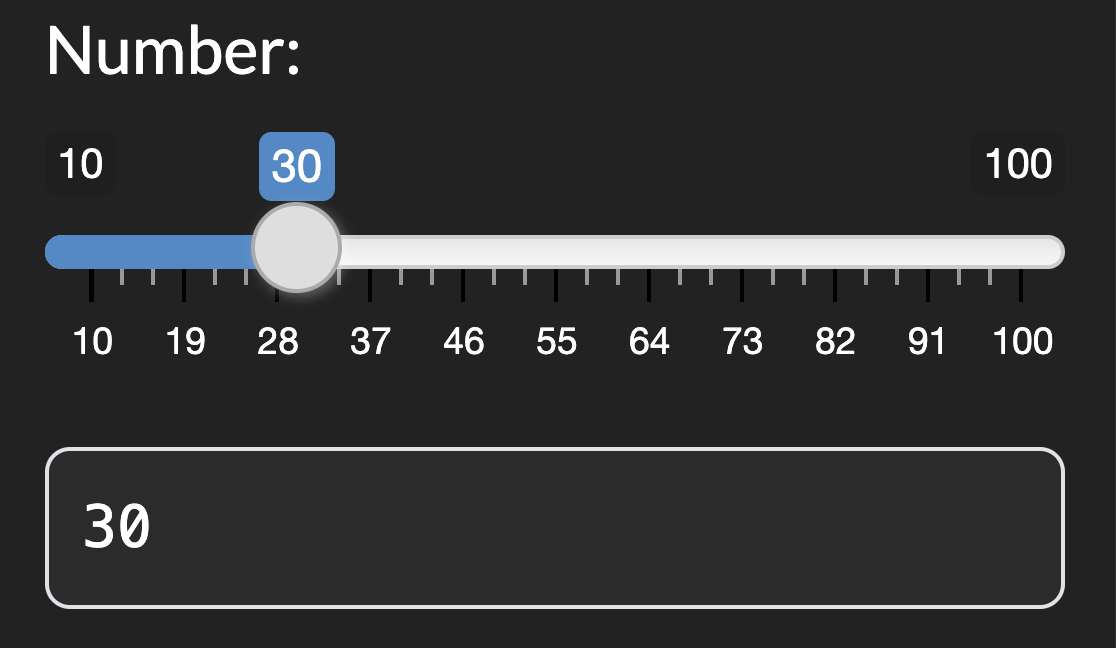
Example Shiny application:
|
File: |
Screenshot |
|---|---|
from shiny import App, Inputs, Outputs, Session, render, ui

import shinyswatch

app_ui = ui.page_fluid(
    ui.input_slider("num", "Number:", min=10, max=100, value=30),
    ui.output_text_verbatim("slider_val"),
    theme=shinyswatch.theme.darkly,  # <- Use a shinyswatch theme here
)


def server(input: Inputs, output: Outputs, session: Session):
    @output
    @render.text
    def slider_val():
        return f"{input.num()}"


app = App(app_ui, server)
|
|
Note: When writing shiny apps that use shinyswatch on shinylive.io, remember to add
shinyswatchto yourrequirements.txtfile!
Theme picker
To add a theme picker to your app, add the theme picker UI and server functions to your app’s UI and server definitions.
Demo theme picker app on shinylive.io.
Plot Theming
shinyswatch themes include a .colors attribute that can be used to
theme plots or other outputs and UI elements. In the example below, try
changing the theme and re-running the app to see how the plot changes.
Demo plot theming app on shinylive.io.
Development
If you want to do development on shinyswatch for Python:
pip install -e ".[dev,test,docs]"
Examples
There are multiple examples in the shinyswatch repo.
To run the demos locally, you can run the examples by calling:
python3 -m shiny run examples/basic-darkly/app.py
python3 -m shiny run examples/big-sketchy/app.py
python3 -m shiny run examples/components/app.py
python3 -m shiny run examples/theme-picker/app.py
1 maintainer

Release files for shinyswatch 0.13.1
For a detailed explanation of source distributions (sdists) and built distributions (wheels), please see the package formats documentation.
Source distribution (sdist)
| File | Size | Uploaded | |
|---|---|---|---|
| shinyswatch-0.13.1.tar.gz | 1.4 MB | Details |
Built distribution (wheel)
| File | Interpreter | ABI | Platform | Reset |
|---|---|---|---|---|
| shinyswatch-0.13.1-py3-none-any.whl | Python 3 | none | any | Details |
Total release size: 2.9 MB
Release files / shinyswatch-0.13.1.tar.gz
| Download URL | shinyswatch-0.13.1.tar.gz |
|---|---|
| Size | 1.4 MB |
| Tags | Source |
|
SHA-256 checksum How to use checksums |
c453a508728147b39710a551e4c82d83ca596be2a10c9c63fc331cff37a07818
|
|
BLAKE2b-256 checksum How to use checksums |
73654db259b1b153ef8f37ff6866a013d002ac047b0d544aba460e9225d48ebc
|
| Upload date | |
|
Uploaded using Trusted Publishing? What is trusted publishing? |
No |
| Uploaded via |
twine/7.0.0 CPython/3.13.14
|
Release files / shinyswatch-0.13.1-py3-none-any.whl
| Download URL | shinyswatch-0.13.1-py3-none-any.whl |
|---|---|
| Size | 1.4 MB |
| Tags | Python 3 |
|
SHA-256 checksum How to use checksums |
e2bebfb58005141fea20e6537baa98592d86b6a2af9b1aa471046a60a8208e60
|
|
BLAKE2b-256 checksum How to use checksums |
ea7804360e1503eb2bb3140e78bdcc9c9015a93b1fce0e8d86a93c31b49700a1
|
| Upload date | |
|
Uploaded using Trusted Publishing? What is trusted publishing? |
No |
| Uploaded via |
twine/7.0.0 CPython/3.13.14
|














