
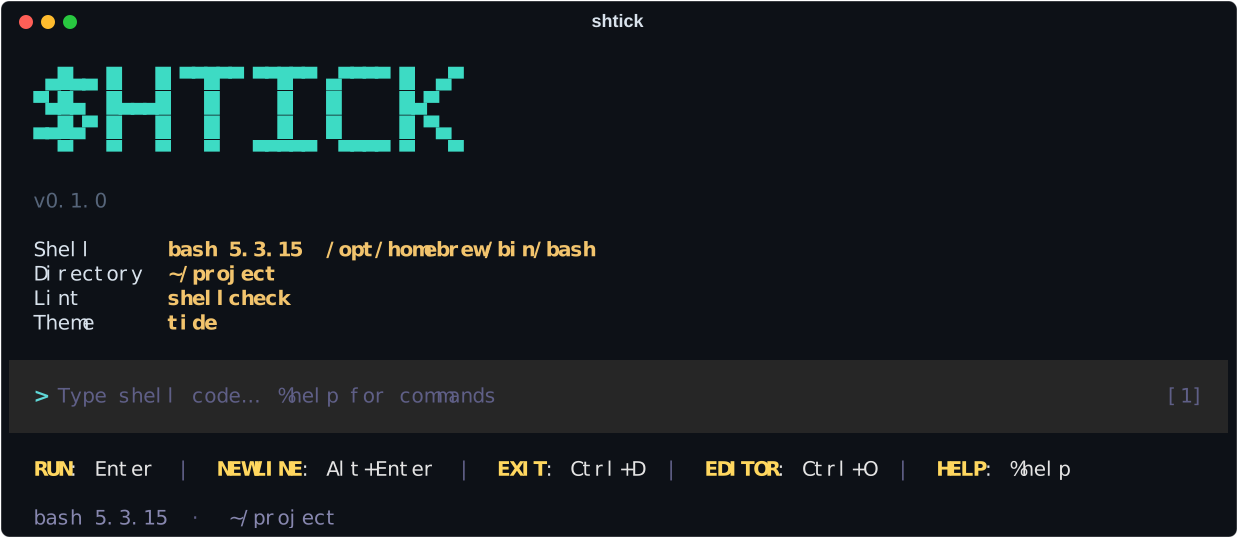
✓ shtick
A playground for writing and testing shell scripts. Run shell code cell by cell in a persistent session, step through scripts, trace them, lint them, compare shells, sandbox them and assert on the results.




See it in action
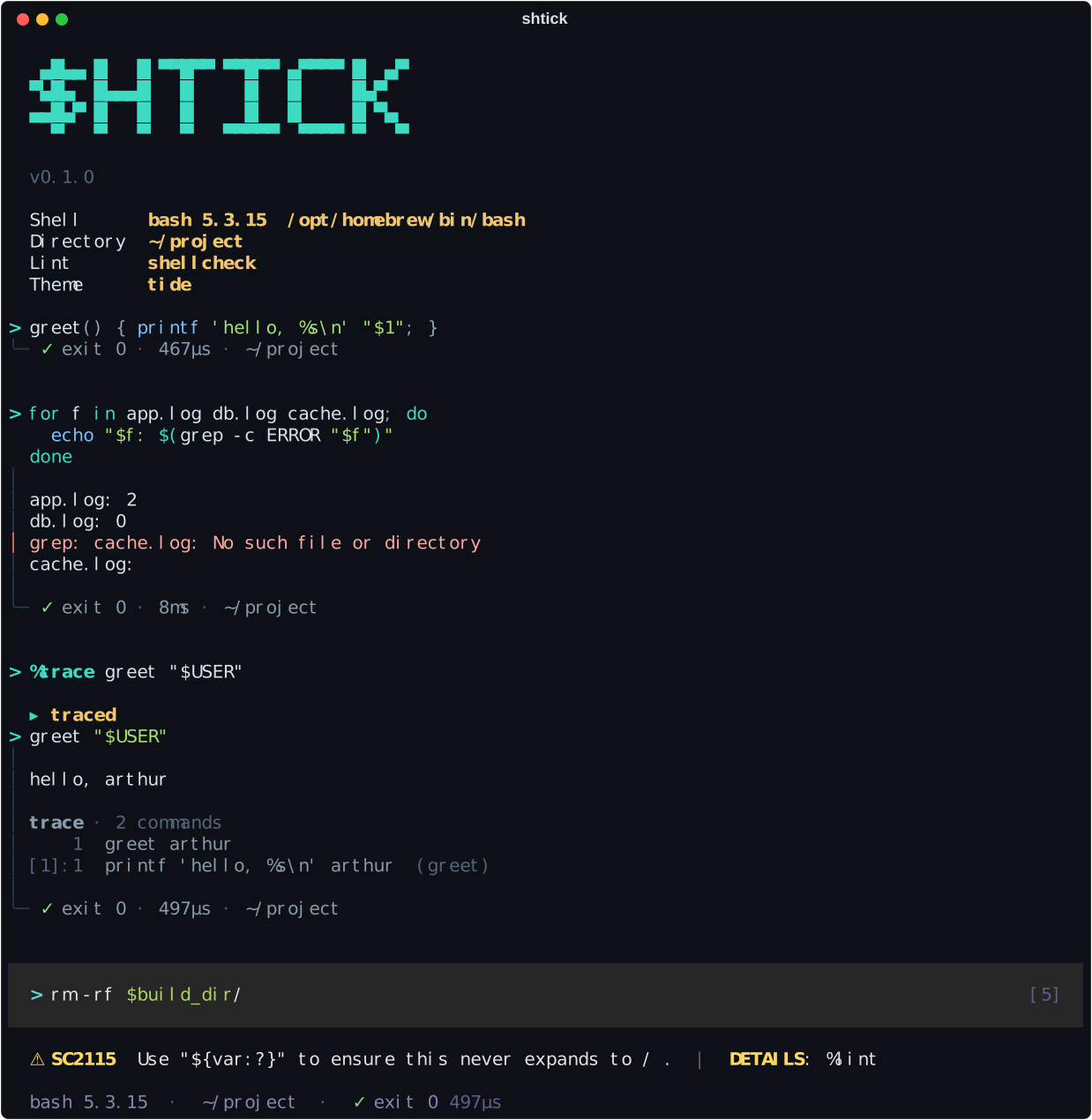
The name: sh + tick (✓, a passing check) — and a shtick is a routine you rehearse until it works.
Why shtick
- Readable runs. Every cell is a block: your code, its output on a rail (stderr in red), and a footer with the exit status, time and directory. Variables, functions,
cdandsetoptions carry over between cells. - Know what a script does. Open a script and step through it command by command (
%open,%next,%step), or%traceit to see every command that ran — with variables expanded — apart from the output. - Catch mistakes while typing. shellcheck lints the input as you type and puts the most important finding in the key bar. Typing
tar -xshows what each flag means. - Try things without fear.
%sandbox onruns cells in a throwaway directory and lists the files each cell created, changed or deleted. - Turn experiments into tests.
%expect exit 0,%expect stdout contains "done",%testto re-run everything in a fresh session,%save-testto get a file thatshtick testchecks in CI. - Tight loops.
%watch build.shre-runs a script on every save;%break 42stops%runat a line so you can look around. - Portable scripts.
%compare bash dash zshruns the same code in each shell side by side; on macOS,%compare /bin/bash bashshows what bash 3.2 does differently.
Install
pipx install shtick     # the `shtick` command everywhere, isolated from your projects
pip install shtick      # or into the current environment
To try the latest unreleased code: pipx install git+https://github.com/arthurdaquinosilva/shtick.git.
Then run shtick. Requires Python 3.10+ on macOS or Linux, and bash. shellcheck is optional but recommended (brew install shellcheck, apt install shellcheck); dash and zsh are used when installed.
Quick tour
> for f in *.log; do grep -c ERROR "$f"; done    # a cell: output, exit status, time, directory
> %open deploy.sh staging    # load a script ($1=staging) and list its commands
> %next                      # run the next one · %step: edit it first · %run: the rest
> %trace --next              # run the next command with every executed step listed
> %sandbox on --copy         # work in a temporary copy of this directory
> ./build.sh
> %expect exit 0             # check the last cell and record the check
> %expect file exists dist/app.tar.gz
> %test                      # re-run all cells in a fresh session, check expectations
> %save-test build.shtick    # later, in CI: shtick test build.shtick
> %watch build.sh            # run it again on every save · q stops
> %compare bash dash         # the previous cell in both shells, side by side
> %save build-steps.sh       # the cells that worked, as a script
> %help                      # every key and command
| Enter | run the cell (adds a newline while the code is unfinished — decided by the shell's own parser) |
| Shift+Enter · Alt+Enter · Ctrl+J | insert a newline |
| Tab | complete commands, files, $variables and %commands |
| → · ↑ ↓ · Ctrl+R | accept the grey suggestion · history · search history |
| Ctrl+O | edit the cell in $EDITOR |
| Ctrl+C | clear the input · interrupt a running cell (again: kill the session) |
| Ctrl+D | exit · end a running cell's stdin |
vi mode: shtick --vi, or %vi --save to keep it. Esc for normal mode, Enter runs from normal mode, j/k history, / search, v opens $EDITOR.
Shift+Enter needs a terminal that reports modified keys (iTerm2, WezTerm, Ghostty, kitty, xterm; inside tmux set extended-keys on). Alt+Enter and Ctrl+J work everywhere.
Documentation
| Guide | What's inside |
|---|---|
| Features | Cells and the session, typing, scripts, tracing, linting, the sandbox, expectations and tests, portability |
| Command reference | Every %command with its options (generated from the code) |
| Configuration | config.toml, themes, profiles, command-line options, test files |
| How it works | The session engine: how cells run, finish, read input and get interrupted |
| Releasing | How versions are published to PyPI |
Command line
shtick                          # interactive, in bash
shtick --shell dash             # or sh, zsh, a path like /bin/bash
shtick deploy.sh staging        # open a script to step through
shtick -c 'echo hi; false'      # run code as a cell, print the block, exit with its status
shtick test *.shtick            # run saved tests; exit status 1 if any check fails (--lint: shellcheck too)
shtick --vi --theme nebula --profile work
Development
git clone https://github.com/arthurdaquinosilva/shtick.git && cd shtick
python -m venv .venv && .venv/bin/pip install -e '.[dev]'
.venv/bin/python -m pytest                     # engine, commands, and the UI in a pseudo-terminal
.venv/bin/python scripts/gen_command_docs.py   # regenerate docs/commands.md
.venv/bin/python scripts/screenshot.py         # re-record docs/assets/*.svg from a real session
shtick is built on prompt_toolkit (input and layout), Rich (output) and Pygments (highlighting). It's the sibling of ember, an interactive Python shell.
Limits
- Not a login shell. shtick is for writing and testing scripts, not for replacing zsh or bash day to day. There's no job control (
fg,bg, Ctrl+Z). - No full-screen programs in cells. vim, htop, less or an ssh session need a real terminal; run them outside shtick.
%tty onhelps programs that only check whether they're on a terminal (colors,[ -t 1 ]), at the cost of merging stderr into stdout. - Cells run non-interactively, like scripts:
read -pprompts aren't printed unless%tty on, aliases are expanded (bash), no.bashrcis read. exit,execand a failing command underset -eend the session. shtick says so and starts a new one in the same directory, but variables and functions are gone.- The sandbox is a working directory, not a security boundary: absolute paths,
cd ..and$HOMEreach the real filesystem (the footer warns when a cell leaves it). - Linting needs shellcheck, which doesn't support zsh.
License
MIT © Arthur D'Aquino
1 maintainer

Metadata
1 maintainer
Release files for shtick 0.1.0
For a detailed explanation of source distributions (sdists) and built distributions (wheels), please see the package formats documentation.
Source distribution (sdist)
| File | Size | Uploaded | |
|---|---|---|---|
| shtick-0.1.0.tar.gz | 86.1 kB | Details |
Built distribution (wheel)
| File | Interpreter | ABI | Platform | Reset |
|---|---|---|---|---|
| shtick-0.1.0-py3-none-any.whl | Python 3 | none | any | Details |
Total release size: 168.8 kB
Release files / shtick-0.1.0.tar.gz
| Download URL | shtick-0.1.0.tar.gz |
|---|---|
| Size | 86.1 kB |
| Tags | Source |
|
SHA-256 checksum How to use checksums |
e23244e9629f9c953bba1fe2218c4fe0df8d1e2f35006fc509d3303e36ea4f8e
|
|
BLAKE2b-256 checksum How to use checksums |
00b2e652ecd1ebebe2ce432303155b8f2c3c11ad95b94bd1674f3a195be0e53b
|
| Upload date | |
|
Uploaded using Trusted Publishing? What is trusted publishing? |
Yes |
| Uploaded via |
twine/7.0.0 CPython/3.13.14
|
Provenance
Provenance describes where a file came from. On PyPI, provenance is shared via attestations, which provide a verifiable record of the build or publishing details. View details, limitations and caveats.


PyPI Publish Attestation
PyPI verified that this artifact, at this checksum, originated from the publisher listed below.
Signed by GitHub Actions, verified by PyPI on Sep 17, 2026.
Transparency logRelease files / shtick-0.1.0-py3-none-any.whl
| Download URL | shtick-0.1.0-py3-none-any.whl |
|---|---|
| Size | 82.7 kB |
| Tags | Python 3 |
|
SHA-256 checksum How to use checksums |
75a4746dd215015292842424fd443be04c56f978f1610a5cef9c38df14639c1b
|
|
BLAKE2b-256 checksum How to use checksums |
1ebcbdccb76f7a2903524c4866ba85e18ce7082f3e92fd0aee7e8b69ef72646c
|
| Upload date | |
|
Uploaded using Trusted Publishing? What is trusted publishing? |
Yes |
| Uploaded via |
twine/7.0.0 CPython/3.13.14
|
Provenance
Provenance describes where a file came from. On PyPI, provenance is shared via attestations, which provide a verifiable record of the build or publishing details. View details, limitations and caveats.
PyPI Publish Attestation
PyPI verified that this artifact, at this checksum, originated from the publisher listed below.
Signed by GitHub Actions, verified by PyPI on Sep 17, 2026.
Transparency log













