
sigma2sql


Run Sigma detection rules as SQL on SQLite, PostgreSQL,
DuckDB and ClickHouse: hunt through log files, .evtx included, without a SIEM,
convert rules for the database your logs already live in, and unit-test rules before they
reach production. Full documentation: brkozer.github.io/sigma2sql.
- All of SigmaHQ converts: the 3807 rules in its five rule folders on SQLite, DuckDB and
ClickHouse, 3804 on PostgreSQL, plus all 45
count()aggregation rules SigmaHQ keeps underunsupported/anddeprecated/. 27 of the 3807 use placeholders and need your values (details). Every generated query is executed on all four databases in CI each week. - Checked against real events: all 477 of SigmaHQ's regression samples match as expected on
SQLite, DuckDB and ClickHouse and from the original
.evtxfiles throughhunt, and on those events sigma2sql agrees with pySigma on 3076 of 3078 rules; the two differences are IPv6 addresses pySigma's text matching misses (details). - Correlations: event counts, distinct counts, sums, averages, percentiles and temporal sequences over a sliding window, as plain SQL.
- Your schema: profiles map Sigma fields to your columns or nested JSON (Sysmon, EVTX exports, Elastic/Winlogbeat ECS, OCSF built in) and limit each rule to the right log source.
Install
pip install "sigma2sql[duckdb,evtx]"
# or as a standalone tool
uv tool install "sigma2sql[duckdb,evtx]"
The duckdb extra is needed for hunt and evtx for reading .evtx files; convert, test
and check only need PyYAML.
Hunt through log files
git clone --depth 1 https://github.com/SigmaHQ/sigma
sigma2sql hunt sigma/rules --logs 'logs/*.evtx' --examples 1
hunt loads EVTX, JSON, JSON Lines, Parquet or CSV files into an in-memory DuckDB database,
runs every rule and correlation, and lists the ones that matched, most severe first. On the
examples in this repository:
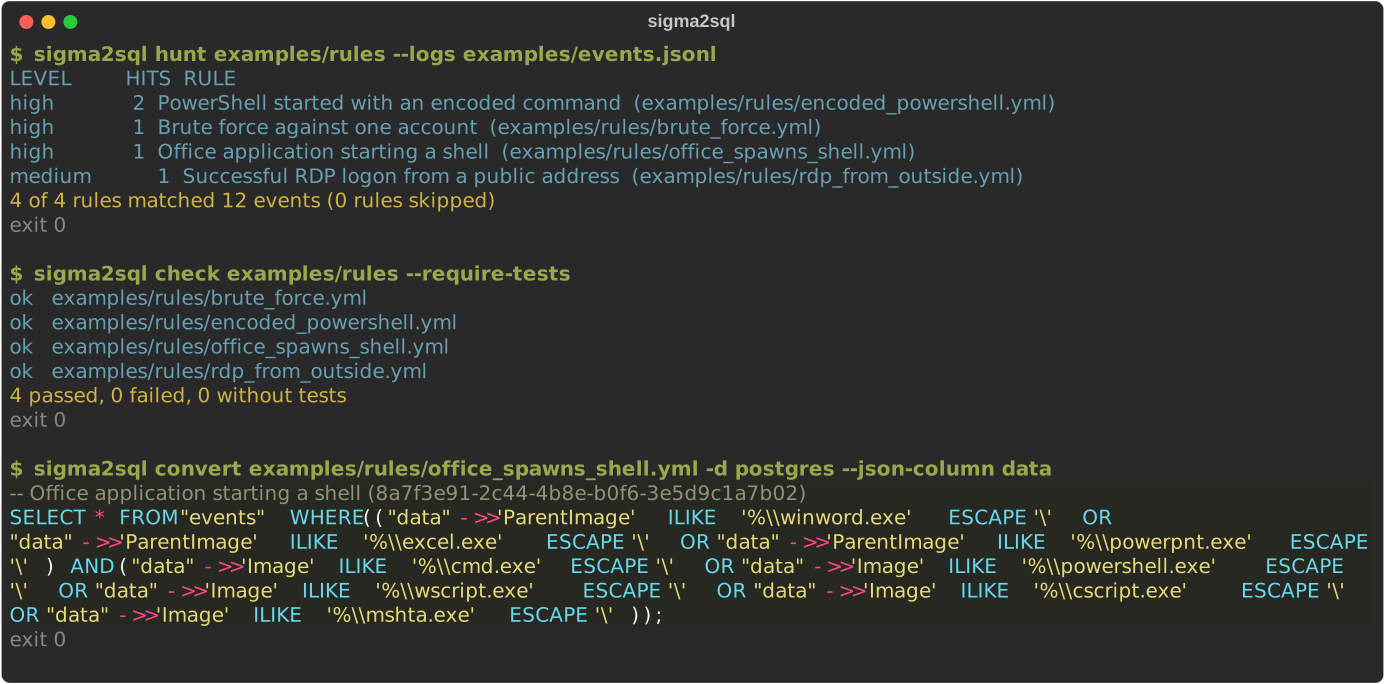
$ sigma2sql hunt examples/rules --logs examples/events.jsonl
LEVEL         HITS  RULE
high             2  PowerShell started with an encoded command  (examples/rules/encoded_powershell.yml)
high             1  Brute force against one account  (examples/rules/brute_force.yml)
high             1  Office application starting a shell  (examples/rules/office_spawns_shell.yml)
medium           1  Successful RDP logon from a public address  (examples/rules/rdp_from_outside.yml)
4 of 4 rules matched 12 events (0 rules skipped)
--examples N prints matching events (or correlation results such as
{"TargetUserName":"admin","window_start":"2026-11-01 03:12:01","window_end":"2026-11-01 03:12:17","value":3}),
--format json gives a machine-readable report, --sarif FILE also writes a SARIF report
for code scanning, and --fail-on high a non-zero exit code when a rule at that level or
above fires.
.evtx files use the evtx profile unless you pass another one. The Windows profiles only
run rules for product: windows, so a directory of all SigmaHQ rules can be used as it is;
the rest are counted on stderr. Logs from an incident are
often damaged, so everything readable is kept and the rest is reported: a cut-off file or a
bad chunk gives a warning, and only a hunt that could read no event at all is an error.
Convert rules
$ sigma2sql convert examples/rules/office_spawns_shell.yml -d postgres --json-column data
-- Office application starting a shell (8a7f3e91-2c44-4b8e-b0f6-3e5d9c1a7b02)
SELECT * FROM "events" WHERE (("data"->>'ParentImage' ILIKE '%\\winword.exe' ESCAPE '\' OR ...)
  AND ("data"->>'Image' ILIKE '%\\cmd.exe' ESCAPE '\' OR ...));
A whole directory works the same way, e.g.
sigma2sql convert sigma/rules -d postgres -t security.events --json-column event --profile ecs-winlogbeat.
Without --json-column each Sigma field is a column. Unsupported rules are listed on stderr
with the reason, and the command exits non-zero.
| Option | Meaning |
|---|---|
-d, --dialect |
sqlite (default), postgres, duckdb or clickhouse |
-t, --table |
table name, schema.table allowed (default events) |
--json-column |
read fields from this JSON / JSONB column |
--keyword-column |
column searched by keyword rules (in JSON mode the whole document) |
-p, --profile |
built-in profile or a YAML file (see below) |
-m, --mapping |
YAML map from Sigma field to your column or key, applied over the profile |
--placeholders |
YAML file with the values of %name% placeholders (see below) |
--nested |
dotted names are paths into nested JSON |
--timestamp-field, --timestamp-format |
event time for correlations (iso, epoch_s, epoch_ms) |
Correlations
Sigma correlation rules and the older | count() by ... > N syntax both become SQL. With a
timespan, each event closes a window over the events of the same group before it; the
window's events are found with a self-join, which works the same on every database and
allows distinct counts:
title: Brute force against one account
correlation:
  type: event_count          # also value_count, value_sum, value_avg, value_median,
                             # value_percentile, temporal
  rules: [failed_logon]
  group-by: [TargetUserName]
  timespan: 5m
  condition: {gte: 3}
Each result row holds the group values, the window's start and end (first_seen and
last_seen without a timespan) and the counted value. Rules referenced by a correlation are
not reported on their own unless it sets generate: true. temporal_ordered is not supported
yet.
Placeholders
Rules with the expand modifier leave a value for you to fill in, such as your domain
controllers. Give the values in a YAML file; a list means any of them:
dc_ip_addresses: [10.0.0.10, 10.0.0.11]
Workstations: "WS-*"
sigma2sql convert rules/ --placeholders values.yml
A rule with a placeholder you did not provide is skipped and named on stderr, rather than converted into something that never matches or always does.
Filters
Sigma filters keep your exceptions out of the
rules, so rules can be updated without losing them. Pass filter files along with the rules;
hunt and convert apply them, and a filter that reaches no rule gives a warning:
title: Not on build servers
logsource: {product: windows, category: process_creation}
filter:
  rules: [5f4b9d6e-5a3f-4c8c-9d1e-2b7a8c6e1f30]    # ids or names, or `any`
  build: {Computer|startswith: build-}
  condition: not build
sigma2sql hunt rules/ filters/ --logs 'logs/*.evtx'
check and test load one rule file at a time, so filters in other files do not apply. A
filter in the same file as the rule does.
Profiles
A profile describes where your events keep Sigma's fields and which events each log source
covers. sigma2sql profiles lists the built-in ones:
| Profile | For |
|---|---|
sysmon |
Sysmon events with their own field names; each category limited to its event ID |
evtx |
EVTX exported to JSON by evtx_dump or python-evtx (Event.System, Event.EventData) |
ecs-winlogbeat |
Windows events shipped by Winlogbeat in Elastic Common Schema |
ocsf |
OCSF 1.x events, time in epoch milliseconds |
Your own profile is a small YAML file:
nested: true
timestamp: "@timestamp"
product: windows                                # optional: `hunt` runs only these rules
default_field: "winlog.event_data.{field}"      # fallback for unmapped fields
fields:
  Image: process.executable
  EventID: [event.code, winlog.event_id]         # first one present wins
logsources:
  - match: {product: windows, category: process_creation}
    table: process_events                        # optional: route to a table
    where: {event.code: "1"}                     # optional: extra condition
Without a profile, rules are not limited by log source: a network rule can then match a
process event that happens to have the same field values. The built-in profiles cover the
common Windows sources; for other data, add logsources entries.
Test rules
Put example events next to a rule, one JSON object per line:
rules/office_spawns_shell.yml
rules/office_spawns_shell.match.jsonl     # every event must match
rules/office_spawns_shell.nomatch.jsonl   # no event may match
$ sigma2sql check examples/rules --require-tests
ok   examples/rules/brute_force.yml
ok   examples/rules/encoded_powershell.yml
ok   examples/rules/office_spawns_shell.yml
ok   examples/rules/rdp_from_outside.yml
4 passed, 0 failed, 0 without tests
A failure names the rule, the file and the event's position in it, e.g. after adding an
Outlook-spawned cmd.exe to the match file of a rule that only watches Word, Excel and
PowerPoint:
FAIL rules/office_spawns_shell.yml: Office application starting a shell: missed office_spawns_shell.match.jsonl event(s) 1
check also loads rules without test files, so a rule that cannot be loaded or converted, or
an invalid regular expression, fails the run. A rule path that does not exist or holds no rule
files exits with code 2, also next to a good path.
The same check as a GitHub Action:
- uses: brkozer/sigma2sql@v0.3.1
  with:
    path: rules
    profile: sysmon          # optional
    require-tests: "true"    # optional
    sarif: rules.sarif       # optional, for github/codeql-action/upload-sarif
sigma2sql test RULE EVENTS.jsonl prints the events (or correlation results) a single rule
produces.
Supported Sigma features
| Feature | SQLite | PostgreSQL | DuckDB | ClickHouse |
|---|---|---|---|---|
maps, lists, keywords (with all, re and string modifiers) |
✓ | ✓ | ✓ | ✓ |
and, or, not, 1 of x*, all of x*, them, condition lists |
✓ | ✓ | ✓ | ✓ |
wildcards and escapes, contains, startswith, endswith, all, cased, windash, neq |
✓ | ✓ | ✓ | ✓ |
base64, base64offset, utf16, utf16le, utf16be, wide |
✓ | ✓ | ✓ | ✓ |
re with i, m, s |
REGEXP ¹ |
~ ² |
regexp_matches ³ |
match ³ |
cidr (IPv4 and IPv6, any notation) |
cidr_match() ¹ |
inet <<= |
cidr_match() ¹ |
isIPAddressInRange |
lt, lte, gt, gte, exists, fieldref, null |
✓ | ✓ | ✓ | ✓ ⁴ |
minute, hour, day, week, month, year (UTC, ISO weeks) |
✓ | ✓ | ✓ | ✓ |
expand placeholders, filters |
✓ | ✓ | ✓ | ✓ |
correlations, count() aggregations |
✓ ¹ | ✓ | ✓ | ✓ ⁵ |
temporal_ordered, temporal with a boolean condition |
– | – | – | – |
¹ Not built into the database. hunt, test and check register them; when you run the SQL
elsewhere, register regexp(pattern, value), cidr_match(value, network) and, for
percentiles, the aggregate sigma_percentile(value, fraction) yourself
(sigma2sql.runner.connect() returns a SQLite connection with all three).
² PostgreSQL rejects repetition counts above 255; those three rules are reported as
unsupported rather than silently changed. Without s or m, . still matches a newline
there. Values such as - in an address or number field are skipped with pg_input_is_valid,
so cidr, comparisons and correlations need PostgreSQL 16 or newer.
³ RE2: no lookaround or backreferences; such rules are reported as unsupported.
⁴ Without --json-column, a missing value is only NULL in Nullable columns.
⁵ Tested on ClickHouse 25.8. Correlations with group-by need IS NOT DISTINCT FROM in
JOIN ON. One SigmaHQ rule, a list of driver hashes, is larger than the default
max_query_size of 256 KiB and needs that setting raised.
Matching is case-insensitive by default (ASCII in SQLite, as its LIKE and NOCASE are); a
number in a rule matches a value in a JSON column whether it is stored as 4624 or "4624",
and not on a missing field is true, as Sigma intends.
How it works
flowchart LR
    Y[rule files] --> L[loader<br/>rules, correlations,<br/>count aggregations]
    L --> C[condition parser]
    L --> D[search compiler<br/>modifiers, wildcards,<br/>base64, windash]
    C --> E[match tree]
    D --> E
    P[profile<br/>fields, logsources,<br/>timestamp] --> R
    E --> R[renderer<br/>SQLite · PostgreSQL · DuckDB · ClickHouse]
    R --> Q[SQL]
    R --> K[correlation SQL<br/>self-join windows]
    Q --> H[hunt / test / check]
    K --> H
Library use
from pathlib import Path

from sigma2sql import Target, load_rule_file, to_query
from sigma2sql.profile import apply_profile, load_profile

rule = load_rule_file(Path("rule.yml"))
target = apply_profile(
    Target("postgres", "logs.windows", json_column="event"), load_profile("evtx")
)
print(to_query(rule, target))
Development
uv sync
uv run pytest                                               # SQLite and DuckDB
SIGMA2SQL_PG_DSN=postgresql://postgres:test@localhost/postgres uv run pytest   # + PostgreSQL
SIGMA2SQL_CH_URL=http://localhost:8123/ uv run pytest                          # + ClickHouse
uv run python scripts/check_sigmahq.py sigma/rules --dsn ... --clickhouse ... [--profile evtx]
uv run python scripts/check_regression.py sigma --clickhouse ... --evtx
uv run --with pysigma --with pysigma-backend-sqlite python scripts/diff_pysigma.py sigma
uv run python scripts/demo_svg.py docs/demo.svg
The behaviour tests in tests/cases.py and tests/test_correlation.py run unchanged on all
four databases. The example rules and events in examples/ were written for this project.
License
MIT
1 maintainer

Metadata
1 maintainer
Release files for sigma2sql 0.3.1
For a detailed explanation of source distributions (sdists) and built distributions (wheels), please see the package formats documentation.
Source distribution (sdist)
| File | Size | Uploaded | Provenance | Actions |
|---|---|---|---|---|
| sigma2sql-0.3.1.tar.gz | 68.3 kB | With provenance | Details for sigma2sql-0.3.1.tar.gz |
Built distribution (wheel)
| File | Interpreter | ABI | Platform | Actions Reset |
|---|---|---|---|---|
| sigma2sql-0.3.1-py3-none-any.whl | Python 3 | none | any | Details for sigma2sql-0.3.1-py3-none-any.whl |
Total release size: 115.6 kB
Release files / sigma2sql-0.3.1.tar.gz
| Download URL | sigma2sql-0.3.1.tar.gz |
|---|---|
| Size | 68.3 kB |
| Tags | Source |
|
SHA-256 checksum How to use checksums |
a6c0694156d28954ce583a00f24a4741b2ba426539ca4a63328832e2bb4d99b5
|
|
BLAKE2b-256 checksum How to use checksums |
9dfab26391c20992c8f034ef6eac65927336d71786074151d5c4374a2415de47
|
| Upload date | |
|
Uploaded using Trusted Publishing? What is trusted publishing? |
Yes |
| Uploaded via |
twine/7.0.0 CPython/3.13.16
|
Provenance
Provenance describes where a file came from. On PyPI, provenance is shared via attestations, which provide a verifiable record of the build or publishing details. View details, limitations and caveats.


PyPI Publish Attestation
PyPI verified that this artifact, at this checksum, originated from the publisher listed below.
Signed by GitHub Actions, verified by PyPI on Nov 6, 2026.
Transparency logRelease files / sigma2sql-0.3.1-py3-none-any.whl
| Download URL | sigma2sql-0.3.1-py3-none-any.whl |
|---|---|
| Size | 47.3 kB |
| Tags | Python 3 |
|
SHA-256 checksum How to use checksums |
5b86a08edd2965a4e00ae0bb1d89dd54f0b833b1ad7a0b1a06dbc69895c6c5c3
|
|
BLAKE2b-256 checksum How to use checksums |
d373beacef9a46e01dc786bfef60ddf945e684fcd884c04ef562014ecd53fb20
|
| Upload date | |
|
Uploaded using Trusted Publishing? What is trusted publishing? |
Yes |
| Uploaded via |
twine/7.0.0 CPython/3.13.16
|
Provenance
Provenance describes where a file came from. On PyPI, provenance is shared via attestations, which provide a verifiable record of the build or publishing details. View details, limitations and caveats.
PyPI Publish Attestation
PyPI verified that this artifact, at this checksum, originated from the publisher listed below.
Signed by GitHub Actions, verified by PyPI on Nov 6, 2026.
Transparency logSecurity for sigma2sql 0.3.1
Provenance
Provenance describes where a file came from. On PyPI, provenance is shared via attestations, which provide a verifiable record of the build or publishing details. View details, limitations and caveats.
Full provenance
Both files in this release have been uploaded with provenance metadata.
Attestation for sigma2sql-0.3.1.tar.gz
PyPI Publish Attestation
PyPI verified that this artifact, at this checksum, originated from the publisher listed below.
Signed by GitHub Actions, verified by PyPI on Nov 6, 2026.
Transparency logA note on package security
PyPI is a repository for distributing packages, not a service for auditing them. While third-party security researchers and our staff do their best to detect and remove malicious packages, PyPI cannot guarantee the quality, security or suitability of any given package.
To learn more about protecting yourself from malicious actors, visit our package security documentation.














