
SignalPilot Agent - Your Jupyter Notebook Assistant


Project description
SignalPilot Agent — The AI-Powered Assistant for Jupyter Notebooks
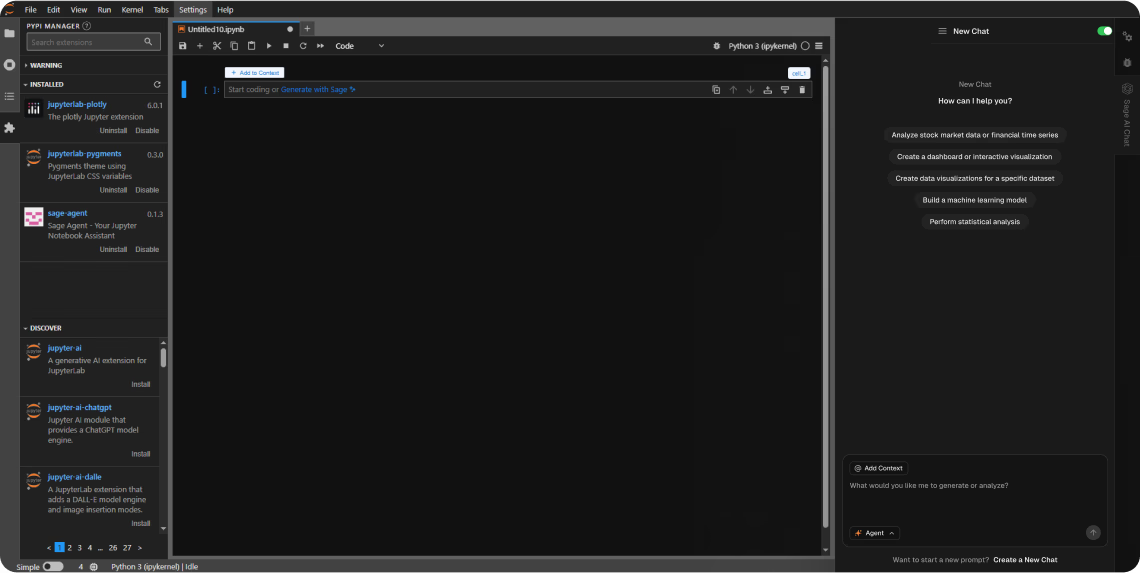
What is SignalPilot Agent?
SignalPilot is an AI-native notebook assistant that supercharges your existing Jupyter workflows.
Built by leading AI and quant researchers from YC, Harvard, MIT, and Goldman Sachs, SignalPilot brings real-time, context-aware assistance directly into JupyterLab.
Use natural language to clean data, write analysis code, debug errors, explore dataframes, and build models—faster and with fewer mistakes.
No hallucinated code. No context switching. Just faster insights.
Why Use SignalPilot Agent in Jupyter?
Whether you’re a quant, data scientist, or analyst living in notebooks, SignalPilot helps you:
✅ Clean and transform messy data in seconds
✅ Visualize trends, rollups, and anomalies from a prompt
✅ Connect your custom databases in one click and easily explore from notebooks
✅ Generate runnable Python or SQL that fits your current cell + variable context
✅ Auto-detect schema changes and debug downstream errors
✅ Stay private: run entirely local-first or in your own secure VPC
✅ Extend JupyterLab without changing how you work
Perfect For:
- Data scientists cleaning huge CSVs
- Quant researchers testing ML pipelines
- Product and analytics teams tired of building dashboards and flaky notebooks
- Anyone tired of LLM tools that break their code
Installation
📦 Requirements
- JupyterLab >= 4.0.0
- NodeJS (for development)
🧠 Install SignalPilot Agent:
pip install jupyterlab signalpilot_ai
❌ Uninstall:
pip uninstall signalpilot_ai
How to Get Started
To unlock full functionality, you’ll need SignalPilot API credentials.
👉 Request your API key or email us at fahim@signalpilot.ai
Why SignalPilot
- ✅ Context-aware code gen: understands variables, dataframes, imports, and prior cells
- ✅ AI that fixes schema issues and silent join bugs
- ✅ Inline review + diffs before you run any code
- ✅ Visualizations via natural language (matplotlib, plotly, seaborn supported)
- ✅ BYO LLM: Anthropic, OpenAI, vLLM, Ollama, or HF endpoints
- ✅ Built to run in air-gapped / enterprise environments
Local Development Instructions
To contribute or develop locally:
# Clone the repo and enter the directory
git clone https://github.com/sagebook/signalpilot_ai.git
cd signalpilot_ai

# Install in editable mode
pip install -e "."

# Link extension to JupyterLab
jupyter labextension develop . --overwrite

# Rebuild on changes
jlpm build
For auto-rebuild while editing:
# Watch source
jlpm watch

# Run JupyterLab in parallel
jupyter lab
Uninstall in Dev Mode
pip uninstall signalpilot_ai
# Then manually remove labextension symlink from JupyterLab extensions dir.
Want to See SignalPilot in Action?
🎥 Try the demo notebook or explore at https://signalpilot.ai
Built for teams working with sensitive data:
- Zero data retention by default
- Optional BYO keys for Claude, OpenAI, or local models
- Notebook-specific controls for what the model can “see”
- Fine-grained telemetry settings
Contact
Questions? Ideas?
Email: fahim@signalpilot.ai
Website: https://signalpilot.ai
AI Jupyter Notebook, JupyterLab Extension, Jupyter Assistant, Data Science Assistant, Jupyter LLM, AI code generation, dataframe cleaning, Jupyter AI, SignalPilot, SignalPilot Agent, AI for dataframes, Jupyter SQL assistant, notebook extension
Release history Release notifications | RSS feed


Download files
Download the file for your platform. If you're not sure which to choose, learn more about installing packages.
Source Distribution
Built Distribution
Filter files by name, interpreter, ABI, and platform.
If you're not sure about the file name format, learn more about wheel file names.
Copy a direct link to the current filters
File details
Details for the file signalpilot_ai-0.4.2.tar.gz.
File metadata
- Download URL: signalpilot_ai-0.4.2.tar.gz
- Upload date:
- Size: 1.9 MB
- Tags: Source
- Uploaded using Trusted Publishing? No
- Uploaded via: twine/6.2.0 CPython/3.13.7
File hashes
| Algorithm | Hash digest | |
|---|---|---|
| SHA256 |
709d7da759effd869006331d6804bc4318df2d3fe6384da4f4c66ae869b36fd7
|
|
| MD5 |
84b159a14ad733b9d87c5cc4ad166c21
|
|
| BLAKE2b-256 |
196cc8449224613e8471ffe20a3c25da86a0d6e7dcc97661ed5e6a14b7fb4924
|
File details
Details for the file signalpilot_ai-0.4.2-py3-none-any.whl.
File metadata
- Download URL: signalpilot_ai-0.4.2-py3-none-any.whl
- Upload date:
- Size: 1.1 MB
- Tags: Python 3
- Uploaded using Trusted Publishing? No
- Uploaded via: twine/6.2.0 CPython/3.13.7
File hashes
| Algorithm | Hash digest | |
|---|---|---|
| SHA256 |
4615b2db65e707cfc5bb6769f5288708eba5b7ec952d7a1e43be63768c341230
|
|
| MD5 |
ae11a32374bdc23a5c55302b69cf0daf
|
|
| BLAKE2b-256 |
02f6e3d5956f9744017424e041e8a6aa19f9455cef9c7f98802b6c857133ad50
|






