
silver-adapters
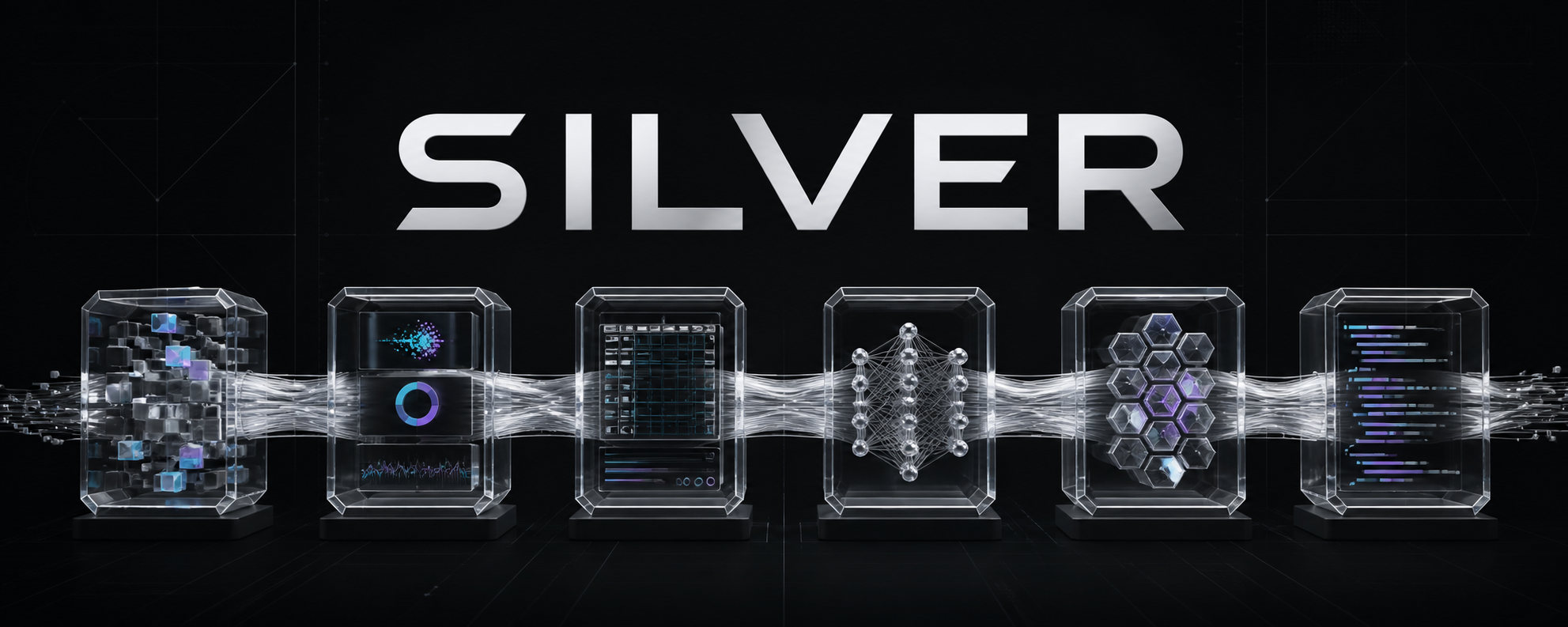
Connect ML runtimes through explicit contracts, discoverable plugins, and a shell-free streaming protocol.




Backend, dataset, notebook, and remote-training bridge protocols for Silver. A Python package designed for ML researchers who need seamless integration between different ML frameworks and tools.
The core package has no mandatory ML framework, pandas, requests, or Jupyter dependency. Install only the extras you need:
pip install silver-adapters
pip install 'silver-adapters[pytorch]'
pip install 'silver-adapters[remote]'
pip install 'silver-adapters[pandas]'
pip install 'silver-adapters[jupyter]'
pip install 'silver-adapters[huggingface]'
Visual neural inspection
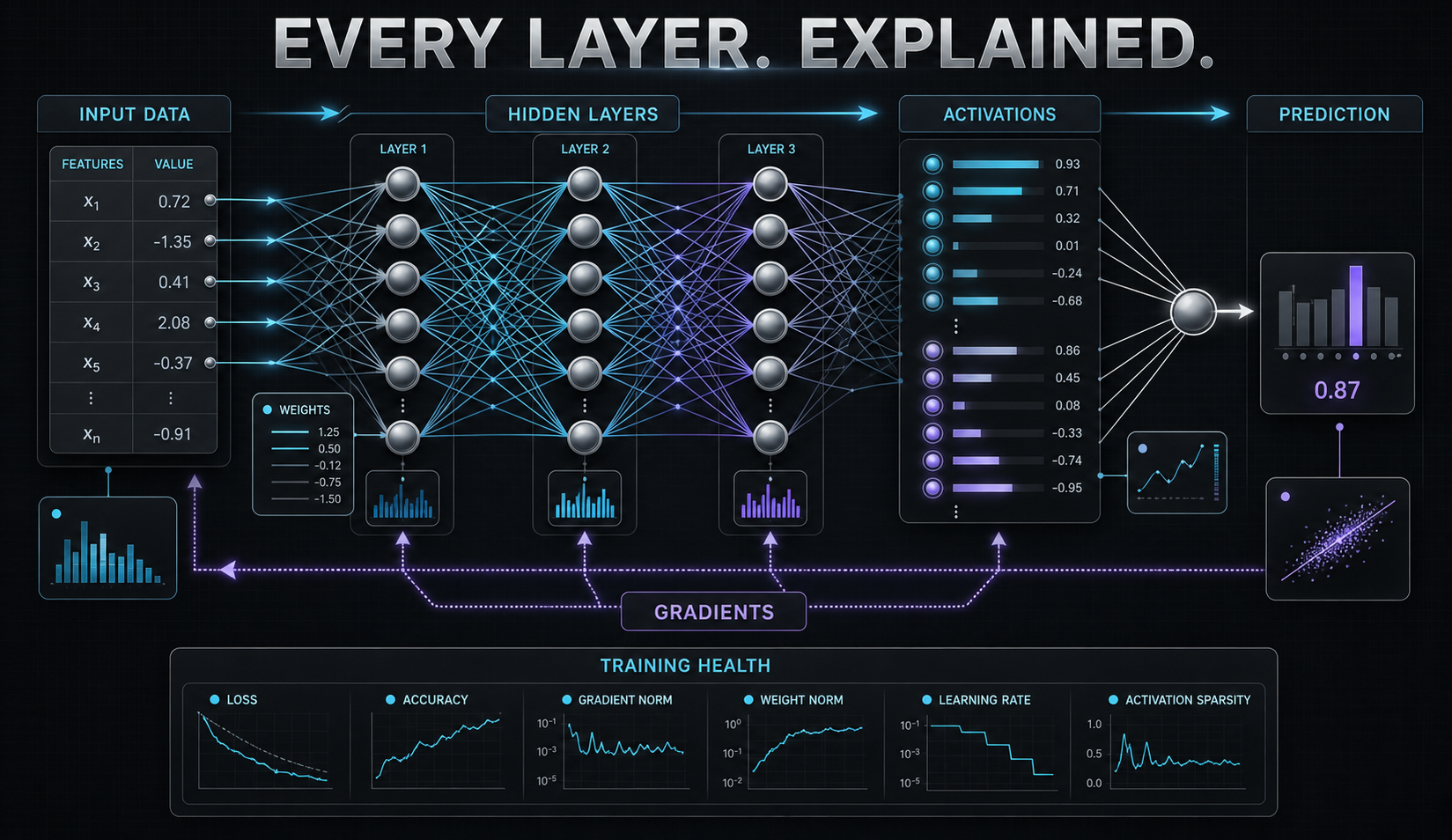
Adapt real PyTorch-like, Keras-like, or serialized model topology into one portable contract and accessible SVG:
from silver_adapters import adapt_model_topology

network = adapt_model_topology(model)
open("topology.svg", "w", encoding="utf-8").write(network.to_svg())
print(network.to_dict()["nodes"])
The visual contains actual layer names, types, available shapes, parameter counts, and edges. See what is measured and what is not.
Safe local bridges
import asyncio
from silver_adapters import (
    AdapterRegistry, PythonFramework, python_framework, run_command_bridge,
)

registry = AdapterRegistry()
registry.register("my-runtime", object(), tasks=("classification", "embedding"))

bridge = python_framework(
    PythonFramework.PYTORCH,
    "train.py",
    args=["--epochs", "10"],
)

result = asyncio.run(run_command_bridge(
    bridge,
    timeout=3600,
    on_event=lambda event: print(event.kind, event.data),
))
The bridge never invokes a shell. Every stdout line must be a valid
silver-jsonl-v1 event; stderr, duration, exit status, timeouts, and partial
events remain inspectable.
Installation
# Core package
pip install silver-adapters

# With specific framework support
pip install silver-adapters[pytorch]
pip install silver-adapters[tensorflow]
pip install silver-adapters[kaggle]
pip install silver-adapters[jupyter]

# With all optional dependencies
pip install silver-adapters[all]
Quick Start
Framework Bridges
from silver_adapters import python_framework, PyTorchBridge, TensorFlowBridge

# Create a PyTorch training bridge
bridge = python_framework(
    framework="pytorch",
    script="train.py",
    args=["--config", "config.yaml"]
)

# PyTorch checkpoint utilities
checkpoint = PyTorchBridge.from_checkpoint("model.pt")
PyTorchBridge.to_checkpoint(model, optimizer, epoch=10, path="model.pt")

# TensorFlow/Keras checkpoint utilities
model = TensorFlowBridge.from_checkpoint("model.h5")
TensorFlowBridge.to_checkpoint(model, "model.h5")
Data Import
from silver_adapters import pandas_import, kaggle_import

# Import from pandas
plan = pandas_import("data/train.csv")

# Import from Kaggle
plan = kaggle_import("competiton/dataset-name")
Remote Training
import asyncio
from silver_adapters import RemoteTrainingClient

async def main():
    client = RemoteTrainingClient("https://api.example.com")

    # Start training
    run = await client.start({"config": {...}})

    # Get events
    events = await client.events(run["run_id"])

    # Stop training
    await client.stop(run["run_id"], "completed successfully")

asyncio.run(main())
JSONL Protocol
from silver_adapters import encode_jsonl, decode_jsonl, SilverJsonlEvent

# Encode events
events = [
    SilverJsonlEvent(kind="epoch", data={"epoch": 1, "loss": 0.5}),
    SilverJsonlEvent(kind="metrics", data={"accuracy": 0.9})
]
jsonl = encode_jsonl(events)

# Decode events
decoded = decode_jsonl(jsonl)
Features
- Framework Bridges: Seamless integration with PyTorch, TensorFlow, and Keras
- Data Import Plans: Structured data import from pandas and Kaggle
- Remote Training: Async HTTP client for distributed training
- JSONL Protocol: Event streaming protocol for training observability
- Jupyter Integration: Notebook utilities and template generation
- Checkpoint Management: Unified checkpoint handling across frameworks
- Type Safety: Full type hints for better IDE support and fewer bugs
Use Cases
Multi-Framework Training
from silver_adapters import PyTorchBridge, TensorFlowBridge
import torch
import tensorflow as tf

# Train in PyTorch
pytorch_model = torch.nn.Linear(10, 2)
optimizer = torch.optim.Adam(pytorch_model.parameters())

# Save PyTorch checkpoint
PyTorchBridge.to_checkpoint(pytorch_model, optimizer, epoch=10, path="pytorch_model.pt")

# Load in TensorFlow for inference
tf_model = tf.keras.Sequential([tf.keras.layers.Dense(2, input_shape=(10,))])
# Convert weights (framework-specific conversion needed)
TensorFlowBridge.to_checkpoint(tf_model, "tf_model.h5")
Distributed Training Setup
import asyncio
from silver_adapters import RemoteTrainingClient

async def run_distributed_training():
    # Connect to remote training server
    client = RemoteTrainingClient("https://training-server.example.com")

    # Start training on remote GPU cluster
    config = {
        "model": "resnet50",
        "dataset": "imagenet",
        "batch_size": 32,
        "epochs": 100
    }

    run = await client.start(config)
    print(f"Started training run: {run['run_id']}")

    # Monitor training progress
    while True:
        events = await client.events(run['run_id'])
        latest_events = events[-5:]  # Get last 5 events

        for event in latest_events:
            if event['kind'] == 'epoch':
                print(f"Epoch {event['epoch']}: loss={event.get('loss', 'N/A')}")
            elif event['kind'] == 'completed':
                print("Training completed!")
                return

        await asyncio.sleep(10)  # Check every 10 seconds

asyncio.run(run_distributed_training())
Data Pipeline Integration
from silver_adapters import pandas_import, kaggle_import, encode_jsonl
import pandas as pd

# Create data import plans
csv_plan = pandas_import("data/train.csv", {"sep": ",", "encoding": "utf-8"})
kaggle_plan = kaggle_import("competiton/titanic", {"unzip": True})

# Use plans in your data pipeline
def execute_import_plan(plan):
    """Execute a data import plan"""
    if plan.source == "pandas":
        df = pd.read_csv(plan.args[1], **plan.options)
        return df
    elif plan.source == "kaggle":
        # Execute Kaggle download command
        import subprocess
        subprocess.run([plan.command] + plan.args)
        return pd.read_csv("downloaded_file.csv")

# Create training events from pandas DataFrame
def create_training_events(df):
    from silver_adapters import SilverJsonlEvent
    events = []

    for epoch in range(10):
        # Simulate training metrics
        events.append(SilverJsonlEvent(
            kind="epoch",
            data={"epoch": epoch, "loss": 0.5 - epoch * 0.05}
        ))

    return encode_jsonl(events)
Jupyter Notebook Integration
from silver_adapters import notebook_document, silver_notebook_cells

# Create a Silver training notebook
cells = silver_notebook_cells()
notebook = notebook_document(cells)

# Save as Jupyter notebook
import json
with open("silver_training.ipynb", "w") as f:
    json.dump({
        "cells": [
            {
                "cell_type": cell.cell_type,
                "metadata": cell.metadata,
                "source": cell.source,
                "outputs": cell.outputs or [],
                "execution_count": cell.execution_count
            } for cell in notebook.cells
        ],
        "metadata": notebook.metadata,
        "nbformat": notebook.nbformat,
        "nbformat_minor": notebook.nbformat_minor
    }, f, indent=2)
Advanced Usage
Custom Training Backend
from silver_adapters import python_framework, PythonFramework
import subprocess

class CustomTrainingBackend:
    def __init__(self, framework, script_path):
        self.bridge = python_framework(
            framework=framework,
            script=script_path,
            environment={"CUDA_VISIBLE_DEVICES": "0"}
        )

    def launch_training(self, args):
        """Launch training with given arguments"""
        cmd = [self.bridge.command] + self.bridge.args + args
        env = {**self.bridge.environment}

        process = subprocess.Popen(
            cmd,
            env={**subprocess.os.environ, **env}
        )
        return process

# Usage
backend = CustomTrainingBackend(
    PythonFramework.PYTORCH,
    "train.py"
)
process = backend.launch_training(["--epochs", "100", "--batch-size", "32"])
Event Streaming
from silver_adapters import encode_jsonl, decode_jsonl, SilverJsonlEvent
import asyncio

async def stream_training_events(writer):
    """Stream training events to a writer"""
    for epoch in range(10):
        event = SilverJsonlEvent(
            kind="epoch",
            data={"epoch": epoch, "loss": 0.5 - epoch * 0.05}
        )
        writer.write(encode_jsonl([event]))
        await asyncio.sleep(0.1)

async def consume_training_events(reader):
    """Consume training events from a reader"""
    buffer = ""
    async for chunk in reader:
        buffer += chunk
        events = decode_jsonl(buffer)
        for event in events:
            print(f"Received: {event.kind} - {event.data}")
        buffer = ""
Requirements
- Python 3.10+
- pandas>=1.0.0
- requests>=2.25.0
Optional Dependencies
- torch>=1.9.0 (for PyTorch support)
- tensorflow>=2.6.0 (for TensorFlow/Keras support)
- kaggle>=1.5.0 (for Kaggle integration)
- jupyter>=1.0.0 (for notebook utilities)
Development
# Install development dependencies
pip install -e ".[dev]"

# Install all optional dependencies for testing
pip install -e ".[all]"

# Run tests
pytest

# Run tests with coverage
pytest --cov=silver_adapters --cov-report=html

# Run linting
flake8 src/ tests/
mypy src/
Contributing
Contributions are welcome! Please see CONTRIBUTING.md for guidelines.
License
Apache-2.0 - see LICENSE file for details.
Related Packages
- silver-data - Dataset handling
- silver-run - Training lifecycle
- silver-diagnostics - ML diagnostics
1 maintainer

Release files for silver-adapters 1.1.0
For a detailed explanation of source distributions (sdists) and built distributions (wheels), please see the package formats documentation.
Source distribution (sdist)
| File | Size | Uploaded | |
|---|---|---|---|
| silver_adapters-1.1.0.tar.gz | 3.4 MB | Details |
Built distribution (wheel)
| File | Interpreter | ABI | Platform | Reset |
|---|---|---|---|---|
| silver_adapters-1.1.0-py3-none-any.whl | Python 3 | none | any | Details |
Total release size: 3.4 MB
Release files / silver_adapters-1.1.0.tar.gz
| Download URL | silver_adapters-1.1.0.tar.gz |
|---|---|
| Size | 3.4 MB |
| Tags | Source |
|
SHA-256 checksum How to use checksums |
174ad19199fc96b95acfd943e4cfb3af97df84bf8771e97725c0b48903f0ee54
|
|
BLAKE2b-256 checksum How to use checksums |
0897ba93d23a82c999e63b1f5ac506293226388dfce077b58ba5e40b60c92428
|
| Upload date | |
|
Uploaded using Trusted Publishing? What is trusted publishing? |
Yes |
| Uploaded via |
twine/7.0.0 CPython/3.13.14
|
Provenance
Provenance describes where a file came from. On PyPI, provenance is shared via attestations, which provide a verifiable record of the build or publishing details. View details, limitations and caveats.


PyPI Publish Attestation
PyPI verified that this artifact, at this checksum, originated from the publisher listed below.
Signed by GitHub Actions, verified by PyPI on Aug 23, 2026.
Transparency logRelease files / silver_adapters-1.1.0-py3-none-any.whl
| Download URL | silver_adapters-1.1.0-py3-none-any.whl |
|---|---|
| Size | 17.9 kB |
| Tags | Python 3 |
|
SHA-256 checksum How to use checksums |
ba9b8c16204e6245875c46733aebf2e025fcf3f83e46f77ec8ee394e55068f7c
|
|
BLAKE2b-256 checksum How to use checksums |
8b2412c0dcf586ea1ae37014bcbb70d9be625da01d8fb03140edac37f30b645e
|
| Upload date | |
|
Uploaded using Trusted Publishing? What is trusted publishing? |
Yes |
| Uploaded via |
twine/7.0.0 CPython/3.13.14
|
Provenance
Provenance describes where a file came from. On PyPI, provenance is shared via attestations, which provide a verifiable record of the build or publishing details. View details, limitations and caveats.
PyPI Publish Attestation
PyPI verified that this artifact, at this checksum, originated from the publisher listed below.
Signed by GitHub Actions, verified by PyPI on Aug 23, 2026.
Transparency log













