
silver-data

Make training data an enforceable contract—not an undocumented assumption.




Inspectable, deterministic dataset contracts and loaders for Silver. A Python package designed for ML researchers who need reliable dataset handling with built-in validation and reproducibility features.
The base install uses only the Python standard library for records, JSON, JSONL, and CSV. Add pandas only when you need DataFrame conversion:
pip install 'silver-data[pandas]'
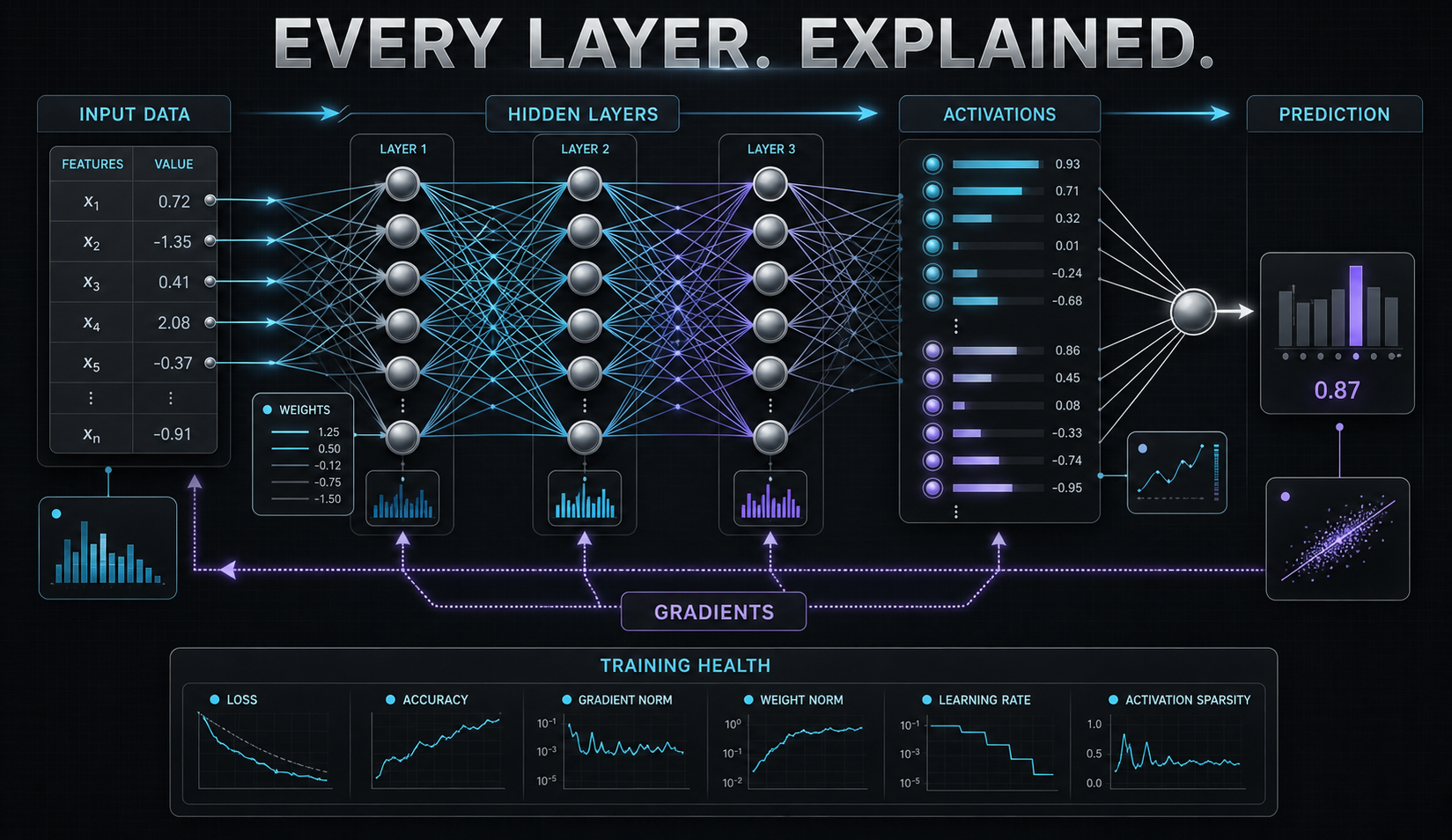
See data become neural inputs
profile = training.neural_input_profile(
    features=["age", "income", "country"],
    categorical=["country"],
    label="converted",
)
open("feature-flow.svg", "w", encoding="utf-8").write(profile.to_svg())
The result shows observed types, cardinality, missingness, the exact feature transformation, and how many tensor channels reach the first layer. Read the visual inspection contract.
The workflow
from silver_data import Dataset

training = Dataset.from_path("training", "train.jsonl")
contract = training.contract()
open("dataset-contract.json", "w").write(contract.to_json())

serving = Dataset.from_path("serving", "today.jsonl")
serving.validate_contract(contract).raise_if_invalid()

drift = training.compare(serving, threshold=0.2)
print(drift.drifted, drift.drifted_columns, drift.score)

splits = training.split(
    0.8, 0.1, 0.1, shuffle=True, seed=17, stratify="label"
)
Contracts are portable JSON. Drift reports explain missingness changes, normalized numeric mean shifts, and categorical distribution distance. The core implementation remains dependency-free.
Installation
pip install silver-data
Quick Start
from silver_data import Dataset

# Load from CSV file
dataset = Dataset.from_csv("my_data", "path/to/data.csv")

# Optional: load from pandas
import pandas as pd
df = pd.read_csv("path/to/data.csv")
dataset = Dataset.from_pandas("my_data", df)

# Inspect dataset
report = dataset.inspect()
print(f"Rows: {report.rows}, Columns: {len(report.columns)}")
for col in report.columns:
    print(f"  {col.name}: {col.value_type} ({col.unique} unique, {col.missing} missing)")

# Validate dataset
validation = dataset.validate()
if not validation.valid:
    print("Errors:", validation.errors)
if validation.warnings:
    print("Warnings:", validation.warnings)

# Split dataset for ML workflows
train, val, test = dataset.split(train=0.8, validation=0.1, test=0.1)
print(f"Train: {len(train.records())}, Val: {len(val.records())}, Test: {len(test.records())}")
Architecture-aware visualizations
Silver can select only the visualizations justified by the packages and data signals present in an architecture. Omitted visualizations explain what is missing, so dashboards do not claim to show metrics that were never produced.
from silver_data import design_visualization_plan

plan = design_visualization_plan({"architecture": {
    "uses": ["data", "diagnostics", "run", "torch"],
    "signals": ["dataset", "missingness", "labels", "predictions", "metrics", "history", "run", "events", "features", "pipeline"],
}})
for visualization in plan.selected:
    print(visualization.key, visualization.reason)
Call plan.to_dict() to pass the explainable plan to a UI or report builder,
and use max_items when a surface has limited space.
Features
- Multiple Data Sources: Load from CSV, JSON, JSONL, and pandas DataFrames
- Dataset Inspection: Get detailed column statistics and metadata
- Data Validation: Automatic detection of missing values, inconsistent columns, and data quality issues
- Deterministic Fingerprinting: Generate unique identifiers for datasets to ensure reproducibility
- Smart Splitting: Train/validation/test splitting with customizable ratios
- Immutable Design: Safe data handling with copy-on-write semantics
- Type Safety: Full type hints for better IDE support and fewer bugs
Use Cases
ML Pipeline Integration
from silver_data import Dataset
import pandas as pd

# Load and validate training data
df = pd.read_csv("train.csv")
dataset = Dataset.from_pandas("training", df)

# Ensure data quality before training
validation = dataset.validate()
if not validation.valid:
    raise ValueError(f"Dataset validation failed: {validation.errors}")

# Split for cross-validation
train_split, val_split, test_split = dataset.split(train=0.7, validation=0.15, test=0.15)

# Use fingerprints for caching
cache_key = dataset.fingerprint()
print(f"Dataset fingerprint: {cache_key}")
Data Quality Monitoring
from silver_data import Dataset

# Monitor data drift over time
dataset_v1 = Dataset.from_csv("data_v1", "data_2024_01.csv")
dataset_v2 = Dataset.from_csv("data_v2", "data_2024_02.csv")

if dataset_v1.fingerprint() != dataset_v2.fingerprint():
    print("Dataset has changed - retrain models")

# Check for new data quality issues
report_v2 = dataset_v2.inspect()
for col in report_v2.columns:
    if col.missing > len(dataset_v2.records()) * 0.1:  # More than 10% missing
        print(f"Warning: {col.name} has high missing rate: {col.missing}")
Experiment Reproducibility
from silver_data import Dataset

# Ensure exact same data across experiments
dataset = Dataset.from_csv("experiment", "data.csv")
experiment_id = f"exp_{dataset.fingerprint()}"

# Log for reproducibility
print(f"Running experiment {experiment_id} with dataset fingerprint {dataset.fingerprint()}")
Advanced Usage
Custom Data Loading
from silver_data import Dataset
import json

# Load from custom JSON format
with open("custom_data.json") as f:
    data = json.load(f)
dataset = Dataset.from_json("custom", data)

# Load from streaming JSONL
with open("streaming_data.jsonl") as f:
    dataset = Dataset.from_jsonl("streaming", f.read())
Data Type Analysis
from silver_data import Dataset

dataset = Dataset.from_csv("analysis", "mixed_data.csv")
report = dataset.inspect()

# Analyze column types
string_cols = [c.name for c in report.columns if c.value_type == "string"]
numeric_cols = [c.name for c in report.columns if c.value_type == "number"]
mixed_cols = [c.name for c in report.columns if c.value_type == "mixed"]

print(f"String columns: {string_cols}")
print(f"Numeric columns: {numeric_cols}")
print(f"Mixed type columns: {mixed_cols}")
Requirements
- Python 3.10+
- pandas 1.0+
Development
# Install development dependencies
pip install -e ".[dev]"

# Run tests
pytest

# Run tests with coverage
pytest --cov=silver_data --cov-report=html

# Run linting
flake8 src/ tests/
mypy src/
Contributing
Contributions are welcome! Please see CONTRIBUTING.md for guidelines.
License
Apache-2.0 - see LICENSE file for details.
Related Packages
- silver-run - Training lifecycle management
- silver-diagnostics - ML diagnostics
- silver-adapters - Framework adapters
Decision-ready input visuals
profile_neural_inputs(...) records missingness, cardinality, feature types,
transforms, and tensor width, then renders the evidence as SVG. The profile
can be passed to silver-diagnostics.build_debug_plan to identify data repairs
and verify that a preprocessing change improves the resulting input contract.
1 maintainer

Release files for silver-data 1.2.0
For a detailed explanation of source distributions (sdists) and built distributions (wheels), please see the package formats documentation.
Source distribution (sdist)
| File | Size | Uploaded | |
|---|---|---|---|
| silver_data-1.2.0.tar.gz | 3.4 MB | Details |
Built distribution (wheel)
| File | Interpreter | ABI | Platform | Reset |
|---|---|---|---|---|
| silver_data-1.2.0-py3-none-any.whl | Python 3 | none | any | Details |
Total release size: 3.4 MB
Release files / silver_data-1.2.0.tar.gz
| Download URL | silver_data-1.2.0.tar.gz |
|---|---|
| Size | 3.4 MB |
| Tags | Source |
|
SHA-256 checksum How to use checksums |
1765f25b5159274c9e219ed78a86fc6472ac87a75ba014feec704c24d2227eea
|
|
BLAKE2b-256 checksum How to use checksums |
401ee13992ab5eaac1d425d6dd03507dff936419a1261172ea0332129778f46c
|
| Upload date | |
|
Uploaded using Trusted Publishing? What is trusted publishing? |
Yes |
| Uploaded via |
twine/7.0.0 CPython/3.13.14
|
Provenance
Provenance describes where a file came from. On PyPI, provenance is shared via attestations, which provide a verifiable record of the build or publishing details. View details, limitations and caveats.


PyPI Publish Attestation
PyPI verified that this artifact, at this checksum, originated from the publisher listed below.
Signed by GitHub Actions, verified by PyPI on Aug 23, 2026.
Transparency logRelease files / silver_data-1.2.0-py3-none-any.whl
| Download URL | silver_data-1.2.0-py3-none-any.whl |
|---|---|
| Size | 17.4 kB |
| Tags | Python 3 |
|
SHA-256 checksum How to use checksums |
9a97f10c33fb901c6f7fea5646fd19068dc14c9e71dde2e1a0972b50a9f19a3e
|
|
BLAKE2b-256 checksum How to use checksums |
f2dedb2725caaec461a77124559ab68082242b534670e306b8affccd81a294bb
|
| Upload date | |
|
Uploaded using Trusted Publishing? What is trusted publishing? |
Yes |
| Uploaded via |
twine/7.0.0 CPython/3.13.14
|
Provenance
Provenance describes where a file came from. On PyPI, provenance is shared via attestations, which provide a verifiable record of the build or publishing details. View details, limitations and caveats.
PyPI Publish Attestation
PyPI verified that this artifact, at this checksum, originated from the publisher listed below.
Signed by GitHub Actions, verified by PyPI on Aug 23, 2026.
Transparency log













