
sim86
Run your firmware on simulated boards in the cloud, test it with pytest, and break the hardware on purpose to see what your firmware does.
Install
pip install sim86
sim86 login
sim86 login signs you in through your browser. On a machine without one,
set SIM86_API_KEY (create a key at app.sim86.com → Cloud → API keys).
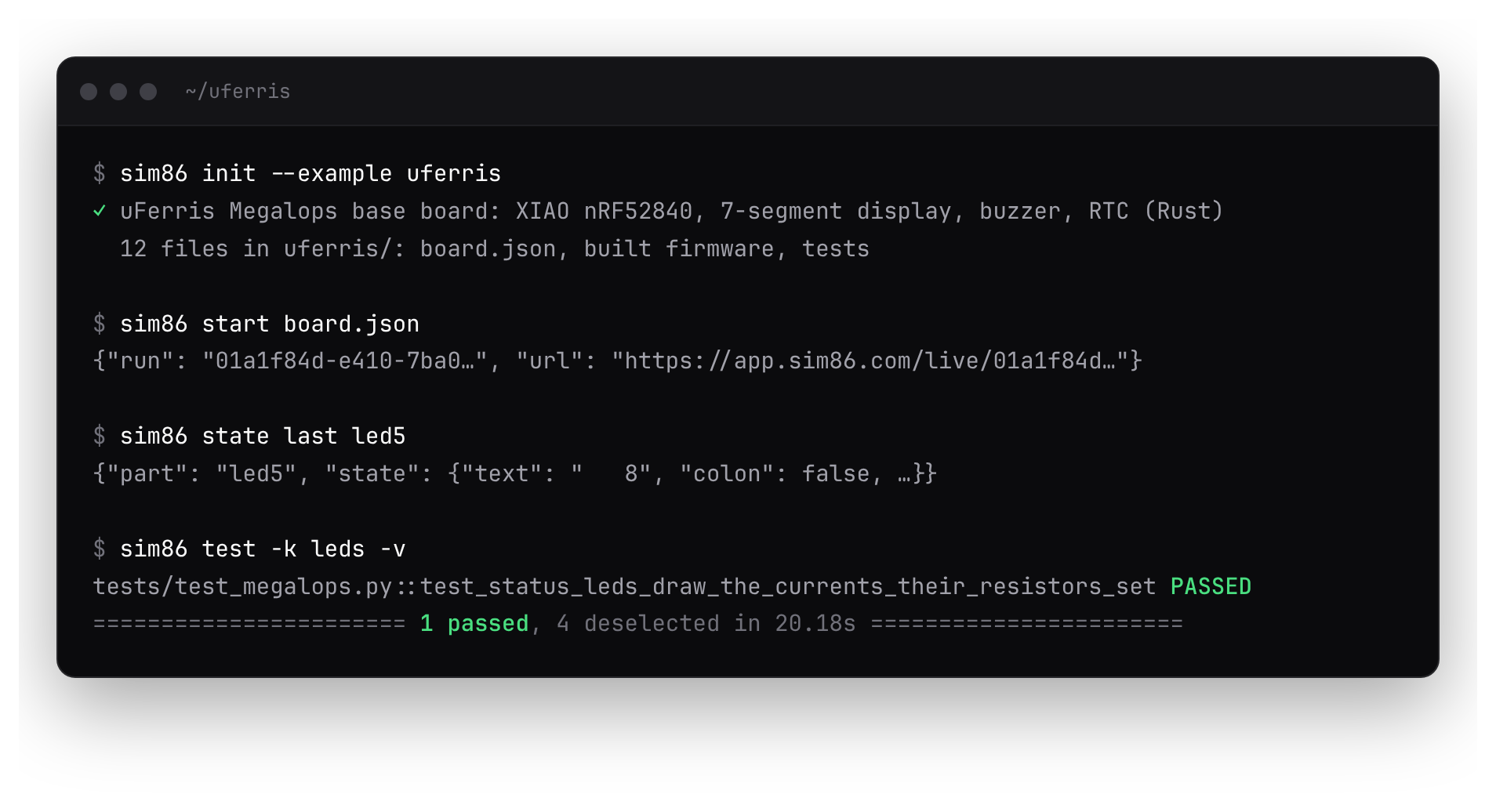
Try a working board
sim86 init --example pebble
cd pebble
sim86 start board.json
sim86 test -k settings -v
A Pebble 2 Duo smartwatch running the real PebbleOS, live in your browser, and PebbleOS's own UI test: every pixel of the Settings screen against its golden image.
Or paste this into a coding agent: Set up sim86 for me by following https://sim86.com/start.md
Test it, then break it
def test_sensor_survives_a_shorted_sda(board):
    board["mcu"].serial.wait_for("ready", ms=2000)

    board.until(edge="sensor.SCL", kind="falling", nth=3)  # mid-transaction
    fault = board.short("sensor.SDA", "gnd")               # SDA stuck low
    board.advance("5ms")
    board.clear(fault)

    board["mcu"].serial.wait_for("sensor ok", ms=1000)     # it must recover
Each test gets its own run of your board. Run them on your machine or in CI
with sim86 test.
Docs
Board files, driving a board from the shell, every test and fault API, and CI setup: docs.sim86.com/guides/cli
1 maintainer

Metadata
1 maintainer
Release files for sim86 0.1.4
For a detailed explanation of source distributions (sdists) and built distributions (wheels), please see the package formats documentation.
Source distribution (sdist)
| File | Size | Uploaded | Provenance | Actions |
|---|---|---|---|---|
| sim86-0.1.4.tar.gz | 47.5 kB | Without provenance | Details for sim86-0.1.4.tar.gz |
Built distribution (wheel)
| File | Interpreter | ABI | Platform | Actions Reset |
|---|---|---|---|---|
| sim86-0.1.4-py3-none-any.whl | Python 3 | none | any | Details for sim86-0.1.4-py3-none-any.whl |
Total release size: 100.7 kB
Release files / sim86-0.1.4.tar.gz
| Download URL | sim86-0.1.4.tar.gz |
|---|---|
| Size | 47.5 kB |
| Tags | Source |
|
SHA-256 checksum How to use checksums |
6bbe542fa9f84679a73efa6e8badb244efedeb2172703fcfdb053fd0ed4eb06b
|
|
BLAKE2b-256 checksum How to use checksums |
a480a8fe308b02514fe89dec62fbe20db424b88d8664e108cf06f8b1faea582f
|
| Upload date | |
|
Uploaded using Trusted Publishing? What is trusted publishing? |
No |
| Uploaded via |
uv/0.11.12 {"installer":{"name":"uv","version":"0.11.12","subcommand":["publish"]},"python":null,"implementation":{"name":null,"version":null},"distro":{"name":"Manjaro Linux","version":null,"id":null,"libc":null},"system":{"name":null,"release":null},"cpu":null,"openssl_version":null,"setuptools_version":null,"rustc_version":null,"ci":null}
|
Release files / sim86-0.1.4-py3-none-any.whl
| Download URL | sim86-0.1.4-py3-none-any.whl |
|---|---|
| Size | 53.2 kB |
| Tags | Python 3 |
|
SHA-256 checksum How to use checksums |
e6b9bbcfd7b87a08fb2f6aed671f68c1fc0c9a8aae1395c0fb6e926c51715f8a
|
|
BLAKE2b-256 checksum How to use checksums |
dbe5596c3e35b8bbd12093b97ef3254b54f38eaf9329fd75dc723e6276d1cc95
|
| Upload date | |
|
Uploaded using Trusted Publishing? What is trusted publishing? |
No |
| Uploaded via |
uv/0.11.12 {"installer":{"name":"uv","version":"0.11.12","subcommand":["publish"]},"python":null,"implementation":{"name":null,"version":null},"distro":{"name":"Manjaro Linux","version":null,"id":null,"libc":null},"system":{"name":null,"release":null},"cpu":null,"openssl_version":null,"setuptools_version":null,"rustc_version":null,"ci":null}
|
Security for sim86 0.1.4
Provenance
Provenance describes where a file came from. On PyPI, provenance is shared via attestations, which provide a verifiable record of the build or publishing details. View details, limitations and caveats.
No provenance found
None of the files in this release were uploaded with provenance metadata.
A note on package security
PyPI is a repository for distributing packages, not a service for auditing them. While third-party security researchers and our staff do their best to detect and remove malicious packages, PyPI cannot guarantee the quality, security or suitability of any given package.
To learn more about protecting yourself from malicious actors, visit our package security documentation.














