
A web interface to browse and search packages in any simple package repository (PEP-503), inspired by PyPI / warehouse
Verified details
These details have been verified by PyPIProject links
GitHub Statistics
Maintainers


Project description
simple-repository-browser
A web interface to browse and search packages in any simple package repository (PEP-503), inspired by PyPI / warehouse.
Built using FastAPI and the simple-repository core library.
Demo
A tech-preview demo is available at https://simple-repository.app.cern.ch/.
Usage
Install from PyPI:
python -m pip install simple-repository-browser
And run:
simple-repository-browser
(or alternatively python -m simple_repository_browser)
By default, this will use the repository at PyPI (https://pypi.org/simple/). You can point it to a custom repository by passing the URL to the project list endpoint (the base URL according to PEP-503):
simple-repository-browser https://my-custom-repository.example.com/foo/simple/
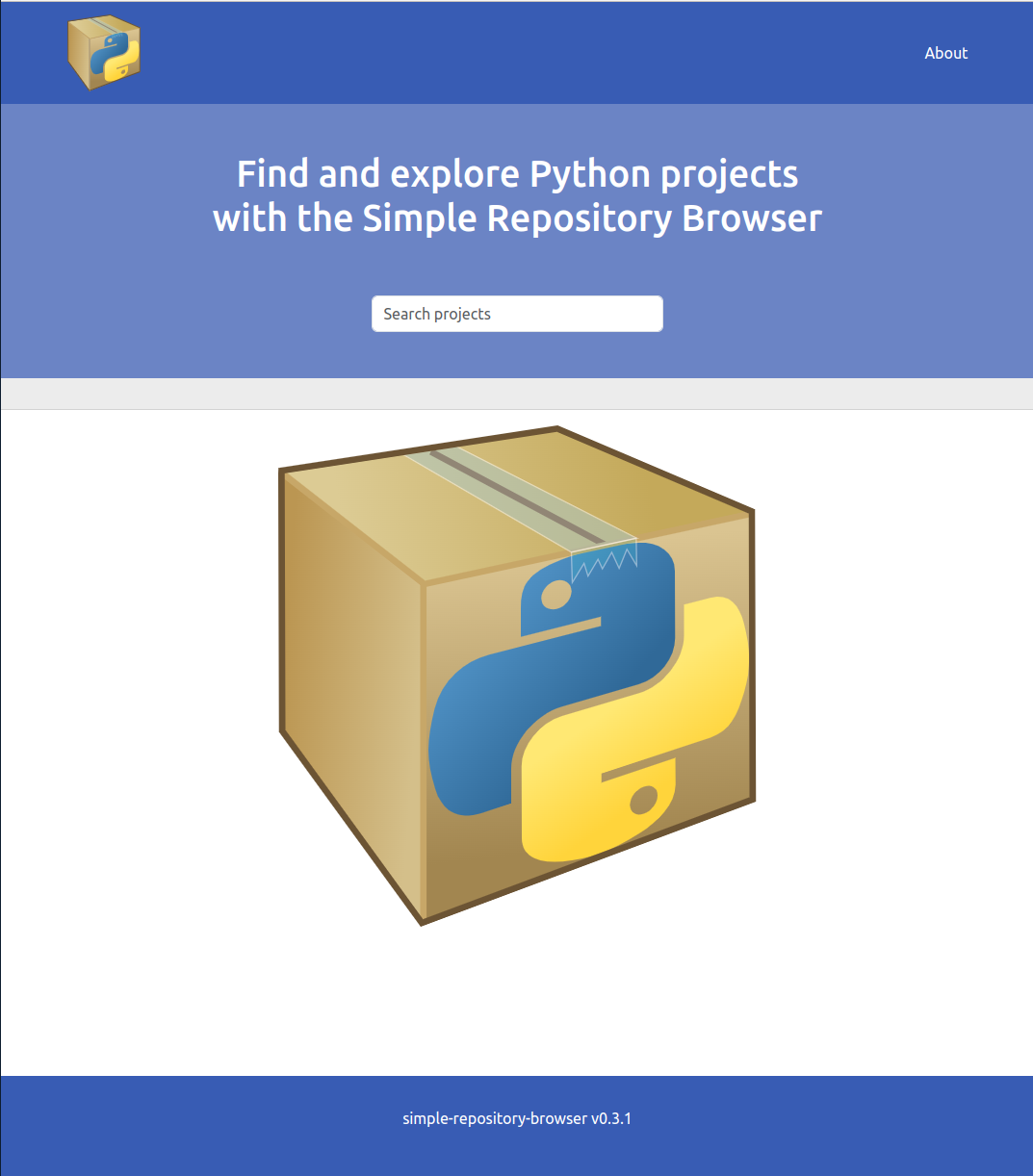
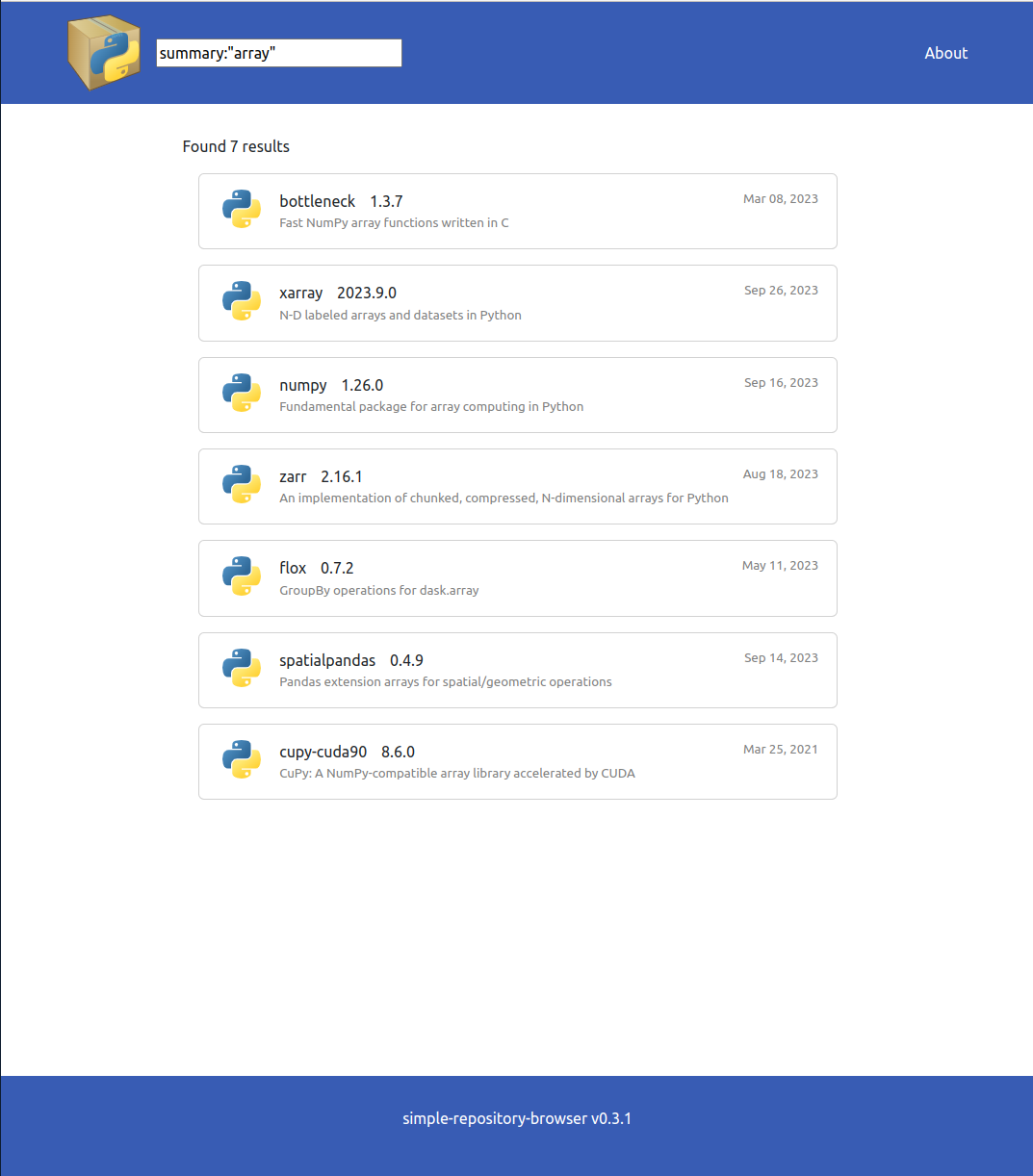
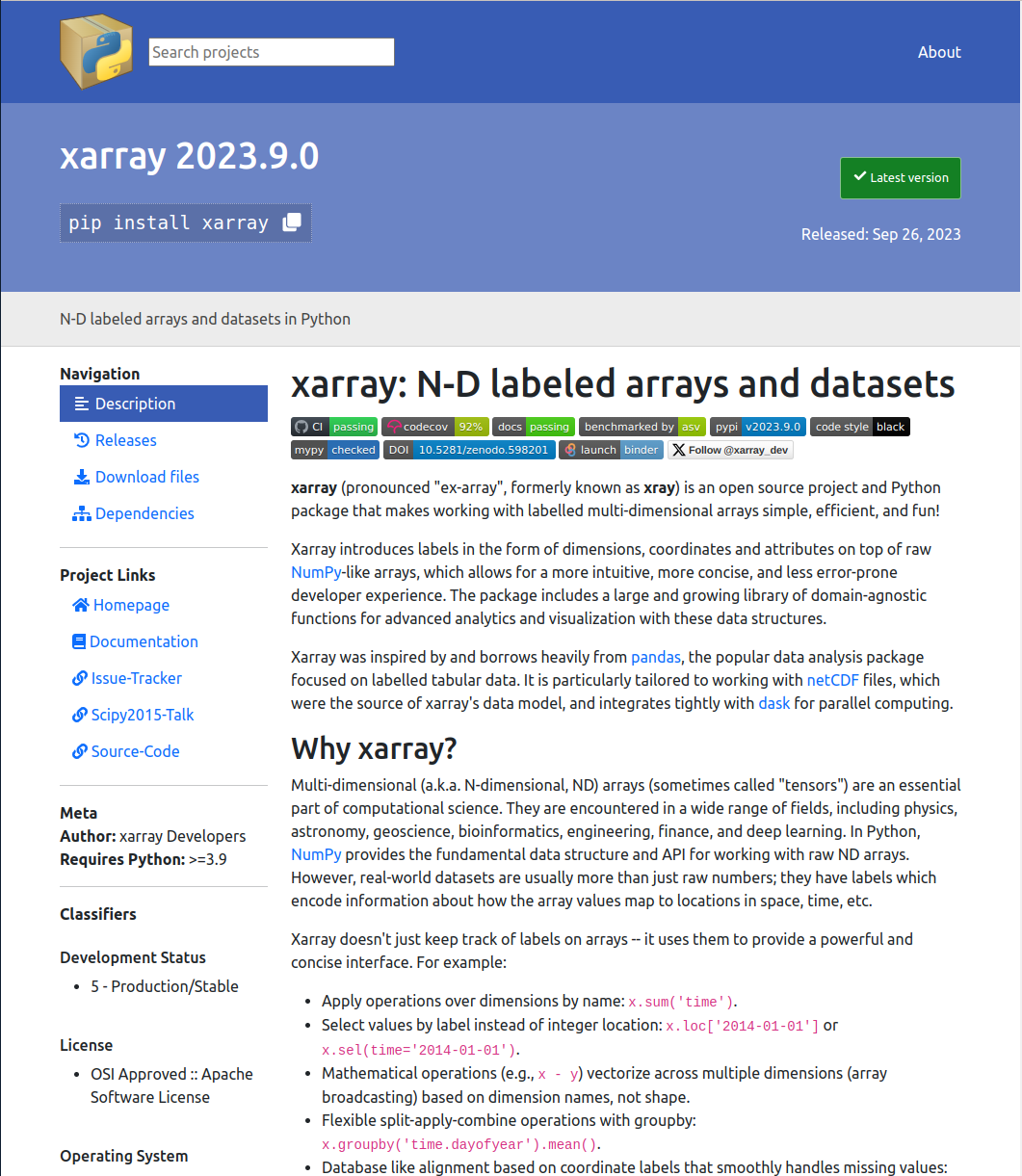
Screenshots
Homepage:
Search:
Project page:
Runtime details
simple-repository-browser exposes a FastAPI application, and it runs the application in a single uvicorn worker.
Metadata that is computed will be cached in the $XDG_CACHE_DIR/simple-repository-browser directory. This cache is not
intended to be shared among different repository URLs, and is unlikely to work for multiple simple-repository-browser
versions. There is currently no intelligent cache invalidation for those cases.
Development
In order to build the simple-repository-browser you will need access to npm. If not available on the development host,
you can do it in a docker container first:
docker run --rm -v $PWD:/workdir -it node bash
cd /workdir
Bundle the web app:
cd web
npm install --include=dev
npm run build
cd ..
And then the normal installation procedure applies:
python -m pip install -e .
You may want to disable the indexing to avoid long-running tasks during the development:
export DISABLE_REPOSITORY_INDEXING=1
The browser can be run with:
python -m simple_repository_browser
Project details
Verified details
These details have been verified by PyPIProject links
GitHub Statistics
Maintainers
Release history Release notifications | RSS feed


Download files
Download the file for your platform. If you're not sure which to choose, learn more about installing packages.
Source Distribution
Built Distribution
Filter files by name, interpreter, ABI, and platform.
If you're not sure about the file name format, learn more about wheel file names.
Copy a direct link to the current filters
File details
Details for the file simple_repository_browser-0.12.0.tar.gz.
File metadata
- Download URL: simple_repository_browser-0.12.0.tar.gz
- Upload date:
- Size: 712.3 kB
- Tags: Source
- Uploaded using Trusted Publishing? Yes
- Uploaded via: twine/6.1.0 CPython/3.13.12
File hashes
| Algorithm | Hash digest | |
|---|---|---|
| SHA256 |
e5752fd8d5c0547034b9e3c4e7a8dce192ff15d000538f989b54985f3105fe13
|
|
| MD5 |
ece275880a235bee8bcc31a4595484fd
|
|
| BLAKE2b-256 |
61fed42a7fbfe02ec801df76694883c464fb69c65a248d474fd54cfc1c5c9151
|
Provenance
The following attestation bundles were made for simple_repository_browser-0.12.0.tar.gz:
Publisher:
python-publish.yml on simple-repository/simple-repository-browser
-
Statement:
-
Statement type:
https://in-toto.io/Statement/v1 -
Predicate type:
https://docs.pypi.org/attestations/publish/v1 -
Subject name:
simple_repository_browser-0.12.0.tar.gz -
Subject digest:
e5752fd8d5c0547034b9e3c4e7a8dce192ff15d000538f989b54985f3105fe13 - Sigstore transparency entry: 2136275320
- Sigstore integration time:
-
Permalink:
simple-repository/simple-repository-browser@0fec537c91f3e0f6b3d8b3b0c315f42ca3416ff9 -
Branch / Tag:
refs/tags/v0.12.0 - Owner: https://github.com/simple-repository
-
Access:
public
-
Token Issuer:
https://token.actions.githubusercontent.com -
Runner Environment:
github-hosted -
Publication workflow:
python-publish.yml@0fec537c91f3e0f6b3d8b3b0c315f42ca3416ff9 -
Trigger Event:
release
-
Statement type:
File details
Details for the file simple_repository_browser-0.12.0-py3-none-any.whl.
File metadata
- Download URL: simple_repository_browser-0.12.0-py3-none-any.whl
- Upload date:
- Size: 733.9 kB
- Tags: Python 3
- Uploaded using Trusted Publishing? Yes
- Uploaded via: twine/6.1.0 CPython/3.13.12
File hashes
| Algorithm | Hash digest | |
|---|---|---|
| SHA256 |
c63956764e009f9905c05f9e23060c97b9ce5d399c7447ac0713d9d434e46da8
|
|
| MD5 |
9ec8781804d3f16afba9b71a51e37737
|
|
| BLAKE2b-256 |
ff850ecbf7963effcbcbe50bed585f3432e25ba026323439faa16018fe58796a
|
Provenance
The following attestation bundles were made for simple_repository_browser-0.12.0-py3-none-any.whl:
Publisher:
python-publish.yml on simple-repository/simple-repository-browser
-
Statement:
-
Statement type:
https://in-toto.io/Statement/v1 -
Predicate type:
https://docs.pypi.org/attestations/publish/v1 -
Subject name:
simple_repository_browser-0.12.0-py3-none-any.whl -
Subject digest:
c63956764e009f9905c05f9e23060c97b9ce5d399c7447ac0713d9d434e46da8 - Sigstore transparency entry: 2136275373
- Sigstore integration time:
-
Permalink:
simple-repository/simple-repository-browser@0fec537c91f3e0f6b3d8b3b0c315f42ca3416ff9 -
Branch / Tag:
refs/tags/v0.12.0 - Owner: https://github.com/simple-repository
-
Access:
public
-
Token Issuer:
https://token.actions.githubusercontent.com -
Runner Environment:
github-hosted -
Publication workflow:
python-publish.yml@0fec537c91f3e0f6b3d8b3b0c315f42ca3416ff9 -
Trigger Event:
release
-
Statement type:






