
title: SimpleAudit Studio emoji: 🔍 colorFrom: blue colorTo: indigo sdk: docker app_port: 7860 pinned: false
SimpleAudit Studio
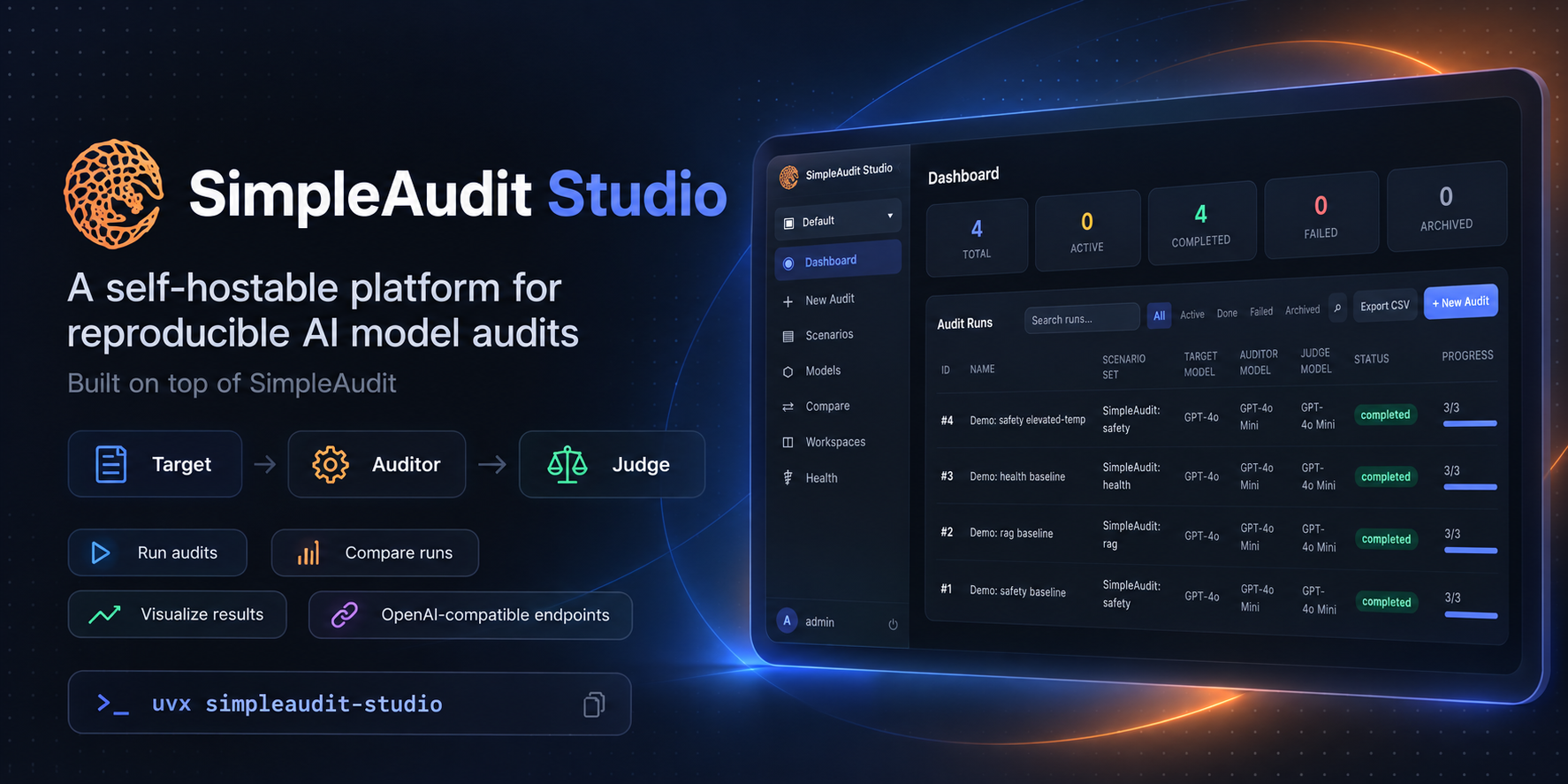


A self-hostable platform for running reproducible AI model audits using the SimpleAudit engine (Target → Auditor → Judge). Every audit captures frozen, versioned inputs so historical results stay interpretable years later.
🚀 Quick Start
uvx simpleaudit-studio
uvx installs the simpleaudit-studio package and runs it in an isolated environment. No Docker, no Postgres, no manual setup. Opens at http://localhost:8000 (login: admin / admin12345). A mock model server is pre-seeded so you can start exploring audit results immediately.
🌐 Or skip the setup entirely — try the live demo: sushantgautam-simpleaudit-studio.hf.space
🤖 Using Real Models
The pre-seeded connections point at a built-in mock server. To run real audits, update your model connections on the Models page to any OpenAI-compatible endpoint. A few common options:
| Provider | Base URL | Example |
|---|---|---|
| Ollama (local) | http://localhost:11434/v1 |
Qwen 3, Llama 3.3, Mistral |
| vLLM (GPU) | http://your-gpu-server:8000/v1 |
Any HF model |
| OpenAI | https://api.openai.com/v1 |
GPT-4o, o3 |
| Together AI | https://api.together.xyz/v1 |
Many open models |
| Groq | https://api.groq.com/openai/v1 |
Fast inference |
Set the API key in the connection form (leave blank for local servers that don't require auth), then launch an audit from the Scenario Library.
🐳 Self-Hosting
For teams, multi-user setups, or GPU worker pools, use Docker Compose:
git clone https://github.com/SushantGautam/SimpleAuditStudio
cd SimpleAuditStudio
cp .env.example .env
# edit POSTGRES_PASSWORD and BOOTSTRAP_PASSWORD at minimum
docker compose up -d
Services: Web UI (:8000), PostgreSQL, Hatchet queue (:8888), Worker. Optional profiles: --profile storage (MinIO), --profile mock (mock model API).
See docs/deployment.md for production hardening, GPU workers, backups, and upgrades.
✨ What You Can Do
- Browse the scenario library and create new audit scenarios
- Register model endpoints (OpenAI-compatible APIs)
- Launch audits and watch live progress
- Compare results across runs
- Explore the visualizer for detailed analysis
🏗️ Architecture
Browser → Django/Gunicorn (:7860)
              ↓
         PostgreSQL 16 (domain + queue DBs)
              ↓
         Hatchet Server (durable job queue)
              ↓
         Worker (CPU pool) → SimpleAudit Engine
              Target → Auditor → Judge
📚 Documentation
- Architecture — system design, service boundaries, deployment topology
- Domain Model — scenarios, scenario sets, audit runs, immutability invariants
- Deployment — Docker Compose, production hardening, GPU workers, upgrades
🤝 Contributing
Architecture decisions are documented in docs/architecture.md.
1 maintainer

Release files for simpleaudit-studio 0.2.2
For a detailed explanation of source distributions (sdists) and built distributions (wheels), please see the package formats documentation.
Source distribution (sdist)
| File | Size | Uploaded | |
|---|---|---|---|
| simpleaudit_studio-0.2.2.tar.gz | 461.6 kB | Details |
Built distribution (wheel)
| File | Interpreter | ABI | Platform | Reset |
|---|---|---|---|---|
| simpleaudit_studio-0.2.2-py3-none-any.whl | Python 3 | none | any | Details |
Total release size: 802.6 kB
Release files / simpleaudit_studio-0.2.2.tar.gz
| Download URL | simpleaudit_studio-0.2.2.tar.gz |
|---|---|
| Size | 461.6 kB |
| Tags | Source |
|
SHA-256 checksum How to use checksums |
d6f3e4ece0314c00375be86a5fb3b21820b015e3cb307ea30dedce1fb36abc00
|
|
BLAKE2b-256 checksum How to use checksums |
ec9761a6e15d8485504ae617f2a853aa72919f20c6acc2c3082fed2994166dd6
|
| Upload date | |
|
Uploaded using Trusted Publishing? What is trusted publishing? |
No |
| Uploaded via |
twine/7.0.0 CPython/3.11.7
|
Release files / simpleaudit_studio-0.2.2-py3-none-any.whl
| Download URL | simpleaudit_studio-0.2.2-py3-none-any.whl |
|---|---|
| Size | 341.1 kB |
| Tags | Python 3 |
|
SHA-256 checksum How to use checksums |
53db7600eb1f59be3e4c670564200f68450916071b422397d51aaca11a7c7e5d
|
|
BLAKE2b-256 checksum How to use checksums |
5d3d4a6d02686cb4e4fb3a7f8bcbd682b421df0e8c9a5e077b5941551b564063
|
| Upload date | |
|
Uploaded using Trusted Publishing? What is trusted publishing? |
No |
| Uploaded via |
twine/7.0.0 CPython/3.11.7
|














