
"Pure Python, lightweight, Pillow-based plotting tool, focused on efficiency and prevention of memory losses."

Project description
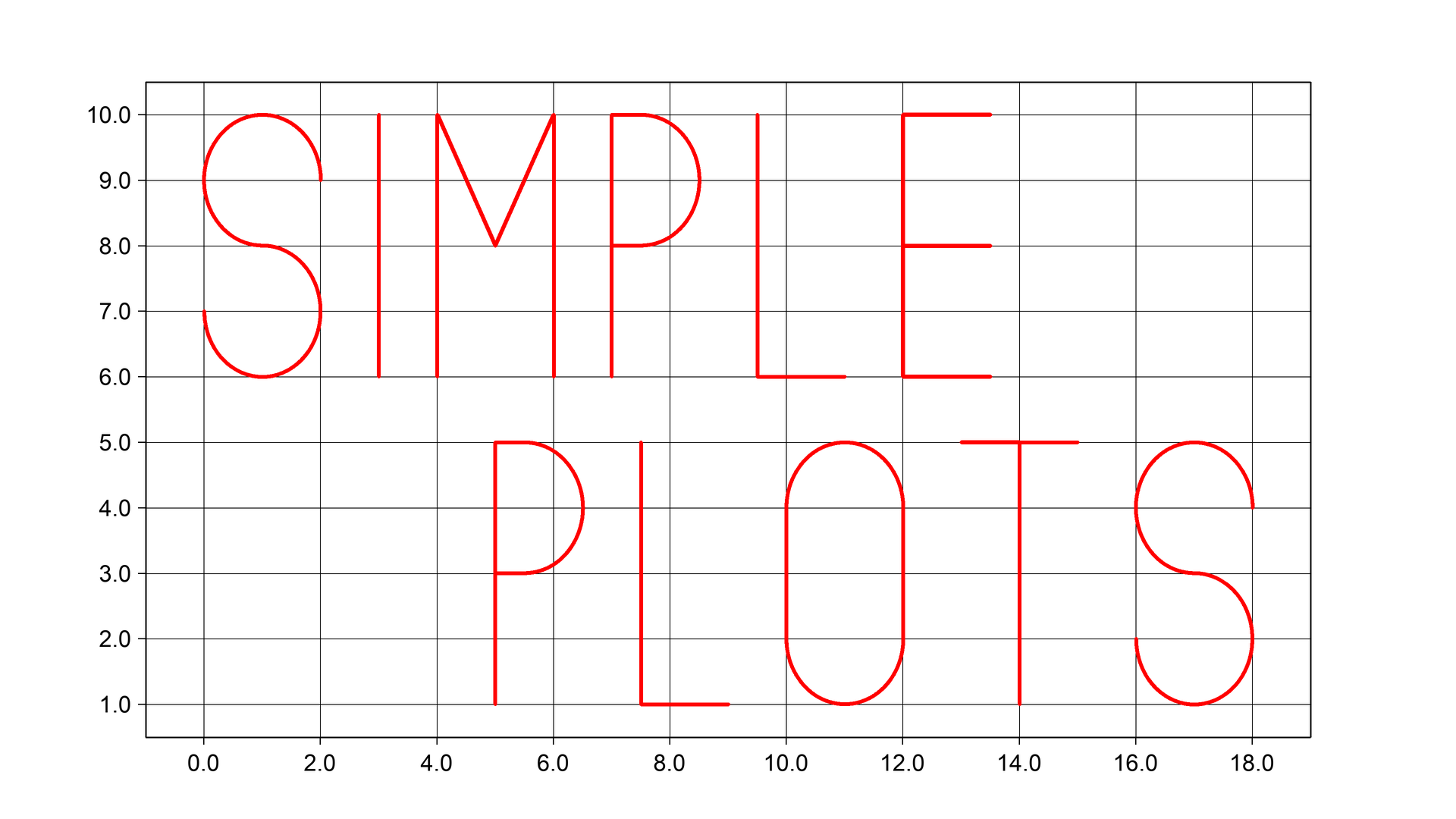
Pure Python, lightweight, Pillow-based plotting tool, focused on efficiency and prevention of memory losses. The project is, obviously, not trying to compete with matplotlib in data analysis, but aims to satisfy a specific purpose of being able to create and save a large number of figures in the most efficient, yet accurate way.



Installation
You can simply install the library from PyPi using pip.
pip install simpleplots
Quick Snippet
An example of the basic usage. Method .save automatically closes the figure by default.
from simpleplots import Figure

fig = Figure()
fig.plot([2, 3, 4], [4, 2, 3], color='red')
fig.save('graph.png')
Performance
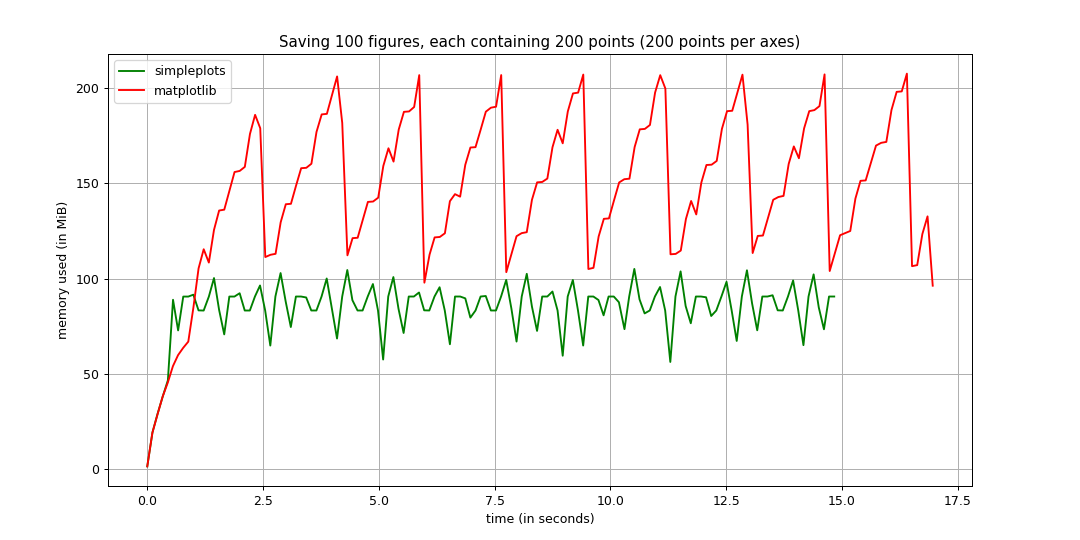
The data has been collected using memory_profiler module. You can find more tests here.
Usage Samples
The library also supports plotting multiple axes within one figure.
from simpleplots import Figure

# Create a figure
fig = Figure()

# Plot data
fig.plot([2, 3, 4], [1, 4.3, 6], color='red', linewidth=7)
fig.plot([1, 3.5, 7], [2, 3, 5], color='blue', linewidth=10)

# Save the image (automatically closes the figure)
fig.save('graph.png')
Plotting dates:
from simpleplots import Figure
from datetime import datetime
import numpy as np

# Create the data to be plotted
start, end = np.datetime64('2022-01-01'), np.datetime64('2022-01-20')
times = np.arange(start, end, np.timedelta64(1, 'D'))
values = np.random.randn(len(times))

# Create a figure
fig = Figure()

# Plot data
fig.plot(times, values, color='red', linewidth=7)

# Save the image (automatically closes the figure)
fig.save('graph.png')
Editing locators and formatters:
from simpleplots import Figure
from simpleplots.dates import DateFormatter, HourLocator
from datetime import datetime
import numpy as np

# Create the data to be plotted
start, end = np.datetime64('2022-01-01 01'), np.datetime64('2022-01-01 23')
times = np.arange(start, end, np.timedelta64(1, 'h'))
values = np.random.randn(len(times))

# Create a figure
fig = Figure()

# Create and assign locator
locator = HourLocator()
fig.set_major_locator(locator, axis='x')

# Create and assign formatter
formatter = DateFormatter('%H:%M', rotation=45)
fig.set_major_formatter(formatter, axis='x')

# Plot data
fig.plot(times, values, color='red', linewidth=7)

# Save the image (automatically closes the figure)
fig.save('graph.png')
Additional
- simpleplots is a demand-driven library. In case you want to use simpleplots, but can't find a locator, formatter or functionality you need - leave a message by creating an issue.
Release history Release notifications | RSS feed


Download files
Download the file for your platform. If you're not sure which to choose, learn more about installing packages.
Source Distribution
Built Distribution
Filter files by name, interpreter, ABI, and platform.
If you're not sure about the file name format, learn more about wheel file names.
Copy a direct link to the current filters
File details
Details for the file simpleplots-0.6.0.tar.gz.
File metadata
- Download URL: simpleplots-0.6.0.tar.gz
- Upload date:
- Size: 218.2 kB
- Tags: Source
- Uploaded using Trusted Publishing? No
- Uploaded via: twine/4.0.0 CPython/3.10.4
File hashes
| Algorithm | Hash digest | |
|---|---|---|
| SHA256 |
bf1255348b73e618864b270785db8ed34a0159bfdee82168b695610ce2e52767
|
|
| MD5 |
7af5e777c6201336c39a20b8324dbb92
|
|
| BLAKE2b-256 |
ad495a2c55ab8562c2b569460fab640b7da09df33fabdceeb4ac7c92f131e010
|
File details
Details for the file simpleplots-0.6.0-py3-none-any.whl.
File metadata
- Download URL: simpleplots-0.6.0-py3-none-any.whl
- Upload date:
- Size: 216.6 kB
- Tags: Python 3
- Uploaded using Trusted Publishing? No
- Uploaded via: twine/4.0.0 CPython/3.10.4
File hashes
| Algorithm | Hash digest | |
|---|---|---|
| SHA256 |
cdd49b0f1aa6bf8a1a4ab6ad4d2ad2dee5c365a29f29724c74a20d25cbd01e6d
|
|
| MD5 |
c35a3509deca54cf42b788555f055e7a
|
|
| BLAKE2b-256 |
2e3eefd81163154539479a55d29f15ded0a5561b936bea1408919ffd8b272214
|






