
SimpyLens: Simpy Visualization and Debugging Toolkit


SimpyLens is a low-intrusion toolkit for SimPy model visualization, debugging, and runtime inspection. It helps developers understand queueing behavior, resource contention, and process flow in real time without rewriting simulation business logic.
SimPy Visual Demos
Full Simulation Debugging Workflow
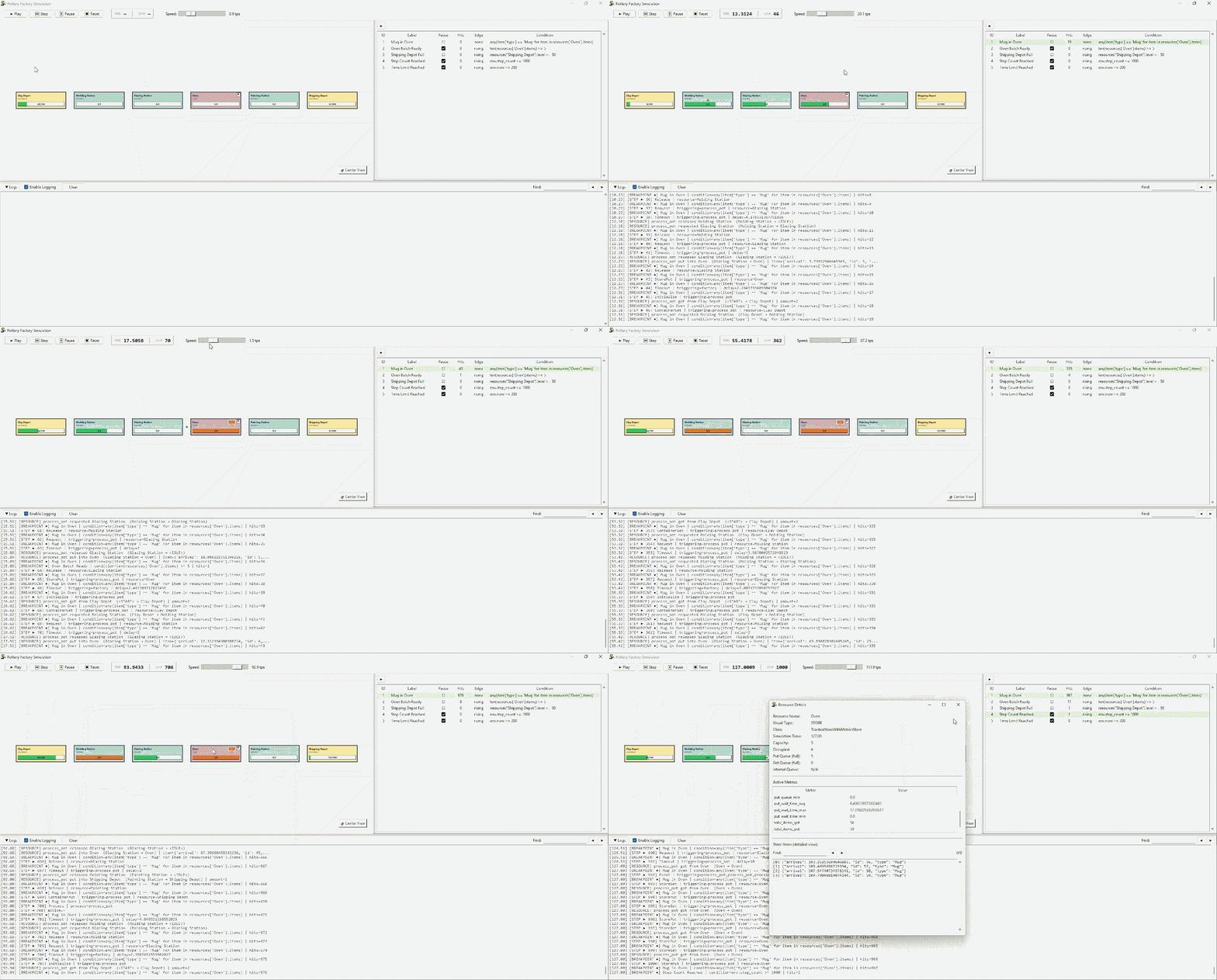
assets/pottery_factory.gif shows the full SimpyLens interface for discrete-event simulation debugging: runtime controls, process flow, resource movement, and live inspection.
It is useful for users searching for a SimPy visual debugger, queueing simulation viewer, or simulation runtime inspection tool.
Manual Resource Layout for Process Storytelling
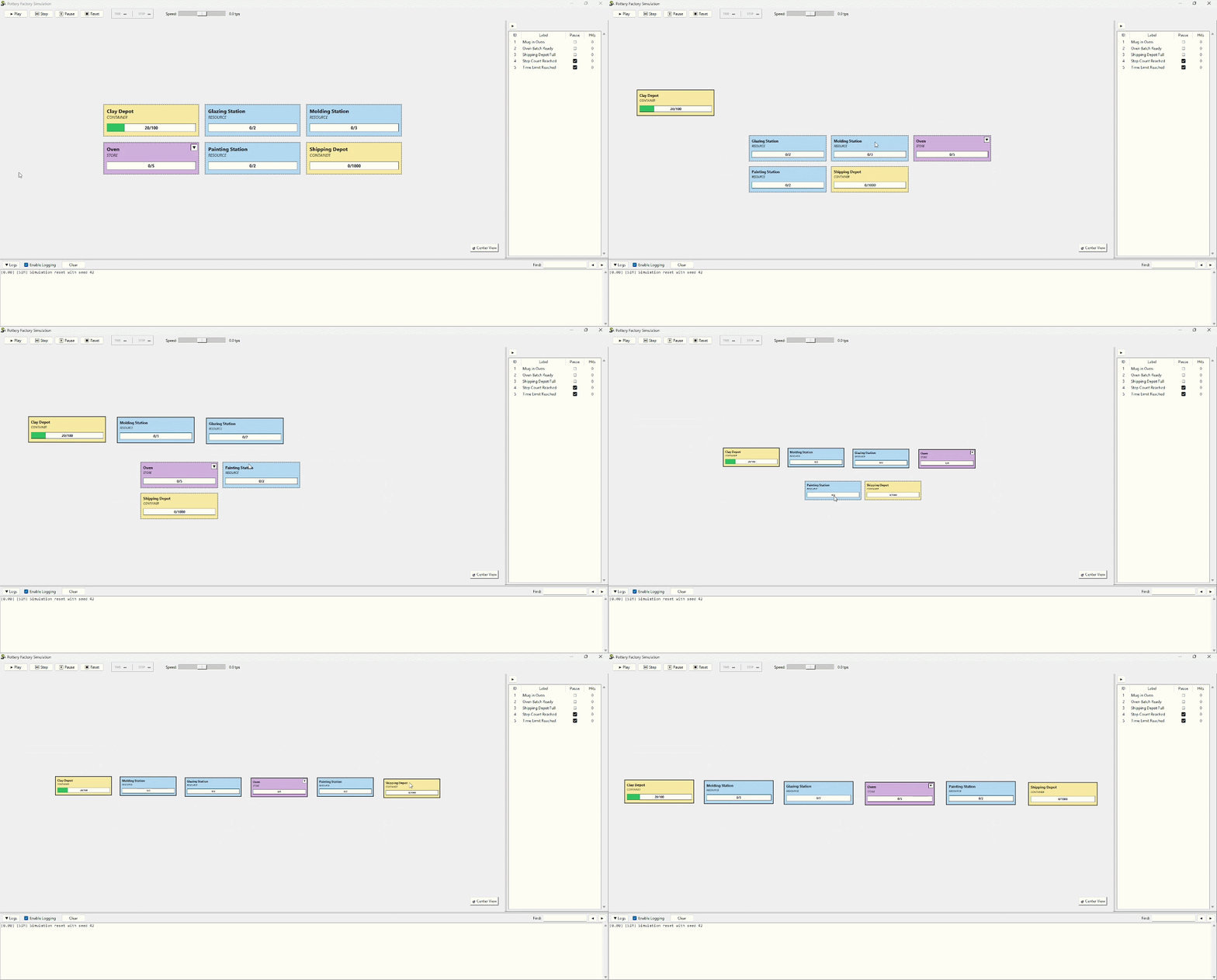
assets/manual_layout.gif demonstrates manual resource positioning so teams can present and analyze process flow with a clearer mental model.
This is especially relevant for simulation demos, teaching, and operations reviews where layout readability matters.
Key Features
- Real-time visualization for SimPy resources and process interactions.
- Runtime controls for play, step, pause, reset, and speed.
- Breakpoints with expression/callable conditions and edge modes.
- Structured logs for simulation, step lifecycle, resources, and breakpoints.
- Headless mode for tests and CI.
- Optional metrics collection with read-only resource metrics.
Installation
pip install simpylens
Quickstart
import simpy
import simpylens


def model(env):
    server = simpy.Resource(env, capacity=1)

    def customer():
        with server.request() as req:
            yield req
            yield env.timeout(3)

    env.process(customer())


lens = simpylens.Lens(model=model, gui=True, seed=42)
lens.show()
SimPy Examples Included
Examples are in examples/ and grouped by origin.
Adapted from official simpy examples/tutorial lineage:
examples/bank_renege.pyexamples/gas_station_refueling.py
Original SimpyLens examples:
examples/pottery_factory.pyexamples/wafer_fabrication.py
FAQ
Is SimpyLens a SimPy debugger?
Yes. SimpyLens provides breakpoint-based debugging, structured event logs, and step-by-step runtime inspection for SimPy simulations.
Can I visualize SimPy resources in real time?
Yes. SimpyLens visualizes Resource, Container, and Store families, including queue/load behavior and process flow.
Can SimpyLens run in headless mode for automated testing?
Yes. Use Lens(gui=False) to run simulations and assertions in tests or CI pipelines.
Does SimpyLens require rewriting my simulation model?
No. SimpyLens is designed for low-intrusion integration with your existing SimPy setup function.
Contributing
Contributions are welcome.
Suggested workflow:
- Fork the repository.
- Create a feature branch.
- Add or update tests and examples.
- Submit a pull request with a clear change description.
Documentation
1 maintainer

Release files for simpylens 0.1.6
For a detailed explanation of source distributions (sdists) and built distributions (wheels), please see the package formats documentation.
Source distribution (sdist)
| File | Size | Uploaded | |
|---|---|---|---|
| simpylens-0.1.6.tar.gz | 138.0 kB | Details |
Built distribution (wheel)
| File | Interpreter | ABI | Platform | Reset |
|---|---|---|---|---|
| simpylens-0.1.6-py3-none-any.whl | Python 3 | none | any | Details |
Total release size: 269.3 kB
Release files / simpylens-0.1.6.tar.gz
| Download URL | simpylens-0.1.6.tar.gz |
|---|---|
| Size | 138.0 kB |
| Tags | Source |
|
SHA-256 checksum How to use checksums |
fe87f02571010a4d64a7fd592682def26cb6731280799bde1a6eea7ce479423a
|
|
BLAKE2b-256 checksum How to use checksums |
45d4bede5f1db3542ea054cc15c49af01afae9774b9067c0e9411d3c095ef5ae
|
| Upload date | |
|
Uploaded using Trusted Publishing? What is trusted publishing? |
Yes |
| Uploaded via |
twine/6.1.0 CPython/3.13.7
|
Provenance
Provenance describes where a file came from. On PyPI, provenance is shared via attestations, which provide a verifiable record of the build or publishing details. View details, limitations and caveats.


PyPI Publish Attestation
PyPI verified that this artifact, at this checksum, originated from the publisher listed below.
Signed by GitHub Actions, verified by PyPI on Mar 13, 2026.
Transparency logRelease files / simpylens-0.1.6-py3-none-any.whl
| Download URL | simpylens-0.1.6-py3-none-any.whl |
|---|---|
| Size | 131.2 kB |
| Tags | Python 3 |
|
SHA-256 checksum How to use checksums |
92efd74d4f5556a1b93a908584162b667df270c559d9c7c32b8d55a9af2a1914
|
|
BLAKE2b-256 checksum How to use checksums |
b62df0772f2396360fb194b16befc09d80e53d6c1b167796365bcb295b993e98
|
| Upload date | |
|
Uploaded using Trusted Publishing? What is trusted publishing? |
Yes |
| Uploaded via |
twine/6.1.0 CPython/3.13.7
|
Provenance
Provenance describes where a file came from. On PyPI, provenance is shared via attestations, which provide a verifiable record of the build or publishing details. View details, limitations and caveats.
PyPI Publish Attestation
PyPI verified that this artifact, at this checksum, originated from the publisher listed below.
Signed by GitHub Actions, verified by PyPI on Mar 13, 2026.
Transparency log













