






Modular PyTorch library for world models — many algorithms, one consistent API.
Formerly TorchWM. The project was renamed to Simulusion for 1.0 and is published on PyPI as
simulusion:pip install simulusion, thenimport simulusion.
Simulusion brings the major world-model families together under a single PyTorch API. Train Dreamer, PlaNet, JEPA, IRIS, DIAMOND, DiT, and Genie agents through create_config / create_model / make_env, or drop down to their encoders, decoders, and latent-dynamics backbones to compose your own architecture. Environment adapters (Gym/Gymnasium, DeepMind Control, MuJoCo, Brax, Atari, Unity ML-Agents) and ONNX / TorchScript / TensorRT export come built in.
See it in action
Every model ships with a demo that trains from scratch on a laptop GPU (RTX 3050, 4 GB) in one to two hours and records what it learned. These are short runs, not paper-scale results: the point is to show what each model does.
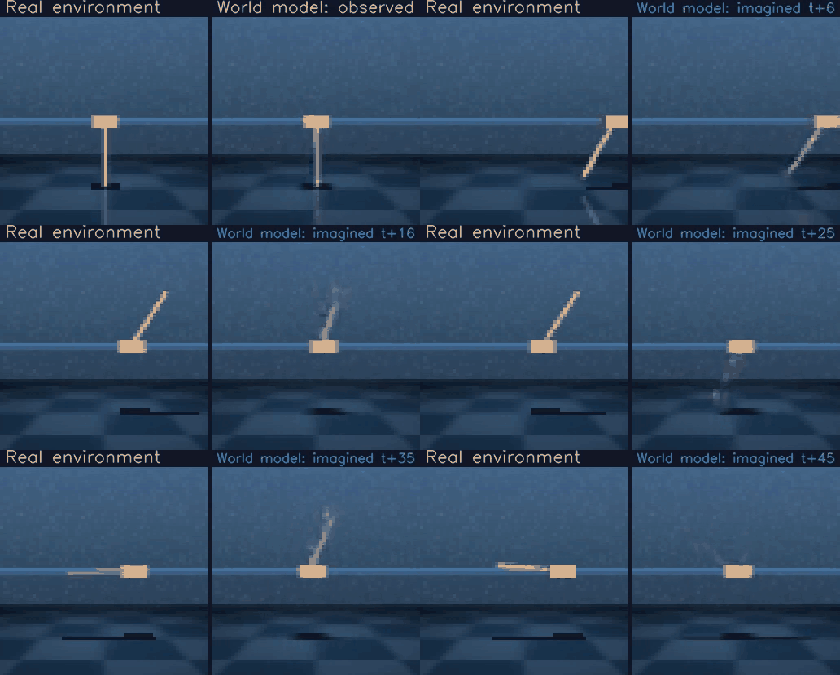 Dreamer: the real environment (left) beside the world model imagining it open loop (right). |
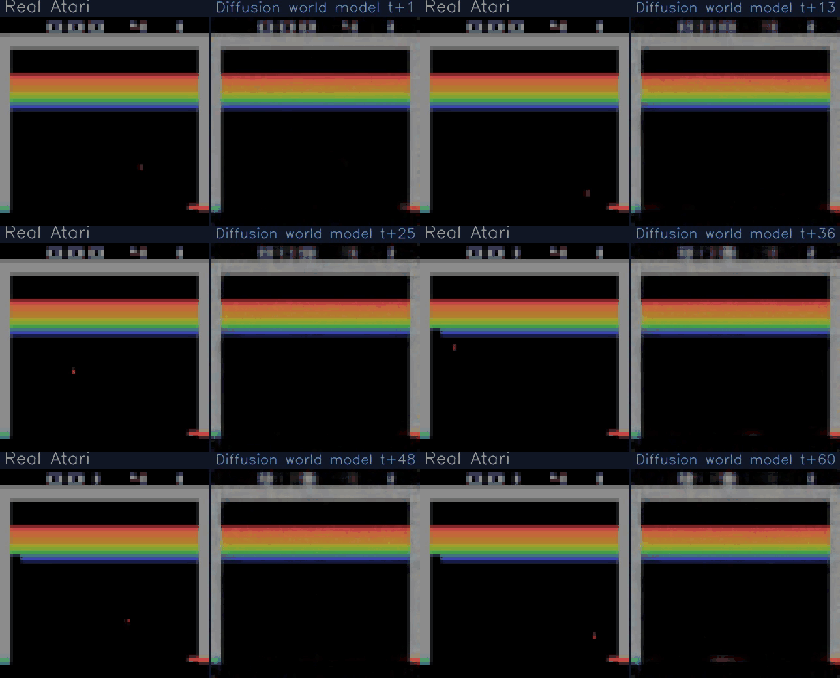 DIAMOND: Breakout in the emulator beside a diffusion model generating every frame itself. |
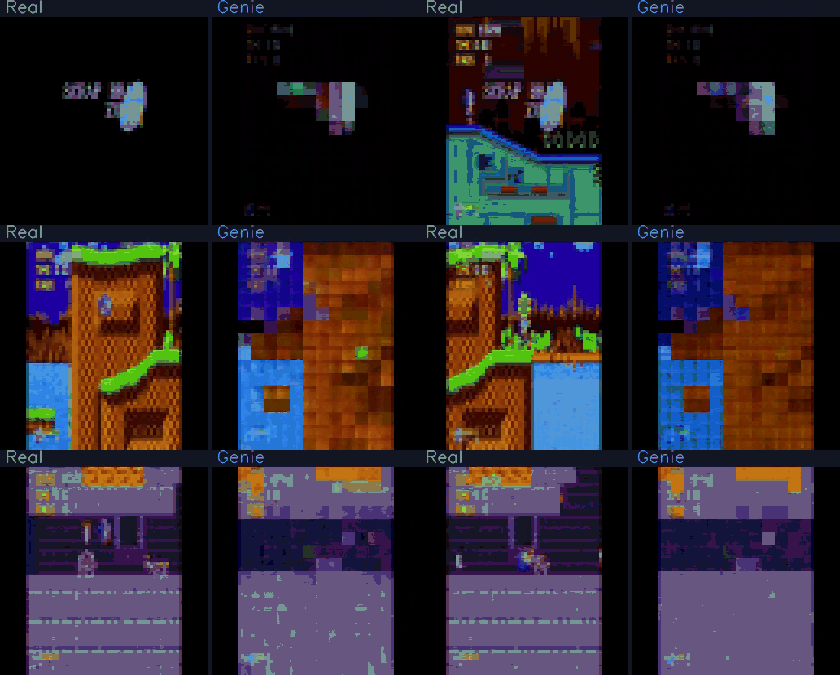 Genie: a real Sonic clip beside Genie regenerating it from the first frame, with actions it learned from unlabelled video. |
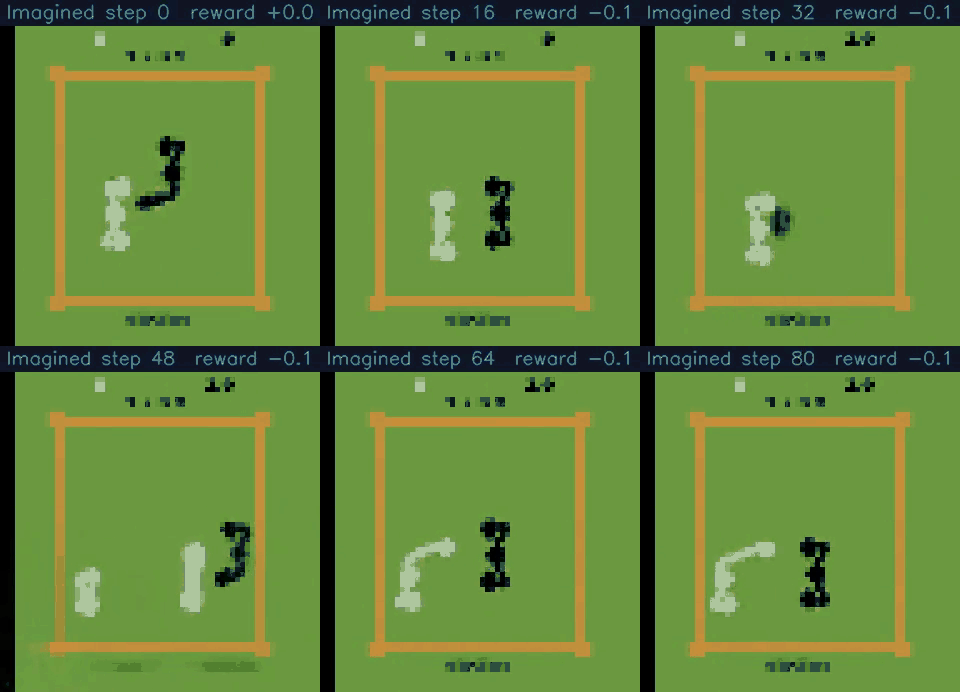 IRIS: a policy boxing inside a Transformer world model made of discrete tokens. |
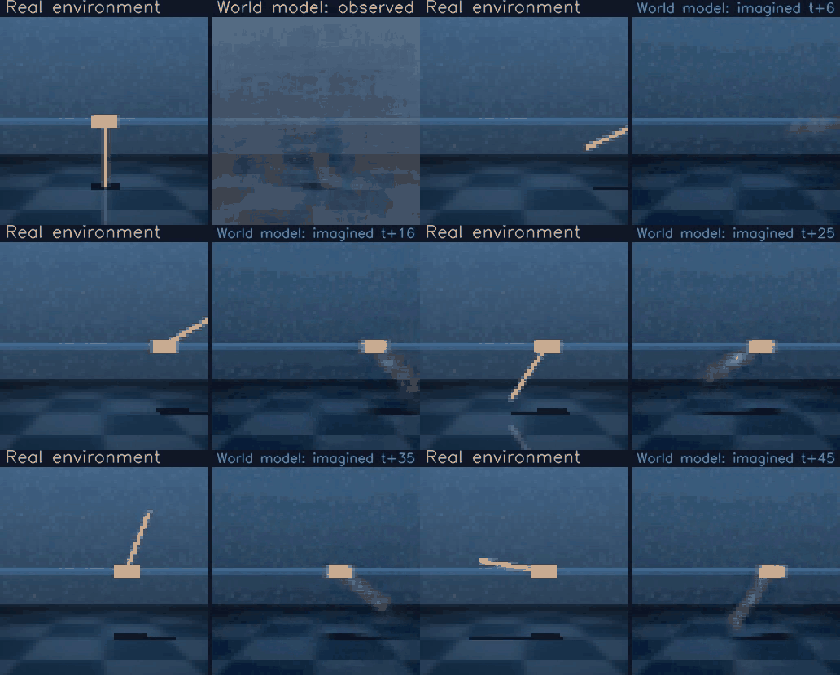 PlaNet: a latent model predicting the future while a CEM planner searches inside it. |
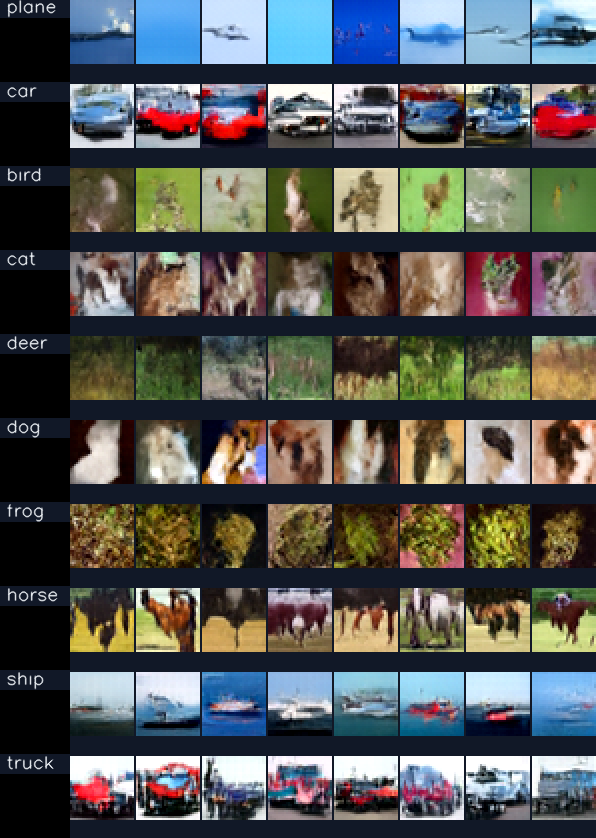 DiT: CIFAR-10 samples from a class-conditional Diffusion Transformer, one row per class. |
More clips, learning curves and the commands to reproduce each one are in the
gallery; the scripts live in demos/.
Quick Start
# Install the core package from PyPI.
# This keeps environment integrations and experiment logging optional.
pip install simulusion

# With extras
pip install simulusion[gym]       # Gym/Gymnasium environments (runnable quick start)
pip install simulusion[dmc]       # DeepMind Control Suite (walker-walk, cheetah-run, ...)
                               # On CPython 3.13 also run: python -m simulusion.install_dmc
pip install simulusion[worldmodels] # Classic World Models (ConvVAE + CMA-ES controller)
pip install simulusion[ml-agents] # Unity ML-Agents
pip install simulusion[ml]        # TensorBoard, W&B logging
pip install simulusion[viz]       # Latent-space visualization (plotly, UMAP)
pip install simulusion[dev]       # Testing and linting

# Or add it to a uv-managed project.
uv add simulusion
Simulusion depends on PyTorch but does not force a single PyTorch wheel index. If you need a specific PyTorch build, install or add the PyTorch packages with the index recommended for your platform by the PyTorch installation selector:
# Example: CUDA 12.1 wheels. Choose a different index for CPU, ROCm, CUDA 11.x, CUDA 12.4+, or macOS.
uv add torch torchvision torchaudio --index https://download.pytorch.org/whl/cu121
Use the friendly top-level API for the common path. The example below runs on a
base pip install simulusion[gym] — no simulator downloads required:
import simulusion

# Trains a Dreamer agent on a Gymnasium task. Bump `total_steps` for real runs.
# `seed_steps` of random play come first and count towards `total_steps`; the
# final checkpoint is written to `<logdir>/ckpts/` when training finishes.
agent = simulusion.create_model(
    "dreamer",
    env="Pendulum-v1",
    env_backend="gym",
    seed_steps=1_000,
    total_steps=10_000,
)
agent.train()
To train on DeepMind Control tasks such as walker-walk, install the DMC extra
(pip install simulusion[dmc]) and use the default backend:
agent = simulusion.create_model("dreamer", env="walker-walk", total_steps=1_000_000)
agent.train()
Swap the algorithm, keep the code
Every algorithm in the table below is reachable through the same factory, so comparing them is a loop rather than a rewrite:
import simulusion

for algo in ["dreamer-v1", "dreamer-v2"]:
    agent = simulusion.create_model(
        algo, env="Pendulum-v1", env_backend="gym", total_steps=20_000
    )
    agent.train()
examples/algorithm_comparison.py runs exactly this and writes a comparison
plot. Construction is unified across all registered models. A shared
step-budget train() currently covers the Dreamer family — other agents use
their own trainers (simulusion train … / JEPAAgent.train() / DiamondAgent.train()).
The example reports which is which rather than assuming.
Features
- Unified interfaces across world-model algorithms
- Modular encoders, decoders, dynamics models, and backbones
- Training and inference utilities for model-based reinforcement learning
- Environment integrations for Gym/Gymnasium, Unity ML-Agents, MuJoCo, Brax, and robotics extras
- Optional logging, visualization, development, and documentation extras
Architecture
flowchart LR
    subgraph API["simulusion API"]
        CFG["create_config()"]
        MDL["create_model()"]
        ENV["make_env()"]
    end

    subgraph CONFIGS["Configs"]
        DC["DreamerConfig"]
        JC["JEPAConfig"]
        IC["IRISConfig"]
        GC["GenieConfig"]
        DIC["DiTConfig / DiamondConfig"]
    end

    subgraph AGENTS["Agents / Models"]
        DR["Dreamer / DreamerV1 / DreamerV2"]
        JP["JEPAAgent"]
        IR["IRISAgent"]
        GN["Genie"]
        DT["DiT / DIAMOND"]
    end

    subgraph BACKBONES["Backbones"]
        RSSM["RSSM / ModularRSSM"]
        VIT["VisionTransformer"]
        VQ["VQ-VAE / VideoTokenizer"]
        ST["STTransformer"]
        DIF["DDPM / DiT diffusion"]
    end

    subgraph ENVS["Environments"]
        GYM["Gym / Atari"]
        DMC["DeepMind Control"]
        MJ["MuJoCo"]
        BR["Brax"]
        UN["Unity ML-Agents"]
        ROB["Robotics"]
        more["..."]
    end

    subgraph EXPORT["Export"]
        ONNX["ONNX"]
        TS["TorchScript"]
        TRT["TensorRT"]
    end

    CFG --> CONFIGS
    MDL --> AGENTS
    ENV --> ENVS
    AGENTS --> BACKBONES
    AGENTS -.-> ENVS
    AGENTS --> EXPORT
Supported Algorithms
Every row is a registry entry — pass the name straight to simulusion.create_model(...)
or simulusion.create_config(...). Run simulusion.list_models() for the live list.
| Name | Algorithm | Description | Key Features |
|---|---|---|---|
dreamer |
Dreamer | Model-based RL with latent dynamics (alias for dreamer-v1) |
Imagination, actor-critic |
dreamer-v1 |
DreamerV1 | Latent imagination with Gaussian heads | Normal heads, standard KL |
dreamer-v2 |
DreamerV2 | Discrete latents for pixel control | Symlog two-hot heads, balanced KL |
planet |
PlaNet | Latent planning from pixels, no explicit policy | RSSM, CEM planner |
modular-rssm |
ModularRSSM | Composable recurrent state-space model | Swappable priors/posteriors, custom heads |
iris |
IRIS | Sample-efficient RL with Transformers | Discrete VAEs, world models |
jepa |
JEPA | Self-supervised visual representations | Masked prediction, ViT |
dit |
DiT | Diffusion Transformer workflows | Patch embeddings, diffusion backbones |
diamond |
DIAMOND | Diffusion world model for pixel-control RL | EDM sampling, Atari imagination rollouts |
genie |
Genie | Generative interactive environments from video | Latent actions, spatiotemporal transformer |
genie-small |
Genie (small) | Development- and test-sized Genie | Same architecture, reduced width/depth |
genie-large |
Genie (large) | Scaled-up Genie variant | Higher capacity dynamics + tokenizer |
Documentation
Community
Simulusion follows semantic versioning as of 1.0.0. The public API — everything listed in the Public API reference and re-exported from the top-level
simulusionnamespace — will not break within the 1.x line; anything removed gets a deprecation warning for at least one minor release first. Submodule internals not listed there may still change.
1 maintainer

Metadata
1 maintainer
Release files for simulusion 1.0.0
For a detailed explanation of source distributions (sdists) and built distributions (wheels), please see the package formats documentation.
Source distribution (sdist)
| File | Size | Uploaded | Provenance | |
|---|---|---|---|---|
| simulusion-1.0.0.tar.gz | 452.6 kB | Without provenance | Details |
Built distribution (wheel)
| File | Interpreter | ABI | Platform | Reset |
|---|---|---|---|---|
| simulusion-1.0.0-py3-none-any.whl | Python 3 | none | any | Details |
Total release size: 958.4 kB
Release files / simulusion-1.0.0.tar.gz
| Download URL | simulusion-1.0.0.tar.gz |
|---|---|
| Size | 452.6 kB |
| Tags | Source |
|
SHA-256 checksum How to use checksums |
bcef173fa00f23c2b1c55f9dcb4165a209a6a0455989f3517468475453a84cb6
|
|
BLAKE2b-256 checksum How to use checksums |
f3c04e34ea9a3f6e928961400ae4293895eada2194272b43c915ad8e41100414
|
| Upload date | |
|
Uploaded using Trusted Publishing? What is trusted publishing? |
No |
| Uploaded via |
uv/0.9.8
|
Release files / simulusion-1.0.0-py3-none-any.whl
| Download URL | simulusion-1.0.0-py3-none-any.whl |
|---|---|
| Size | 505.8 kB |
| Tags | Python 3 |
|
SHA-256 checksum How to use checksums |
871256252c576d35e39f286bbf889654d3b1cd1df480e8be92a1c9c46202f96c
|
|
BLAKE2b-256 checksum How to use checksums |
c0d77984c7eaf7926513ee863197044f9efc3f8e8c47de08f03bd7acb78665f8
|
| Upload date | |
|
Uploaded using Trusted Publishing? What is trusted publishing? |
No |
| Uploaded via |
uv/0.9.8
|
Security for simulusion 1.0.0
Provenance
Provenance describes where a file came from. On PyPI, provenance is shared via attestations, which provide a verifiable record of the build or publishing details. View details, limitations and caveats.
No provenance found
None of the files in this release were uploaded with provenance metadata.
A note on package security
PyPI is a repository for distributing packages, not a service for auditing them. While third-party security researchers and our staff do their best to detect and remove malicious packages, PyPI cannot guarantee the quality, security or suitability of any given package.
To learn more about protecting yourself from malicious actors, visit our package security documentation.













