
Command Line Interface for interaction with a Simvue v3 server
Verified details
These details have been verified by PyPIProject links
GitHub Statistics
Maintainers

Project description
Simvue CLI
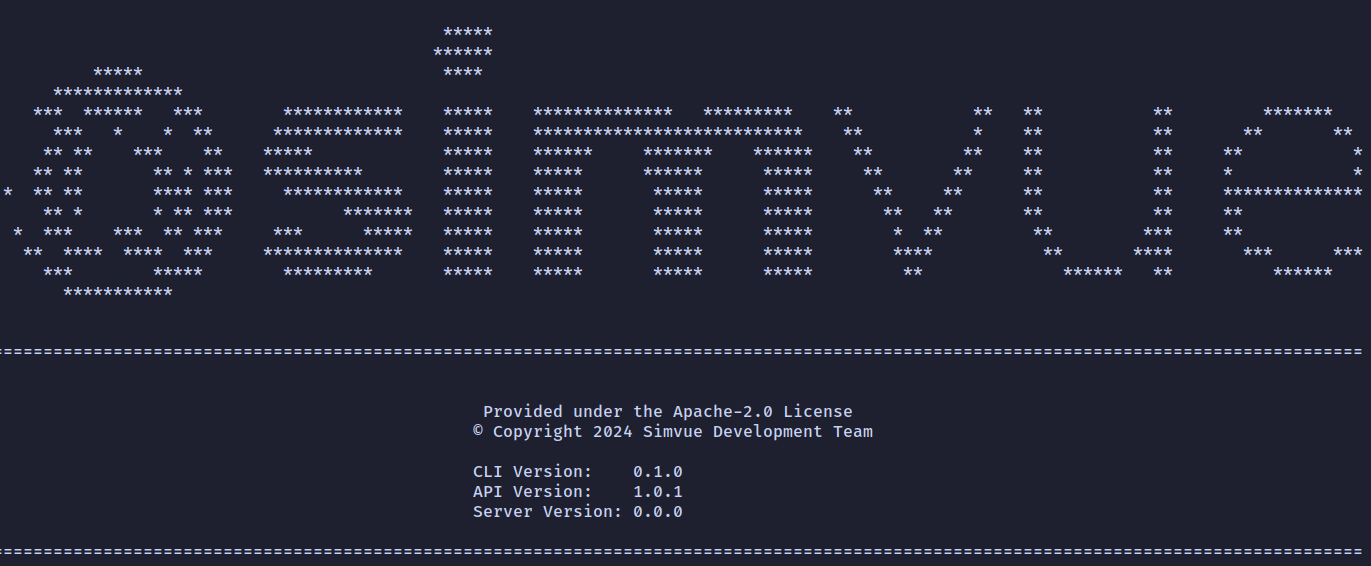




Simvue CLI is a command line interface for interacting with a Simvue server instance. The tool is designed to aid in performing more basic operations compared to the Simvue Python API which should be used instead for more complicated parsing of data and execution of simulations.
- Modifying Simvue configuration
- Retrieving and creating runs
- Retrieving folders
- Monitoring stdout
- Creating user alerts
- Clearing local files
- Version information
- Plain output
- Checking server status
- Citation
Modifying Simvue configuration
You can use Simvue CLI to simplify modification of the Simvue configuration files, to set the server URL:
simvue config server.url <server-url>
and to update the token for this server:
simvue config server.token <server-token>
By default these settings are applied a configuration file located within the current working directory. To instead set these settings globally use the --global flag.
Retrieving and creating runs
Run interaction is performed using the run subcommand.
Listing runs
To list all runs on the server use:
simvue run list
By default this will be limited to 20 runs, this behaviour can be changed by using the --count option.
Adding output columns
Additional information can be displayed by using the relevant flag:
simvue run list --tags --name
The full list of available flags is given by running with --help.
Formatting the output
By default the output is not formatted, Simvue CLI makes use of the tabulate module to improve displaying of results, simply use the --format option to select from all possibilities, a full list is given under --help:
simvue run list --format rounded_outline
Display run info
You can retrieve all information from a run as a JSON string, use of jq to query this output is recommended:
simvue run json <run-id> | jq
The json command is also designed to support piping, we can retrieve the latest run and query it:
simvue run list --count 1 | simvue run json | jq
Creating runs
To create a run execute:
simvue run create
this will return the unique run identifier.
Logging metrics and events
Events and metrics can be logged to a created run, for metrics the input is expected to be a JSON parsible string:
simue run log.metrics <run-id> "{'x': 1, 'y': 2}"
For events the input is just the event message as a string:
simvue run log.event <run-id> "Hello World!"
Terminating runs
Make sure to close your runs! The following commands close or abort the run:
simvue run close <run-id>
simvue run abort <run-id>
Retrieving Folders
Folders can be retrieved in a similar manner to runs.
simvue folder list
By default the output is not formatted, Simvue CLI makes use of the tabulate module to improve displaying of results, simply use the --format option to select from all possibilities, a full list is given under --help:
simvue folder list --format rounded_outline
Monitoring stdout
In the rare case where a program writes out only delimited data you can directly log this output as metrics. For example taking the simple bash script:
# Firstly echo headers
echo -e "x\ty"

# Now the data
for i in {1..10}; do
  echo -e "$i\t$((i * 2))"
  sleep 1
done
We could send this data direct to Simvue:
bash my_script.sh | simvue monitor
Creating user alerts
User (or manually triggered) alerts can be created on the command line:
simvue alert create "my_alert"
The additional options --email and --abort define if triggering of the alert sends an email notification and whether when the alert is triggered an abort is called respectively.
Clearing local files
The command purge will remove all local Simvue files:
simvue purge
Version information
Aside from the standard --version flag to the simvue command you can view also the API and server versions via:
simvue about
Plain output
In cases where terminal colors or formatting are unavailable you can instead run with the --plain option applied to the main simvue command, e.g.:
simvue --plain run list
Checking server status
Server response can be check using the ping command:
simvue ping
Citation
If using Simvue please cite under the information found on the Python API repository.
Project details
Verified details
These details have been verified by PyPIProject links
GitHub Statistics
Maintainers
Release history Release notifications | RSS feed


Download files
Download the file for your platform. If you're not sure which to choose, learn more about installing packages.
Source Distribution
Built Distribution
Filter files by name, interpreter, ABI, and platform.
If you're not sure about the file name format, learn more about wheel file names.
Copy a direct link to the current filters
File details
Details for the file simvue_cli-1.2.1.tar.gz.
File metadata
- Download URL: simvue_cli-1.2.1.tar.gz
- Upload date:
- Size: 174.6 kB
- Tags: Source
- Uploaded using Trusted Publishing? Yes
- Uploaded via: twine/6.1.0 CPython/3.13.7
File hashes
| Algorithm | Hash digest | |
|---|---|---|
| SHA256 |
cdd45fe04cf62bf721fe1f81d9be7866f524585c2ca71ec2d7cd22f9331b3733
|
|
| MD5 |
280932c8f4ec2634f7d195ca69058568
|
|
| BLAKE2b-256 |
6ba9e20b59d8e21cfbe289eeec5a78951f5d1dcb4e0281970342b47eac702d0a
|
Provenance
The following attestation bundles were made for simvue_cli-1.2.1.tar.gz:
Publisher:
deploy.yaml on simvue-io/simvue-cli
-
Statement:
-
Statement type:
https://in-toto.io/Statement/v1 -
Predicate type:
https://docs.pypi.org/attestations/publish/v1 -
Subject name:
simvue_cli-1.2.1.tar.gz -
Subject digest:
cdd45fe04cf62bf721fe1f81d9be7866f524585c2ca71ec2d7cd22f9331b3733 - Sigstore transparency entry: 602155785
- Sigstore integration time:
-
Permalink:
simvue-io/simvue-cli@3dbc22577f9371baeb3087f9b7cf66493e050488 -
Branch / Tag:
refs/tags/v1.2.1 - Owner: https://github.com/simvue-io
-
Access:
public
-
Token Issuer:
https://token.actions.githubusercontent.com -
Runner Environment:
github-hosted -
Publication workflow:
deploy.yaml@3dbc22577f9371baeb3087f9b7cf66493e050488 -
Trigger Event:
push
-
Statement type:
File details
Details for the file simvue_cli-1.2.1-py3-none-any.whl.
File metadata
- Download URL: simvue_cli-1.2.1-py3-none-any.whl
- Upload date:
- Size: 31.6 kB
- Tags: Python 3
- Uploaded using Trusted Publishing? Yes
- Uploaded via: twine/6.1.0 CPython/3.13.7
File hashes
| Algorithm | Hash digest | |
|---|---|---|
| SHA256 |
133e2f408b1986bd4c1ed5f8377f3ed524c5c6671dfd2cb8342d13af48096ab7
|
|
| MD5 |
1cf7ae540413a7bf814884348deb3c0f
|
|
| BLAKE2b-256 |
aeb9f28330d07bf5bf07f2b653d5f0d8768952b0210d232f86ca977c66edeb14
|
Provenance
The following attestation bundles were made for simvue_cli-1.2.1-py3-none-any.whl:
Publisher:
deploy.yaml on simvue-io/simvue-cli
-
Statement:
-
Statement type:
https://in-toto.io/Statement/v1 -
Predicate type:
https://docs.pypi.org/attestations/publish/v1 -
Subject name:
simvue_cli-1.2.1-py3-none-any.whl -
Subject digest:
133e2f408b1986bd4c1ed5f8377f3ed524c5c6671dfd2cb8342d13af48096ab7 - Sigstore transparency entry: 602155789
- Sigstore integration time:
-
Permalink:
simvue-io/simvue-cli@3dbc22577f9371baeb3087f9b7cf66493e050488 -
Branch / Tag:
refs/tags/v1.2.1 - Owner: https://github.com/simvue-io
-
Access:
public
-
Token Issuer:
https://token.actions.githubusercontent.com -
Runner Environment:
github-hosted -
Publication workflow:
deploy.yaml@3dbc22577f9371baeb3087f9b7cf66493e050488 -
Trigger Event:
push
-
Statement type:






