
🐳 Use sing-box (v2ray, xray) proxies (VLESS + REALITY, VMess, Trojan, Shadowsocks, Hysteria, Hysteria2, TUIC, WireGuard, SSH) directly in your http clients, with chaining support and easy CLI + Relay your traffic to bypass WHITELISTS
Verified details
These details have been verified by PyPIProject links
GitHub Statistics
Maintainers

Project description
singbox2proxy



Integrate sing-box proxies into your python applications with ease on any device.
- sing-box auto-install & easy management
- zero dependencies for base functionality
- seamless integration with existing applications
- batch proxy engine with shared singbox process
- tuned for best performance and latency in mind
Supported Protocols
This module supports these sing-box protocols:
- VMess (
vmess://) - VLESS (
vless://) - Shadowsocks (
ss://) - Trojan (
trojan://) - Hysteria2* (
hy2://,hysteria2://) - Hysteria* (
hysteria://) - TUIC* (
tuic://) - WireGuard (
wg://) - SSH (
ssh://) - HTTP/HTTPS (
http://,https://) - SOCKS (
socks://,socks4://,socks5://) - NaiveProxy* (
naive+https://)
*: Chaining as a middle proxy not supported, according to the sing-box docs
Installation
with pip
pip install singbox2proxy
with uv
uv pip install singbox2proxy
build from source
git clone https://github.com/nichind/singbox2proxy.git
cd singbox2proxy
pip install -e .
or install directly from GitHub
pip install git+https://github.com/nichind/singbox2proxy.git
Python Usage
Using built-in client powered by curl-cffi or requests
from singbox2proxy import SingBoxProxy

proxy = SingBoxProxy("vless://...")
response = proxy.request("GET", "https://api.ipify.org?format=json")  # IF curl-cffi is installed, it will be used; otherwise, requests will be used.
print(response.status_code, response.text)  # 200, {"ip":"..."}
Integrating with your own HTTP client
import requests
from singbox2proxy import SingBoxProxy

proxy = SingBoxProxy("hy2://...")
session = requests.Session()
session.proxies = proxy.proxy_for_requests  # {"http": "http://127.0.0.1:<port>", "https": "http://127.0.0.1:<port>"}
response = session.get("https://api.ipify.org?format=json")
print(response.status_code, response.text)  # 200, {"ip":"..."}
Example with aiohttp
from singbox2proxy import SingBoxProxy
import aiohttp

async def main():
    proxy = SingBoxProxy("vmess://...")
    async with aiohttp.ClientSession(proxy=proxy.socks5_proxy_url or proxy.http_proxy_url) as session:
        async with session.get("https://api.ipify.org?format=json") as response:
            print(response.status, await response.text())  # 200, {"ip":"..."}
Chaining
Chained proxies allow you to route your traffic through multiple proxy servers if you'll ever need more privacy or easy restriction bypass. You can chain multiple proxies together by specifying a chain_proxy with a gate SingBoxProxy instance when creating a new SingBoxProxy.
[!NOTE] See what protocols can be used as middleman proxies at supported protocols
from singbox2proxy import SingBoxProxy

proxy1 = SingBoxProxy("vmess://...")
proxy2 = SingBoxProxy("vless://...", chain_proxy=proxy1)

response = proxy2.request("GET", "https://api.ipify.org?format=json")
print(response.status_code, response.text)  # 200, {"ip": "<proxy2's IP>"}
# Here, requests made through `proxy2` will first go through `proxy1`, then proxy1 will forward the request to proxy2, and finally proxy2 will send the request to the target server.
Batch Engine
Run hundreds of proxies through shared sing-box processes (~30 MB per batch instead of per proxy):
from singbox2proxy import SingBoxBatch

# From a list
batch = SingBoxBatch(["vless://...", "trojan://...", "ss://..."])

# From a file (one URL per line, # comments)
batch = SingBoxBatch.from_file("proxies.txt")

# With options
batch = SingBoxBatch(urls, batch_size=30, log_level="error")
Use proxies — each one gets its own SOCKS5 port:
# By index
resp = batch[0].get("https://api.ipify.org?format=json")
print(resp.json())  # {"ip": "..."}

# SOCKS URL for external clients
print(batch[0].socks_url)   # socks5://127.0.0.1:40000

# With requests library
import requests
requests.get("https://example.com", proxies=batch[0].proxies)

# Iterate
for proxy in batch:
    print(proxy.protocol, proxy.socks_url)
Check which ones work:
for result in batch.check(timeout=5, workers=10):
    if result.working:
        print(f"{result.protocol} OK {result.ip} {result.latency_ms:.0f}ms")

# Or check + filter in one go
for proxy in list(batch):
    if not proxy.check().working:
        batch.remove(proxy)
# batch now contains only working proxies
Chain through an upstream proxy:
# Via URL string
batch = SingBoxBatch.from_file("proxies.txt", chain_proxy="trojan://upstream")

# Via existing SingBoxProxy (same API as SingBoxProxy's chain_proxy)
from singbox2proxy import SingBoxProxy
upstream = SingBoxProxy("trojan://upstream")
batch = SingBoxBatch.from_file("proxies.txt", chain_proxy=upstream)
Add/remove at runtime:
# Add more proxies (starts a new sing-box process, returns new handles)
new = batch.add(["trojan://new-one", "vmess://another"])
print(new[0].socks_url)

# Remove a proxy
batch.remove(batch[0])
print(len(batch))  # updated count
Cleanup:
batch.stop()

# Or use as context manager
with SingBoxBatch.from_file("proxies.txt") as batch:
    for proxy in batch:
        proxy.get("https://example.com")
TUN Mode (System-Wide VPN)
Create a virtual network interface to route all system traffic through the proxy. This requires root/administrator privileges.
[!IMPORTANT] Very experimental, use at your own risk.
# Requires root/admin privileges
proxy = SingBoxProxy("vless://...", tun_enabled=True)

# All system traffic is now routed through the proxy
# Use like a normal VPN connection
Relay - Share Your Proxy Connection
Create a shareable proxy server that relays traffic through your existing proxy connection or provides direct internet access:
from singbox2proxy import SingBoxProxy

# Relay through an existing proxy
proxy = SingBoxProxy(
    "vless://original-proxy-url",
    relay_protocol="ss",  # Protocol for the relay server
    relay_host="192.168.1.100",  # Your server's IP (auto-detected if not specified)
    relay_port=8443  # Port for the relay server (auto-assigned if not specified)
)

# Or create a direct connection relay (no proxy URL needed)
direct_relay = SingBoxProxy(
    None,  # No proxy - direct connection
    relay_protocol="ss",
    relay_host="my-server.com",
    relay_port=8443
)

# Get the shareable URL
print(f"Share this URL: {proxy.relay_url}")
# Output: ss://uuid@192.168.1.100:8443?type=tcp&security=none#singbox2proxy-relay

# Keep the proxy running
input("Press Enter to stop...")
proxy.stop()
Supported protocols: vmess, vless, trojan, ss, shadowsocks, socks, http
System Proxy Configuration
Automatically configure your OS proxy settings. This is a great alternative to TUN mode when you don't have root access.
[!NOTE] The system proxy settings will be restored to their original state when the
SingBoxProxyinstance is closed or goes out of scope, but multiple instances may interfere with each other, may be better to backup your initial settings before using this feature.
# Automatically sets system proxy and restores on exit
with SingBoxProxy("vless://...", set_system_proxy=True) as proxy:
    # Your web browser and other apps will now use the proxy
    print(f"System proxy configured to use {proxy.http_proxy_url}")
CLI
[!NOTE] If the
singbox2proxyorsb2pcommand isn't working in your terminal, usepython -m singbox2proxy <command>,uv run -m singbox2proxy <command>, etc. instead.
Basic Commands
Start a single proxy:
sb2p "vmess://eyJ2IjoiMiIsInBzIj..."
Specify custom ports:
sb2p "ss://..." --http-port 8080 --socks-port False # Socks disabled
Test the proxy connection:
sb2p "trojan://..." --test
# sing-box 1.12.4
#   http   http://127.0.0.1:57539
#   socks  socks5://127.0.0.1:57540
# test:
#   latency  46/129/296 ms (min/avg/max)
#   exit-ip  203.0.113.42
#   result   PASS
Run a sing-box subcommand:
sb2p --cmd version
sb2p -C "check -c config.json"
Batch Proxy Checking
Check proxies from a file (one URL per line):
# Basic check
sb2p --check proxies.txt

# Save working proxies, sorted by latency
sb2p --check proxies.txt -o working.txt

# Tune concurrency
sb2p --check proxies.txt --workers 20 --batch-size 100 --timeout 8

# Check through an upstream proxy (chain)
sb2p "trojan://upstream" --check proxies.txt

# Quiet mode — summary only
sb2p --check proxies.txt -q
# 78/200 working (39%) in 8.1s

# Verbose mode — see dead proxies too
sb2p --check proxies.txt -v
Proxy Chaining
Chain multiple proxies (traffic flows: you -> proxy1 -> proxy2 -> target):
sb2p "vmess://..." "vless://..." "hy2://..." --chain
[!NOTE] See what protocols can be used as middleman proxies at supported protocols
The first URL becomes the entry point, and the last URL connects to the target server.
Relay - Share Your Proxy Connection
Create a shareable proxy server that relays traffic through your existing proxy connection, or provides direct internet access from your server:
# Relay through an existing proxy
sb2p "ss://original-proxy" --relay ss

# Direct connection relay (no proxy, just share your server's internet)
sb2p --relay ss

# Output includes a shareable URL + QR code:
#   relay  vless://uuid@your-ip:port?type=tcp&security=none#singbox2proxy-relay
Supported relay protocols: vmess, trojan, ss/shadowsocks, socks, http
Persistent relay URLs with --uuid-seed (same seed = same URL every restart):
[!NOTE] Consider also setting a custom
--relay-portto avoid port change, since the default is to auto-assign an available port.
sb2p --relay vmess --uuid-seed "my-persistent-seed" --relay-port 12345
#   relay  vmess://a1b2c3d4-...@203.0.113.42:12345

sb2p --relay vmess --uuid-seed "my-persistent-seed" --relay-port 54321
#   relay  vmess://a1b2c3d4-...@203.0.113.42:54321
Custom host and port:
sb2p "ss://..." --relay ss --relay-host "myserver.com" --relay-port 8443
[!NOTE] QR rendering requires the
qrcodepackage:pip install qrcode
Configuration Management
Generate configuration without starting:
sb2p "vless://..." --config-only
Save configuration to file:
sb2p "vmess://..." --output-config config.json
Logging Options
Enable verbose logging:
sb2p "ss://..." --verbose
Disable all logging:
sb2p "hy2://..." --quiet
TUN Mode (System-Wide VPN)
Enable TUN mode to route all system traffic through the proxy.
# Linux/macOS (requires sudo)
sudo sb2p "vless://..." --tun

# Windows (run as Administrator)
sb2p "vless://..." --tun
[!IMPORTANT] Very experimental, use at your own risk.
System Proxy
Automatically configure your OS to use the proxy.
# Set system proxy on start, restore on stop
sb2p "vless://..." --set-system-proxy
[!NOTE] The system proxy settings will be restored to their original state when the
SingBoxProxyinstance is closed or goes out of scope, but multiple instances may interfere with each other, may be better to backup your initial settings before using this feature.
Discaimer
I'm not responsible for possible misuse of this software. Please use it in accordance with the law and respect the terms of service of the services you access through proxies.
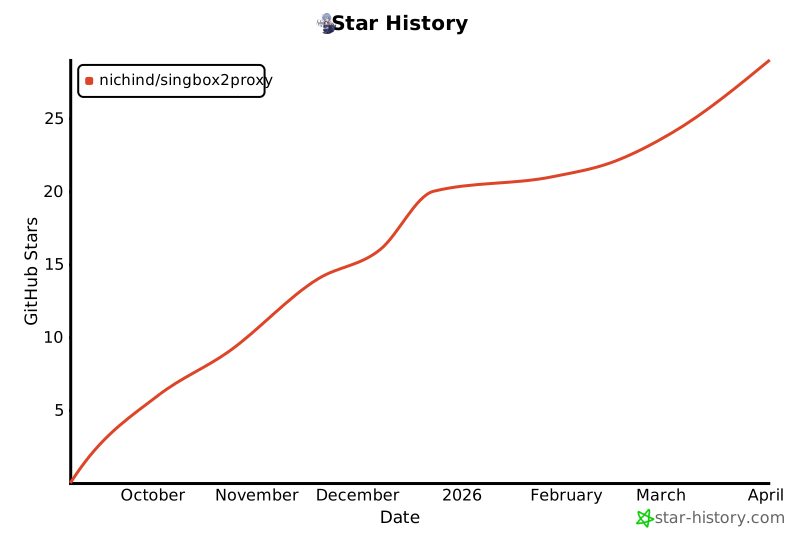
Consider leaving a star ⭐
Project details
Verified details
These details have been verified by PyPIProject links
GitHub Statistics
Maintainers
Release history Release notifications | RSS feed


Download files
Download the file for your platform. If you're not sure which to choose, learn more about installing packages.
Source Distribution
Built Distribution
Filter files by name, interpreter, ABI, and platform.
If you're not sure about the file name format, learn more about wheel file names.
Copy a direct link to the current filters
File details
Details for the file singbox2proxy-0.3.0.tar.gz.
File metadata
- Download URL: singbox2proxy-0.3.0.tar.gz
- Upload date:
- Size: 61.6 kB
- Tags: Source
- Uploaded using Trusted Publishing? Yes
- Uploaded via: twine/6.1.0 CPython/3.13.12
File hashes
| Algorithm | Hash digest | |
|---|---|---|
| SHA256 |
5c6fa63b068c8c7dbbd93bbcbcd3a239532e8f43ff3e5632674ca9e44c149a96
|
|
| MD5 |
47f75092ea1e16d099d05304649b74c5
|
|
| BLAKE2b-256 |
efc97fa4423052a3957449302b06090ba7773ad650828e9c34b518581acc72b0
|
Provenance
The following attestation bundles were made for singbox2proxy-0.3.0.tar.gz:
Publisher:
publish.yml on nichind/singbox2proxy
-
Statement:
-
Statement type:
https://in-toto.io/Statement/v1 -
Predicate type:
https://docs.pypi.org/attestations/publish/v1 -
Subject name:
singbox2proxy-0.3.0.tar.gz -
Subject digest:
5c6fa63b068c8c7dbbd93bbcbcd3a239532e8f43ff3e5632674ca9e44c149a96 - Sigstore transparency entry: 1316920555
- Sigstore integration time:
-
Permalink:
nichind/singbox2proxy@42e0ee8bbf797c0f789a8465ce9a0af86fc565f6 -
Branch / Tag:
refs/tags/0.3.0 - Owner: https://github.com/nichind
-
Access:
public
-
Token Issuer:
https://token.actions.githubusercontent.com -
Runner Environment:
github-hosted -
Publication workflow:
publish.yml@42e0ee8bbf797c0f789a8465ce9a0af86fc565f6 -
Trigger Event:
release
-
Statement type:
File details
Details for the file singbox2proxy-0.3.0-py3-none-any.whl.
File metadata
- Download URL: singbox2proxy-0.3.0-py3-none-any.whl
- Upload date:
- Size: 53.1 kB
- Tags: Python 3
- Uploaded using Trusted Publishing? Yes
- Uploaded via: twine/6.1.0 CPython/3.13.12
File hashes
| Algorithm | Hash digest | |
|---|---|---|
| SHA256 |
e0cd1ac582627e8fd68910f7e0b5aefebf1baa85494e795195da57183fc5e142
|
|
| MD5 |
1f24bdc7a89244ee80d2e1d2bc34fbee
|
|
| BLAKE2b-256 |
1e78389a7236c546eaf310d80a7eb5612d15078cbf4cc8e563acadaf4fa596e1
|
Provenance
The following attestation bundles were made for singbox2proxy-0.3.0-py3-none-any.whl:
Publisher:
publish.yml on nichind/singbox2proxy
-
Statement:
-
Statement type:
https://in-toto.io/Statement/v1 -
Predicate type:
https://docs.pypi.org/attestations/publish/v1 -
Subject name:
singbox2proxy-0.3.0-py3-none-any.whl -
Subject digest:
e0cd1ac582627e8fd68910f7e0b5aefebf1baa85494e795195da57183fc5e142 - Sigstore transparency entry: 1316920566
- Sigstore integration time:
-
Permalink:
nichind/singbox2proxy@42e0ee8bbf797c0f789a8465ce9a0af86fc565f6 -
Branch / Tag:
refs/tags/0.3.0 - Owner: https://github.com/nichind
-
Access:
public
-
Token Issuer:
https://token.actions.githubusercontent.com -
Runner Environment:
github-hosted -
Publication workflow:
publish.yml@42e0ee8bbf797c0f789a8465ce9a0af86fc565f6 -
Trigger Event:
release
-
Statement type:






