
Wrap SimpleITK functions as command lines




Overview
Create Typer command line interfaces from functions that use SimpleITK images and transforms as arguments or return types.
Key features:
- 🔄 Automatic file I/O handling for SimpleITK images and transforms
- 🎯 Type-safe with full type annotation support
- 🚀 Built on Typer for modern CLI experiences
- 🐍 Pythonic CLI design using native
*,syntax for keyword-only parameters - 📁 Auto-create output directories with optional overwrite protection
- 📝 Optional verbose logging with Rich integration
- 🐍 Python 3.11+ with modern syntax
Installation
pip install sitk-cli
Optional dependencies:
# For enhanced logging output with colors and formatting
pip install sitk-cli[rich]
Requirements: Python 3.11 or higher
Quick Start
from __future__ import annotations

import SimpleITK as sitk
import typer

from sitk_cli import register_command

app = typer.Typer()


@register_command(app)
def fill_holes_slice_by_slice(mask: sitk.Image) -> sitk.Image:
    """Fill holes in a binary mask slice by slice."""
    mask = mask != 0
    output = sitk.Image(mask.GetSize(), mask.GetPixelID())
    output.CopyInformation(mask)
    for k in range(mask.GetSize()[2]):
        output[:, :, k] = sitk.BinaryFillhole(mask[:, :, k], fullyConnected=False)
    return output


if __name__ == "__main__":
    app()
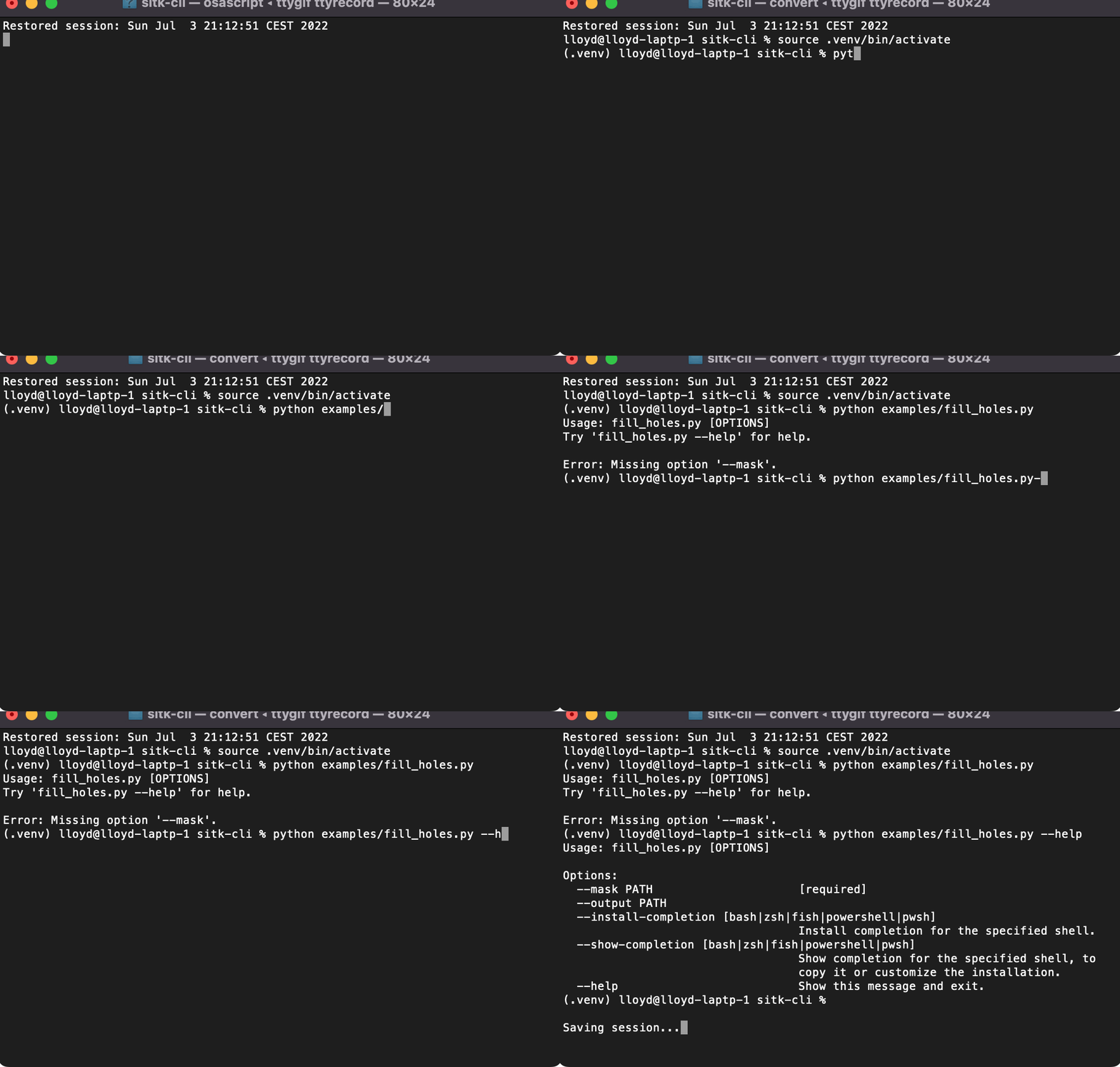
How it works: sitk-cli inspects the type annotations and creates a wrapper that:
- Converts CLI file path arguments to SimpleITK images/transforms
- Calls your function with the loaded objects
- Saves returned images/transforms to the specified output file
Advanced Features
Positional vs Named Arguments
Use Python's native *, syntax to control whether CLI arguments are positional or named:
@register_command(app)
def process(input: sitk.Image, *, mask: sitk.Image) -> sitk.Image:
    """Mix positional and keyword-only arguments.

    CLI: process INPUT OUTPUT --mask MASK
    """
    return input * mask
Behavior:
- Required Image/Transform parameters → positional by default
- Parameters after
*,→ keyword-only (named options) - Optional parameters (with defaults) → named options
- Output → positional if any input is positional, otherwise named
Verbose Logging
from sitk_cli import logger, register_command

@register_command(app, verbose=True)
def process_with_logging(input: sitk.Image) -> sitk.Image:
    logger.info("Starting processing...")
    result = sitk.Median(input, [2] * input.GetDimension())
    logger.debug(f"Result size: {result.GetSize()}")
    return result
python script.py process-with-logging input.nii output.nii -v   # INFO level
python script.py process-with-logging input.nii output.nii -vv  # DEBUG level
Overwrite Protection
@register_command(app, overwrite=False)
def protected_process(input: sitk.Image) -> sitk.Image:
    """Prevent accidental overwrites."""
    return sitk.Median(input, [2] * input.GetDimension())
python script.py protected-process input.nii output.nii
python script.py protected-process input.nii output.nii          # Error: file exists
python script.py protected-process input.nii output.nii --force  # OK, overwrites
Modes: overwrite=True (default), overwrite=False (requires --force), overwrite="prompt" (asks user)
Optional parameters with defaults automatically become named options:
@register_command(app)
def median_filter(input: sitk.Image, radius: int = 2) -> sitk.Image:
    """Apply median filtering to an image.

    CLI: median-filter INPUT OUTPUT [--radius 3]
    """
    return sitk.Median(input, [radius] * input.GetDimension())
Demo
Development
Setup
git clone https://github.com/dyollb/sitk-cli.git
cd sitk-cli
python -m venv .venv
source .venv/bin/activate  # or `.venv\Scripts\activate` on Windows
pip install -e '.[dev,rich]'
Running Tests
pytest tests/ -v --cov
Code Quality
ruff check .
ruff format .
mypy src/sitk_cli
Pre-commit Hooks
pre-commit install
pre-commit run --all-files
License
MIT License - see LICENSE file for details.
1 maintainer

Download files
Download the file for your platform. If you're not sure which to choose, learn more about installing packages.
Source Distributions
Built Distribution
Filter files by name, interpreter, ABI, and platform.
If you're not sure about the file name format, learn more about wheel file names.
Copy a direct link to the current filters
File details
Details for the file sitk_cli-0.8.0-py3-none-any.whl.
File metadata
- Download URL: sitk_cli-0.8.0-py3-none-any.whl
- Upload date:
- Size: 8.3 kB
- Tags: Python 3
- Uploaded using Trusted Publishing? No
- Uploaded via:
twine/6.2.0 CPython/3.11.13
File hashes
| Algorithm | Hash digest | |
|---|---|---|
| SHA256 |
b3b1f6bb4d3c33d5cceac3bf3ca10ea4ac0b82f8bbe433d4f7c9d3187b06d64e
|
|
| MD5 |
096af56722967ebefbf5cf43a61b4533
|
|
| BLAKE2b-256 |
66adca6175af282017515936613bd2d2789098aedbff372f553e7cd0268ac80e
|














