
SIT-Tagger
SIT-Tagger is an app for browsing tagged files.
For now, it consists in an image browser app, that allows to set custom text tags on any image file, and then list image files matching checked tags. The tags are saved in a local SQLite database.
Other apps reusing the same database will be added, and support for video files will be added.
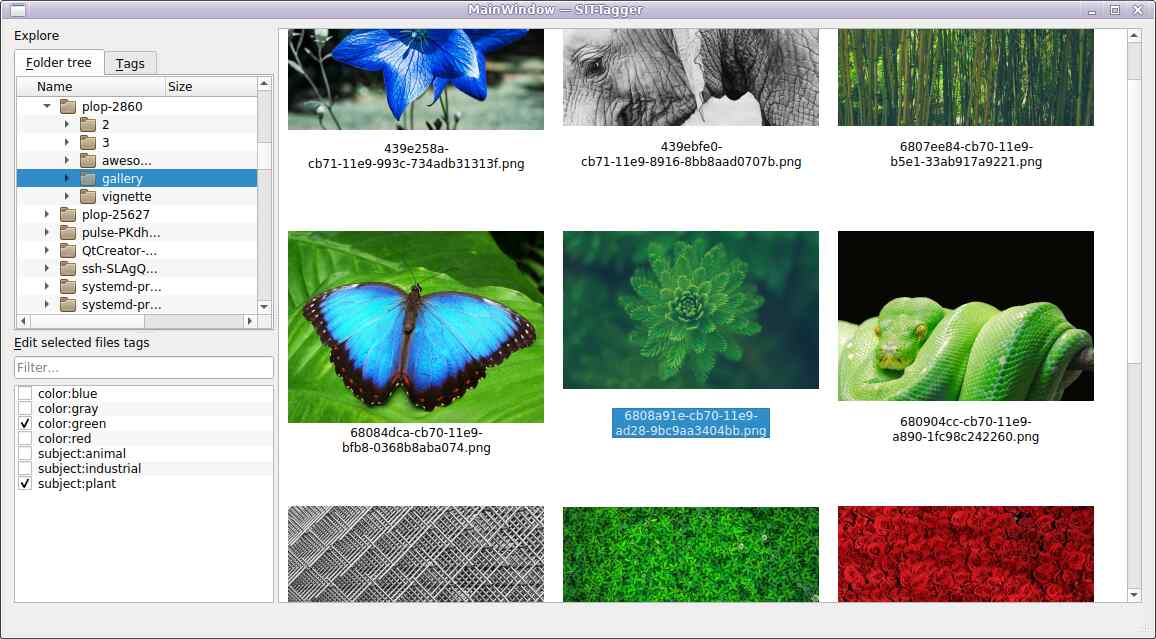
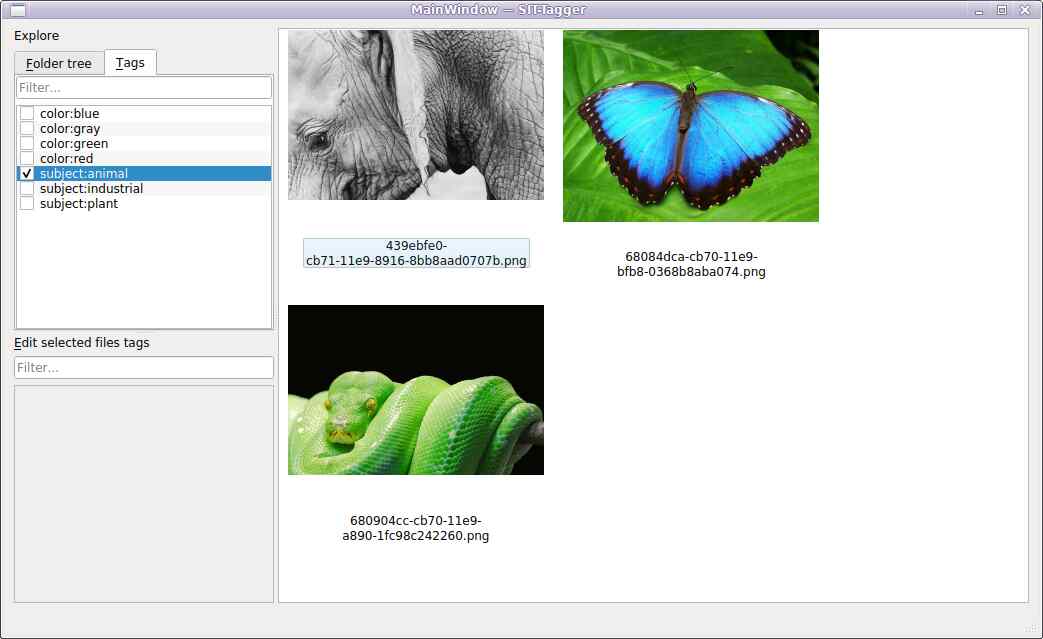
It also comes with a command-line tool to manipulate the tag database.
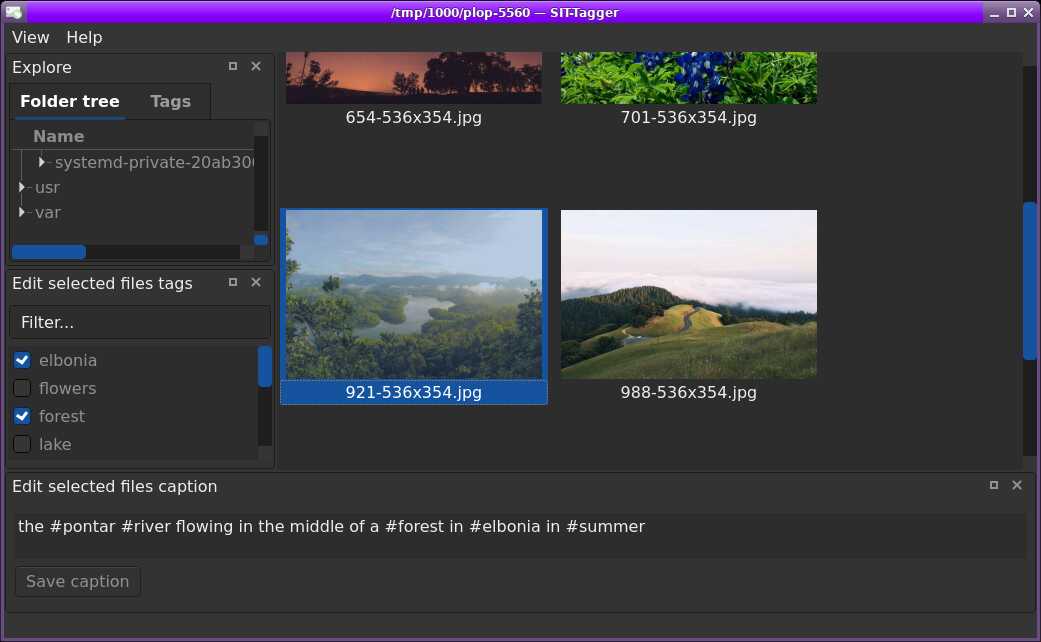
Captions
SIT-Tagger lets you write text captions for files. In addition, any #hashtags you write in the caption are transformed into actual file tags. This makes tagging files easier while letting you comment your files.
Command-line tool
SIT-Tagger comes with a command-line tool to manipulate the tag database.
These 2 commands set tag foo and unset tag bar on some/file.jpg:
sit-tagger-cli set +foo some/file.jpg
sit-tagger-cli set -bar some/file.jpg
Combined in a single command:
sit-tagger-cli set +foo -bar some/file.jpg
It's possible to query the list files tagged foo:
% sit-tagger-cli query foo
/tmp/some/file.jpg
Or show the tags of a file:
% sit-tagger-cli show some/file.jpg
/tmp/some/file.jpg = [foo]
List all tags:
% sit-tagger-cli list-tags
foo
Rename a tag:
sit-tagger-cli rename-tag foo foonew
List all files:
% sit-tagger-cli list-files
/tmp/some/file.jpg
Remove all tags from a file:
sit-tagger-cli untrack-files some/file.jpg
Install
Install with pipx install sittagger.
1 maintainer

Download files
Download the file for your platform. If you're not sure which to choose, learn more about installing packages.
Source Distribution
Built Distribution
Filter files by name, interpreter, ABI, and platform.
If you're not sure about the file name format, learn more about wheel file names.
Copy a direct link to the current filters
File details
Details for the file sittagger-1.1.2.tar.gz.
File metadata
- Download URL: sittagger-1.1.2.tar.gz
- Upload date:
- Size: 34.6 kB
- Tags: Source
- Uploaded using Trusted Publishing? No
- Uploaded via:
twine/6.2.0 CPython/3.13.9
File hashes
| Algorithm | Hash digest | |
|---|---|---|
| SHA256 |
a4c11e4a0e52149d43baeeb5906d0436d8f55ca579e3ab0b187ee55423c4926d
|
|
| MD5 |
de8a780585e2d80d3036add5ff7ba3af
|
|
| BLAKE2b-256 |
a75f47582335a3101e3bfd76de879ab15392bc486e9eb838b30d149ff5c143ce
|
File details
Details for the file sittagger-1.1.2-py3-none-any.whl.
File metadata
- Download URL: sittagger-1.1.2-py3-none-any.whl
- Upload date:
- Size: 42.1 kB
- Tags: Python 3
- Uploaded using Trusted Publishing? No
- Uploaded via:
twine/6.2.0 CPython/3.13.9
File hashes
| Algorithm | Hash digest | |
|---|---|---|
| SHA256 |
2e29a400ce168330574c13da9b47fe93918804f9155850f0df5c101585527f18
|
|
| MD5 |
6451ac0611d2ae0ecf592460a272ef07
|
|
| BLAKE2b-256 |
6fff53152099d5f59bf63a6a0e725e767ba38a618106b3ef0364a1e60b3c6a41
|














