
🎯 Skeet: A local-friendly command-line AI copilot for Power Users
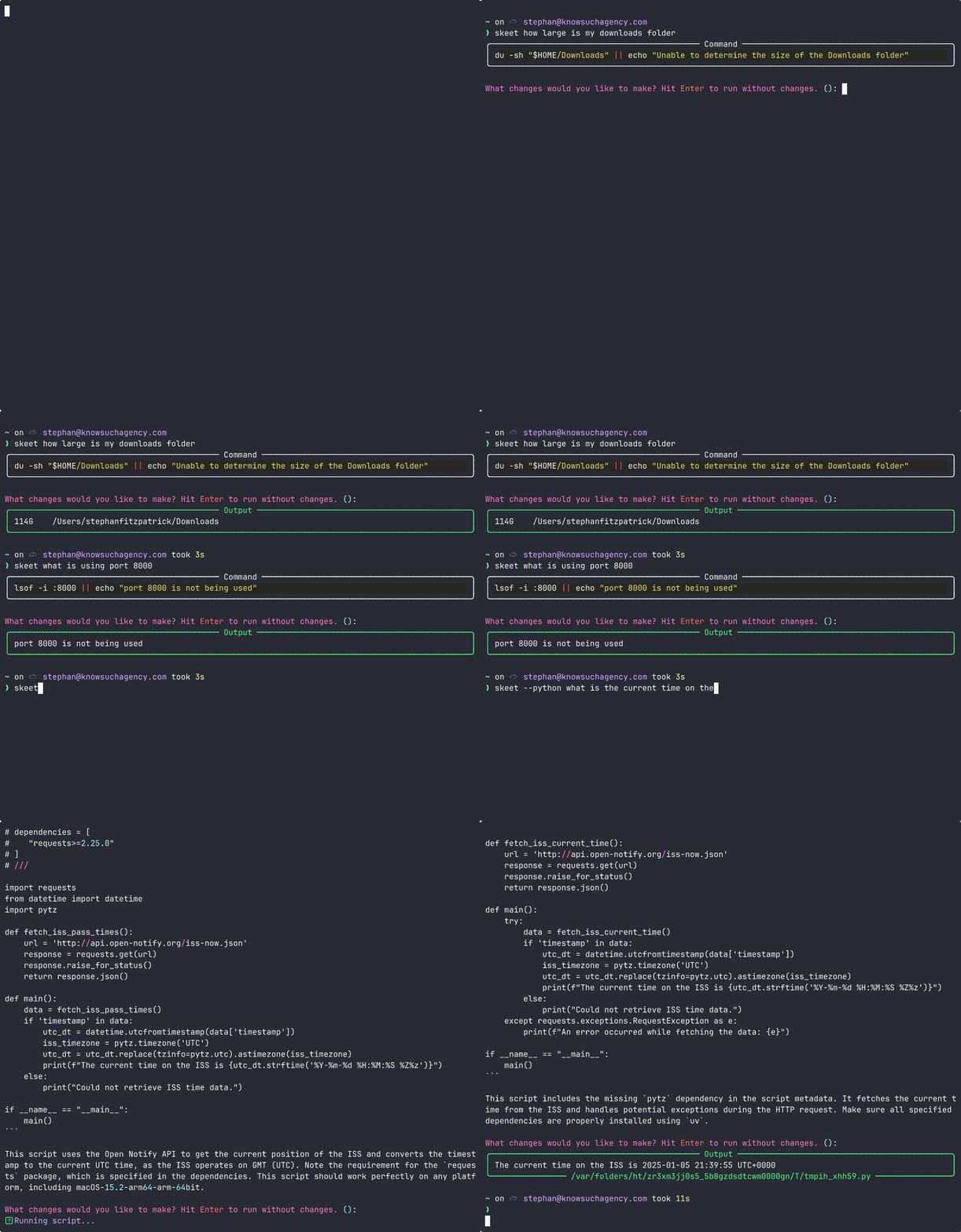
🔥 Think of Skeet as GitHub Copilot CLI on steroids. It won't just give up on the first try and works with almost any LLM provider, putting you in full control of your terminal.
🎯 Like a skilled marksman who keeps shooting until they hit their target, Skeet transforms your natural language instructions into precise shell commands or Python scripts, adapting and retrying automatically until the job is done.
🤖 Built on promptic and powered by uv, Skeet can execute Python scripts with access to third-party libraries—no virtual environments needed. When a command fails, Skeet analyzes the output and adjusts its approach, ensuring your goals are met.
⭐ Skeet supports any LLM provider available through LiteLLM, including OpenAI, Anthropic, Azure, local models, and many more!
Installation
The recommended installation method is uv.
uv tool install skeet
Examples
# Shell commands (default)
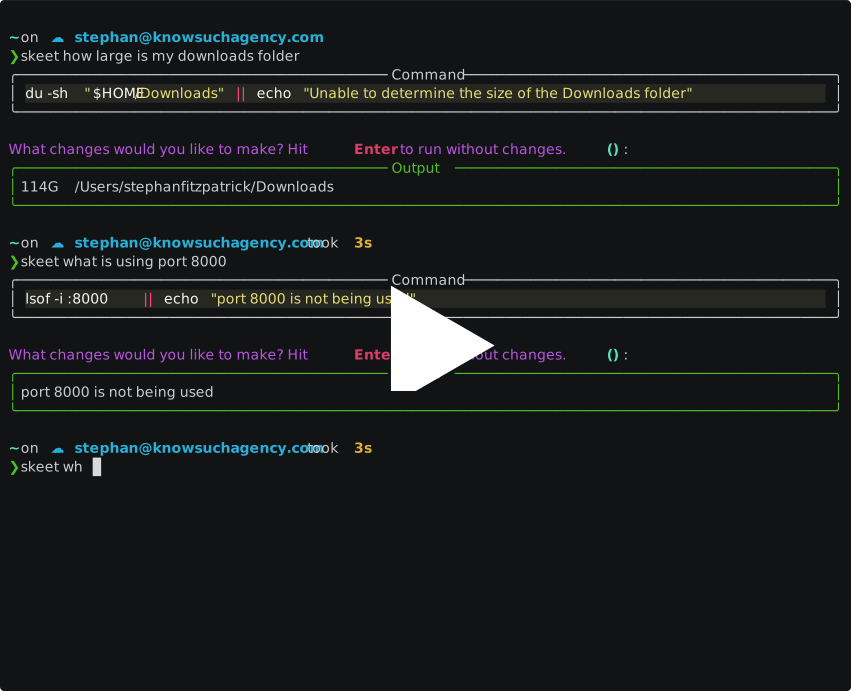
skeet show me system information about this computer
skeet what is using port 8000
skeet "what's size of my downloads folder?"

# Python scripts (using -p or --python flag)
skeet --python convert all html files in the current directory to pdf
skeet -p "how many stars for https://github.com/knowsuchagency/promptic?"
Configuration
Skeet can be configured using a YAML file at ~/.config/skeet/config.yaml.
You can support multiple LLM providers by adding a namespace to your config. You can define any namespaces you want, but you must have a default namespace.
To see the full list of available LLM models, see the LiteLLM documentation. Simply use the appropriate model name as the value for the model key.
There aren't any keys that are required for a given namespace, but model and api_key are recommended.
default: # Default namespace
  model: "gpt-4o" # Default LLM model to use
  api_key: "sk-..." # Your LLM API key
  yolo: false # Automatically execute scripts and commands without asking for confirmation
  attempts: 5 # Maximum number of execution attempts
  verify: false # Whether to verify output with LLM
  cleanup: false # Whether to clean up temporary files
  synchronous: false # Whether to run in synchronous mode
  python: false # Whether to use Python scripts instead of shell commands
  litellm_kwargs: # Extra arguments to pass to LiteLLM

openai: # OpenAI-specific configuration
  model: "o1-mini"
  api_key: "sk-..."

anthropic: # Anthropic-specific configuration
  model: "claude-3-5-sonnet-20240620"
  api_key: "sk-..."

google: # Google-specific configuration
  model: "openrouter/google/gemini-pro-1.5"
  api_key: "sk-..."

ollama: # Local Ollama configuration
  model: "ollama_chat/phi4"
You can specify which configuration to use with the --namespace or -n flag:
skeet -n anthropic "what's the weather like?"
skeet --namespace ollama "list files in the current directory"
If no namespace is specified, the default one will be used.
Features
- ⚙️ Works with any LLM provider supported by LiteLLM
- 🔄 Automatically alter commands and scripts based on the error output and retry
- 💬 Natural language to shell command or Python script conversion
- 🐍 Python script execution with automatic dependency management using
uv - 💻 Rich terminal output with syntax highlighting
How it Works
- You provide natural language instructions
- Skeet sends these instructions to an LLM with a specialized prompt
- The LLM generates either:
- A shell command (default)
- A Python script (with --python flag)
- Skeet executes the command or script
- If the execution fails or doesn't achieve the goal, Skeet can retry with improvements based on the error output
1 maintainer

Metadata
1 maintainer
Release files for skeet 2.2.7
For a detailed explanation of source distributions (sdists) and built distributions (wheels), please see the package formats documentation.
Source distribution (sdist)
| File | Size | Uploaded | Provenance | |
|---|---|---|---|---|
| skeet-2.2.7.tar.gz | 12.2 kB | Without provenance | Details |
Built distribution (wheel)
| File | Interpreter | ABI | Platform | Reset |
|---|---|---|---|---|
| skeet-2.2.7-py3-none-any.whl | Python 3 | none | any | Details |
Total release size: 25.4 kB
Release files / skeet-2.2.7.tar.gz
| Download URL | skeet-2.2.7.tar.gz |
|---|---|
| Size | 12.2 kB |
| Tags | Source |
|
SHA-256 checksum How to use checksums |
949f134eaee981908a964eb6ffe44a45c30bd24a37e1111160e224ee04961b0f
|
|
BLAKE2b-256 checksum How to use checksums |
8231e17386c02ad4a74df8b854fb1f2cfa00b530b1adb428ca4cd55cb9c2b197
|
| Upload date | |
|
Uploaded using Trusted Publishing? What is trusted publishing? |
No |
| Uploaded via |
uv/0.5.14
|
Release files / skeet-2.2.7-py3-none-any.whl
| Download URL | skeet-2.2.7-py3-none-any.whl |
|---|---|
| Size | 13.3 kB |
| Tags | Python 3 |
|
SHA-256 checksum How to use checksums |
c237c4bc5942a6742f04a29005d13ab0240831bf2694a36ba7898f599595b258
|
|
BLAKE2b-256 checksum How to use checksums |
281fbd05ed78e131bed851527fcf48653722717134c13b0d5b86d6398512236e
|
| Upload date | |
|
Uploaded using Trusted Publishing? What is trusted publishing? |
No |
| Uploaded via |
uv/0.5.14
|
Security for skeet 2.2.7
Provenance
Provenance describes where a file came from. On PyPI, provenance is shared via attestations, which provide a verifiable record of the build or publishing details. View details, limitations and caveats.
No provenance found
None of the files in this release were uploaded with provenance metadata.
A note on package security
PyPI is a repository for distributing packages, not a service for auditing them. While third-party security researchers and our staff do their best to detect and remove malicious packages, PyPI cannot guarantee the quality, security or suitability of any given package.














