
Basic template of a python repository

Project description
Skelly Synchronize
This package synchronizes a set of videos of the same event by cross-correlating their audio files. The videos will be synchronized so that they all start at the earliest shared time, and end at the latest shared time.
Install and Run
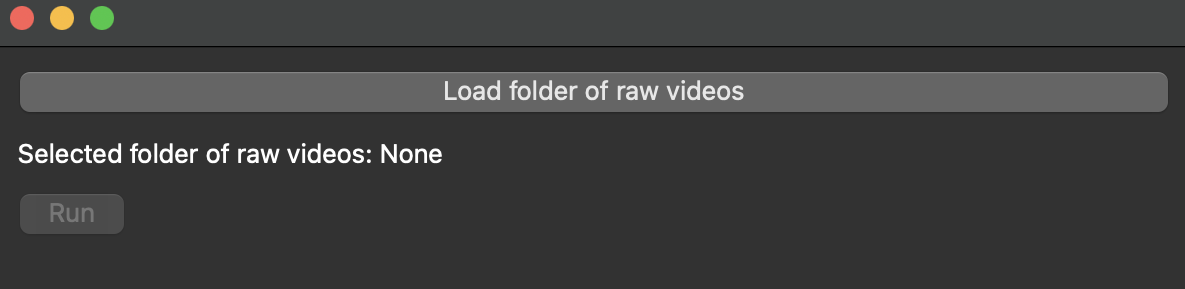
Skelly_synchronize can be installed through pip by running pip install skelly_synchronize in your terminal. Once it has installed, it can be run with the command python -m skelly_synchronize. While running, the GUI window may appear frozen, but the terminal should show the progress. Large videos may take a significant amount of time.
Skelly_synchronize currently depends on FFmpeg, a command line tool that handles the video files. If you do not have FFmpeg downloaded, you will need to install it separately. You can download FFmpeg here: https://ffmpeg.org/download.html
Video Requirements
The following requirements must be met for the script to function:
- Videos must have audio
- Videos must be in the same file format (default is ".mp4")
- Videos must have the exact same framerate (frames per second). There are often slight differences between brands/models of camera that lead to one camera's "60 fps" being different from another's. If your frame rates do not match, an error will be thrown.
- Videos must have the same audio sample rate. Most cameras record either 44100 or 48000 Hz, so there are not as much variation in audio sample rates as there are in video framerates.
- All videos in folder must have overlapping audio from the same real world event
Downsampling
If you video frame rates or audio sample rates do not match, it is possible to downsample them in a separate tool like VLC to have matching frame rates and sample rates. This must be done before trying to synchronize the videos using skelly_synchronize.
How to run from source
First clone this repository and pip install the requirements.txt file.
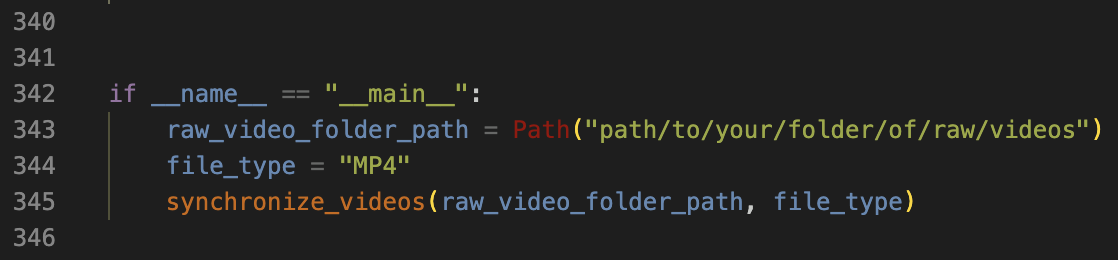
Synchronize your videos by setting the path to your folder of raw videos and the file types of your videos into skelly_synchronize.py, lines 343-344, then run the file.
The terminal output while running should look like this:

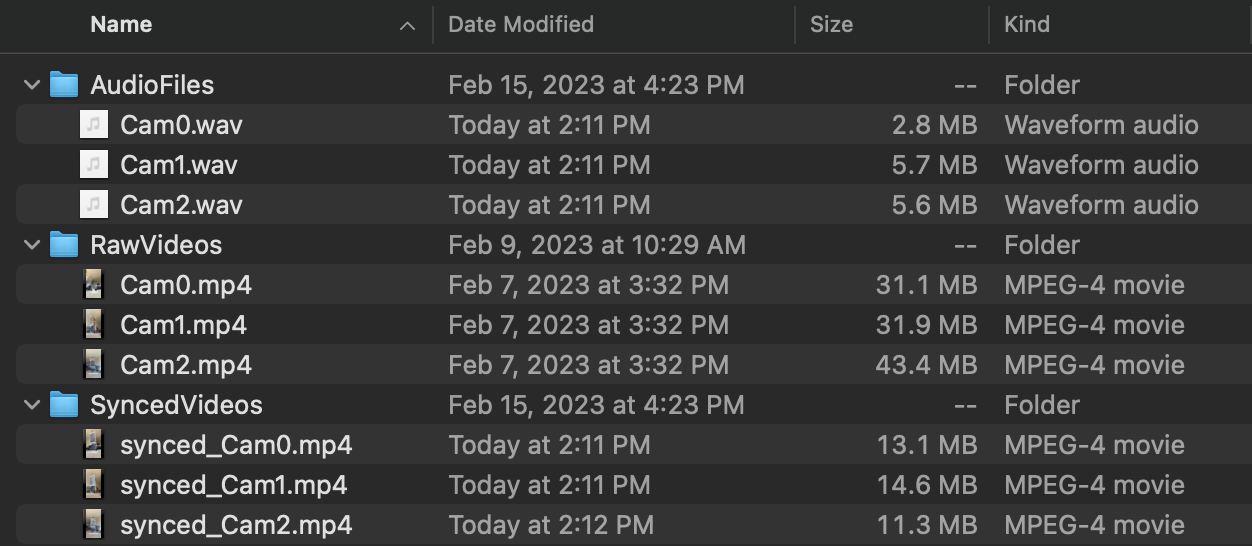
A SyncedVideos folder will be created in the session folder and filled with the synchronized video files. The session folder will also have an AudioFiles folder containing audio files of the raw videos, which are used in processing.
Release history Release notifications | RSS feed


Download files
Download the file for your platform. If you're not sure which to choose, learn more about installing packages.
Source Distribution
Built Distribution
Filter files by name, interpreter, ABI, and platform.
If you're not sure about the file name format, learn more about wheel file names.
Copy a direct link to the current filters
File details
Details for the file skelly_synchronize-2023.6.1021.tar.gz.
File metadata
- Download URL: skelly_synchronize-2023.6.1021.tar.gz
- Upload date:
- Size: 31.1 kB
- Tags: Source
- Uploaded using Trusted Publishing? No
- Uploaded via: twine/4.0.2 CPython/3.9.17
File hashes
| Algorithm | Hash digest | |
|---|---|---|
| SHA256 |
487415565c06ce693677f2402dd0d3510406ff99fb28e78d30cff2871caeefc5
|
|
| MD5 |
b31d9b54473751911d59afcc0b4ddffd
|
|
| BLAKE2b-256 |
64e4e259311b348059e29260227fd333317e0cbf8fc17ca72b03f7e45c92ba06
|
File details
Details for the file skelly_synchronize-2023.6.1021-py3-none-any.whl.
File metadata
- Download URL: skelly_synchronize-2023.6.1021-py3-none-any.whl
- Upload date:
- Size: 37.5 kB
- Tags: Python 3
- Uploaded using Trusted Publishing? No
- Uploaded via: twine/4.0.2 CPython/3.9.17
File hashes
| Algorithm | Hash digest | |
|---|---|---|
| SHA256 |
1222727b013c9db7fd0634909dbf90da98ea8341daf7bda3eeb7017ecfc102be
|
|
| MD5 |
a0b7c3afdc483d459bbb1d138518ef6d
|
|
| BLAKE2b-256 |
c13e35920aeca7e860bf12893ebcfad15d1591b618868c955f9679507998bf2a
|






