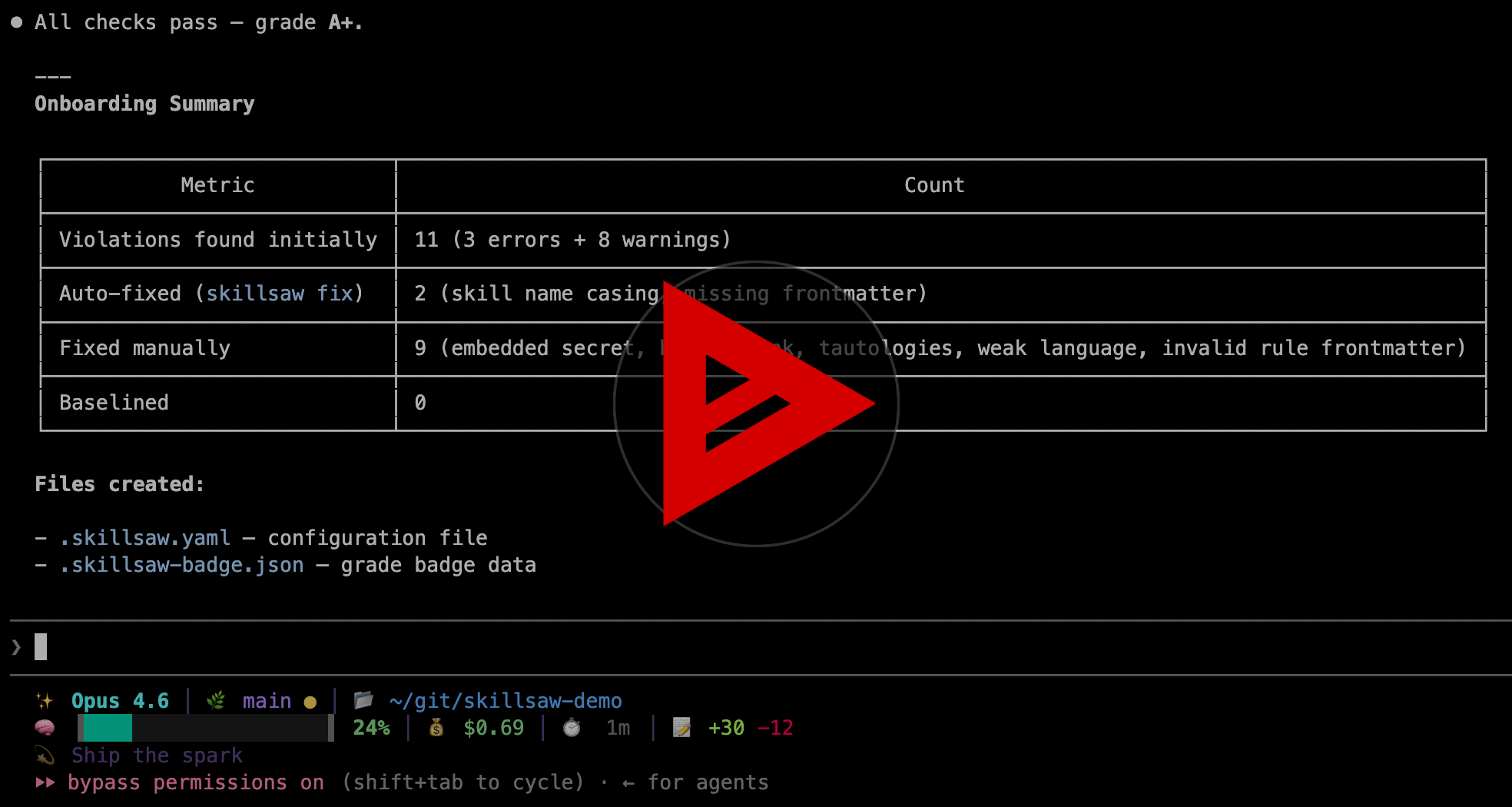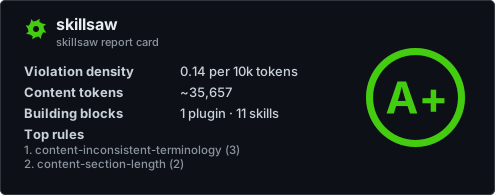
A configurable linter for agent skills, plugins, and AI coding assistant context

Project description

PyPI version PyPI Downloads Tests codecov License Python Versions

skillsaw logo

skillsaw

Keep your skills sharp. A linter with built-in content intelligence for agentskills.io skills, Claude Code plugins, and plugin marketplaces. Analyzes instruction file quality using attention research, detects weak language and contradictions, and auto-fixes violations with any LLM.

Formerly named claudelint. If you're migrating, see Migrating from claudelint.

Features

  • ๐Ÿง  Content Intelligence โ€” Research-backed rules that catch weak language, tautological instructions, attention dead zones, embedded secrets, contradictions, and more
  • ๐Ÿ”ง LLM Autofix โ€” Fix violations with any LLM via skillsaw fix --llm โ€” parallel processing, scoped re-lint, per-file rollback
  • ๐Ÿ” Context-Aware โ€” Auto-detects repo type and instruction formats (CLAUDE.md, AGENTS.md, Cursor, Copilot, Gemini, Kiro)
  • ๐Ÿ“ 40+ Rules โ€” Validates structure, metadata, commands, cross-file consistency, context budget, and content quality
  • ๐Ÿ—๏ธ Scaffolding โ€” skillsaw add generates plugins, skills, commands, agents, and hooks
  • ๐Ÿ“ Docs โ€” skillsaw docs generates HTML or Markdown documentation
  • ๐Ÿ”Œ Extensible โ€” Custom rules, banned patterns, per-rule thresholds
  • ๐Ÿค– CI-Ready โ€” GitHub Action with inline PR comments, deduplication, and thread resolution
  • โšก Version-Gated โ€” New rules gated behind config versions โ€” no surprises on upgrade

Table of Contents

Quick Start

# Lint current directory (no install required)
uvx skillsaw

# Fix structural issues automatically
skillsaw fix

# Fix content quality issues with an LLM
skillsaw fix --llm

# Preview LLM fixes without writing
skillsaw fix --llm --dry-run

# Verbose output (includes info-level findings)
skillsaw -v

# Strict mode (warnings become errors)
skillsaw --strict

# Generate default config
skillsaw init

# List all rules with fix support info
skillsaw list-rules

# View the lint tree (what skillsaw sees)
skillsaw tree

# Generate plugin/skill documentation
skillsaw docs

# Scaffold a new marketplace, plugin, or skill
skillsaw add marketplace
skillsaw add plugin my-plugin
skillsaw add skill my-skill

Installation

Via uvx (easiest, no install required)

uvx skillsaw
uvx skillsaw /path/to/skills

Via pip

pip install skillsaw

From source

git clone https://github.com/stbenjam/skillsaw.git
cd skillsaw
pip install -e .

Using Docker

docker pull ghcr.io/stbenjam/skillsaw:latest
docker run -v $(pwd):/workspace ghcr.io/stbenjam/skillsaw

GitHub Action

The GitHub Action installs skillsaw, runs it, and prints violations in the CI log. A separate review action posts violations as inline PR comments with automatic deduplication and thread resolution.

Basic usage (lint only)

name: Lint

on: [pull_request]

permissions:
  contents: read

jobs:
  skillsaw:
    runs-on: ubuntu-latest
    steps:
      - uses: actions/checkout@v5
      - uses: stbenjam/skillsaw@v0
        with:
          strict: true

With PR review comments

To post inline comments on PRs (including fork PRs), use the two-workflow pattern. The lint workflow runs with read-only permissions and uploads the report as an artifact. A second workflow triggers on completion and posts comments with write permissions โ€” without ever checking out untrusted code.

# .github/workflows/lint.yml
name: Lint

on:
  pull_request:
  push:
    branches: [main]

permissions:
  contents: read

jobs:
  skillsaw:
    runs-on: ubuntu-latest
    steps:
      - uses: actions/checkout@v5
      - uses: stbenjam/skillsaw@v0
        with:
          strict: true
# .github/workflows/lint-review.yml
name: Lint Review

on:
  workflow_run:
    workflows: ["Lint"]
    types: [completed]

jobs:
  review:
    if: github.event.workflow_run.event == 'pull_request'
    runs-on: ubuntu-latest
    permissions:
      pull-requests: write
    steps:
      - uses: actions/checkout@v5
      - uses: stbenjam/skillsaw/review@v0

Inputs

Input Description Default
path Path to lint .
version Specific skillsaw version to install latest
strict Treat warnings as errors false
verbose Include info-level violations false

Outputs

Output Description
exit-code skillsaw exit code (0=pass, 1=errors, 2=strict+warnings)
errors Number of errors found
warnings Number of warnings found
report-file Path to JSON report file

PR comment behavior

  • Each violation gets its own inline comment on the relevant line or file
  • Comments are deduplicated across re-runs using content fingerprinting
  • When a violation is fixed, its comment thread is automatically resolved
  • Comments with human replies are preserved

Repository Types

skillsaw automatically detects your repository structure. A repository can match multiple types simultaneously (e.g. an agentskills repo that also has .coderabbit.yaml).

agentskills.io Skills

Standalone skill repositories following the agentskills.io specification:

my-skill/
โ”œโ”€โ”€ SKILL.md              # Required: metadata + instructions
โ”œโ”€โ”€ scripts/              # Optional: executable code
โ”œโ”€โ”€ references/           # Optional: documentation
โ”œโ”€โ”€ assets/               # Optional: templates, resources
โ”œโ”€โ”€ evals/                # Optional: evaluation tests
โ”‚   โ””โ”€โ”€ evals.json
โ””โ”€โ”€ <any-dir>/            # Arbitrary directories allowed per spec

Skill collections (multiple skills in subdirectories) are also supported:

skills-repo/
โ”œโ”€โ”€ skill-one/
โ”‚   โ””โ”€โ”€ SKILL.md
โ””โ”€โ”€ skill-two/
    โ””โ”€โ”€ SKILL.md

Standard discovery paths (.claude/skills/, .github/skills/, .agents/skills/) are checked automatically.

Single Plugin

my-plugin/
โ”œโ”€โ”€ .claude-plugin/
โ”‚   โ””โ”€โ”€ plugin.json
โ”œโ”€โ”€ commands/
โ”‚   โ””โ”€โ”€ my-command.md
โ”œโ”€โ”€ skills/
โ”‚   โ””โ”€โ”€ my-skill/
โ”‚       โ””โ”€โ”€ SKILL.md
โ””โ”€โ”€ README.md

Marketplace (Multiple Plugins)

skillsaw supports multiple marketplace structures per the Claude Code specification:

Traditional Structure (plugins/ directory)

marketplace/
โ”œโ”€โ”€ .claude-plugin/
โ”‚   โ””โ”€โ”€ marketplace.json
โ””โ”€โ”€ plugins/
    โ”œโ”€โ”€ plugin-one/
    โ”‚   โ”œโ”€โ”€ .claude-plugin/
    โ”‚   โ””โ”€โ”€ commands/
    โ””โ”€โ”€ plugin-two/
        โ”œโ”€โ”€ .claude-plugin/
        โ””โ”€โ”€ commands/

Flat Structure (root-level plugin)

marketplace/
โ”œโ”€โ”€ .claude-plugin/
โ”‚   โ””โ”€โ”€ marketplace.json    # source: "./"
โ”œโ”€โ”€ commands/
โ”‚   โ””โ”€โ”€ my-command.md
โ””โ”€โ”€ skills/
    โ””โ”€โ”€ my-skill/

Custom Paths and Mixed Structures

Plugins from plugins/, custom paths, and remote sources can coexist in one marketplace. Only local sources are validated.

.claude/ Directory

Repositories with a .claude/ directory containing commands, skills, hooks, agents, or rules. When APM is present, .claude/ is treated as compiled output and this type is not detected.

CodeRabbit

Repositories with a .coderabbit.yaml file. skillsaw validates the instruction fragments within the config.

Promptfoo

Repositories with promptfoo eval configs (promptfooconfig*.yaml or YAML files in evals/ directories). Prompt strings in the config are treated as content blocks, so all content-* rules apply to them automatically. Dedicated promptfoo-* rules validate config structure, assertion coverage, and metadata.

APM (Agent Package Manager)

Repositories with an .apm/ directory or apm.yml file. APM manages dependencies and compiles instruction files for all supported agents (.claude/, .cursor/rules/, .github/instructions/, etc.). When APM is present it is the authoritative source โ€” .claude/ is treated as compiled output.

Configuration

Generate a default .skillsaw.yaml in your repository root:

skillsaw init

This creates a config file with all builtin rules, their defaults, and descriptions. Edit it to enable, disable, or customize rules for your project. See .skillsaw.yaml.example for a complete example.

Version Pinning

The config file includes a version field set to the skillsaw version that created it. New rules introduced after that version are automatically skipped unless you bump the version or explicitly enable them. Repos without a .skillsaw.yaml run all rules at the latest version โ€” you get new rules automatically but may occasionally fail after a skillsaw upgrade.

Exclude Patterns

Skip files and directories using glob patterns:

exclude:
  - "vendor/**"
  - "generated/**"
  - "node_modules/**"

By default, skillsaw excludes **/template/**, **/templates/**, and **/_template/** directories. These defaults are replaced when you specify your own exclude list.

Exclude patterns apply to all rules, including custom rules loaded via custom-rules. Any violation whose file path matches an exclude pattern is filtered out before results are reported.

Per-Rule Excludes

Exclude specific files from a single rule using the exclude key in the rule's config:

rules:
  content-weak-language:
    enabled: true
    exclude:
      - "docs/legacy/**"
      - "CHANGELOG.md"

This is useful when a rule produces false positives on specific files but you still want it enabled globally. Per-rule excludes use the same glob syntax as global exclude patterns.

Inline Suppression

Suppress specific rules on specific lines using comment directives directly in your files. Both HTML comments (for markdown) and hash comments (for YAML) are supported.

Markdown (HTML comments)

<!-- skillsaw-disable content-weak-language -->
This section intentionally uses informal language.
<!-- skillsaw-enable content-weak-language -->

Suppress a single line:

<!-- skillsaw-disable-next-line content-tautological -->
Follow best practices for error handling.

Suppress multiple rules at once:

<!-- skillsaw-disable content-weak-language, content-tautological -->

Re-enable all suppressed rules:

<!-- skillsaw-enable -->

Multi-line HTML comments are also supported:

<!--
    skillsaw-disable content-weak-language
-->

YAML (hash comments)

For YAML files (.coderabbit.yaml, promptfooconfig.yaml, etc.), use # comments:

# skillsaw-disable promptfoo-valid
prompts:
  - "{{prompt}}"
# skillsaw-enable promptfoo-valid
# skillsaw-disable-next-line coderabbit-yaml-valid
instructions: missing-value

Only full-line # comments are recognized โ€” inline comments like key: value # skillsaw-disable are ignored.

Notes

Inline suppression only affects rules that are already enabled. It cannot be used to enable a normally disabled rule.

Content Paths

By default, content intelligence rules only analyze recognized instruction files (CLAUDE.md, AGENTS.md, .cursor/rules/, .apm/instructions/, etc.). Use content-paths to extend coverage to any text files that contain instructions for humans or AI agents โ€” markdown, .mdc, .txt, or any other format:

content-paths:
  - "src/**/instructions/**/*.md"
  - ".cursor/rules/*.mdc"
  - "docs/runbooks/*.txt"

Matched files are analyzed by all content-* rules and support LLM-powered fixes via skillsaw fix --llm.

Builtin Rules

agentskills.io

These rules validate skills against the agentskills.io specification. They auto-enable for agentskills repos, single plugins, and marketplaces whenever skills are detected.

Rule ID Description Default Severity Autofix
agentskill-valid SKILL.md must have valid frontmatter with name and description error (auto) auto, llm
agentskill-name Skill name must be lowercase with hyphens and match directory name error (auto) auto
agentskill-description Skill description should be meaningful and within length limits warning (auto) -
agentskill-structure Skill directories should only contain recognized subdirectories (stricter than spec) warning (disabled) -
agentskill-evals Validate evals/evals.json format when present error (auto) -
agentskill-evals-required Require evals/evals.json for each skill (opt-in) error (disabled) -

agentskill-valid parameters:

Parameter Description Default
required-fields Additional frontmatter fields to require (name and description are always required) []
required-metadata Keys that must be present inside the metadata mapping []

agentskill-structure parameters:

Parameter Description Default
allowed_dirs Directory names allowed in the skill root ["assets", "evals", "references", "scripts"]

Plugin Structure

Rule ID Description Default Severity Autofix
plugin-json-required Plugin must have .claude-plugin/plugin.json error (auto) -
plugin-json-valid Plugin.json must be valid JSON with required fields error (auto) -
plugin-naming Plugin names should use kebab-case warning (auto) -
plugin-readme Plugin should have a README.md file warning (auto) llm

plugin-json-valid parameters:

Parameter Description Default
recommended-fields Fields that trigger a warning if missing from plugin.json ["description", "version", "author"]

Command Format

Rule ID Description Default Severity Autofix
command-naming Command files should use kebab-case naming warning auto
command-frontmatter Command files must have valid frontmatter with description error auto
command-sections Command files should have Name, Synopsis, Description, and Implementation sections warning (disabled) -
command-name-format Command Name section should be 'plugin-name:command-name' warning (disabled) -

Marketplace

Rule ID Description Default Severity Autofix
marketplace-json-valid Marketplace.json must be valid JSON with required fields error (auto) -
marketplace-registration Plugins must be registered in marketplace.json error (auto) auto

Skills, Agents, Hooks

Rule ID Description Default Severity Autofix
skill-frontmatter SKILL.md files should have frontmatter with name and description warning auto, llm
agent-frontmatter Agent files must have valid frontmatter with name and description error auto, llm
hooks-json-valid hooks.json must be valid JSON with proper hook configuration structure error -

MCP (Model Context Protocol)

Rule ID Description Default Severity Autofix
mcp-valid-json MCP configuration must be valid JSON with proper mcpServers structure error -
mcp-prohibited Plugins should not enable non-allowlisted MCP servers error (disabled) -

mcp-prohibited parameters:

Parameter Description Default
allowlist MCP server names that are permitted []

Rules Directory

Rule ID Description Default Severity Autofix
rules-valid .claude/rules/ files must be markdown with valid optional paths frontmatter error (auto) -

Openclaw

Validates metadata.openclaw in SKILL.md frontmatter against the openclaw spec. Only fires when metadata.openclaw is present.

Rule ID Description Default Severity Autofix
openclaw-metadata Validate metadata.openclaw fields against the openclaw spec warning (auto) -

Instruction Files

Validates AI coding assistant instruction files (AGENTS.md, CLAUDE.md, GEMINI.md) at the repository root. Checks encoding, non-emptiness, and that @import references resolve to existing files. Disabled by default.

Rule ID Description Default Severity Autofix
instruction-file-valid Instruction files (AGENTS.md, CLAUDE.md, GEMINI.md) must be valid and non-empty warning (auto) -
instruction-imports-valid Import references (@path) in CLAUDE.md and GEMINI.md must point to existing files warning (auto) -

Context Budget

Warns when instruction and configuration files exceed recommended token limits. Uses a len(text) / 4 approximation for token counting. Supports per-category warn and error thresholds. Disabled by default.

Rule ID Description Default Severity Autofix
context-budget Warn when instruction or config files exceed recommended token limits warning (auto) -

context-budget parameters:

Parameter Description Default
limits Token limits per file category (int for warn-only, or {warn, error} dict) {"agents-md": {"warn": 6000, "error": 12000}, "claude-md": {"warn": 6000, "error": 12000}, "gemini-md": {"warn": 6000, "error": 12000}, "instruction": {"warn": 4000, "error": 8000}, "skill": {"warn": 3000, "error": 6000}, "command": {"warn": 2000, "error": 4000}, "agent": {"warn": 2000, "error": 4000}, "rule": {"warn": 2000, "error": 4000}, "skill-description": {"warn": 200, "error": 500}, "command-description": {"warn": 200, "error": 500}}

Content Intelligence

Rules that go beyond structural validation to analyze the quality of instruction files. Built on attention research (lost-in-the-middle, instruction-following limits) and prompt engineering best practices. Most support LLM-powered fixes via skillsaw fix --llm. See docs/designs/content-rules-research.md for the full research basis behind each rule.

Rule ID Description Default Severity Autofix
content-weak-language Detect hedging, vague, and non-actionable language in instruction files warning (auto) llm
content-tautological Detect tautological instructions that the model already follows by default warning (auto) llm
content-critical-position Detect critical instructions in the middle of files where LLM attention is lowest warning (auto) llm
content-redundant-with-tooling Detect instructions that duplicate .editorconfig, ESLint, Prettier, or tsconfig settings warning (auto) llm
content-instruction-budget Check if instruction count in a file exceeds LLM instruction budget (~150) warning (auto) llm
content-negative-only Detect prohibitions without a positive alternative (agent has no path forward) warning (auto) llm
content-section-length Warn about markdown sections longer than ~500 tokens info (auto) llm
content-contradiction Detect likely contradictions within instruction files using keyword-pair heuristics warning (auto) llm
content-hook-candidate Detect instructions that should be automated as hooks instead of prose instructions info (auto) llm
content-actionability-score Score instruction files on actionability (verb density, commands, file references) info (auto) llm
content-cognitive-chunks Check that instruction files are organized into cognitive chunks with headings info (auto) llm
content-embedded-secrets Detect potential API keys, tokens, and passwords in instruction files error (auto) llm
content-banned-references Detect banned or deprecated model names, APIs, and custom patterns warning (auto) llm
content-inconsistent-terminology Detect inconsistent terminology across instruction files (e.g., mixing 'directory' and 'folder') info (auto) llm
content-broken-internal-reference Detect markdown links where the target file does not exist warning (auto) auto
content-unlinked-internal-reference Detect bare path-like strings not wrapped in markdown link syntax info (auto) auto
content-placeholder-text Detect TODO markers, bracket placeholders, and unfilled template text warning (auto) -

content-critical-position parameters:

Parameter Description Default
min-lines Minimum file length (in lines) before the rule activates 50

content-section-length parameters:

Parameter Description Default
max-tokens Maximum estimated tokens per section before triggering a warning 500

content-banned-references parameters:

Parameter Description Default
banned Additional banned patterns as list of {pattern, message} dicts []
skip-builtins Disable built-in deprecated model/API checks false

content-unlinked-internal-reference parameters:

Parameter Description Default
patterns Glob patterns for path-like strings to flag when unlinked ["./**/*.*", "references/**/*.md"]

CodeRabbit

Validates .coderabbit.yaml config files for YAML syntax. Instruction text fields (reviews.instructions, per-path instructions, per-tool instructions, chat.instructions) are automatically checked by the content-* rules above. Auto-enabled when .coderabbit.yaml is detected.

Rule ID Description Default Severity Autofix
coderabbit-yaml-valid .coderabbit.yaml must be valid YAML error (auto) -

Promptfoo Evals

Validates promptfoo eval YAML configs found in evals/ directories of plugins and skills. promptfoo-valid auto-enables when eval files are detected; promptfoo-assertions and promptfoo-metadata are opt-in policy rules.

Rule ID Description Default Severity Autofix
promptfoo-valid Validate promptfoo eval YAML config structure and file references error (auto) -
promptfoo-assertions Require specific assertion types in all promptfoo eval tests warning (disabled) -
promptfoo-metadata Require specific metadata keys on all promptfoo eval tests warning (disabled) -

promptfoo-assertions parameters:

Parameter Description Default
required-types Assertion types that every test must include (via test-level or defaultTest assertions) []
threshold-constraints Per-assertion-type threshold bounds, e.g. {cost: {max: 2.0}, latency: {max: 30000}} {}

promptfoo-metadata parameters:

Parameter Description Default
required-keys Metadata keys required on every test case []

APM (Agent Package Manager)

Validates repositories using the APM directory layout (.apm/). Auto-enables when .apm/ is detected.

Rule ID Description Default Severity Autofix
apm-yaml-valid apm.yml must exist with valid YAML and required fields (name, version, description) error (auto) -
apm-structure-valid .apm/ directory must contain skills/ or instructions/ with valid structure warning (auto) -

Autofixing

skillsaw supports two levels of autofixing โ€” deterministic fixes for structural issues and LLM-powered fixes for content quality. Rules declare which fix type they support (see the Autofix column in the rules tables above).

Deterministic Fixes

Safe, pattern-based fixes that run instantly without any external dependencies:

skillsaw fix                     # Apply safe structural fixes
skillsaw fix --suggest           # Also apply suggested fixes (e.g. stale references)
skillsaw fix --dry-run           # Preview safe fixes as colored diffs without writing
skillsaw fix --suggest --dry-run # Preview safe + suggested fixes

Examples: adding missing frontmatter, renaming files to kebab-case, registering unregistered plugins in marketplace.json, fixing skill names to match directory names. These are marked SAFE confidence and applied automatically.

Some fixes produce cascading changes โ€” for example, renaming a skill name creates stale references in other files. These secondary fixes are marked SUGGEST confidence because simple name matching may replace occurrences that aren't actually skill name references. Use --suggest --dry-run to review these changes before applying them.

LLM-Powered Fixes

Most content intelligence rules support LLM-powered fixes (see the Autofix column above). The LLM reads your instruction files, rewrites violations, and re-lints in a loop until the file is clean โ€” or rolls back if it made things worse.

skillsaw fix --llm                          # Fix with default model
skillsaw fix --llm --model vertex_ai/claude-sonnet-4-6
skillsaw fix --llm --model openrouter/minimax/minimax-m1
skillsaw fix --llm --all                    # Include info-level violations
skillsaw fix --llm --workers 8              # Parallel workers (default: 4)
skillsaw fix --llm --max-iterations 10      # Max iterations per file
skillsaw fix --llm --dry-run                # Preview changes without writing
skillsaw fix --llm -y                       # Auto-apply without confirmation

How it works:

  1. skillsaw lints your repo and groups violations by file
  2. Each file is sent to an LLM agent with 5 scoped tools: read_file, write_file, replace_section, lint (re-runs skillsaw), and diff
  3. The LLM iteratively edits the file and re-lints until violations are resolved
  4. After the LLM finishes, skillsaw compares violation counts โ€” if a file got worse, it's rolled back to the original
  5. Files are processed in parallel with a live progress bar showing ETA

The LLM never has access to arbitrary shell commands โ€” it can only read, edit, lint, and diff within your repo. Use --dry-run to review all proposed changes as unified diffs before committing to them.

Check skillsaw list-rules to see which rules support auto, llm, or both fix types.

Note: skillsaw lint --fix is deprecated and will be removed in 1.0. Use skillsaw fix instead.

LLM Setup

skillsaw uses LiteLLM under the hood, so any LiteLLM-compatible model works. Install the extras for your provider:

# pip
pip install 'skillsaw[llm]'       # Any LiteLLM-compatible model
pip install 'skillsaw[vertexai]'  # Vertex AI (includes google-cloud-aiplatform)
pip install 'skillsaw[bedrock]'   # AWS Bedrock (includes boto3)

# uvx (no install required)
uvx --with 'skillsaw[llm]' skillsaw fix --llm
uvx --with 'skillsaw[vertexai]' skillsaw fix --llm --model vertex_ai/claude-sonnet-4-6

Set the environment variables for your provider:

Provider Environment Variables
Anthropic ANTHROPIC_API_KEY
OpenAI OPENAI_API_KEY
Vertex AI VERTEXAI_PROJECT, VERTEXAI_LOCATION (+ gcloud auth application-default login)
AWS Bedrock AWS_ACCESS_KEY_ID, AWS_SECRET_ACCESS_KEY, AWS_REGION_NAME

You can also set SKILLSAW_MODEL to override the default model via environment variable, or llm.model in your .skillsaw.yaml config.

See the LiteLLM provider documentation for the full list of supported providers and their required environment variables.

Custom Rules

Create custom validation rules by extending the Rule base class:

from pathlib import Path
from typing import List
from skillsaw import Rule, RuleViolation, Severity, RepositoryContext

class NoTodoCommentsRule(Rule):
    @property
    def rule_id(self) -> str:
        return "no-todo-comments"

    @property
    def description(self) -> str:
        return "Command files should not contain TODO comments"

    def default_severity(self) -> Severity:
        return Severity.WARNING

    def check(self, context: RepositoryContext) -> List[RuleViolation]:
        violations = []
        for plugin_path in context.plugins:
            commands_dir = plugin_path / "commands"
            if not commands_dir.exists():
                continue
            for cmd_file in commands_dir.glob("*.md"):
                content = cmd_file.read_text()
                if "TODO" in content:
                    violations.append(
                        self.violation("Found TODO comment", file_path=cmd_file)
                    )
        return violations

Then reference it in .skillsaw.yaml:

custom-rules:
  - ./my_custom_rules.py

rules:
  no-todo-comments:
    enabled: true
    severity: warning

For a more complete example โ€” including config schemas, promptfoo eval validation, and test fixtures โ€” see the examples/custom-rules/ directory.

Scaffolding

skillsaw add scaffolds marketplaces, plugins, and components with best-practice structure, CI, and branding out of the box.

Initialize a Marketplace

# Interactive (prompts for name, owner, colors)
skillsaw add marketplace

# Non-interactive
skillsaw add marketplace --name my-plugins --owner myuser --color-scheme ocean-blue

This creates the full marketplace structure: marketplace.json, settings.json, GitHub Pages site, GitHub Actions CI, Makefile, and an example plugin.

Add Components

# Add a plugin to a marketplace
skillsaw add plugin my-plugin

# Add a skill, command, agent, or hook
skillsaw add skill my-skill
skillsaw add command greet
skillsaw add agent helper
skillsaw add hook PreToolUse

Context Detection

skillsaw automatically detects your repo type and places files in the right location:

  • Marketplace โ€” components go under plugins/<name>/
  • Single-plugin repo โ€” components go in the repo root
  • .claude/ repo โ€” components go under .claude/

In a marketplace with multiple plugins, specify --plugin <name> or skillsaw will prompt interactively.

Lint Tree

skillsaw tree visualizes the typed lint tree โ€” the internal data structure that all rules operate on. Every lintable entity (plugins, skills, commands, agents, instruction files, config files) is a typed node in the tree.

# View the lint tree
skillsaw tree

# View a specific path
skillsaw tree /path/to/repo

Example output:

my-marketplace/
    โ”œโ”€โ”€ AGENTS.md (agents-md)
    โ”œโ”€โ”€ marketplace.json
    โ”œโ”€โ”€ plugins/ [marketplace]
    โ”‚   โ””โ”€โ”€ my-plugin/ [plugin]
    โ”‚       โ”œโ”€โ”€ hello.md (command)
    โ”‚       โ””โ”€โ”€ my-skill/ [skill]
    โ”‚           โ””โ”€โ”€ SKILL.md (skill)
    โ””โ”€โ”€ .coderabbit.yaml
        โ””โ”€โ”€ reviews.instructions (coderabbit)

Documentation Generation

skillsaw can generate documentation for your plugins, skills, and marketplaces:

# Generate HTML docs (default)
skillsaw docs

# Generate Markdown
skillsaw docs --format markdown

# Write to a specific file
skillsaw docs --format markdown -o docs/README.md

# Write to a directory
skillsaw docs -o my-docs/

# Custom title
skillsaw docs --title "My Plugin Docs"

The generated documentation includes plugin metadata, command descriptions, skill summaries, and configuration details extracted from your repository.

Exit Codes

  • 0 - Success (no errors, or warnings only in non-strict mode)
  • 1 - Failure (errors found, or warnings in strict mode)

Example Output

Linting: /path/to/skills-repo

Errors:
  โœ— ERROR [skills/my-skill/SKILL.md]: Name 'My Skill' must contain only lowercase letters, numbers, and hyphens
  โœ— ERROR [plugins/git/.claude-plugin/plugin.json]: Missing plugin.json

Warnings:
  โš  WARNING [skills/helper/SKILL.md]: Description exceeds 1024 characters (1087)
  โš  WARNING [plugins/utils]: Missing README.md (recommended)

Summary:
  Errors:   2
  Warnings: 2

Migrating from claudelint

This project was renamed from claudelint to skillsaw. To migrate:

  1. Update your package: pip install skillsaw (instead of pip install claudelint)
  2. Rename .claudelint.yaml to .skillsaw.yaml (the old name is still discovered as a fallback)
  3. Update CLI usage: skillsaw (instead of claudelint)
  4. Update imports in custom rules: from skillsaw import ... (the old from claudelint import ... still works)

The claudelint command still works as a shim but prints a deprecation warning.

Removed rules

The following rules from claudelint have been removed in skillsaw:

Rule ID Reason
commands-dir-required Claude Code now treats skills/ and commands/ as the same mechanism; requiring a commands/ directory is no longer meaningful
commands-exist Same as above โ€” plugins don't need to have commands

If your .skillsaw.yaml references these rule IDs, skillsaw will emit a warning about the unknown rule.

Development

# Run tests
pytest tests/ -v

# Format code
black src/ tests/

# Build Docker image
docker build -t skillsaw .

Contributing

Contributions welcome! See CONTRIBUTING.md for guidelines and DEVELOPMENT.md for setup instructions.

License

Apache 2.0 - See LICENSE for details.

See Also

Support

Project details


Download files

Download the file for your platform. If you're not sure which to choose, learn more about installing packages.

Source Distribution

skillsaw-0.10.0.tar.gz (277.1 kB view details)

Uploaded Source

Built Distribution

If you're not sure about the file name format, learn more about wheel file names.

skillsaw-0.10.0-py3-none-any.whl (169.1 kB view details)

Uploaded Python 3

File details

Details for the file skillsaw-0.10.0.tar.gz.

File metadata

  • Download URL: skillsaw-0.10.0.tar.gz
  • Upload date:
  • Size: 277.1 kB
  • Tags: Source
  • Uploaded using Trusted Publishing? Yes
  • Uploaded via: twine/6.1.0 CPython/3.13.12

File hashes

Hashes for skillsaw-0.10.0.tar.gz
Algorithm Hash digest
SHA256 2192d61966852e6d80085429a8788a665755dfc757278b33572332f189756d7b
MD5 c9627a99dd10968fea3e791846fcc04c
BLAKE2b-256 e800021c744b2c7feb6eb73413ad99ab27edc179d88807956a868d06d7d0981b

See more details on using hashes here.

Provenance

The following attestation bundles were made for skillsaw-0.10.0.tar.gz:

Publisher: release.yml on stbenjam/skillsaw

Attestations: Values shown here reflect the state when the release was signed and may no longer be current.

File details

Details for the file skillsaw-0.10.0-py3-none-any.whl.

File metadata

  • Download URL: skillsaw-0.10.0-py3-none-any.whl
  • Upload date:
  • Size: 169.1 kB
  • Tags: Python 3
  • Uploaded using Trusted Publishing? Yes
  • Uploaded via: twine/6.1.0 CPython/3.13.12

File hashes

Hashes for skillsaw-0.10.0-py3-none-any.whl
Algorithm Hash digest
SHA256 7eb8c3a0fc05a2b56cd385ad5ee665cfecdb6c8499f1ee4ca375e938986f0896
MD5 abfedb52c0068b80a77df405adb43114
BLAKE2b-256 549c55cf4135231c0499607a177b72aadfeb8fd413407d88258b30bf13195517

See more details on using hashes here.

Provenance

The following attestation bundles were made for skillsaw-0.10.0-py3-none-any.whl:

Publisher: release.yml on stbenjam/skillsaw

Attestations: Values shown here reflect the state when the release was signed and may no longer be current.

Supported by

AWS Cloud computing and Security Sponsor Datadog Monitoring Depot Continuous Integration Fastly CDN Google Download Analytics Pingdom Monitoring Sentry Error logging StatusPage Status page