
Ligth Weigth Sketching Tool

Project description
SKITSO
greek for drafting
What it's skitso?
Built on top of Pillow, skitso it's a lightweight scenes generator. It may be think as newborn nephew of manim.
It's way smaller, and it's somehow related.
With very simple shape primitives you can define your scene, and them you explicitely take snapshots of the frames you want to capture. That's it.
A bit more of details:
- You create simple geometric visual elements (Lines, Rectangles, Arrows). Their basic characteristics (dimensions, size, color, and positioning on a Cartesian plane) are used to generate a specific graphical representation using the @pillow library
- You can define new objets, based on simpler ones as composition of them.
- Each object (simple, complex, or user defined) can be precicely placed on the space.
- Scene module, which is basically a collection of visual objects, and a method
tickwhich exports the current composition to a sequentially numerated frame (png file).
Examples
Simplest scene
from skitso.scene import Scene
from skitso.shapes import Rectangle, Line

class SimplestScene(Scene):

   def render(self):
       self.tick()
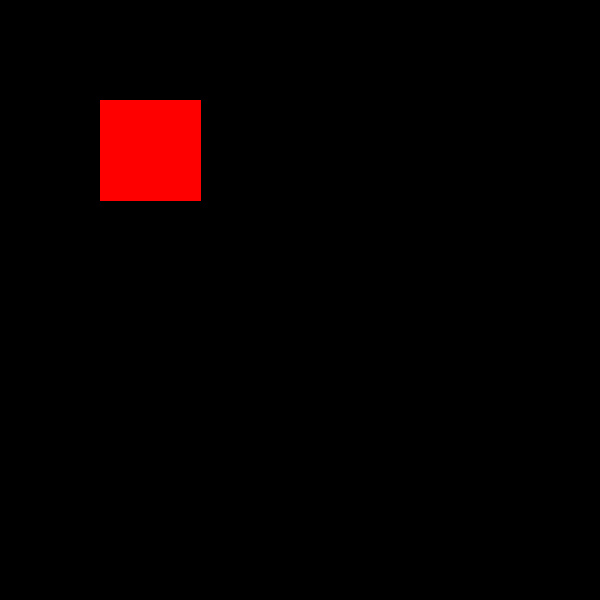
       self.add(Rectangle(x=100, y=100, width=100, height=100, fill_color="red"))
       self.tick()
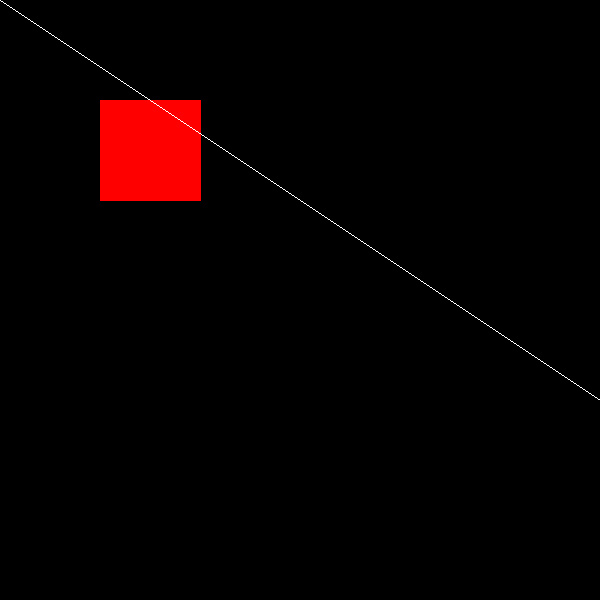
       self.add(Line(0, 0, 600, 400, "white", 1))
       self.tick()

if __name__ == "__main__":
   canvas_size = (600, 600)
   my_scene = SimplestScene(canvas_size, "output_path", "black")
   my_scene.render()
That will create the 3 following frames

Creating new object kind, and displacements
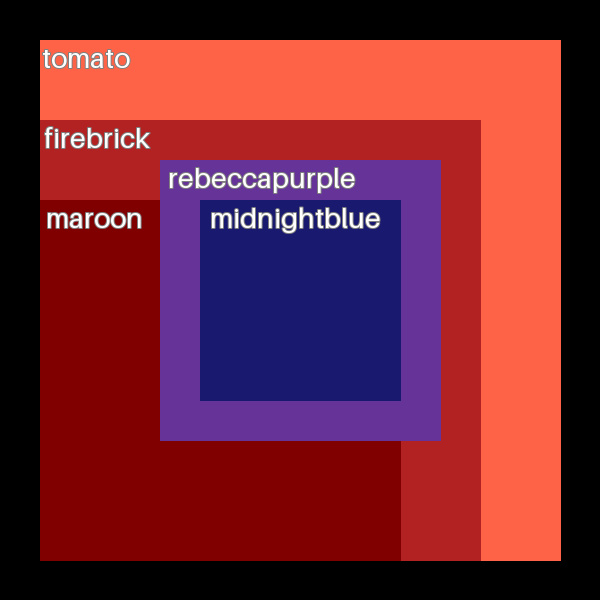
And instead, if you want to get a feeling of creating new objects lets work with namedrectangles
from skitso.atom import Container, Point
from skitso.shapes import Rectangle, Text

class NamedRectangle(Container):
   def __init__(self, x, y, width, height, fill_color, name):
       super().__init__(Point(x, y))
       self.name = name
       self.add(Rectangle(x, y, width, height, fill_color=fill_color))
       self.add(Text(x * 1.05, y, self.name, font_name="Monospace",
                     font_size=28, color="white", stroke_fill="gray", stroke_width=1))
And now a scene where this new figure is used, and where objects are moved between frames
class MazeScene(Scene):
   def render(self):
       canvas_height, canvas_width = self.height, self.width
       offset = canvas_height / 15
       rectangles = []
       # Create concentric colored NamedRectangles
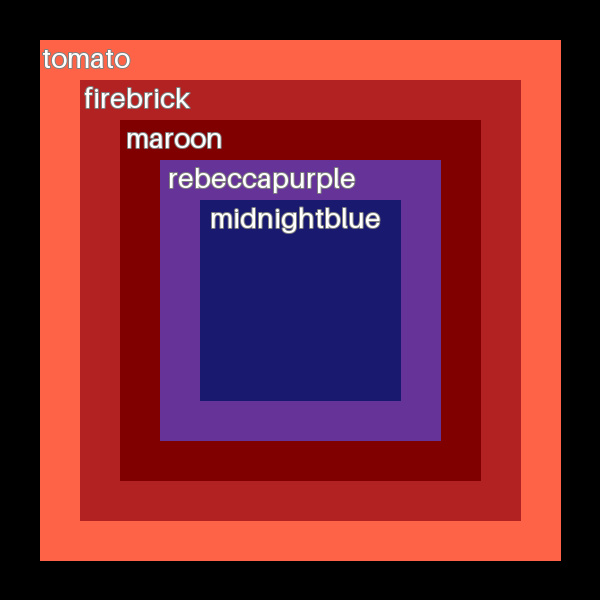
       colors = ["tomato", "firebrick", "maroon", "rebeccapurple", "midnightblue",]
       for i, color in enumerate(colors, start=1):
           margin = offset * 2 * i
           new_rect = NamedRectangle(
               x=offset * i, y=offset * i, fill_color=color, name=color,
               width=canvas_width - margin, height=canvas_height - margin,
           )
           rectangles.append(new_rect)
           self.add(new_rect)
       # Initial frame with all rectangles
       self.tick()

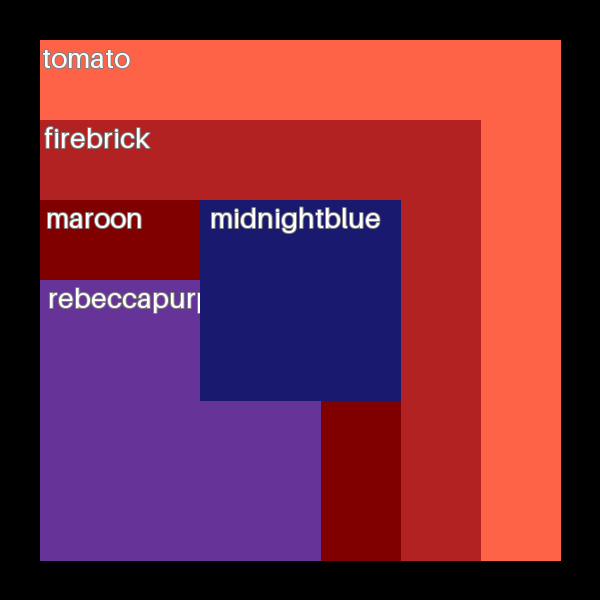
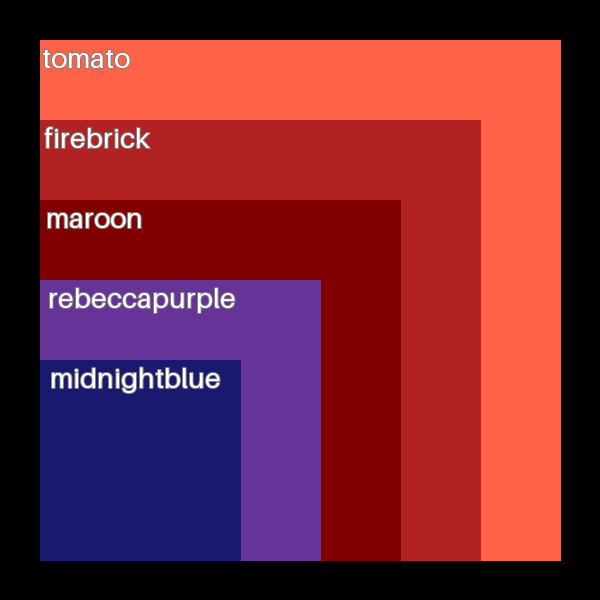
       # Move all rectangles to the right
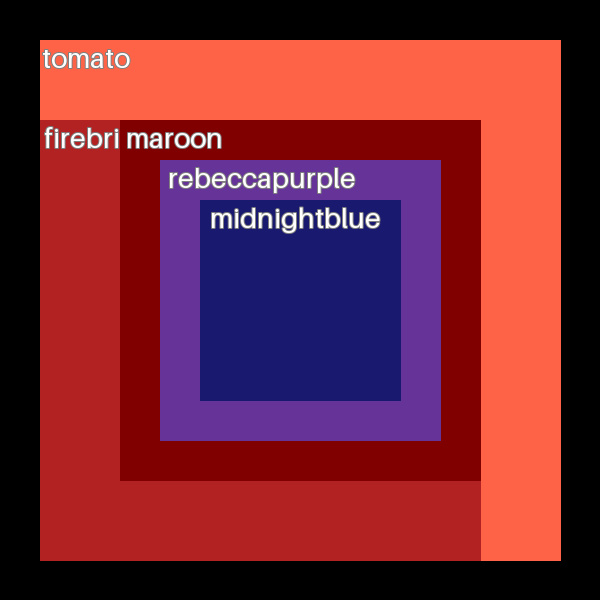
       gravity_corner = mov.Aligment(mov.AlignmentDial.LOW, mov.AlignmentDial.HIGH)
       for i in range(len(rectangles) - 1):
           rect = rectangles[i + 1]
           prev = rectangles[i]
           rect.to_edge(prev, gravity_corner)
           self.tick()
The frames generated in this case are the ones that follow. Take a look of how each named-rectangle falls down between each frame.
Release history Release notifications | RSS feed


Download files
Download the file for your platform. If you're not sure which to choose, learn more about installing packages.
Source Distribution
Built Distribution
Filter files by name, interpreter, ABI, and platform.
If you're not sure about the file name format, learn more about wheel file names.
Copy a direct link to the current filters
File details
Details for the file skitso-0.1.12.tar.gz.
File metadata
- Download URL: skitso-0.1.12.tar.gz
- Upload date:
- Size: 9.4 kB
- Tags: Source
- Uploaded using Trusted Publishing? No
- Uploaded via: poetry/1.8.3 CPython/3.12.7 Darwin/21.6.0
File hashes
| Algorithm | Hash digest | |
|---|---|---|
| SHA256 |
90fcea1d5cc147ef4561e4c128cb9a5d6d258e2790bf76701bbf0ce2e37e1895
|
|
| MD5 |
b86b391b8f156d221dec19d96c714719
|
|
| BLAKE2b-256 |
895af7baff1d0ba541824fd04b71e273685edbabd3015293f3ddd2f8a57edbee
|
File details
Details for the file skitso-0.1.12-py3-none-any.whl.
File metadata
- Download URL: skitso-0.1.12-py3-none-any.whl
- Upload date:
- Size: 9.3 kB
- Tags: Python 3
- Uploaded using Trusted Publishing? No
- Uploaded via: poetry/1.8.3 CPython/3.12.7 Darwin/21.6.0
File hashes
| Algorithm | Hash digest | |
|---|---|---|
| SHA256 |
b853a8639f56ed9001fc084fa87fdb996a61440272d7bcdc9a5595ee959502e9
|
|
| MD5 |
525cea00230ab83144f8fc90657df4e5
|
|
| BLAKE2b-256 |
6f28348bb03f3d482425d7889cb609ee5de5400f06ae09a7d63dcadfbcf9b7aa
|






