
Tooling and assistance for data scientists to "Own Your Data Science"
Verified details
These details have been verified by PyPIProject links
GitHub Statistics
Maintainers


Project description
👋 Welcome to skore






With skore, data scientists can:
- Track and visualize their ML/DS results.
- Get assistance when developing their ML/DS projects.
- Scikit-learn compatible
skore.cross_validate()andskore.train_test_split()provide insights and checks on cross-validation and train-test-split.
- Scikit-learn compatible
These are only the first features: skore is a work in progress and aims to be an end-to-end library for data scientists. Stay tuned! Feedbacks are welcome: please feel free to join our Discord.
⚙️ Installation
First of all, we recommend using a virtual environment (venv). You need python>=3.9.
Then, you can install skore by using pip:
pip install -U skore
🚀 Quick start
Note: For more information on how and why to use skore, see our documentation.
Manipulating the skore UI
- From your Python code, create and load a skore project, here named
my_project:
import skore
my_project = skore.create("my_project")
This will create a skore project directory named my_project.skore in your current working directory.
- Start storing some items, for example you can store an integer:
my_project.put("my_int", 3)
or the result of a scikit-learn grid search:
import numpy as np
from sklearn.datasets import load_diabetes
from sklearn.linear_model import Ridge
from sklearn.model_selection import GridSearchCV

diabetes = load_diabetes()
X = diabetes.data[:150]
y = diabetes.target[:150]

gs_cv = GridSearchCV(
    Ridge(),
    param_grid={"alpha": np.logspace(-3, 5, 50)},
    scoring="neg_root_mean_squared_error",
)
gs_cv.fit(X, y)

my_project.put("my_gs_cv", gs_cv)
- Finally, from your shell (in the same directory), start the UI locally:
skore launch "my_project"
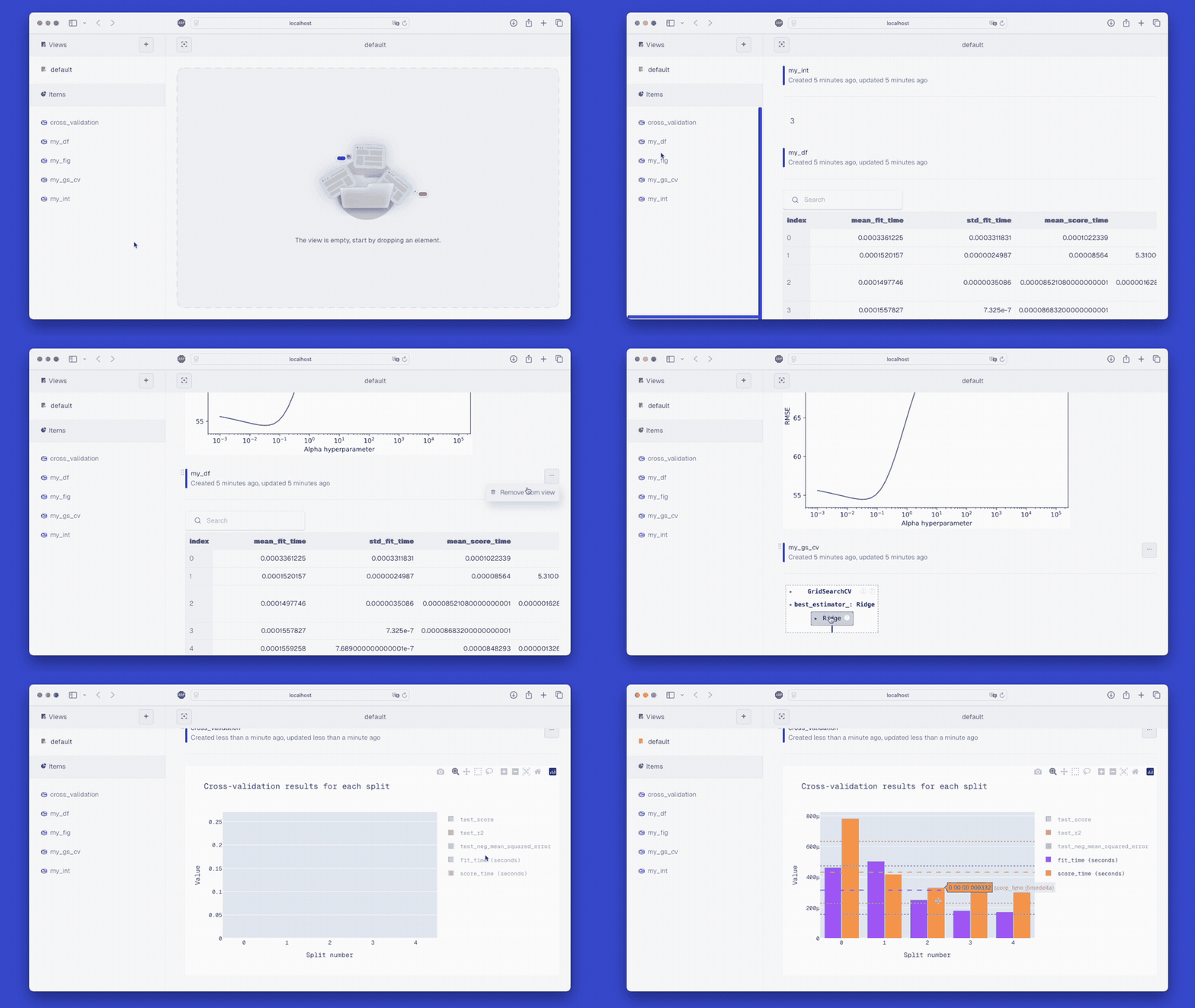
This will automatically open a browser at the UI's location:
- On the top left, by default, you can observe that you are in a View called
default. You can rename this view or create another one. - From the Items section on the bottom left, you can add stored items to this view, either by clicking on
+or by dragging an item to the right. - In the skore UI on the right, you can drag-and-drop items to re-order them, remove items, etc.
Get assistance when developing your ML/DS projects
By using skore.cross_validate():
import skore
my_project = skore.create("my_project")

from sklearn.datasets import load_iris
from sklearn.svm import SVC

X, y = load_iris(return_X_y=True)
clf = SVC(kernel="linear", C=1, random_state=0)

cv_results = skore.cross_validate(clf, X, y, cv=5, project=my_project)
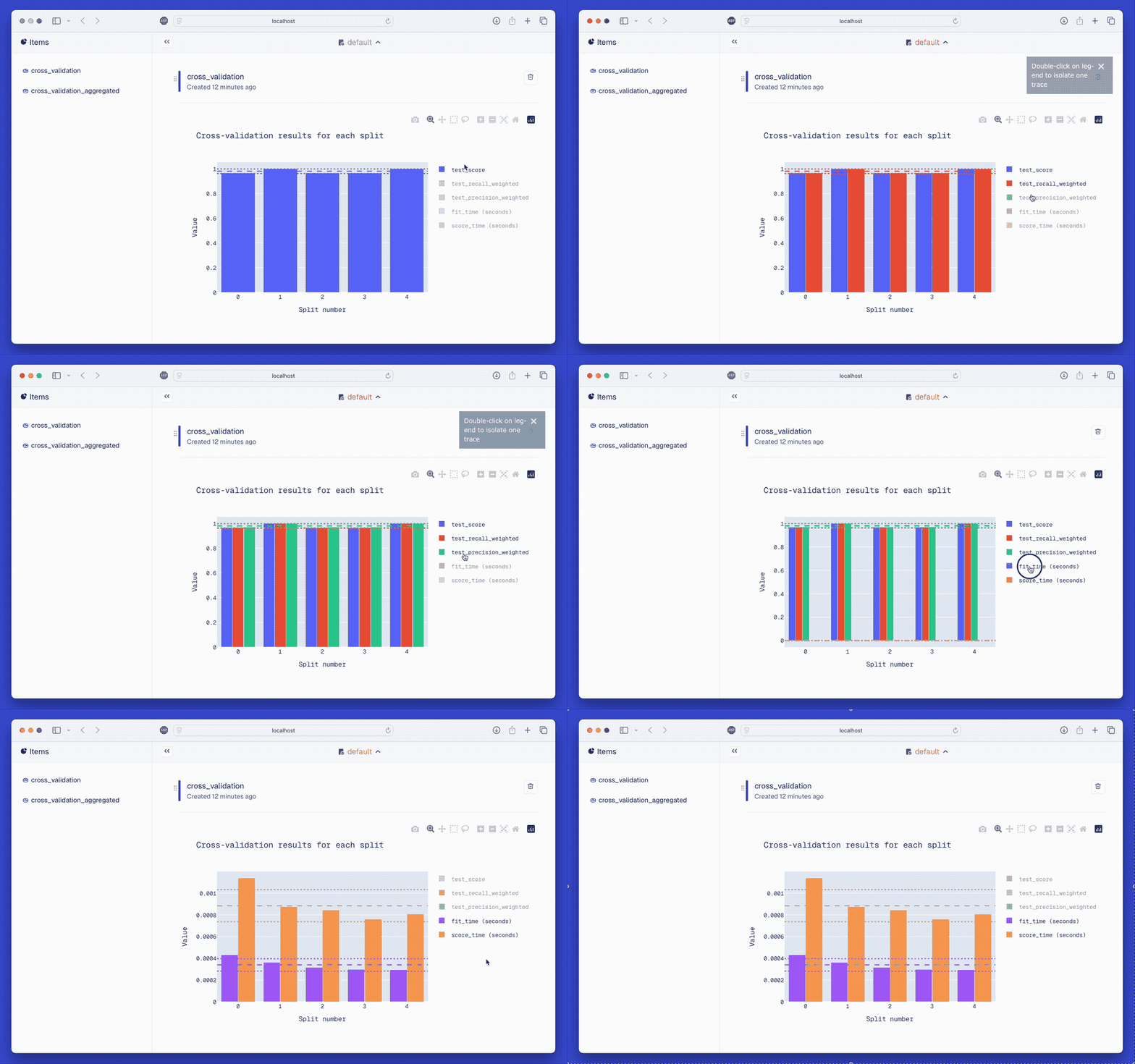
You will automatically be able to visualize some key metrics (although you might have forgotten to specify all of them):
There is also a train-test split function that enhances scikit-learn. See more in our documentation.
🔨 Contributing
Thank you for your interest! See CONTRIBUTING.rst.
💬 Where to ask questions
| Type | Platforms |
|---|---|
| 🐛 Bug reports | GitHub Issue Tracker |
| ✨ Feature requests and ideas | GitHub Issue Tracker & Discord |
| 💬 Usage questions, discussions, contributions, etc | Discord |
Brought to you by

Project details
Verified details
These details have been verified by PyPIProject links
GitHub Statistics
Maintainers
Release history Release notifications | RSS feed


Download files
Download the file for your platform. If you're not sure which to choose, learn more about installing packages.
Source Distribution
Built Distribution
Filter files by name, interpreter, ABI, and platform.
If you're not sure about the file name format, learn more about wheel file names.
Copy a direct link to the current filters
File details
Details for the file skore-0.4.1.tar.gz.
File metadata
- Download URL: skore-0.4.1.tar.gz
- Upload date:
- Size: 3.2 MB
- Tags: Source
- Uploaded using Trusted Publishing? Yes
- Uploaded via: twine/5.1.1 CPython/3.12.7
File hashes
| Algorithm | Hash digest | |
|---|---|---|
| SHA256 |
a24410ffb26b461c9b48d40c703242e4015b49ae01e73a91163d0df55d9100c1
|
|
| MD5 |
4d2192c4b0bb0c2ed51e6ca53f589fdf
|
|
| BLAKE2b-256 |
f8e6642b7cdd3a3a7e22362158b24e9ec53f405cf5e121c5db2ab23e79a30cf6
|
Provenance
The following attestation bundles were made for skore-0.4.1.tar.gz:
Publisher:
release.yml on probabl-ai/skore
-
Statement:
-
Statement type:
https://in-toto.io/Statement/v1 -
Predicate type:
https://docs.pypi.org/attestations/publish/v1 -
Subject name:
skore-0.4.1.tar.gz -
Subject digest:
a24410ffb26b461c9b48d40c703242e4015b49ae01e73a91163d0df55d9100c1 - Sigstore transparency entry: 151968869
- Sigstore integration time:
-
Permalink:
probabl-ai/skore@69fa3c87164e3216c6bbe822b957fa40bf4c8181 -
Branch / Tag:
refs/tags/0.4.1 - Owner: https://github.com/probabl-ai
-
Access:
public
-
Token Issuer:
https://token.actions.githubusercontent.com -
Runner Environment:
github-hosted -
Publication workflow:
release.yml@69fa3c87164e3216c6bbe822b957fa40bf4c8181 -
Trigger Event:
release
-
Statement type:
File details
Details for the file skore-0.4.1-py3-none-any.whl.
File metadata
- Download URL: skore-0.4.1-py3-none-any.whl
- Upload date:
- Size: 3.3 MB
- Tags: Python 3
- Uploaded using Trusted Publishing? Yes
- Uploaded via: twine/5.1.1 CPython/3.12.7
File hashes
| Algorithm | Hash digest | |
|---|---|---|
| SHA256 |
232d67cb2e8904318a809209798580413ef4c127182d277533728e33cafdb3a8
|
|
| MD5 |
c47de8bc97aa20be11f9ba307d62ad0a
|
|
| BLAKE2b-256 |
509b27f2a3f652787d66eeaa33ccb267ccdd2d287186c731b9ef9a0a6337df12
|
Provenance
The following attestation bundles were made for skore-0.4.1-py3-none-any.whl:
Publisher:
release.yml on probabl-ai/skore
-
Statement:
-
Statement type:
https://in-toto.io/Statement/v1 -
Predicate type:
https://docs.pypi.org/attestations/publish/v1 -
Subject name:
skore-0.4.1-py3-none-any.whl -
Subject digest:
232d67cb2e8904318a809209798580413ef4c127182d277533728e33cafdb3a8 - Sigstore transparency entry: 151968870
- Sigstore integration time:
-
Permalink:
probabl-ai/skore@69fa3c87164e3216c6bbe822b957fa40bf4c8181 -
Branch / Tag:
refs/tags/0.4.1 - Owner: https://github.com/probabl-ai
-
Access:
public
-
Token Issuer:
https://token.actions.githubusercontent.com -
Runner Environment:
github-hosted -
Publication workflow:
release.yml@69fa3c87164e3216c6bbe822b957fa40bf4c8181 -
Trigger Event:
release
-
Statement type:






