
Python library and command line tool for SEKONIC spectrometers remote control.

Project description
skreader
Python library and command line tool for SEKONIC spectrometers remote control.
Based on original C# SDK for Windows from SEKONIC.
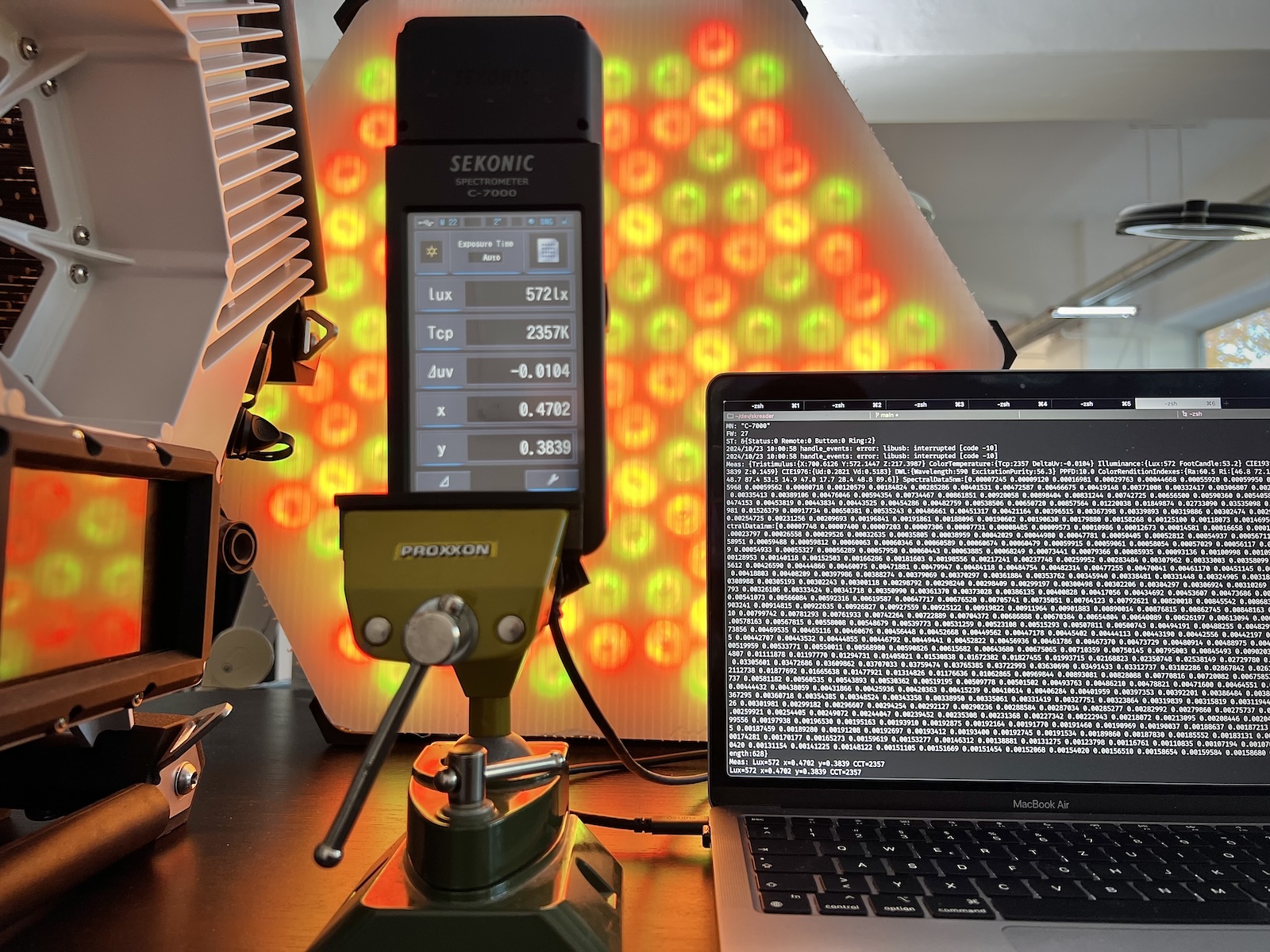
Supported (tested) models
- Sekonic C-700
- Sekonic C-800
- Sekonic C-800-U (US Version. Basically the same as C-800)
- Sekonic C-7000 (supports extended measurement configuration: FOV and Exposure Time)
Supported (tested) platforms
- Darwin
- Windows
- Linux
Known limitations
Currently only ambient measuring mode is supported.
TM-30, SSI and TLCI measurements are available for Sekonic C-7000 with FW version > 25 but parsing of these fields is not implemented yet.
Requirements and platform support
USB driver
Default implementation uses pyusb wrapper for the libusb library.
You must have libusb-1.0 installed on your target system to be able to communicate with USB devices.
Installation for different platforms is covered in pyusb documentation.
If you use Linux, you probably already have it.
If you use Mac or Windows and was using USB devices that needed custom driver, you also probably have it.
Installation
pip install skreader
Usage
Shell command
Info command:
> skreader info
Device: SEKONIC CORPORATION C-800 FW v12
Model: C-800
Firmware: 12
Status: IDLE
Remote: REMOTE_OFF
Button: NONE LOW
Ring: LOW
Measure command:
> skreader measure --help
Usage: skreader measure [-h] [-l] [-a] [-s] [-i] [-c] [-t] [-x] [-u] [-d] [-r] [-1] [-5] [-v]

Optional Arguments:
  -h, --help            show this help message and exit
  -l, --ldi             include the most interesting data for LDs
  -a, --all             include all measurement data
  -s, --simple          include all simple measurement data (excluding spectra and CRI)
  -i, --illuminance     include illuminance values in Lux and foot-candle units
  -c, --color-temperature
                        include color temperature values in Kelvin and delta-uv units
  -t, --tristimulus     include tristimulus values in XYZ color space
  -x, --cie1931         include CIE1931 (x, y) chromaticity coordinates
  -u, --cie1976         include CIE1976 (u', v') chromaticity coordinates
  -d, --dwl             include dominant wavelength value
  -r, --cri             include CRI (Ra, Ri) values
  -1, --spectra1nm      include spectral data for 1nm wavelength
  -5, --spectra5nm      include spectral data for 5nm wavelength
  -v, --verbose         print more messages
Default output:
> skreader measure
LUX: 179
CCT: 5499
CCT DeltaUv: 0.0021
RA: 96.9
R9: 91.2
Only illuminance is printed:
> skreader measure --illuminance
LUX: 179
Fc: 16.7
Combining options:
> skreader measure --illuminance --color-temperature --cie1931
Short version of previous command:
> skreader measure -icx
Library
import skreader

# Create Sekonic handle (does nothing yet).
sk = skreader.Sekonic()

try:
    # Run one measurement.
    # Raises SekonicError if Sekonic device is not connected or not behaving.
    # Use use_fake_data=True for testing without the device (False is default).
    meas = sk.measure(use_fake_data=False)
    print("Measurement result:", meas)  # lux=132 x=0.3178 y=0.3339 CCT=6205

except skreader.SekonicError as e:
    print("Sekonic error:", str(e))
    exit(1)

except KeyboardInterrupt:
    print("\rInterrupted...")
    sk.close() # Turn off remote control mode before unexpected exit.
    exit(130)
Contribution
Development setup
As 3.9 is the minimum supported by the library version of Python, it is recommended to use it during development to avoid backward compatibility issues introduced by newer versions.
Poetry is used for dependency management and virtual environment creation. It is recommended to use it for library development.
poetry env use 3.9
poetry install
poetry run ./skreader/cli.py
License
This project is licensed under the terms of the MIT license.
Legal notices
All product names, logos, and brands are property of their respective owners. All company, product and service names used in this package are for identification purposes only. Use of these names, logos, and brands does not imply endorsement.
- SEKONIC is a registered trademark of SEKONIC CORPORATION.
- Google is a registered trademark of Google LLC.
- Windows is a registered trademark of Microsoft Corporation.
- Linux is the registered trademark of Linus Torvalds.
Release history Release notifications | RSS feed

Download files
Download the file for your platform. If you're not sure which to choose, learn more about installing packages.
Source Distribution
Built Distribution
Filter files by name, interpreter, ABI, and platform.
If you're not sure about the file name format, learn more about wheel file names.
Copy a direct link to the current filters
File details
Details for the file skreader-1.0.0.tar.gz.
File metadata
- Download URL: skreader-1.0.0.tar.gz
- Upload date:
- Size: 22.6 kB
- Tags: Source
- Uploaded using Trusted Publishing? No
- Uploaded via: poetry/2.1.1 CPython/3.13.2 Darwin/24.3.0
File hashes
| Algorithm | Hash digest | |
|---|---|---|
| SHA256 |
3877b5d69ff335fe46969110a8f9c6a186f60e5a032635f3f0f68c517b20f4e8
|
|
| MD5 |
15b1880123a910f678d7a81612ca12d9
|
|
| BLAKE2b-256 |
2f447a67f6e62f5a27d0500c87c30fc80e44d3a97a174aad604f0cb39db42433
|
File details
Details for the file skreader-1.0.0-py3-none-any.whl.
File metadata
- Download URL: skreader-1.0.0-py3-none-any.whl
- Upload date:
- Size: 22.9 kB
- Tags: Python 3
- Uploaded using Trusted Publishing? No
- Uploaded via: poetry/2.1.1 CPython/3.13.2 Darwin/24.3.0
File hashes
| Algorithm | Hash digest | |
|---|---|---|
| SHA256 |
ff4d99e835ae3d25bed61eebbcf13183e515f63c59ab4f455df6ad4b6019c69d
|
|
| MD5 |
f3b674c285505c9d86c162d56f2d59e7
|
|
| BLAKE2b-256 |
9e59db201810783fde92da1a7a18ee118889941e4dd100e8089bdff196df9010
|






