
A Skyhook Timer app for Alliance Auth.

Project description
skyhook-app
Plugin for tracking Skyhook timers in Alliance Auth
Contents
Key Features
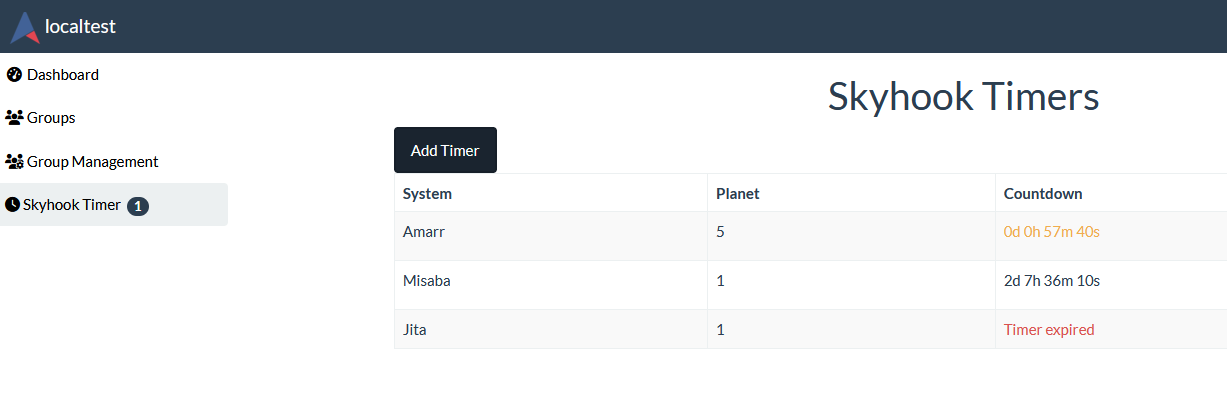
- Adding a table entry with system name, planet, and countdown time remaining
- Alliance Auth nav menu count of Skyhooks close to their vulnerable timer
- Discord webhook integration
Screenshots
View timers
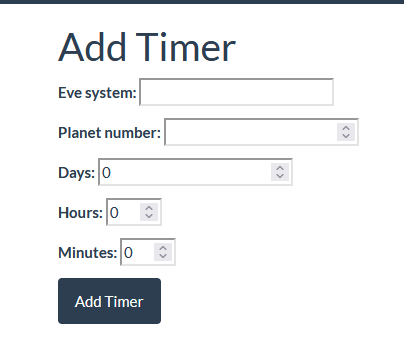
Add a timer (or update an existing one)
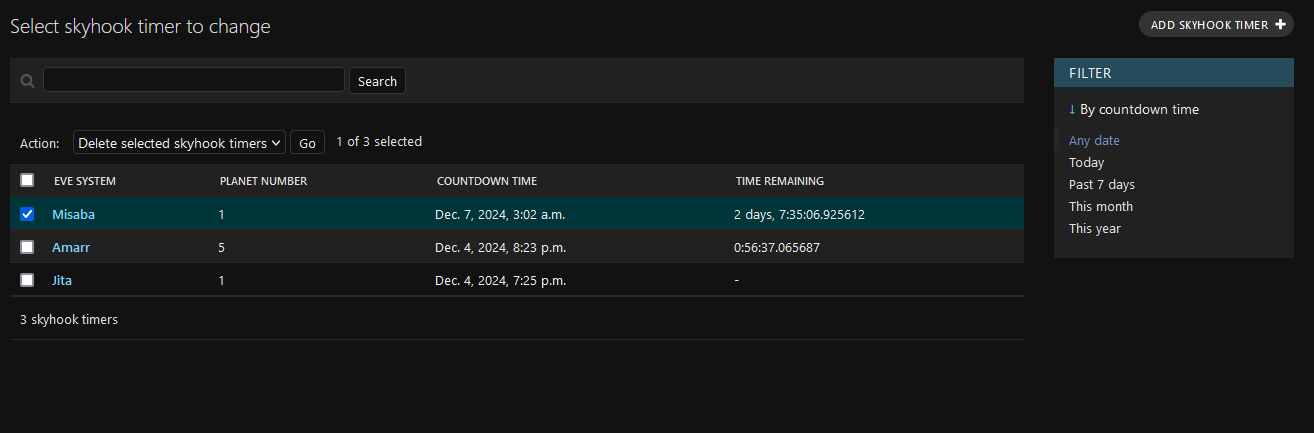
Admin view
Installation
1 - Install app
Install into your Alliance Auth virtual environment from PyPI:
pip install skyhook-timer
2 - Configure AA settings
in local.py:
Add 'skyhook_timer' to INSTALLED_APPS
Add SKYHOOK_WEBHOOK_URL = <your-discord-webhook-here>
Add
CELERYBEAT_SCHEDULE['notify_skyhook_timer'] = {
    'task': 'skyhook_timer.tasks.notify_skyhook_timer',
    'schedule': crontab(minute='*'),  # Runs every minute
}
3 - Finalize installation into AA
Run migrations & copy static files
python manage.py migrate
python manage.py collectstatic
Restart your supervisor services for AA
4 - Setup permissions
Now you can access Alliance Auth and setup permissions for your users. See below
Permissions
This is an overview of all permissions used by this app:
| Name | Purpose | Code |
|---|---|---|
| Can add skyhook timer | Can create a unique skyhook timer with system/planet and time. If the system/planet timer exists already it overwrites | add_skyhooktimer |
| Can view skyhook timer | Allows viewing of the nav menu link, and rendering of the skyhook timer page. This should be added to all users/members/states/groups that should be able to view skyhook timers | view_skyhooktimer |
CHANGELOG
0.0.66
- Show expiration timestamp for expired timers
- Display time elapsed since expiration (days, hours, minutes, seconds)
0.0.65
- Update html to Alliance Auth v5
- Add Discord webhook functionality
0.0.49
- Better Skyhook Adding, matches ingame time system.
- Changed default permissions
0.0.43
- Limited stable release
Release history Release notifications | RSS feed


Download files
Download the file for your platform. If you're not sure which to choose, learn more about installing packages.
Source Distribution
Built Distribution
Filter files by name, interpreter, ABI, and platform.
If you're not sure about the file name format, learn more about wheel file names.
Copy a direct link to the current filters
File details
Details for the file skyhook_timer-0.0.66.tar.gz.
File metadata
- Download URL: skyhook_timer-0.0.66.tar.gz
- Upload date:
- Size: 9.8 kB
- Tags: Source
- Uploaded using Trusted Publishing? No
- Uploaded via: twine/6.2.0 CPython/3.12.3
File hashes
| Algorithm | Hash digest | |
|---|---|---|
| SHA256 |
b5a02997401329215e42345606bb610405c7557d74bc417b7945d8c2afdd6aad
|
|
| MD5 |
c22924fd90d2ee5b13ff7f772059ec44
|
|
| BLAKE2b-256 |
707d4bee020f805f9a69a7e7ef035cd76f41ffb67373f42031e41c39479067a8
|
File details
Details for the file skyhook_timer-0.0.66-py3-none-any.whl.
File metadata
- Download URL: skyhook_timer-0.0.66-py3-none-any.whl
- Upload date:
- Size: 11.1 kB
- Tags: Python 3
- Uploaded using Trusted Publishing? No
- Uploaded via: twine/6.2.0 CPython/3.12.3
File hashes
| Algorithm | Hash digest | |
|---|---|---|
| SHA256 |
1c7ae9840cf588bfedd1957edc2a841bc1d55989e79d5a900959ad7d1ed4a6bb
|
|
| MD5 |
bdf03cf16545f44b735be56164f4b2ce
|
|
| BLAKE2b-256 |
c59c55d975a723cbde31edeb59b8ac6e4fe544324d4322d05111f80a1ef22432
|






