






Skyll • Why use Skyll? • Features • Quick Start • MCP Server • Use Cases • Documentation • Contributing
Skyll
Skyll is a REST API and MCP server that lets any AI agent search for and retrieve agent skills at runtime. It aggregates skills from multiple sources, fetches the full SKILL.md content from GitHub, and returns structured JSON ready for context injection.
Why use Skyll?
Agent skills (SKILL.md files) are a powerful way to extend what AI agents can do, but today they only work with a handful of tools like Claude Code and Cursor. Skills require manual installation before a session, which means developers need to know in advance which skills they will need.
Skyll democratizes access to skills. Any agent, framework, or tool can discover and retrieve skills on demand. No pre-installation. No human intervention. Agents explore, choose based on context, and use skills autonomously.
{
  "query": "react performance",
  "count": 1,
  "skills": [
    {
      "id": "react-best-practices",
      "title": "React Best Practices",
      "source": "vercel/ai-skills",
      "relevance_score": 85.5,
      "install_count": 1250,
      "content": "# React Best Practices\n\n## Performance\n..."
    }
  ]
}
Why options matter: The ranked list surfaces popular and relevant skills, letting agents choose based on user requests, task context, or what's trending. It's about giving agents freedom to discover.
Features
- 🔍 Multi-Source Search: Query skills.sh, community registry, and more
- 📄 Full Content: Returns complete SKILL.md with parsed metadata
- 📎 References: Optionally fetch additional docs from
references/directories - 📊 Relevance Ranking: Scored 0-100 based on content, query match, and popularity
- 🔄 Deduplication: Automatic deduplication across sources
- ⚡ Cached: Aggressive caching to respect GitHub rate limits
- 🔌 Dual Interface: REST API + MCP Server
- 🔧 Extensible: Easy to add new skill sources and ranking strategies
Quick Start
Install with pip
The recommended way to use Skyll in your agents:
pip install skyll
from skyll import Skyll

async with Skyll() as client:
    skills = await client.search("react performance", limit=5)

    for skill in skills:
        print(f"{skill.title}: {skill.description}")
        print(skill.content)  # Full SKILL.md content
Uses the hosted API at api.skyll.app by default - no server setup required.
REST API
For other languages or direct integration, call the API directly:
curl "https://api.skyll.app/search?q=react+performance&limit=5"
Interactive docs: api.skyll.app/docs
Self-Hosted
Run your own Skyll server for full control:
# Clone and install
git clone https://github.com/assafelovic/skyll.git
cd skyll
pip install -e ".[server]"

# Optional: Add GitHub token for higher rate limits
echo "GITHUB_TOKEN=ghp_your_token" > .env

# Start the server
uvicorn src.main:app --port 8000
# Search for skills
curl "http://localhost:8000/search?q=react+performance&limit=5"
Point the Python client to your server:
async with Skyll(base_url="http://localhost:8000") as client:
    skills = await client.search("testing")
Demo UI
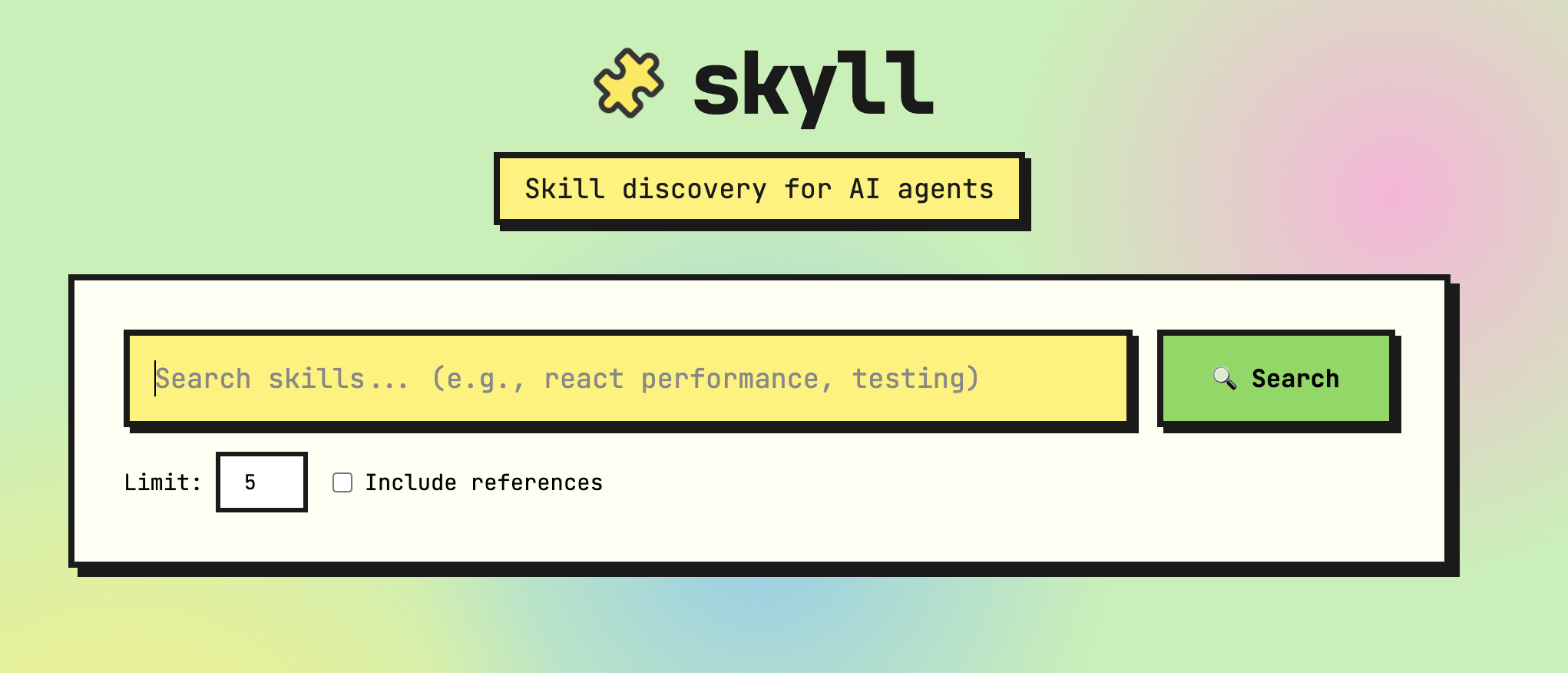
Open web/index.html in your browser for an interactive demo, or run the full landing page:
cd web/landing
npm install
npm run dev
# Open http://localhost:3000
MCP Server
For Claude Desktop, Cursor, or other MCP clients:
{
  "mcpServers": {
    "skyll": {
      "command": "/path/to/skyll/venv/bin/python",
      "args": ["-m", "src.mcp_server"],
      "cwd": "/path/to/skyll"
    }
  }
}
Or run standalone:
python -m src.mcp_server                          # stdio (default)
python -m src.mcp_server --transport sse --port 8080  # SSE
Configuration
| Variable | Description | Default |
|---|---|---|
GITHUB_TOKEN |
GitHub PAT for higher rate limits (create one) | None |
CACHE_TTL |
Cache TTL in seconds | 86400 |
ENABLE_REGISTRY |
Enable community registry | true |
Use Cases
Web Research: User asks "Find the latest news on AI agents" → Agent searches for tavily-search → Uses Tavily's LLM-optimized search API to fetch real-time web results.
Deep Research: User needs a comprehensive market analysis → Agent discovers gpt-researcher → Runs autonomous multi-step research with citations and detailed reports.
Testing Workflows: User says "Add tests for this feature" → Agent finds test-driven-development → Follows TDD workflow: write tests first, then implement.
Building Integrations: User wants to connect their app to external APIs → Agent retrieves mcp-builder → Creates Model Context Protocol servers following best practices.
Documentation
| Doc | Description |
|---|---|
| API Reference | REST endpoints, MCP tools, response format |
| Ranking Algorithm | How skills are scored and ranked |
| Skill Sources | Available sources and adding new ones |
| References | Fetching additional skill documentation |
| Architecture | System design and extending Skyll |
For a web-friendly version, visit skyll.app/docs.
Contributing Skills
Add your skill to the community registry! Edit registry/SKILLS.md:
- your-skill-id | your-username/your-repo | path/to/skill | What your skill does
Then submit a PR. Requirements:
- Valid
SKILL.mdfollowing the Agent Skills Spec - Keep descriptions under 80 characters
What are Agent Skills?
Agent skills are markdown files (SKILL.md) that teach AI coding agents how to complete specific tasks. They follow the Agent Skills specification and work with 27+ AI agents. Learn more at skills.sh.
License
Apache-2.0 License. See LICENSE for details.
Built for autonomous agents • skyll.app • api.skyll.app • Discord
1 maintainer

Release files for skyll 0.1.1
For a detailed explanation of source distributions (sdists) and built distributions (wheels), please see the package formats documentation.
Source distribution (sdist)
| File | Size | Uploaded | |
|---|---|---|---|
| skyll-0.1.1.tar.gz | 1.1 MB | Details |
Built distribution (wheel)
| File | Interpreter | ABI | Platform | Reset |
|---|---|---|---|---|
| skyll-0.1.1-py3-none-any.whl | Python 3 | none | any | Details |
Total release size: 1.2 MB
Release files / skyll-0.1.1.tar.gz
| Download URL | skyll-0.1.1.tar.gz |
|---|---|
| Size | 1.1 MB |
| Tags | Source |
|
SHA-256 checksum How to use checksums |
f2307c7ce53f7b49a88882fd80af5dce028ba6d82fae8b6fbbcb963b5fd04673
|
|
BLAKE2b-256 checksum How to use checksums |
d52b45a94b0661d090e23c35adec949978d6f7115cb3d915503b89485d8c3310
|
| Upload date | |
|
Uploaded using Trusted Publishing? What is trusted publishing? |
No |
| Uploaded via |
twine/6.2.0 CPython/3.12.5
|
Release files / skyll-0.1.1-py3-none-any.whl
| Download URL | skyll-0.1.1-py3-none-any.whl |
|---|---|
| Size | 48.5 kB |
| Tags | Python 3 |
|
SHA-256 checksum How to use checksums |
e1f3be3b315328f44ce78a2df1cde050896abcb28b67fbf9ab0c40dc9954729d
|
|
BLAKE2b-256 checksum How to use checksums |
e2048d6465b9a7b877e4f0e491c2c2f10ae6f70c21d9b5e664b41092db514adb
|
| Upload date | |
|
Uploaded using Trusted Publishing? What is trusted publishing? |
No |
| Uploaded via |
twine/6.2.0 CPython/3.12.5
|














