

|
https://github.com/user-attachments/assets/5ca6563e-a7d3-44df-9800-beb8716efcad |
slughorn
🔨 What We're Working On Last updated: September 1st, 2026
| Feature | Status | |
|---|---|---|
| 🎨 | Add support for improved "decal" style rendering |  |
| 🎨 | CI/CD Python package builds/publishing | |
| 🧰 | Reduce texture memory usage |  |
| 🧰 | Key mask/namespace support |
|
| 🧰 | Add support for simple Miters/Caps | |
| 🧰 | Remove the expand parameter as CPU-side "hack" |
|
| 🧰 | MSDF and procedurally-based CompositeShape masking |
|
| 🔧 | Full Porter-Duff compositing and blend mode support |  |
| 🔧 | Improved Blend2D and NanoSVG feature support | |
Related Projects



slughorn is modern C++20 library implementing the recent OSS release of the
"Slug" GPU vector graphics rendering technique by Eric Lengyel.
It makes no assumptions about what graphics environment is being used (OpenGL,
Vulkan, WebGL, WebGPU, DirectX, etc) and instead focuses only on simplifying
the process of creating/ingesting vector data from various backends--or,
alternatively, by using an HTML "Canvas-like" API directly in code--so it can be
directly uploaded to the GPU as easily as possible. A backend is simply an
implementation that produces Bezier curves for slughorn to process to
facilitate drawing. Further code outside of slughorn draws the curves with a
graphics API like OpenGL, Vulkan, WebGL, WebGPU, Metal, DirectX or similar,
potentially using toolkits like but not limited to OSG / OpenSceneGraph or VSG /
VulkanSceneGraph. Companion projects ( https://github.com/AlphaPixel/osgSlug )
assist with this integration.
Furthermore, slughorn provides tools for traditional "offline asset"
processing (primarily in Python), as well as a glTF-compatible JSON file
format.
Architecture
slughorn operates in two complementary modes. As a first-class authoring tool,
it provides a Canvas-like API for building vector content directly in code — shapes,
text, gradients, and composited layers — all flowing into the GPU atlas without any
intermediate library. As an adapter, it bridges existing vector ecosystems (Cairo,
Skia, Blend2D, NanoSVG, FreeType) into that same GPU-ready pipeline, letting you keep
your current authoring workflow while gaining resolution-independent,
perspective-correct GPU rendering. Most GPU vector renderers want to own the authoring;
slughorn is being developed to support bringing your own.
The divison is basically: slughorn is the "unified source of truth", providing
data and hints/constraints about how that data is used; your frontend
decides what do with it.

Current Supported Backends
- FreeType
- NanoSVG (paths & gradients)
- Skia (paths only, stroke-to-path)
- Cairo (paths only)
- Blend2D (paths only, stroke-to-path)
In addition to the above backends, slughorn provides a "native" API for
authoring vector graphics inspired by the standard HTML Canvas element.
Adding support for other backends is generally as easy as using a single helper
class: slughorn::CurveDecomposer. If your vector data can be reduced into
simple quadratic Bezier curves, slughorn can make it render.
Supporting most of the missing Skia/Cairo/Blend2D features (gradients, patterns, text, clipping/masking) is entirely possible, it just requires time/effort. As slughorn continues to evolve, so will those backends.
Demos
| Preview | Description |
|---|---|
|
|
Emoji Demonstrates loading COLRv0 and COLRv1 emojis using the slughorn supports all of the advanced COLRv1 features, including gradients and transforms. |
|
|
PBR/IBL Full PBR (Physics Based Rendering) and IBL (Image Based Lighting) can be applied
to any shape. This video shows the standard |
|
|
Animated Glyphs Simple, shader-driven animation applied to Slug-rendered glyph geometry, accomplished by adjusting the output positions in the vertex shader. |
|
|
Layer Effects Shows how individual layers in a |
|
|

Morphing Similar to the animated glyphs demo, this example shows both the shape, a simple
triangle, and the debugging bounding box using the |
|
|
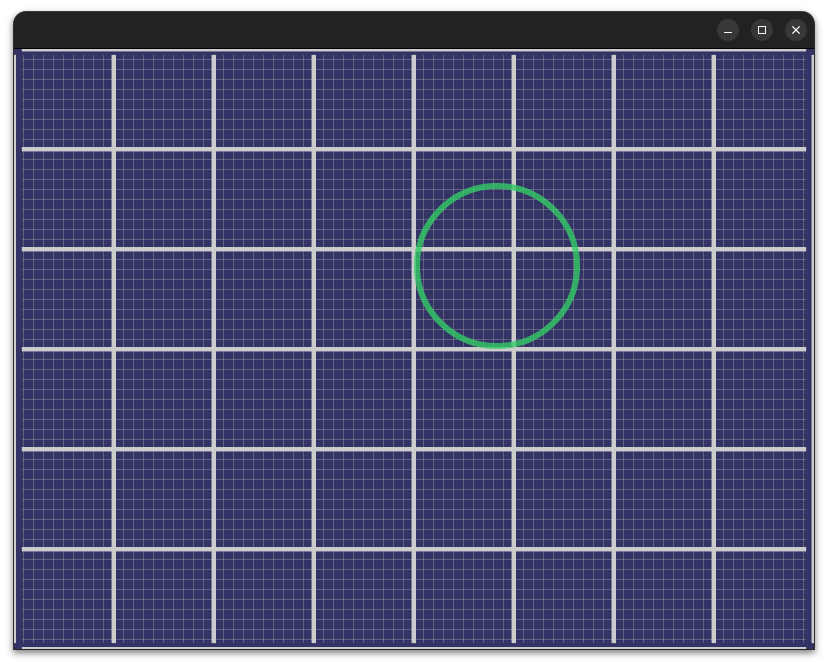
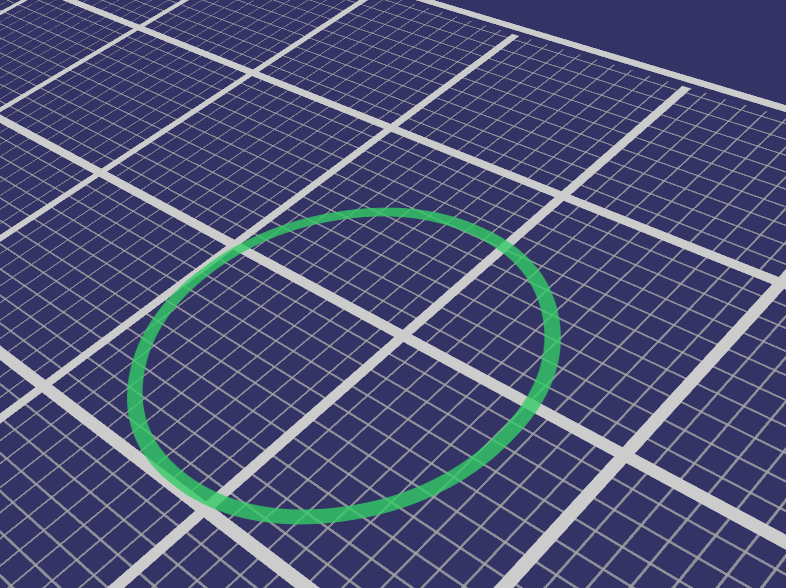
2D Projection The standard orthographic-style 2D placement/rendering. |
|
|
3D Projection The same scene as the 2D Projection above, but with a traditional perspective-style view. |
|
|
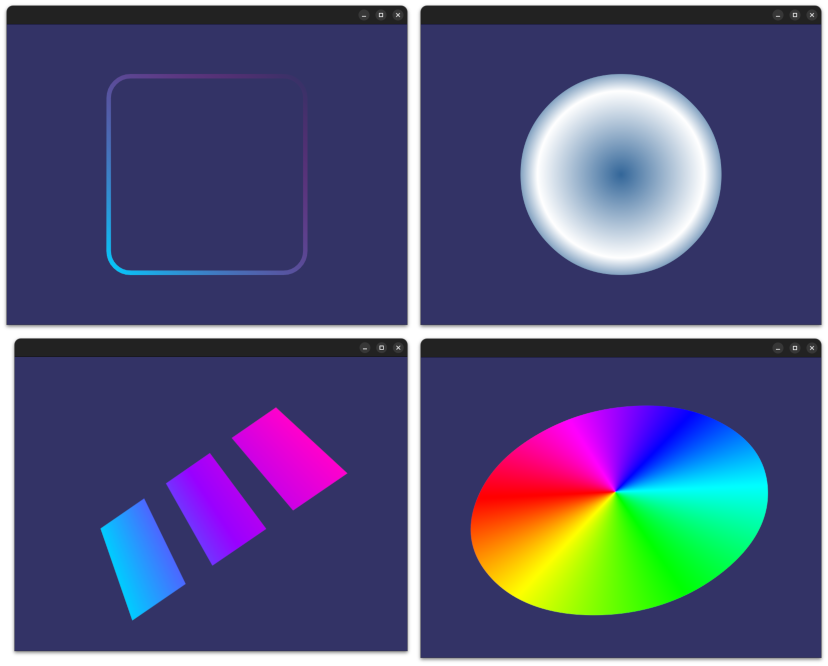
Gradients The FreeType, NanoSVG and Canvas backends all fully support linear, radial and sweep gradient fills/strokes. Gradients can also be dynamically transformed by the GPU during rendering (though their "color stop" values are static). |
|
|
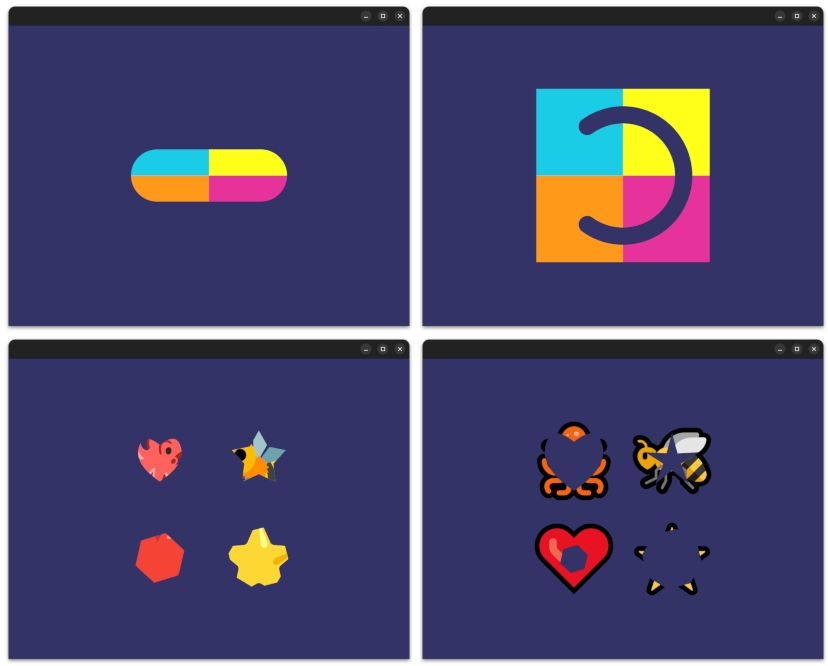
Masking Every |
|
|
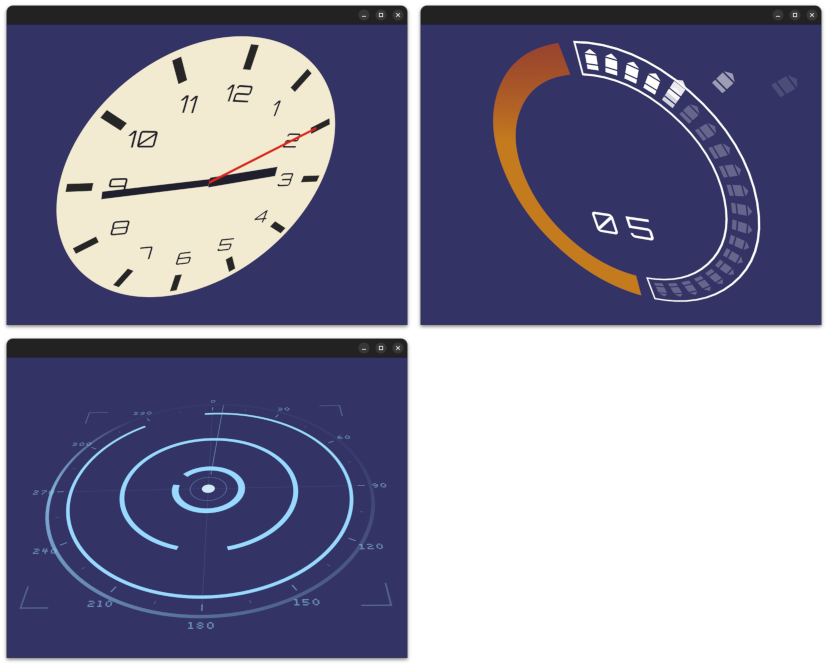
HUD slughorn is perfect for HUD elements of any kind in 2D, 3D, or somewhere dynamically in between. |
|
|
Animated HUD Every |
|
|
Shapes/CompositeShapes Each backend has its own examples of how to create both simple |
|
|
Mixed Scenes
|
|
|
Animated Scenes A |
|
|
3D Objects Slug is not restricted to simple quads; any 3D object or mesh can be assigned compatible
|
|
|
SVG SVG content fits easily within the NOTE: Some SVG features (strokes, text) are possible, but have not yet been implemented. |
|
|

Text Text was the original inspiration for Slug, and will always be incredibly well-supported.
As mentioned above, each glyph in a text layout is nothing more than an instance of
|
|
|

Mixed Text Text glyphs are simply an instance of |
|
|
Text Effects Emphasizing that glyphs truly are "just another |
|
|
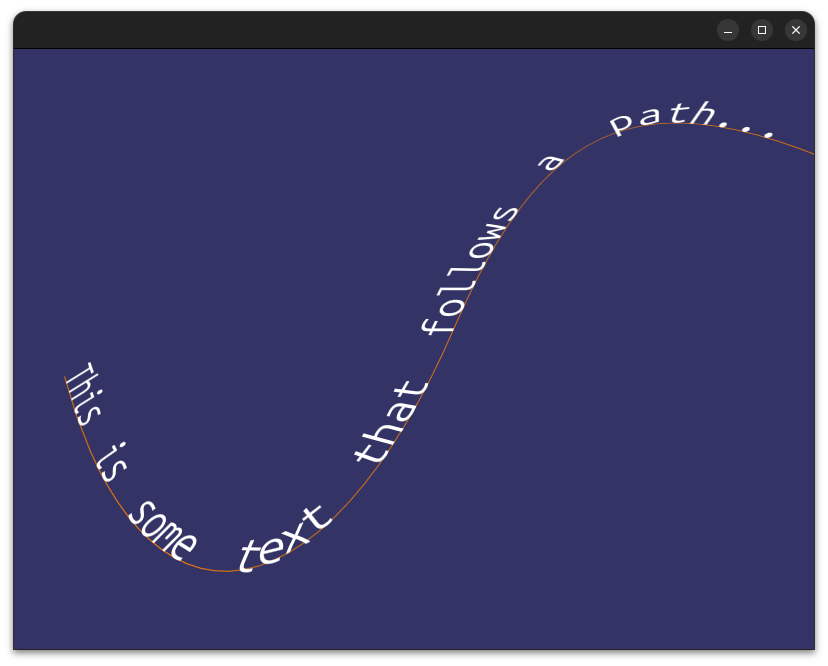
Text Along Path Individual glyphs can be easily positioned along existing |
|
|
Compute Shaders Not only can compute shaders animate/manipulate |



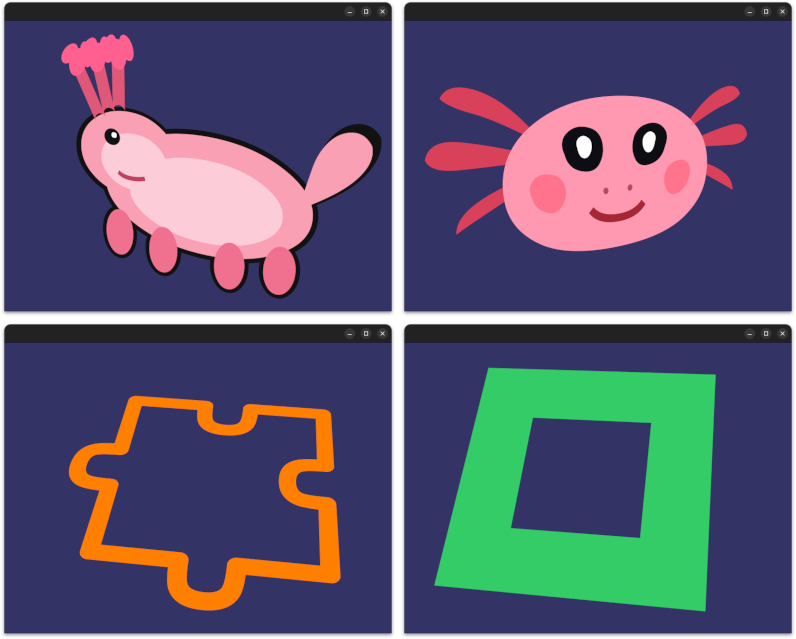



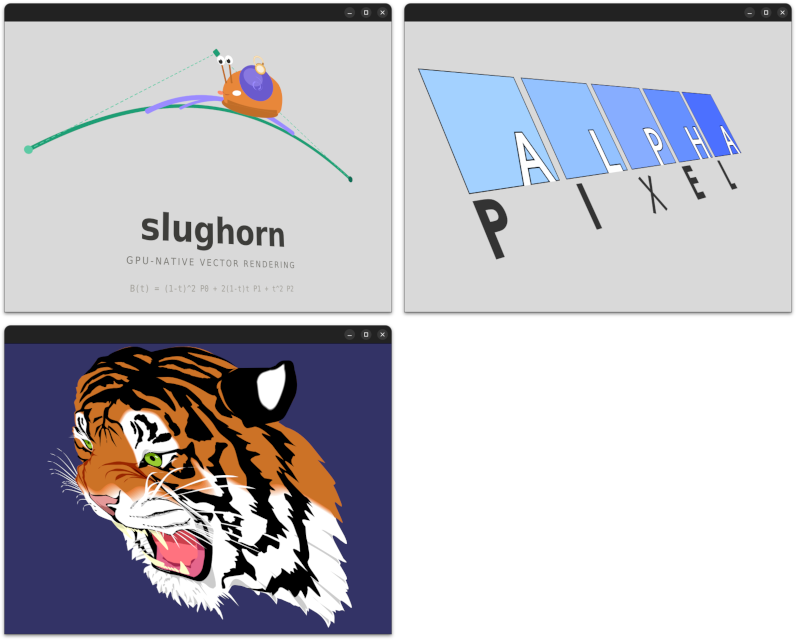


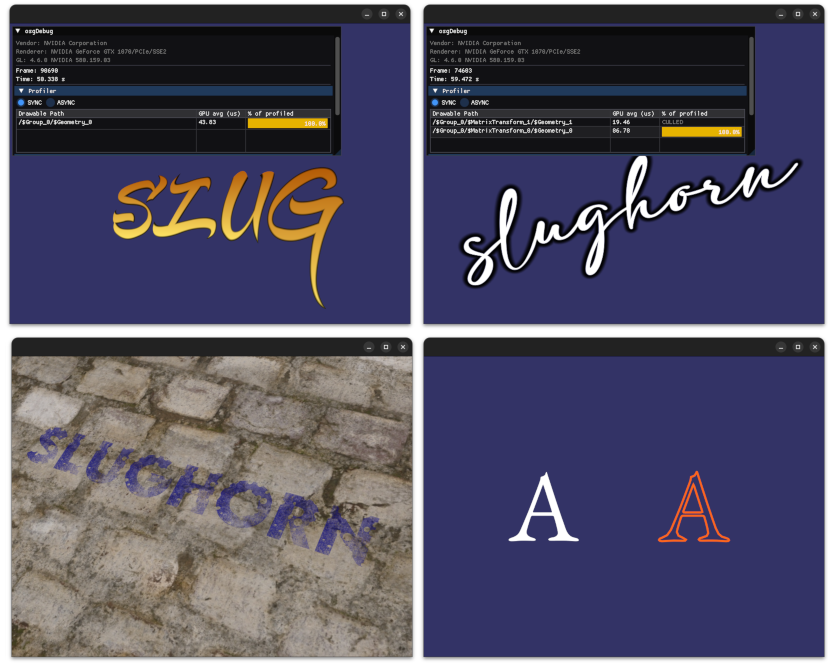
Note on demos: All video demonstrations above are captured from osgSlug, the intentionally separate OpenSceneGraph-based testbed developed alongside
slughorn.slughornitself has no graphics dependencies, andosgSlugexists to prove the integration story and serve as a reference implementation for other graphics backends.
Skia
Compilation
cd ~/dev/skia
rm -rf out/Release
bin/gn gen out/Release
ninja -C out/Release skia
Why Slug Instead of Skia's GPU Backend?
What Skia Actually Does on the GPU
Skia has two GPU backends: Ganesh (the older one, OpenGL/Vulkan/Metal) and Graphite (the newer one, designed for modern explicit APIs). Both work by:
- Tessellating paths into triangles on the CPU (or via compute shaders)
- Uploading those triangles to the GPU
- Rendering with relatively simple shaders
The key word is tessellation; Skia converts your curves into triangle meshes. This means:
- Quality is resolution-dependent; you have to choose a tessellation tolerance, and if you zoom in far enough you'll see faceting
- Every time the path transforms (scale, rotation, perspective), you either re-tessellate or accept quality loss
- Perspective projection of curves is fundamentally broken with tessellation; a cubic Bezier projected through a perspective matrix is no longer a cubic Bezier
What Slug Does Differently
Slug evaluates the exact curve equations per-fragment in the shader. This means:
- Quality is resolution-independent; zoom in infinitely, edges stay perfect
- Transforms are free; the vertex shader handles them, the fragment shader doesn't care
- Perspective is correct; because you're evaluating the curve at each pixel, not approximating it with triangles
- No CPU tessellation step; the atlas is built once and never rebuilt regardless of transform
Comparison
| Skia GPU | Slug | |
|---|---|---|
| Edge quality at scale | Depends on tolerance | Perfect always |
| Perspective correctness | Approximate | Exact |
| CPU work per frame | Re-tessellate on change | Nothing |
| GPU fragment cost | Cheap (just triangles) | More expensive |
| Setup complexity | High (full GPU framework) | Moderate |
| OSG integration | Very difficult | Natural |
OSG Integration Specifically
Getting Skia's GPU backend working inside OSG would be genuinely painful:
- Skia wants to own the OpenGL context; it manages its own state, its own FBOs, its own texture atlases. OSG also wants to own the context. Getting them to share without stomping each other's state is a known headache.
- Skia's GPU API is not designed to be embedded; it's designed to be the renderer, not a component of one.
- You'd essentially be running two renderers side by side and compositing, which introduces synchronization, blending, and depth buffer problems.
Slug, on the other hand, is just a shader and two textures; it slots into
OSG's existing pipeline as naturally as any other osg::Program.
The Real Answer to "Are You Reinventing It?"
For 2D UI / document rendering at fixed resolution; Skia is better. It's battle-hardened, handles edge cases you haven't thought of yet, and the tessellation quality is fine for screen-resolution work.
For 3D scene graph rendering with arbitrary transforms and perspective, Slug is genuinely superior. The moment you want text or shapes on a billboard, a HUD, a curved surface, or viewed through a perspective camera, Skia's approach starts showing cracks and Slug's approach shines.
Slug is solving a different problem that Skia deliberately doesn't address.
AI Disclosure Declaration
AI tools such as Codex and Claude have been used for research and some code development. However, this is not a "fire and forget" AI project. It was carefully designed, planned, architected and implemented by a live human (cubicool@gmail.com). AI tools were also used for producing documentation and ancillary data products to accelerate development.
Sponsorship
This project grew out of internal research and experimentation at AlphaPixel (AlphaPixelDev.com) based on the 2026 release of the Slug algorithm (https://terathon.com/blog/decade-slug.html) patent by its author, Eric Lengyel, for whom the whole Slug-using community is extremely grateful.
If you are interested in assistance with Slug, slughorn, OpenGL, OpenSceneGraph, Vulkan, VulkanSceneGraph, AR, VR, xR, 3d mapping, or almost any other performance-centric computing, please contact AlphaPixel. We are mercenary programmers who can provide rapid assistance to any challenge, and our motto is "We Solve Your Difficult Problems."
1 maintainer

Metadata
1 maintainer
Release files for slughorn 0.0.2
For a detailed explanation of source distributions (sdists) and built distributions (wheels), please see the package formats documentation.
Source distribution (sdist)
| File | Size | Uploaded | Provenance | |
|---|---|---|---|---|
| slughorn-0.0.2.tar.gz | 11.4 MB | With provenance | Details |
Built distributions (wheels)
| File | Reset | |||
|---|---|---|---|---|
| slughorn-0.0.2-cp314-cp314-win_amd64.whl | CPython 3.14 | CPython 3.14 | Windows x86-64 | Details |
| slughorn-0.0.2-cp314-cp314-manylinux_2_27_x86_64.manylinux_2_28_x86_64.whl | CPython 3.14 | CPython 3.14 | Linux glibc 2.27+ x86-64, Linux glibc 2.28+ x86-64 | Details |
| slughorn-0.0.2-cp314-cp314-manylinux_2_26_aarch64.manylinux_2_28_aarch64.whl | CPython 3.14 | CPython 3.14 | Linux glibc 2.28+ ARM64, Linux glibc 2.26+ ARM64 | Details |
| slughorn-0.0.2-cp313-cp313-win_amd64.whl | CPython 3.13 | CPython 3.13 | Windows x86-64 | Details |
| slughorn-0.0.2-cp313-cp313-manylinux_2_27_x86_64.manylinux_2_28_x86_64.whl | CPython 3.13 | CPython 3.13 | Linux glibc 2.28+ x86-64, Linux glibc 2.27+ x86-64 | Details |
| slughorn-0.0.2-cp313-cp313-manylinux_2_26_aarch64.manylinux_2_28_aarch64.whl | CPython 3.13 | CPython 3.13 | Linux glibc 2.28+ ARM64, Linux glibc 2.26+ ARM64 | Details |
| slughorn-0.0.2-cp312-cp312-win_amd64.whl | CPython 3.12 | CPython 3.12 | Windows x86-64 | Details |
| slughorn-0.0.2-cp312-cp312-manylinux_2_27_x86_64.manylinux_2_28_x86_64.whl | CPython 3.12 | CPython 3.12 | Linux glibc 2.27+ x86-64, Linux glibc 2.28+ x86-64 | Details |
| slughorn-0.0.2-cp312-cp312-manylinux_2_26_aarch64.manylinux_2_28_aarch64.whl | CPython 3.12 | CPython 3.12 | Linux glibc 2.26+ ARM64, Linux glibc 2.28+ ARM64 | Details |
Total release size: 24.7 MB
Release files / slughorn-0.0.2.tar.gz
| Download URL | slughorn-0.0.2.tar.gz |
|---|---|
| Size | 11.4 MB |
| Tags | Source |
|
SHA-256 checksum How to use checksums |
25f00abec0b5bf8c10058f736c6fd8ebd3ac672d3ddb3cd991e7063d79a57631
|
|
BLAKE2b-256 checksum How to use checksums |
4d5931de7f7c26f908eb76db93b42432a4c1f58b6144ae389c474c9a459dcb09
|
| Upload date | |
|
Uploaded using Trusted Publishing? What is trusted publishing? |
Yes |
| Uploaded via |
twine/7.0.0 CPython/3.13.14
|
Provenance
Provenance describes where a file came from. On PyPI, provenance is shared via attestations, which provide a verifiable record of the build or publishing details. View details, limitations and caveats.


PyPI Publish Attestation
PyPI verified that this artifact, at this checksum, originated from the publisher listed below.
Signed by GitHub Actions, verified by PyPI on Sep 2, 2026.
Transparency logRelease files / slughorn-0.0.2-cp314-cp314-win_amd64.whl
| Download URL | slughorn-0.0.2-cp314-cp314-win_amd64.whl |
|---|---|
| Size | 1.6 MB |
| Tags | CPython 3.14 Windows x86-64 |
|
SHA-256 checksum How to use checksums |
935b6b828c451ad9f57c1e8f544ef923f8ed77b6e1e435f76d32d7a0e5d492cc
|
|
BLAKE2b-256 checksum How to use checksums |
9845d459a816e3bd0cef81013d977e73c141641e772b36cbe7ea30efb4b1c0f3
|
| Upload date | |
|
Uploaded using Trusted Publishing? What is trusted publishing? |
Yes |
| Uploaded via |
twine/7.0.0 CPython/3.13.14
|
Provenance
Provenance describes where a file came from. On PyPI, provenance is shared via attestations, which provide a verifiable record of the build or publishing details. View details, limitations and caveats.
PyPI Publish Attestation
PyPI verified that this artifact, at this checksum, originated from the publisher listed below.
Signed by GitHub Actions, verified by PyPI on Sep 2, 2026.
Transparency logRelease files / slughorn-0.0.2-cp314-cp314-manylinux_2_27_x86_64.manylinux_2_28_x86_64.whl
| Download URL | slughorn-0.0.2-cp314-cp314-manylinux_2_27_x86_64.manylinux_2_28_x86_64.whl |
|---|---|
| Size | 1.5 MB |
| Tags | CPython 3.14 Linux glibc 2.27+ x86-64 Linux glibc 2.28+ x86-64 |
|
SHA-256 checksum How to use checksums |
69f408f8802388b3e3cdcf3020baafbb73a4a38edf6e04529b0e717421d50ff5
|
|
BLAKE2b-256 checksum How to use checksums |
2bc6ad6b9a0e4f762fcc1c6b1e50dc18d5a28faaf60c0c0dff03c81443a73a41
|
| Upload date | |
|
Uploaded using Trusted Publishing? What is trusted publishing? |
Yes |
| Uploaded via |
twine/7.0.0 CPython/3.13.14
|
Provenance
Provenance describes where a file came from. On PyPI, provenance is shared via attestations, which provide a verifiable record of the build or publishing details. View details, limitations and caveats.
PyPI Publish Attestation
PyPI verified that this artifact, at this checksum, originated from the publisher listed below.
Signed by GitHub Actions, verified by PyPI on Sep 2, 2026.
Transparency logRelease files / slughorn-0.0.2-cp314-cp314-manylinux_2_26_aarch64.manylinux_2_28_aarch64.whl
| Download URL | slughorn-0.0.2-cp314-cp314-manylinux_2_26_aarch64.manylinux_2_28_aarch64.whl |
|---|---|
| Size | 1.4 MB |
| Tags | CPython 3.14 Linux glibc 2.26+ ARM64 Linux glibc 2.28+ ARM64 |
|
SHA-256 checksum How to use checksums |
f38ee16a9294ea58c73ddb48006146b497487c461a36bd50dad67ac49f947236
|
|
BLAKE2b-256 checksum How to use checksums |
8ba618abbc4c8f9bcf81c82a488d140019eebe634b6faab68edee50af82661a4
|
| Upload date | |
|
Uploaded using Trusted Publishing? What is trusted publishing? |
Yes |
| Uploaded via |
twine/7.0.0 CPython/3.13.14
|
Provenance
Provenance describes where a file came from. On PyPI, provenance is shared via attestations, which provide a verifiable record of the build or publishing details. View details, limitations and caveats.
PyPI Publish Attestation
PyPI verified that this artifact, at this checksum, originated from the publisher listed below.
Signed by GitHub Actions, verified by PyPI on Sep 2, 2026.
Transparency logRelease files / slughorn-0.0.2-cp313-cp313-win_amd64.whl
| Download URL | slughorn-0.0.2-cp313-cp313-win_amd64.whl |
|---|---|
| Size | 1.5 MB |
| Tags | CPython 3.13 Windows x86-64 |
|
SHA-256 checksum How to use checksums |
1834fe8c3ac72089f950cab9af30e51f198a02c8b9fc04b75d6a7dd4adb70915
|
|
BLAKE2b-256 checksum How to use checksums |
bd171a4d686b921868a8ad93cf79c838a396702a5b4ceb4147f6585316aef085
|
| Upload date | |
|
Uploaded using Trusted Publishing? What is trusted publishing? |
Yes |
| Uploaded via |
twine/7.0.0 CPython/3.13.14
|
Provenance
Provenance describes where a file came from. On PyPI, provenance is shared via attestations, which provide a verifiable record of the build or publishing details. View details, limitations and caveats.
PyPI Publish Attestation
PyPI verified that this artifact, at this checksum, originated from the publisher listed below.
Signed by GitHub Actions, verified by PyPI on Sep 2, 2026.
Transparency logRelease files / slughorn-0.0.2-cp313-cp313-manylinux_2_27_x86_64.manylinux_2_28_x86_64.whl
| Download URL | slughorn-0.0.2-cp313-cp313-manylinux_2_27_x86_64.manylinux_2_28_x86_64.whl |
|---|---|
| Size | 1.5 MB |
| Tags | CPython 3.13 Linux glibc 2.27+ x86-64 Linux glibc 2.28+ x86-64 |
|
SHA-256 checksum How to use checksums |
773805170a6e241e60665373eae3df9cfab6cd6c4055327a00158c4bda8b7cb4
|
|
BLAKE2b-256 checksum How to use checksums |
bb356293db7e2b71db300e1e88aae2f3c1f791304bea498684c6fed6c50ce864
|
| Upload date | |
|
Uploaded using Trusted Publishing? What is trusted publishing? |
Yes |
| Uploaded via |
twine/7.0.0 CPython/3.13.14
|
Provenance
Provenance describes where a file came from. On PyPI, provenance is shared via attestations, which provide a verifiable record of the build or publishing details. View details, limitations and caveats.
PyPI Publish Attestation
PyPI verified that this artifact, at this checksum, originated from the publisher listed below.
Signed by GitHub Actions, verified by PyPI on Sep 2, 2026.
Transparency logRelease files / slughorn-0.0.2-cp313-cp313-manylinux_2_26_aarch64.manylinux_2_28_aarch64.whl
| Download URL | slughorn-0.0.2-cp313-cp313-manylinux_2_26_aarch64.manylinux_2_28_aarch64.whl |
|---|---|
| Size | 1.4 MB |
| Tags | CPython 3.13 Linux glibc 2.26+ ARM64 Linux glibc 2.28+ ARM64 |
|
SHA-256 checksum How to use checksums |
abe46b547f42cf8d620ba4a704fd568375ff088cb6545a5b36291f294165bd70
|
|
BLAKE2b-256 checksum How to use checksums |
ebf7a639878c13b43251700c48efe1fac5fb6a246abb7cca65102b11bd74f916
|
| Upload date | |
|
Uploaded using Trusted Publishing? What is trusted publishing? |
Yes |
| Uploaded via |
twine/7.0.0 CPython/3.13.14
|
Provenance
Provenance describes where a file came from. On PyPI, provenance is shared via attestations, which provide a verifiable record of the build or publishing details. View details, limitations and caveats.
PyPI Publish Attestation
PyPI verified that this artifact, at this checksum, originated from the publisher listed below.
Signed by GitHub Actions, verified by PyPI on Sep 2, 2026.
Transparency logRelease files / slughorn-0.0.2-cp312-cp312-win_amd64.whl
| Download URL | slughorn-0.0.2-cp312-cp312-win_amd64.whl |
|---|---|
| Size | 1.5 MB |
| Tags | CPython 3.12 Windows x86-64 |
|
SHA-256 checksum How to use checksums |
9e3bc8fe01783388f68244b6e4a1ec33b22701524830cc58173f7cbed4eacfac
|
|
BLAKE2b-256 checksum How to use checksums |
96a2328315b6c5bf8442efb9d76b7a24a7139dc760dc5c778afd7dee3a137b57
|
| Upload date | |
|
Uploaded using Trusted Publishing? What is trusted publishing? |
Yes |
| Uploaded via |
twine/7.0.0 CPython/3.13.14
|
Provenance
Provenance describes where a file came from. On PyPI, provenance is shared via attestations, which provide a verifiable record of the build or publishing details. View details, limitations and caveats.
PyPI Publish Attestation
PyPI verified that this artifact, at this checksum, originated from the publisher listed below.
Signed by GitHub Actions, verified by PyPI on Sep 2, 2026.
Transparency logRelease files / slughorn-0.0.2-cp312-cp312-manylinux_2_27_x86_64.manylinux_2_28_x86_64.whl
| Download URL | slughorn-0.0.2-cp312-cp312-manylinux_2_27_x86_64.manylinux_2_28_x86_64.whl |
|---|---|
| Size | 1.5 MB |
| Tags | CPython 3.12 Linux glibc 2.27+ x86-64 Linux glibc 2.28+ x86-64 |
|
SHA-256 checksum How to use checksums |
a119ee667fbfae4b2de7a2a1bc3c52bcb58e30dd98b2a2b0344aa8eed5cf4174
|
|
BLAKE2b-256 checksum How to use checksums |
88eb5671438855711bd1341a71308d03b98802560e6a7a272b4cab106db57616
|
| Upload date | |
|
Uploaded using Trusted Publishing? What is trusted publishing? |
Yes |
| Uploaded via |
twine/7.0.0 CPython/3.13.14
|
Provenance
Provenance describes where a file came from. On PyPI, provenance is shared via attestations, which provide a verifiable record of the build or publishing details. View details, limitations and caveats.
PyPI Publish Attestation
PyPI verified that this artifact, at this checksum, originated from the publisher listed below.
Signed by GitHub Actions, verified by PyPI on Sep 2, 2026.
Transparency logRelease files / slughorn-0.0.2-cp312-cp312-manylinux_2_26_aarch64.manylinux_2_28_aarch64.whl
| Download URL | slughorn-0.0.2-cp312-cp312-manylinux_2_26_aarch64.manylinux_2_28_aarch64.whl |
|---|---|
| Size | 1.4 MB |
| Tags | CPython 3.12 Linux glibc 2.26+ ARM64 Linux glibc 2.28+ ARM64 |
|
SHA-256 checksum How to use checksums |
07a0049fc8f81fda674bc02f61e8bfb4cace094687f81ad43d800ddd6385fa00
|
|
BLAKE2b-256 checksum How to use checksums |
3e7a0a49be6614b8c9b8be6dbd06bd6fc4bdeb8aa55f77898b4d31c36d931f22
|
| Upload date | |
|
Uploaded using Trusted Publishing? What is trusted publishing? |
Yes |
| Uploaded via |
twine/7.0.0 CPython/3.13.14
|
Provenance
Provenance describes where a file came from. On PyPI, provenance is shared via attestations, which provide a verifiable record of the build or publishing details. View details, limitations and caveats.
PyPI Publish Attestation
PyPI verified that this artifact, at this checksum, originated from the publisher listed below.
Signed by GitHub Actions, verified by PyPI on Sep 2, 2026.
Transparency logSecurity for slughorn 0.0.2
Provenance
Provenance describes where a file came from. On PyPI, provenance is shared via attestations, which provide a verifiable record of the build or publishing details. View details, limitations and caveats.
Full provenance
All 10 files in this release have been uploaded with provenance metadata.
Attestation for slughorn-0.0.2.tar.gz
PyPI Publish Attestation
PyPI verified that this artifact, at this checksum, originated from the publisher listed below.
Signed by GitHub Actions, verified by PyPI on Sep 2, 2026.
Transparency logA note on package security
PyPI is a repository for distributing packages, not a service for auditing them. While third-party security researchers and our staff do their best to detect and remove malicious packages, PyPI cannot guarantee the quality, security or suitability of any given package.













