
SM64 Randomized Asset Generator





Read the Docs |
|
Pypi |
Generates non-copyrighted randomized assets so sm64 and sm64-port can be used for educational purposes.
This has only been tested for building the US variant, and only on Linux.
For each asset in the game, this system generates a random texture, except in special cases like text where it is possible to generate reasonable textures with open source tools. The result is surprisingly playable.
Future work will support configurable and procedural generation of assets.
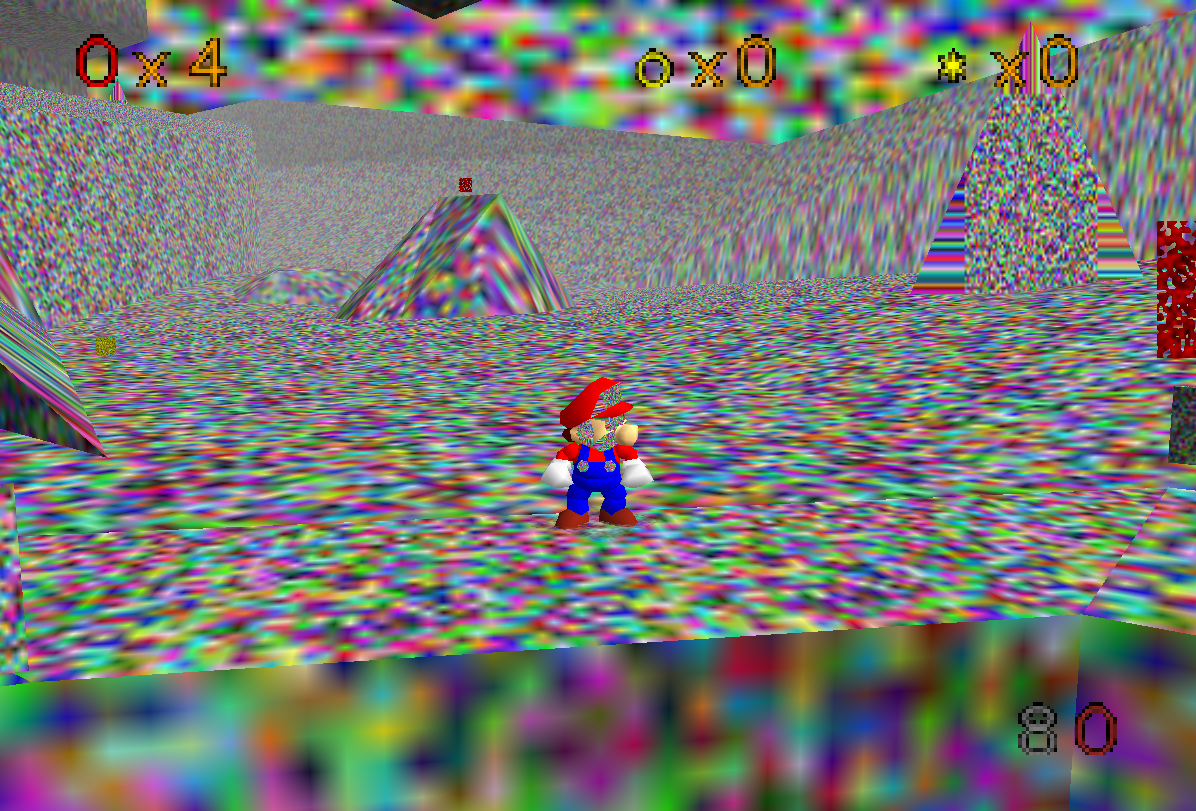
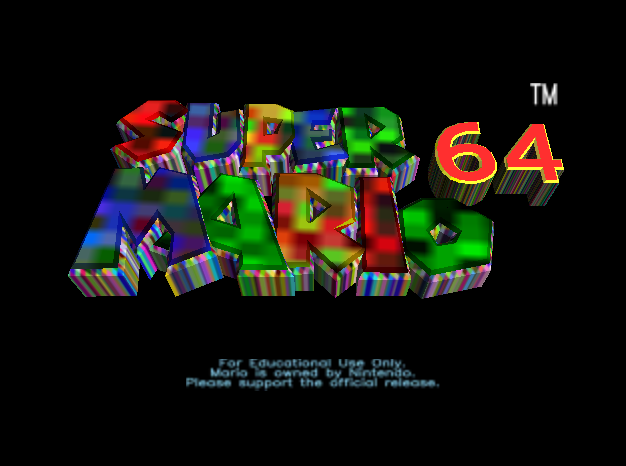
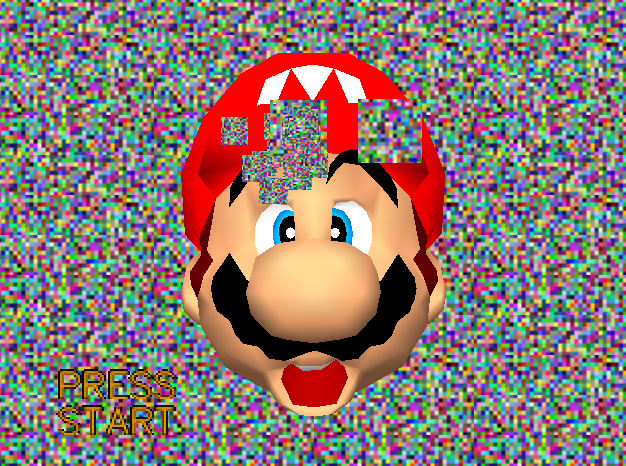
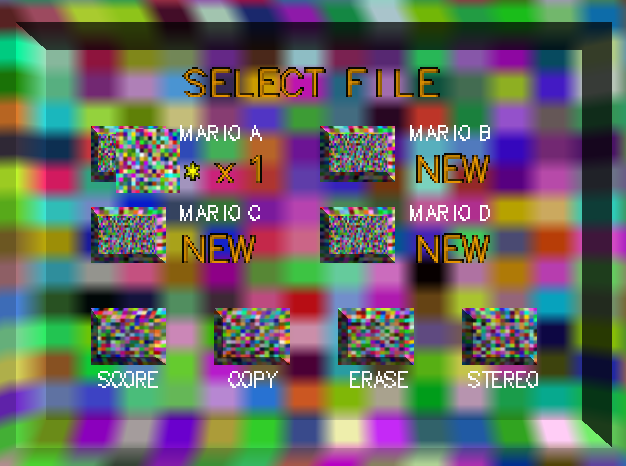
Python Requirements
To run the asset generation script, the following requirements are needed.
pip install kwimage opencv-python-headless ubelt numpy ruamel.yaml PyYAML scriptconfig rich parse

OR

pip install -r requirements/runtime.txt
PC Port Example Usage
The following instructions were written on an Ubuntu 22.04 PC
# PC Port Dependencies
sudo apt install -y git build-essential pkg-config libusb-1.0-0-dev libsdl2-dev

# You can set your "code" directory path - the place where you will clone
# this repo - to be somewhere convenient for you
CODE_DPATH=$HOME/code

# Ensure your "code" directory exists
mkdir -p "$CODE_DPATH"

# Clone this repo
git clone https://github.com/Erotemic/sm64-random-assets.git $CODE_DPATH/sm64-random-assets

# Move into the root of this repo and initialize the sm64-port submodule,
# which will clone the official PC port repo.
cd "$CODE_DPATH"/sm64-random-assets
git submodule update --init tpl/sm64-port

# Run the asset generator
python "$CODE_DPATH"/sm64-random-assets/generate_assets.py --dst $CODE_DPATH/sm64-random-assets/tpl/sm64-port

# Move into the PC port directory
cd $CODE_DPATH/sm64-random-assets/tpl/sm64-port

# Compile
make NOEXTRACT=1 VERSION=us -j16
The compiled executable can now be run directly:
# Run the executable
build/us_pc/sm64.us
Headless ROM Usage
# ROM-only dependencies
sudo apt install -y binutils-mips-linux-gnu build-essential git libcapstone-dev pkgconf python3

# You can set your "code" directory path - the place where you will clone
# this repo - to be somewhere convenient for you
CODE_DPATH=$HOME/code

# Ensure your "code" directory exists
mkdir -p $CODE_DPATH

# Clone this repo
git clone https://github.com/Erotemic/sm64-random-assets.git $CODE_DPATH/sm64-random-assets

# Move into the root of this repo and initialize the sm64 submodule,
# which will clone the official ROM-only sm64 repo.
cd $CODE_DPATH/sm64-random-assets
git submodule update --init tpl/sm64

# Run the asset generator
python $CODE_DPATH/sm64-random-assets/generate_assets.py --dst $CODE_DPATH/sm64-random-assets/tpl/sm64

# Move into the ROM-only sm64 directory
cd $CODE_DPATH/sm64-random-assets/tpl/sm64

# Compile
NUM_CPUS=$(nproc --all)
NOEXTRACT=1 COMPARE=0 NON_MATCHING=0 VERSION=us make -j$NUM_CPUS

# The compiled ROM is: build/us/sm64.us.z64
This ROM can now be flashed on an N64 cartridge, copied onto an Everdrive, or run using an N64 emulator (like Mupen64Plus). For instance, if you have Mupen64Plus installed (e.g. sudo apt install mupen64plus-qt) you can run:
mupen64plus build/us/sm64.us.z64N64 Limitations
On real N64 hardware truly randomizing all textures will cause the system to lock up. This is because the N64 has 4 megabytes of RAM, and many of the original PNG textures are optimized to reduce their memory usage by having large continuous sections of the same color. Naively randomizing every pixel does not generate data well suited for PNG compression.
I have verified that I can enter every major stage and complete every Bowser fight, so I think all of the crashes have been resolved by reducing texture sizes. I have completed a 16 star run on real N64 hardware with this.
Development
While I’ll try to keep the above instructions working / maintained, the build.sh script is the end-to-end entry point for developers. Starting from a fresh repo, the build.sh script will take care of the entire process from initializing submodules, generating assets, compiling the binaries, and even running them with the PC port, in an emulator, or copying ROMs to an EverDrive. Environment variables can be used to control the build.sh behavior.
The following are several common examples:
# Build and run the PC port
TEST_LOCALLY=1 TARGET=pc ./build.sh

# Build and run the ROM in an emulator (m64py)
TEST_LOCALLY=1 TARGET=rom EMULATOR=m64py ./build.sh
Specialized Install Documentation
See specialized install docs for:
Resources
Learning the basics slides: https://docs.google.com/presentation/d/1Ab8wlJfT7b7TlbOohgvsX43TqSAYQQ3azuJTkNdaB0c/edit?pli=1#slide=id.p
High resolution redrawn textures: https://github.com/TechieAndroid/sm64redrawn
SM64 Randomizer: https://github.com/andrelikesdogs/sm64-randomizer
SM64 PC Subreddit: https://www.reddit.com/r/SM64PC/
N64 Stuff
Everdrive 64 X7: https://krikzz.com/our-products/cartridges/ed64x7.html
Emulator Stuff
Mupen64Plus Emulator: https://wiki.debian.org/Mupen64Plus
Python Frontend for Mupen64Plus: https://github.com/mupen64plus/mupen64plus-ui-python
Rom Stuff
Kaze Emanuar ROM Hacks: https://www.notabug.org/anomie/kaze-emanuar-romhacks
List of SM64 Hacks and Ports: https://en.wikipedia.org/wiki/List_of_Super_Mario_64_ROM_hacks,_mods_and_ports
PC Port Extension Repos
SM64: https://github.com/n64decomp/sm64 - the original decomp
SM64-Port: https://github.com/sm64-port/sm64-port - the basic port
SM64-Plus: https://github.com/MorsGames/sm64plus
SM64ex: https://github.com/sm64pc/sm64ex
libsm64: https://github.com/libsm64/libsm64
Sm64ex-alo: https://github.com/AloUltraExt/sm64ex-alo
Render96ex: https://github.com/Render96/Render96ex - actively developed in 2024
SM64CoopDX: https://github.com/coop-deluxe/sm64coopdx - actively developed in 2024
Other
The SM64 Decomp Discord: https://discord.gg/DuYH3Fh
1 maintainer

Release files for sm64-random-assets 0.1.1
For a detailed explanation of source distributions (sdists) and built distributions (wheels), please see the package formats documentation.
Source distribution (sdist)
| File | Size | Uploaded | |
|---|---|---|---|
| sm64_random_assets-0.1.1.tar.gz | 62.4 kB | Details |
Built distribution (wheel)
| File | Interpreter | ABI | Platform | Reset |
|---|---|---|---|---|
| sm64_random_assets-0.1.1-py3-none-any.whl | Python 3 | none | any | Details |
Total release size: 122.6 kB
Release files / sm64_random_assets-0.1.1.tar.gz
| Download URL | sm64_random_assets-0.1.1.tar.gz |
|---|---|
| Size | 62.4 kB |
| Tags | Source |
|
SHA-256 checksum How to use checksums |
1475bf1f16ab2b737f25f1b402f9af6b43bd37cb02beaf5c44e53aeacdafcc96
|
|
BLAKE2b-256 checksum How to use checksums |
cdf789f9d50f99c9373863986dac462603127797ca449b3804de43a38515b336
|
| Upload date | |
|
Uploaded using Trusted Publishing? What is trusted publishing? |
No |
| Uploaded via |
twine/5.1.1 CPython/3.10.12
|
Release files / sm64_random_assets-0.1.1-py3-none-any.whl
| Download URL | sm64_random_assets-0.1.1-py3-none-any.whl |
|---|---|
| Size | 60.2 kB |
| Tags | Python 3 |
|
SHA-256 checksum How to use checksums |
567e3bb37140f09c7cfc9bd8f05314b5af6615b3822f7c62e09df392369cefad
|
|
BLAKE2b-256 checksum How to use checksums |
1c4eb897c05a679c9bc4dacddd5386317c9dcaa1f0f3a516089149ab1dcb1692
|
| Upload date | |
|
Uploaded using Trusted Publishing? What is trusted publishing? |
No |
| Uploaded via |
twine/5.1.1 CPython/3.10.12
|














