
smalisp
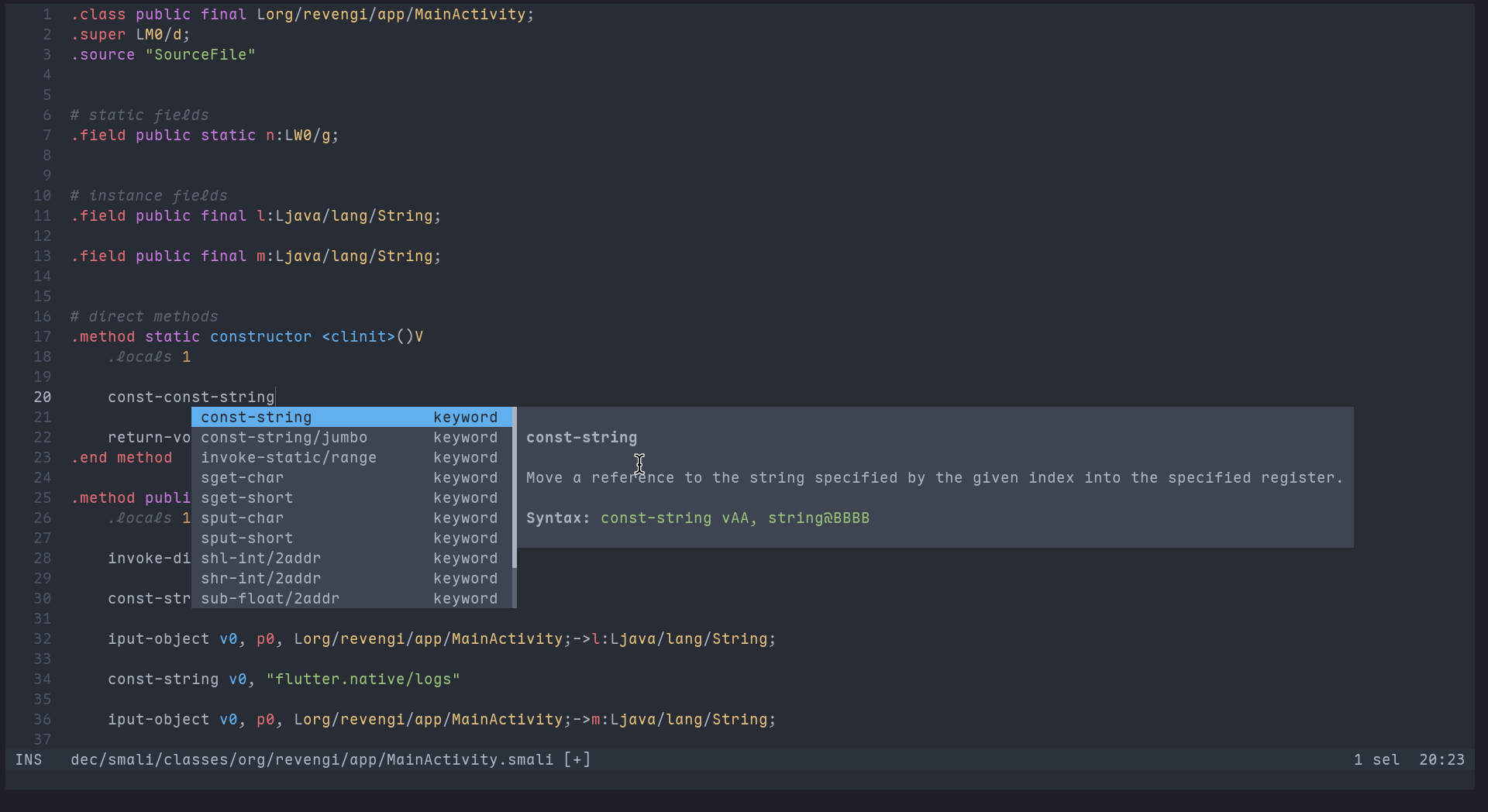
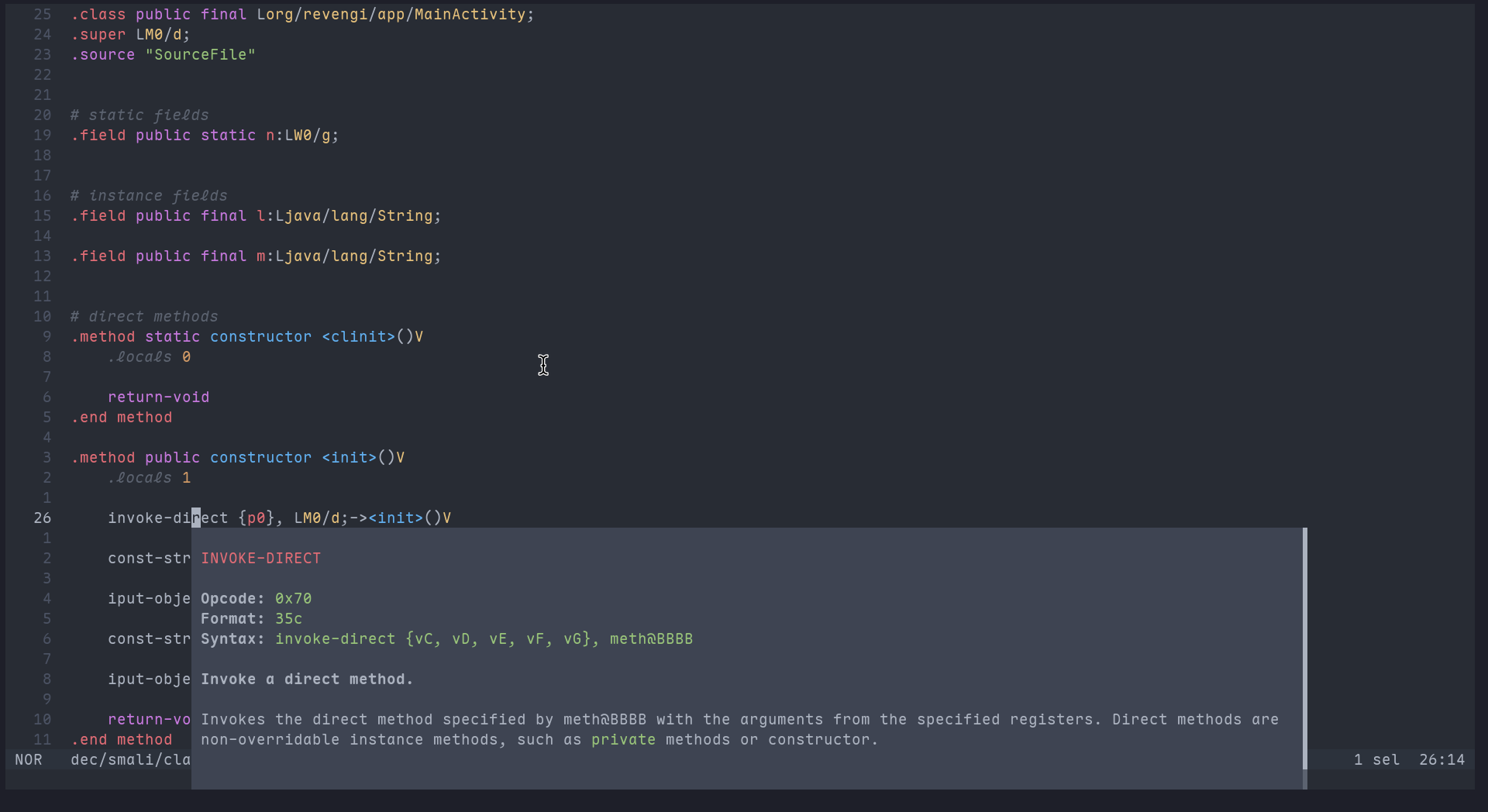
A very simple language server for smali with definition support & auto-completion.
| Code completion | Docs |
|---|---|
 |
 |
Installation
pip
pip install -U smalisp
From source
pip install -U git+https://github.com/AbhiTheModder/smalisp.git
Extensions & Setup
Zed Extension (Local Development)
Prerequisites: Zed editor installed.
- Extension path:
extensions/zed.
- Open the Extensions page in Zed.
- Click the Install Dev Extension button (or run the
zed: Install Dev Extensioncommand). - Select the directory containing your Zed extension (the folder that contains the manifest and source).
Reference: https://zed.dev/docs/extensions/developing-extensions#developing-an-extension-locally
Note: These dev extensions are not yet officially accepted in the Zed extension registry; acceptance is expected soon.
VSCode Extension (Local Development)
Prerequisites: VSCode installed.
- Extension path:
extensions/vscode.
- Build or obtain the VSIX package for the extension from the releases page of this repository.
- In VSCode, go to Extensions view, click the three-dot menu, choose Install from VSIX..., and select the downloaded
.vsixfile. - Alternatively, run
code --install-extension path/to/extension.vsixfrom the terminal.
Note: The VSCode extension is not yet published in the official VSCode Marketplace; use local VSIX for testing.
Helix
- Prerequisites: Helix installed.
Install/ensure smalisp is installed in your Python environment (e.g. pip install -U smalisp). Then edit ~/.config/helix/languages.toml and add the following:
[language-server.smalisp]
command = "smalisp" # Or path to smalisp binary

[[language]]
name = "smali"
language-servers = [ "smalisp" ]
- Official integration PR for Helix has been submitted; Smalisp should be available out-of-the-box soon.
Vim/NeoVim
- Associate smali filetype with file extensions:
autocmd BufNewFile,BufRead *.smali setlocal filetype=smali
- In order to install syntax highlighting declare it with your plugin manager (for example vim-plug):
Plug 'Snape3058/vim-smali'
Plug 'neoclide/coc.nvim', {'branch': 'release'}
{
 "languageserver": {
  "smalisp": {
   "command": "smalisp",
   "filetypes": ["smali"]
  }
 }
}
Plug 'prabirshrestha/vim-lsp'

autocmd User lsp_setup call lsp#register_server({
    \ 'name': 'smalisp',
    \ 'cmd': {server_info->['smalisp']},
    \ 'whitelist': ['smali'],
})
Emacs (lsp-mode)
- Prerequisites: Emacs with lsp-mode and eglot options.
- Setup: enable lsp for
smali-modeand configure the server to runsmalisp. - See lsp-mode docs for exact config syntax.
1 maintainer

Metadata
1 maintainer
Release files for smalisp 0.1.0
For a detailed explanation of source distributions (sdists) and built distributions (wheels), please see the package formats documentation.
Source distribution (sdist)
| File | Size | Uploaded | |
|---|---|---|---|
| smalisp-0.1.0.tar.gz | 5.4 kB | Details |
Built distribution (wheel)
| File | Interpreter | ABI | Platform | Reset |
|---|---|---|---|---|
| smalisp-0.1.0-py3-none-any.whl | Python 3 | none | any | Details |
Total release size: 11.7 kB
Release files / smalisp-0.1.0.tar.gz
| Download URL | smalisp-0.1.0.tar.gz |
|---|---|
| Size | 5.4 kB |
| Tags | Source |
|
SHA-256 checksum How to use checksums |
fbc9de8a6cd846301352d8b51f73b808c11860370f6585c0d390172eac3ba48f
|
|
BLAKE2b-256 checksum How to use checksums |
01a2fa9f1187edde28732cc4df7a4881ab884ef2a6524e8a6e2bf1661e7e3fa4
|
| Upload date | |
|
Uploaded using Trusted Publishing? What is trusted publishing? |
Yes |
| Uploaded via |
twine/6.1.0 CPython/3.13.7
|
Provenance
Provenance describes where a file came from. On PyPI, provenance is shared via attestations, which provide a verifiable record of the build or publishing details. View details, limitations and caveats.


PyPI Publish Attestation
PyPI verified that this artifact, at this checksum, originated from the publisher listed below.
Signed by GitHub Actions, verified by PyPI on Jan 25, 2026.
Transparency logRelease files / smalisp-0.1.0-py3-none-any.whl
| Download URL | smalisp-0.1.0-py3-none-any.whl |
|---|---|
| Size | 6.4 kB |
| Tags | Python 3 |
|
SHA-256 checksum How to use checksums |
41a0c8eedb5e9914641829519179d66359406b8708d999d9ebb5f22d6691b714
|
|
BLAKE2b-256 checksum How to use checksums |
bc26e54a6fdb107ebe6a3756e1ea869087b4e5ed4ad8906a1dc3fb3572023f85
|
| Upload date | |
|
Uploaded using Trusted Publishing? What is trusted publishing? |
Yes |
| Uploaded via |
twine/6.1.0 CPython/3.13.7
|
Provenance
Provenance describes where a file came from. On PyPI, provenance is shared via attestations, which provide a verifiable record of the build or publishing details. View details, limitations and caveats.
PyPI Publish Attestation
PyPI verified that this artifact, at this checksum, originated from the publisher listed below.
Signed by GitHub Actions, verified by PyPI on Jan 25, 2026.
Transparency log












