

SME ModbusSim
Simulate Modbus devices on your laptop. PCS, BMS, meters and sensors on TCP, UDP, TLS and serial,
with a live web UI.




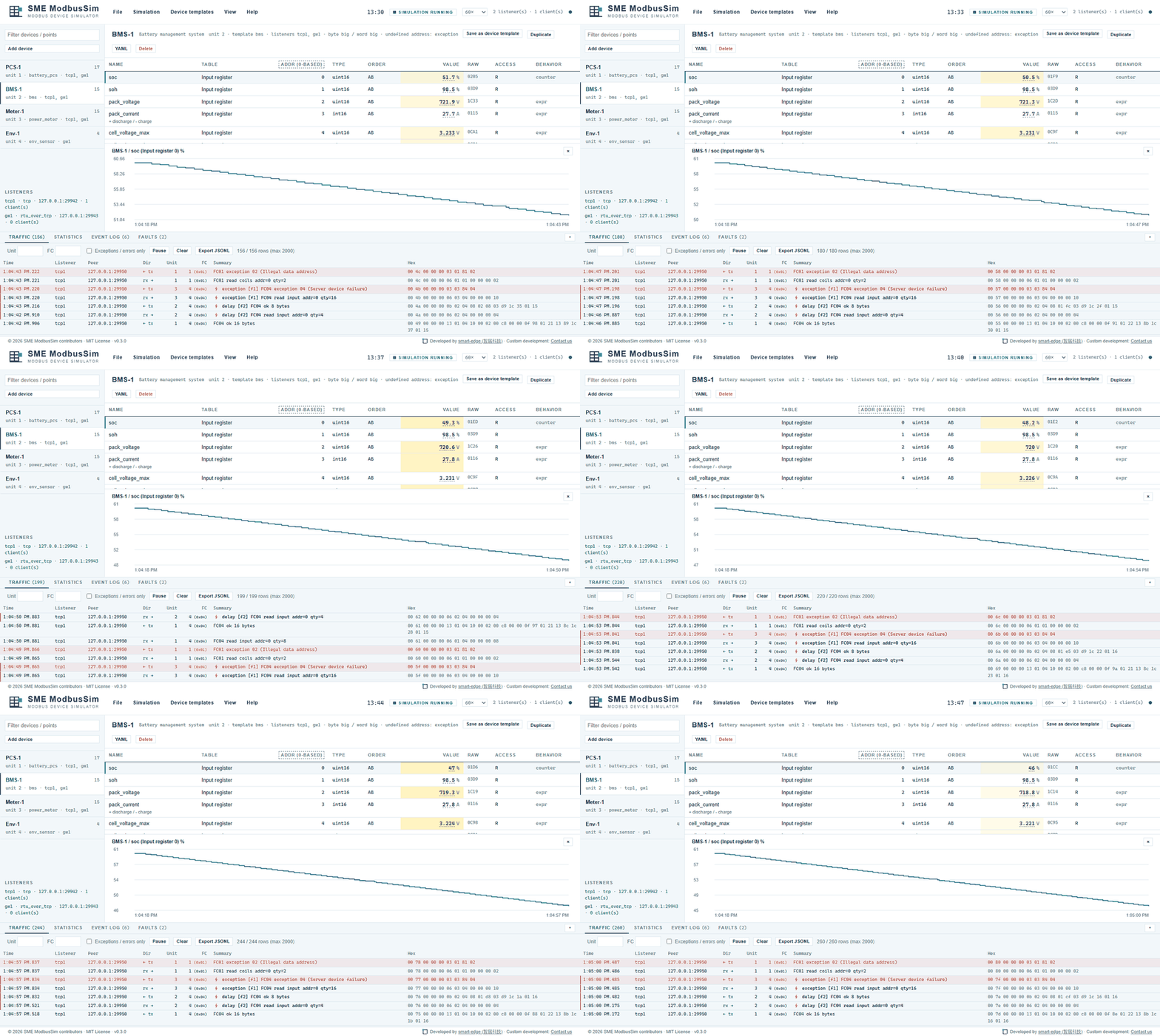
A Modbus TCP / RTU device simulator with a live web UI. Simulate battery PCS, BMS, power meters, environment sensors — or any register map you describe in YAML — and watch the values change in the browser while a real Modbus master (your EMS, a gateway, modpoll, pymodbus…) reads and writes them.
- Many devices, one port. One listener serves many unit IDs; a device can also be attached to several listeners. Modbus TCP, Modbus UDP, Modbus/TCP Security (TLS), Modbus RTU over TCP (for serial gateways) serial RTU and serial ASCII (COM port / tty) are supported side by side.
- Own protocol core. Function codes 01, 02, 03, 04, 05, 06, 0F, 10, 16, 17 and 2B/0E (hex) with standard exception responses; serial listeners also answer the diagnostic function codes 07, 08, 0B, 0C and 11. Modbus TCP / RTU compatible framing (MBAP and CRC-16).
- All the data types.
bool,int16/uint16,int32/uint32,int64/uint64,float32/float64,string,enum, bit-in-register, with byte order and word order (ABCD / CDAB / BADC / DCBA), scale and offset. - Realistic behavior. A PCS ramps toward its power set point, the BMS integrates SOC from the PCS power, the meter shows site load minus PCS power. Sine, random walk, expressions, counters, pulses and CSV replay.
- Live UI. Point table with live values over WebSocket, write from the browser, history per point, a Modbus traffic log, statistics push. English, Japanese and Simplified Chinese.
- Templates. Generic battery PCS / BMS / meter / sensor templates, SunSpec PV inverter and meter templates, user-local templates, and "save device as template".
- Fault injection. Delay, no response, exceptions, bad CRC, disconnects and more, from the UI, REST or presets.
- Configurable. Edit YAML or an Excel point list, manage devices and browse templates in the UI, save back to the config file.
Built on an asyncio protocol core written for this project, FastAPI and pyserial. No front-end build step.
SME ModbusSim is free and MIT-licensed, developed by smart-edge (智届科技) — custom development is available, see Commercial support & custom development.
Screenshots
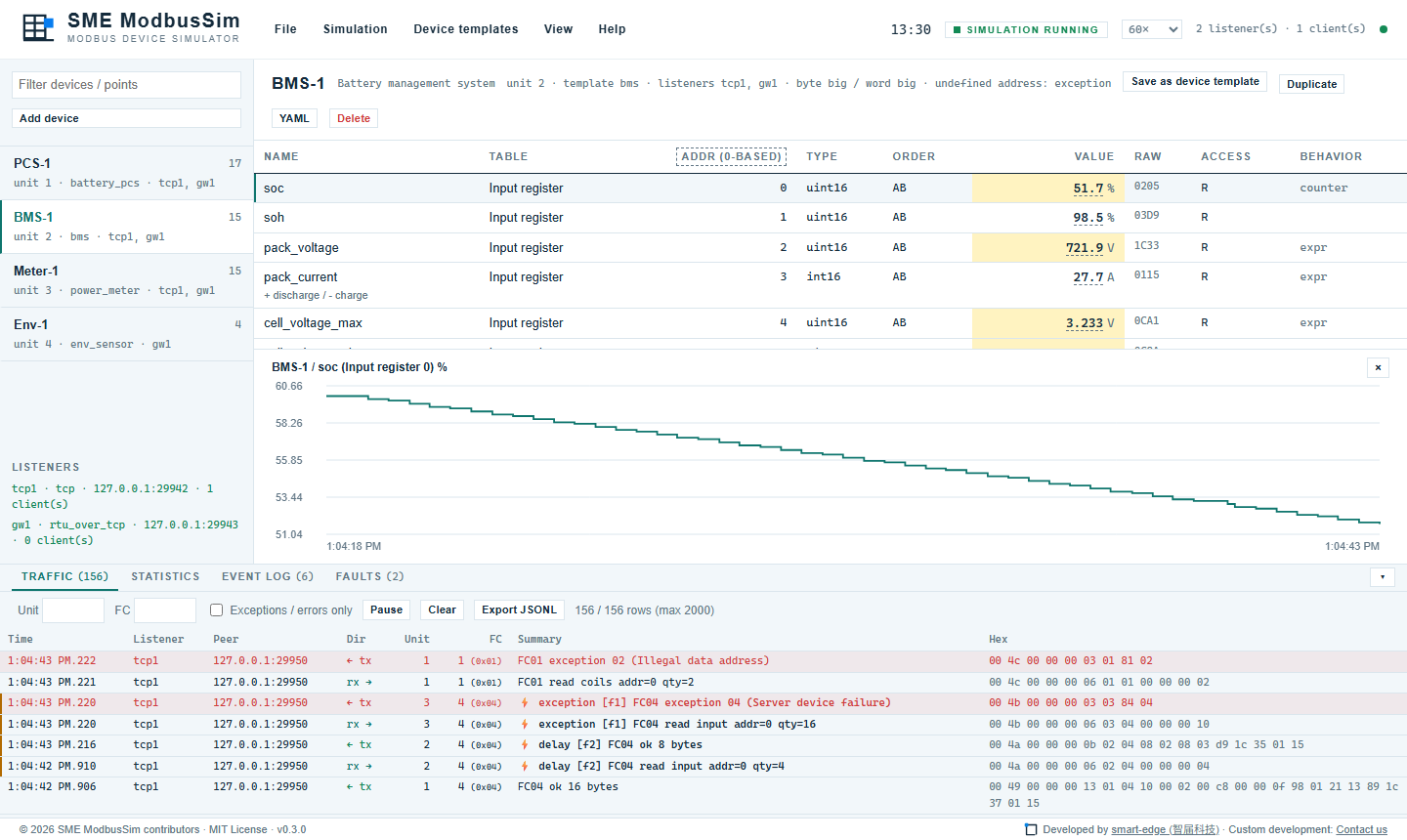 Devices, live register values, SOC trend and Modbus traffic with an injected exception |
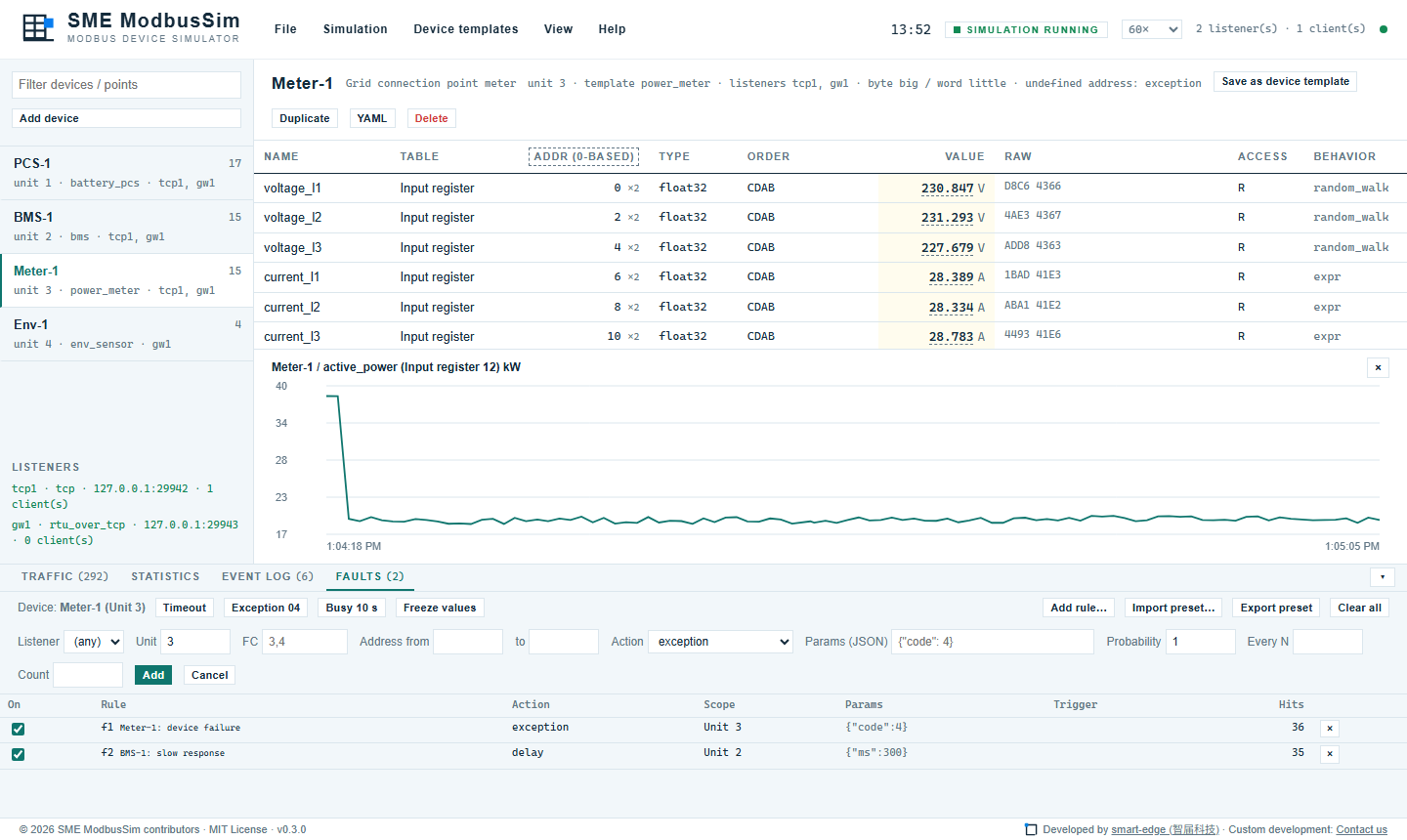 Fault injection: active rules and the new-rule form |
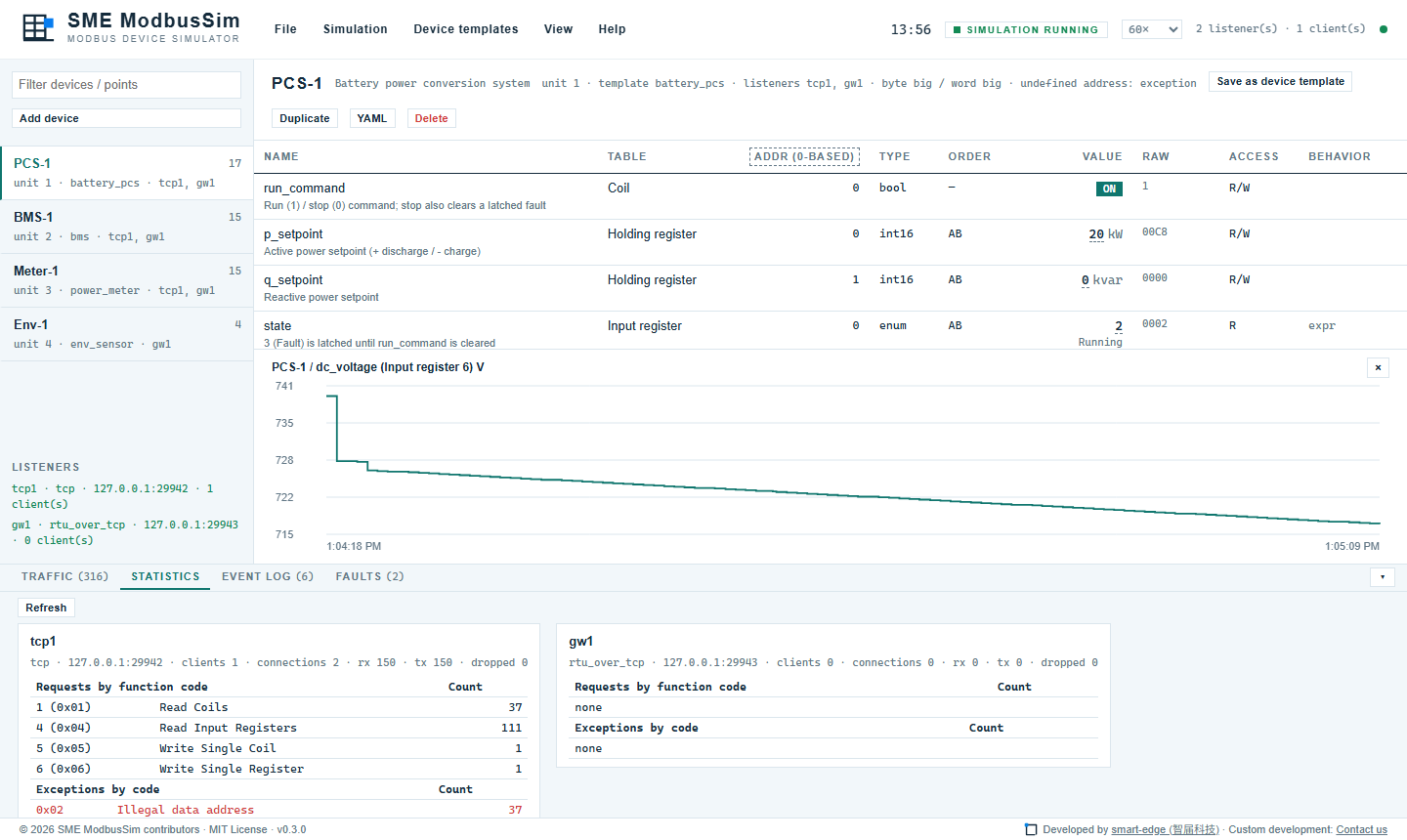 Per-listener statistics and a register trend |
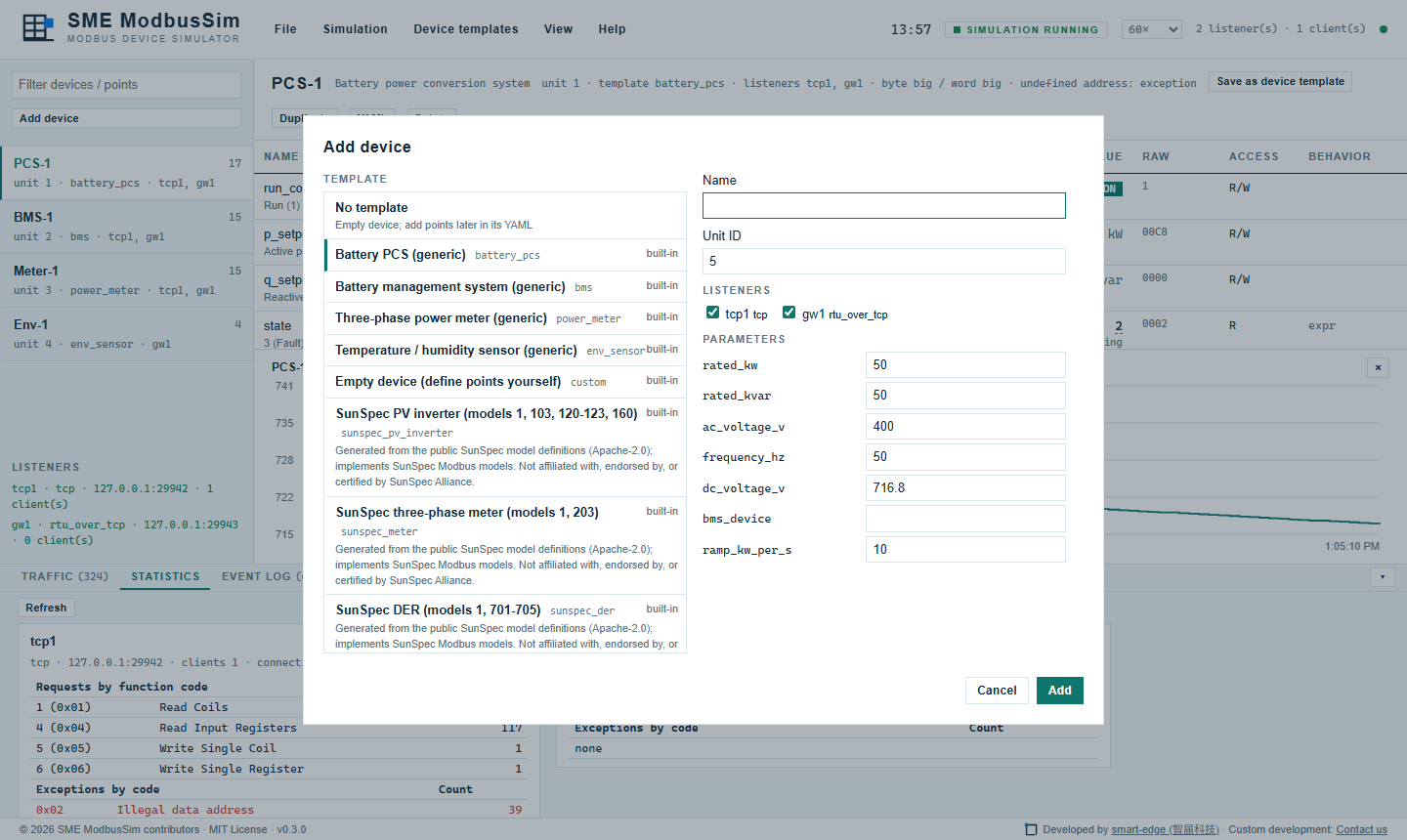 Add device: built-in templates |
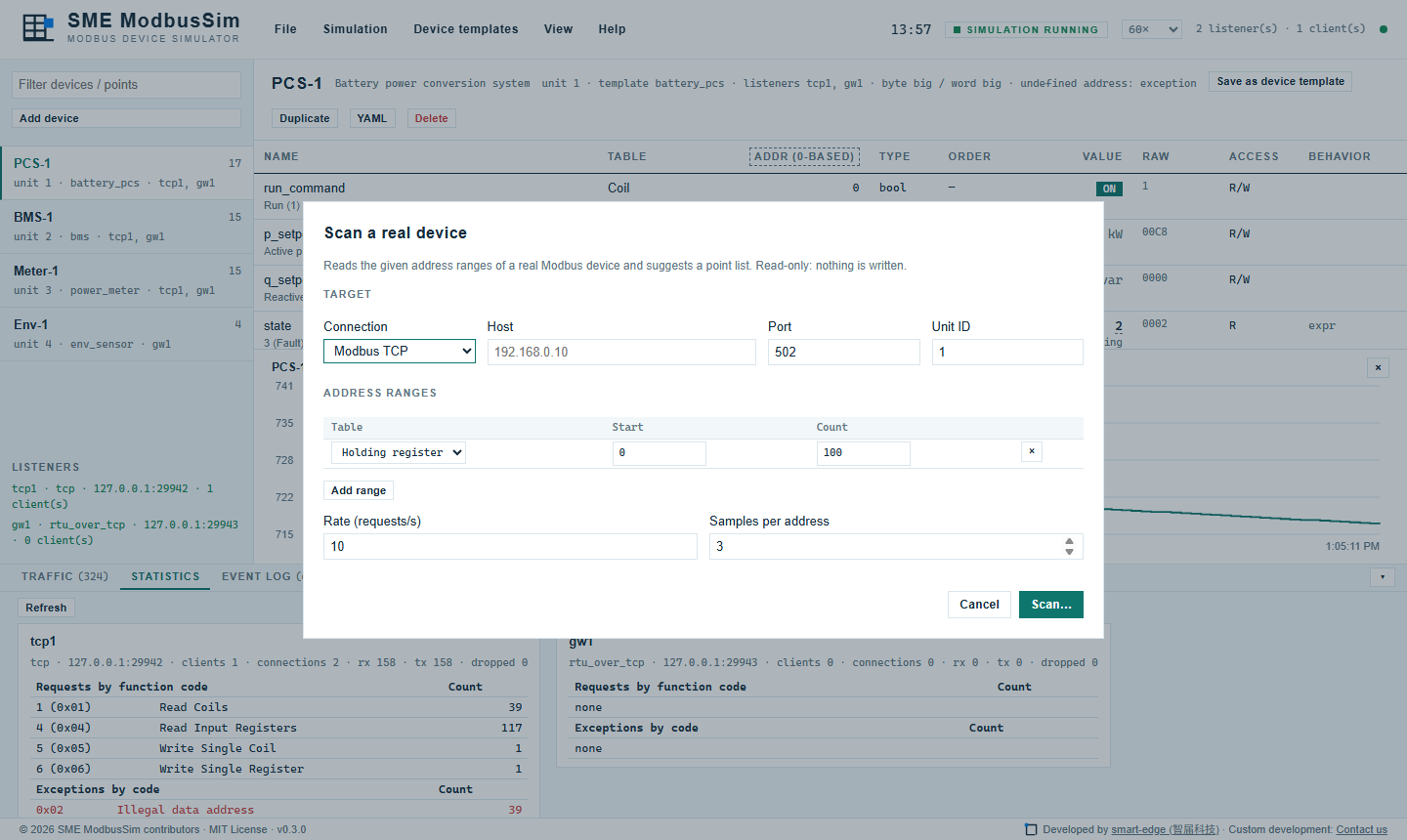 Scan a real device (read-only) |
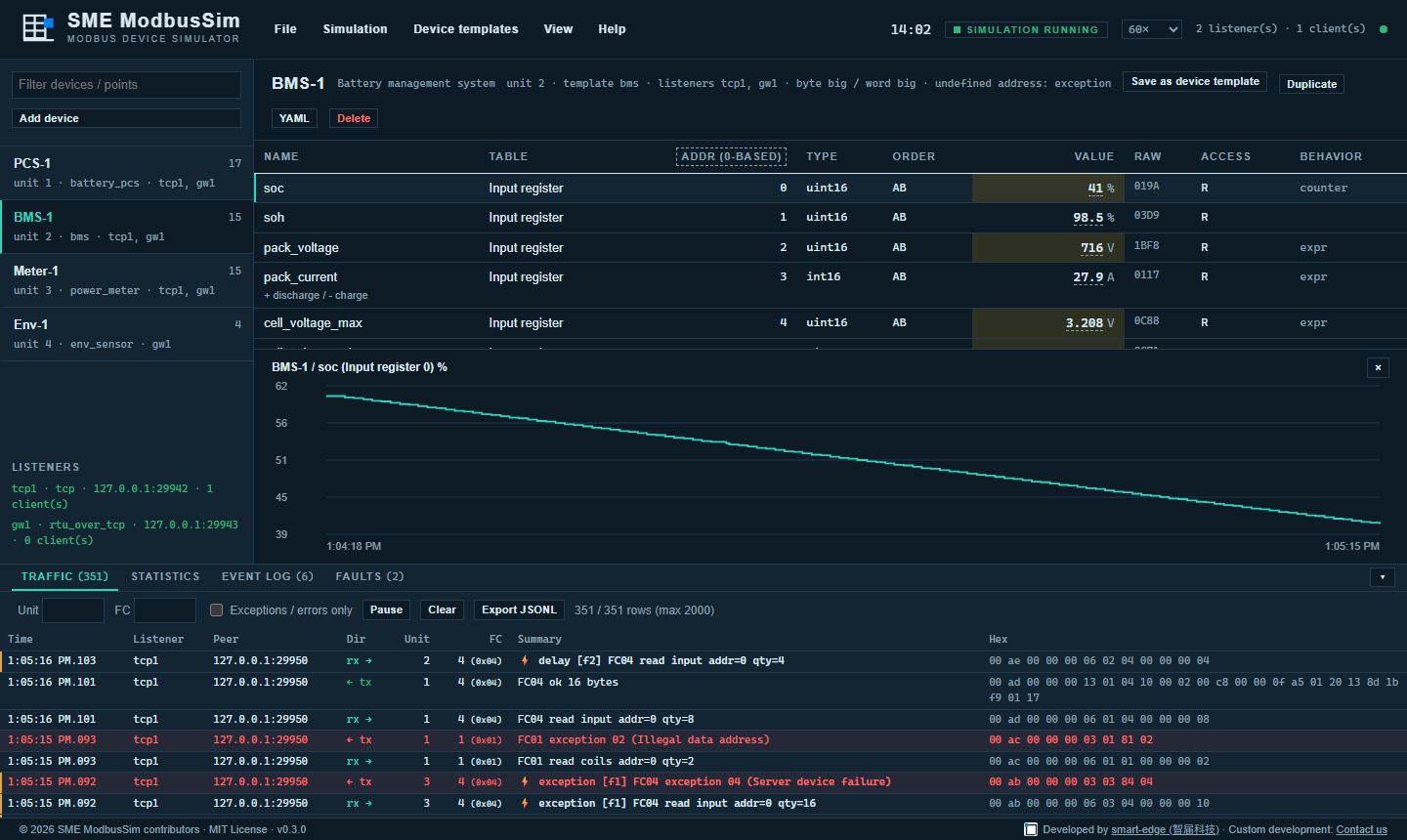 Dark theme |
Quick start
Windows exe
Download sme-modbus-sim-<version>-windows.exe from the Releases
page and run it. The browser opens the UI at http://127.0.0.1:8081/ .
Docker
docker run --rm -p 8081:8081 -p 5020:5020 -p 5021:5021 ghcr.io/smartedge-tech-dev/sme-modbus-sim
Images are published for linux/amd64, linux/arm64 and linux/arm/v7. Offline archives
(docker load -i) are attached to each release. Set -e TZ=Asia/Tokyo for a local clock (default UTC).
To use your own config: -v ./my.yaml:/app/configs/my.yaml ... -c configs/my.yaml.
Serial RTU and RTU over TCP
Serial RTU defaults to 19200 baud, 8E1 (type: rtu, port: COM5 or /dev/ttyUSB0). RTU over TCP serves RTU frames on a TCP port, for serial gateways and masters in RTU-over-TCP mode. Serial ASCII (type: ascii) defaults to 19200 baud, 7E1, and drops an unfinished frame after 1 s without characters (char_timeout).
listeners:
  - {id: com1, type: rtu, port: COM5, baudrate: 19200, parity: E}   # serial RTU, 8E1
  - {id: gw1, type: rtu_over_tcp, host: 0.0.0.0, port: 5021}        # RTU over TCP
Pass the serial adapter into the container with --device (Linux hosts; the container runs as a non-root user, so add the device group):
docker run --rm --device /dev/ttyUSB0 --group-add dialout -p 8081:8081 \
  -v ./serial.yaml:/app/configs/serial.yaml ghcr.io/smartedge-tech-dev/sme-modbus-sim \
  python -m sme_modbus_sim run -c configs/serial.yaml --host 0.0.0.0 --no-browser
Masters: modpoll -m rtu -b 19200 -d 8 -p even -a 1 -0 -r 0 -c 4 -t 4 COM6 (the other end of the serial link) and modpoll -m enc -p 5021 -a 4 -0 -r 0 -c 2 -t 3 127.0.0.1 (RTU over TCP).
One Windows PC: Windows has no built-in virtual COM port pair. Options: SerialLoom (free, MIT; builds on the Microsoft-signed usbip-win2 host controller, so the COM ports come from Windows' own usbser driver), a signed commercial virtual serial port driver, or two USB-RS485 adapters wired to each other (A-A, B-B). Windows' usbser driver starts the inter-byte timeout (ReadIntervalTimeout) before the first byte arrives, so a master that sets pyserial's inter_byte_timeout (modbus_tk does by default) reads 0 bytes whenever a reply takes longer than about one system timer tick (~16 ms); set it to None on the master side when testing over SerialLoom (SerialLoom#16, known limitations). Since SerialLoom 0.4.0, DTR reaches the other end as DSR and DCD (SerialLoom#17); RTS is not passed (CTS stays on), nor is BREAK. Virtual pairs may not pass RTS / DTR and do not pace bytes at the baud rate; com0com 3.0's 64-bit driver is not production-signed and does not load with Secure Boot on. To test RTU framing without any driver, use an rtu_over_tcp listener. On Linux, macOS and WSL2, an rtu listener with port: pty (and optionally link: /tmp/ttyV0) creates the virtual pair itself, with no driver; socat -d -d pty,raw,echo=0 pty,raw,echo=0 also works.
From source / pip
python -m venv .venv
.venv/bin/pip install -r requirements.txt        # Windows: .venv\Scripts\pip
.venv/bin/python -m sme_modbus_sim run -c configs/demo-site.yaml
Open http://127.0.0.1:8081/ . Python 3.11 or newer.
| Command / option | Meaning |
|---|---|
sme-modbus-sim [run] |
Start the simulator (run is the default) |
-c, --config FILE |
YAML config (defaults to configs/demo-site.yaml) |
--host 0.0.0.0 |
Web UI bind address (default localhost only) |
--http-port 8081 |
Web UI port |
--no-browser |
Do not open the browser |
validate [-c] CONFIG |
Check a config file, including behavior expressions, and exit (0 = valid, 2 = error) |
templates |
List the device templates |
The demo config has four devices: a battery PCS (unit 1), a BMS (unit 2), a grid meter (unit 3) on Modbus TCP port 5020, and a room sensor (unit 4) reachable only through the RTU-over-TCP listener on port 5021.
Testing with a Modbus master
# modpoll (addresses are 1-based by default; -0 for protocol addresses)
modpoll -m tcp -p 5020 -a 1 -0 -r 0 -c 4 -t 4 127.0.0.1
modpoll -m enc -p 5021 -a 4 -0 -r 0 -c 2 -t 3 127.0.0.1      # RTU over TCP
from pymodbus.client import ModbusTcpClient

client = ModbusTcpClient("127.0.0.1", port=5020)
client.connect()
print(client.read_holding_registers(0, count=2, device_id=1).registers)
client.write_register(0, 200, device_id=1)   # PCS-1 p_setpoint = 20.0 kW (int16 x0.1)
client.close()
Roadmap
Released in 0.1.0: Modbus TCP, RTU over TCP and serial RTU; function codes 01 / 02 / 03 / 04 / 05 / 06 / 0F / 10 / 16 / 17 / 2B-0E; fault injection (UI, REST, presets); Excel point-list import / export; user-local templates and "save device as template"; generic templates and SunSpec PV inverter / meter / DER (701-705) / battery (802, 803) templates; read-only scan / record of real devices; web UI with device management and a template browser; Windows exe, multi-arch Docker, offline archives.
Released in 0.2.0: serial Modbus ASCII; built-in pty pair for serial testing without drivers (Linux / macOS / WSL2); serial diagnostic function codes 07 / 08 / 0B / 0C / 11.
Released in 0.3.0: Modbus UDP listener; Modbus/TCP Security (TLS) listener with client certificates and role-based authorization; UDP and TLS for the read-only scan / record client.
Not affiliated with, endorsed by, or certified by SunSpec Alliance. The
sunspec_pv_inverter(models 1, 103, 120-123, 160) andsunspec_meter(models 1, 203),sunspec_der(models 1, 701-705) andsunspec_battery(models 1, 802, 803) templates are generated from the public SunSpec model definitions (Apache-2.0) and implement SunSpec Modbus models. No vendor register maps are built in; import your own privately via Excel or user-local templates.
Commercial support & custom development
SME ModbusSim is developed by smart-edge — Nanjing Smart-Edge Technology Co., Ltd. (南京智届科技有限公司, 智届科技). Since its founding in 2023 the company has developed end-to-end software for distributed energy resources such as solar, batteries and EVs, from equipment control to the cloud and electricity markets. Its products include the AERIS RA platform (リソースアグリゲーター向け) and an AC system (アグリゲーションコーディネーター) for the Japanese electricity markets. The team supports projects in Japanese, from requirements definition through design, implementation, operation and maintenance.
Services:
- Energy management systems (EMS), cloud and on-site
- RA / AC systems for electricity markets (JEPX, EPRX, OCCTO)
- Edge IoT and equipment-control software
- Equipment integration: Modbus, MQTT, BACnet, ECHONET Lite, OpenADR 2.0b
- Energy forecasting and data analytics
- Cloud infrastructure design, build and operation
Need a feature added to SME ModbusSim, or help integrating your devices or EMS? Get in touch:
- Website: https://smartedge-tech.com
- Contact page: https://smartedge-tech.com/contact/
- E-mail: business@smartedge-tech.com
License
1 maintainer

Metadata
1 maintainer
Release files for sme-modbus-sim 0.3.1
For a detailed explanation of source distributions (sdists) and built distributions (wheels), please see the package formats documentation.
Source distribution (sdist)
| File | Size | Uploaded | Provenance | Actions |
|---|---|---|---|---|
| sme_modbus_sim-0.3.1.tar.gz | 225.3 kB | With provenance | Details for sme_modbus_sim-0.3.1.tar.gz |
Built distribution (wheel)
| File | Interpreter | ABI | Platform | Actions Reset |
|---|---|---|---|---|
| sme_modbus_sim-0.3.1-py3-none-any.whl | Python 3 | none | any | Details for sme_modbus_sim-0.3.1-py3-none-any.whl |
Total release size: 415.9 kB
Release files / sme_modbus_sim-0.3.1.tar.gz
| Download URL | sme_modbus_sim-0.3.1.tar.gz |
|---|---|
| Size | 225.3 kB |
| Tags | Source |
|
SHA-256 checksum How to use checksums |
4b6b31170610eab476b25553c455cad5c5feb497ae5860fe2635835797c854f2
|
|
BLAKE2b-256 checksum How to use checksums |
d5fd8d77948a4b097a592d5f7e01ba47408623bfa0c01ab57368859c4ed49430
|
| Upload date | |
|
Uploaded using Trusted Publishing? What is trusted publishing? |
Yes |
| Uploaded via |
twine/7.0.0 CPython/3.13.16
|
Provenance
Provenance describes where a file came from. On PyPI, provenance is shared via attestations, which provide a verifiable record of the build or publishing details. View details, limitations and caveats.


PyPI Publish Attestation
PyPI verified that this artifact, at this checksum, originated from the publisher listed below.
Signed by GitHub Actions, verified by PyPI on Nov 26, 2026.
Transparency logRelease files / sme_modbus_sim-0.3.1-py3-none-any.whl
| Download URL | sme_modbus_sim-0.3.1-py3-none-any.whl |
|---|---|
| Size | 190.6 kB |
| Tags | Python 3 |
|
SHA-256 checksum How to use checksums |
a9341276986bb86362beef8acdfbd72e708a7385b5db170577f4dda8d25f02fe
|
|
BLAKE2b-256 checksum How to use checksums |
f547259c75aa5c2579c032998045c1db3beae7e8429e5457fe5ab77bc4f0bbf4
|
| Upload date | |
|
Uploaded using Trusted Publishing? What is trusted publishing? |
Yes |
| Uploaded via |
twine/7.0.0 CPython/3.13.16
|
Provenance
Provenance describes where a file came from. On PyPI, provenance is shared via attestations, which provide a verifiable record of the build or publishing details. View details, limitations and caveats.
PyPI Publish Attestation
PyPI verified that this artifact, at this checksum, originated from the publisher listed below.
Signed by GitHub Actions, verified by PyPI on Nov 26, 2026.
Transparency logSecurity for sme-modbus-sim 0.3.1
Provenance
Provenance describes where a file came from. On PyPI, provenance is shared via attestations, which provide a verifiable record of the build or publishing details. View details, limitations and caveats.
Full provenance
Both files in this release have been uploaded with provenance metadata.
Attestation for sme_modbus_sim-0.3.1.tar.gz
PyPI Publish Attestation
PyPI verified that this artifact, at this checksum, originated from the publisher listed below.
Signed by GitHub Actions, verified by PyPI on Nov 26, 2026.
Transparency logA note on package security
PyPI is a repository for distributing packages, not a service for auditing them. While third-party security researchers and our staff do their best to detect and remove malicious packages, PyPI cannot guarantee the quality, security or suitability of any given package.
To learn more about protecting yourself from malicious actors, visit our package security documentation.













