

SME OCPPSim
Simulate a car park full of EV chargers on your laptop. OCPP 1.6J charge points with Smart Charging,
for CSMS and EMS testing, with a live web UI.





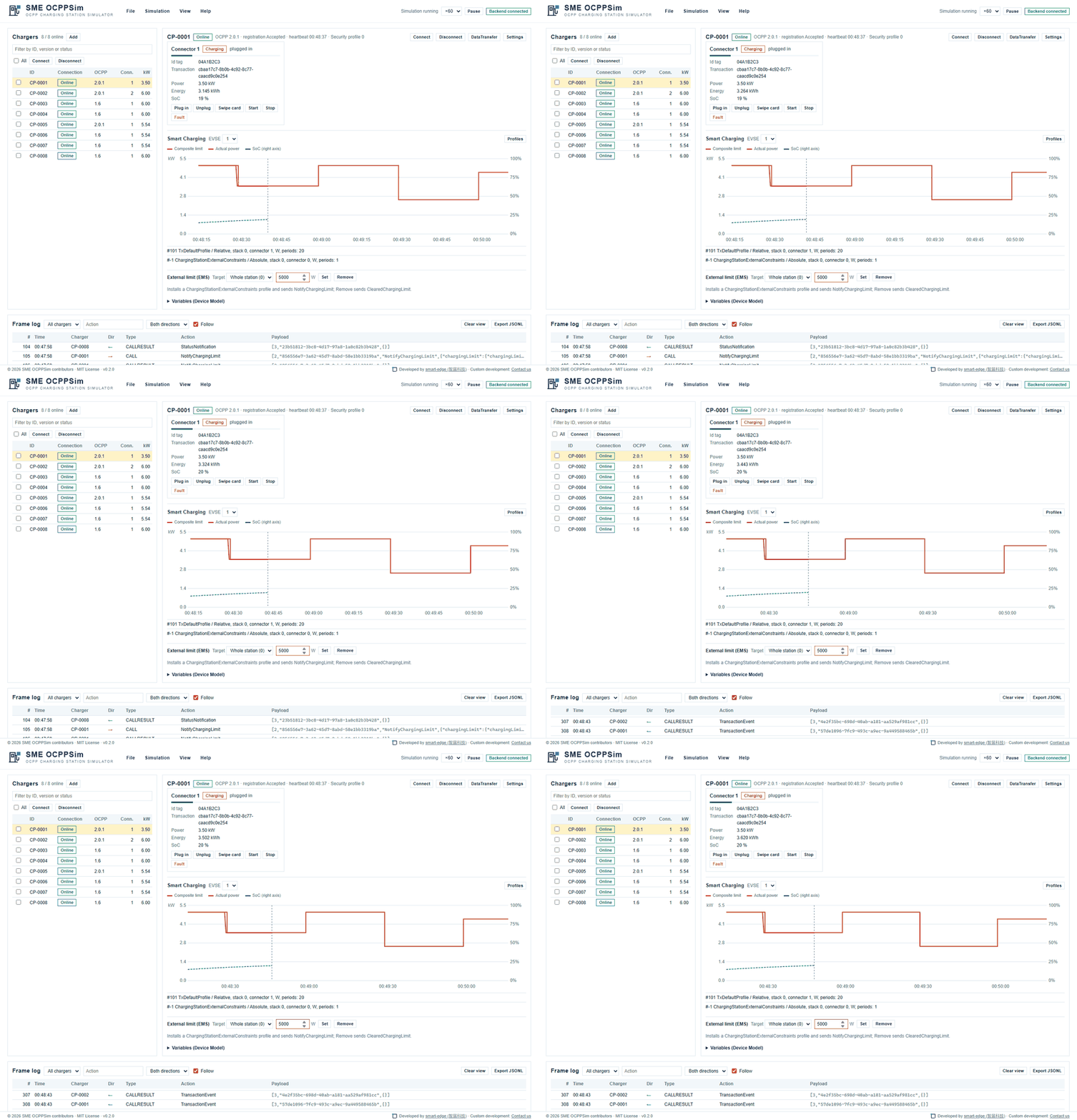
An OCPP charging station simulator with a live web UI. Simulate dozens to hundreds of AC chargers, plug in virtual EVs, start and stop transactions, and watch the charging power follow the Smart Charging profiles your CSMS (SteVe, your own CSMS, an EMS...) sends.
- OCPP 1.6J charge points. Boot, heartbeat, status, authorize, transactions and meter values; remote start / stop, configuration, reset, trigger message, availability, unlock and data transfer. OCPP 2.0.1 / 2.1 are planned for v0.2 / v0.3.
- Smart Charging with a closed power loop. SetChargingProfile, ClearChargingProfile and GetCompositeSchedule. The power limit is computed by the same function that answers GetCompositeSchedule, so the schedule and the meter values cannot diverge. Every point the specification leaves open is documented.
- EV and power model. Battery, SoC, charging curve, phases, ramps, Japanese 200 V single-phase and 3-phase delta supplies; Charging / SuspendedEV / SuspendedEVSE follow from the model.
- 200+ chargers in one process, connected individually or in bulk.
- Security profiles 0 / 1 / 2:
ws://, HTTP Basic,wss://with Basic. - Frame log of every OCPP frame with filters and JSON Lines export; HTTP API and WebSocket for test scripts.
- YAML configuration, edited in the browser and saved back to the file.
- English, Japanese and Simplified Chinese. The UI follows the browser language.
SME OCPPSim is free and MIT-licensed, developed by smart-edge (智届科技) — custom development is available, see Commercial support & custom development.
Screenshots
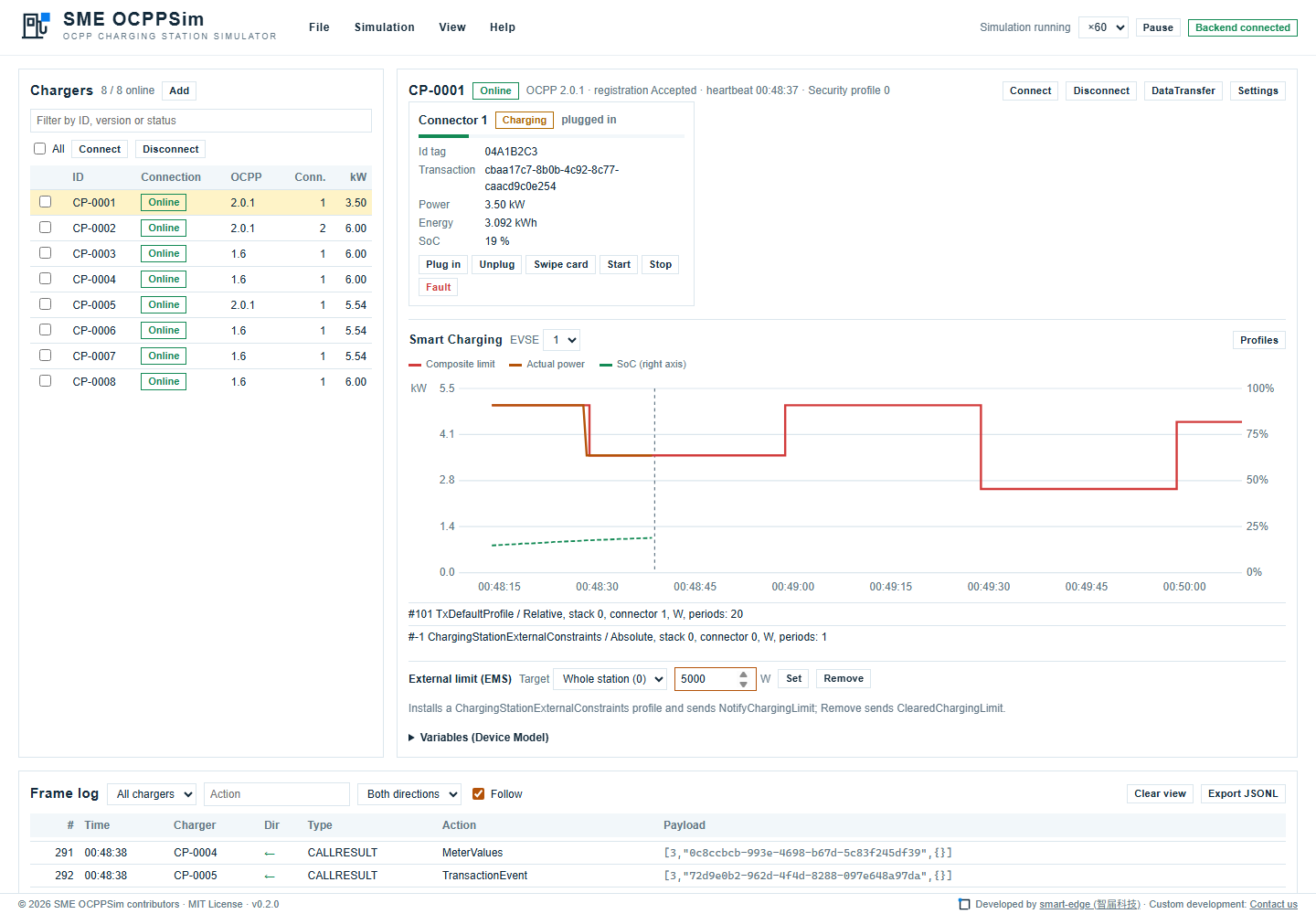 Charger list: connection, OCPP version, connectors and total power |
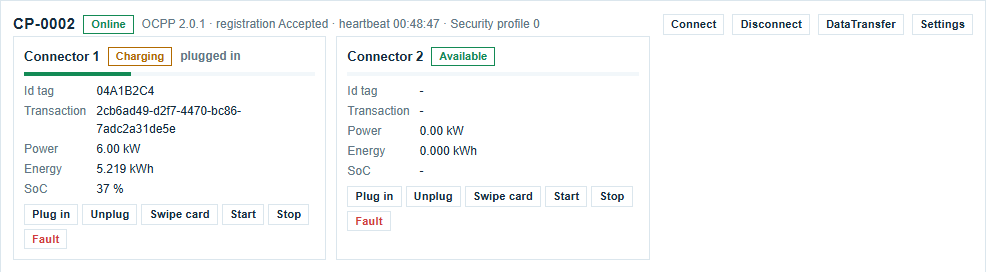 Connector cards: plug, swipe, start, stop and fault |
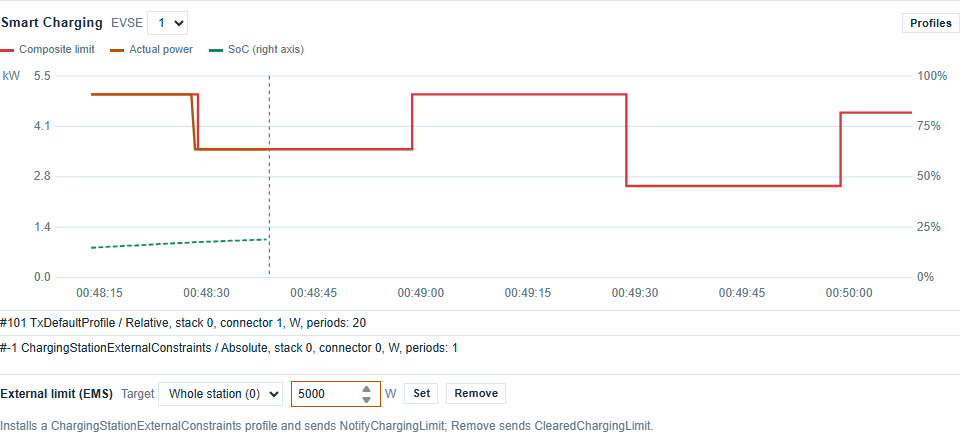 Smart Charging panel: limit, power and SoC on one time axis |
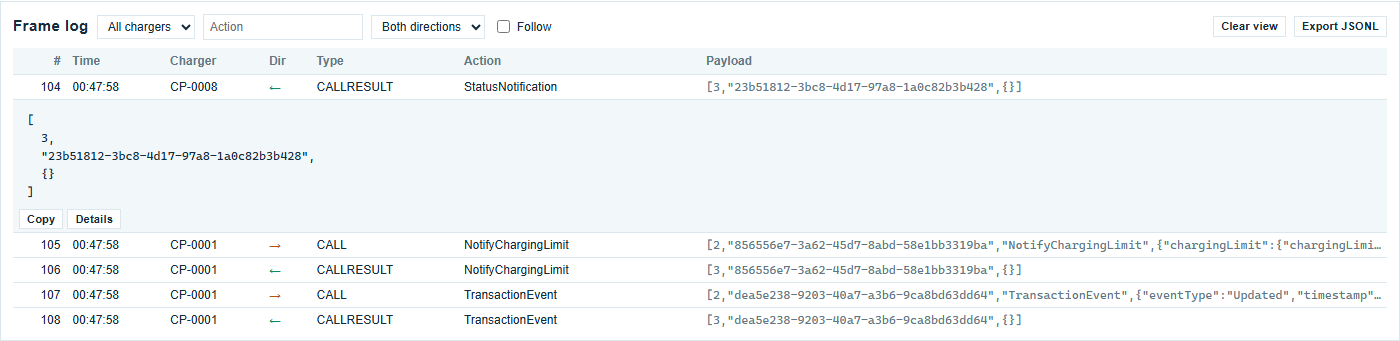 OCPP frame log with filters and JSON detail |
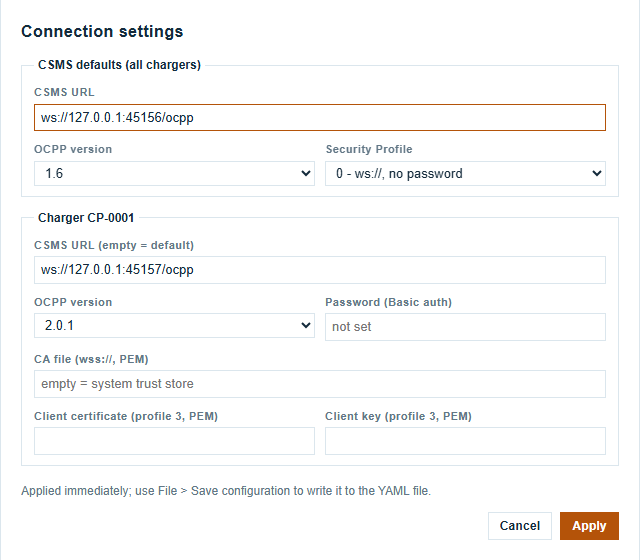 Settings: CSMS URL, OCPP version and security profile |
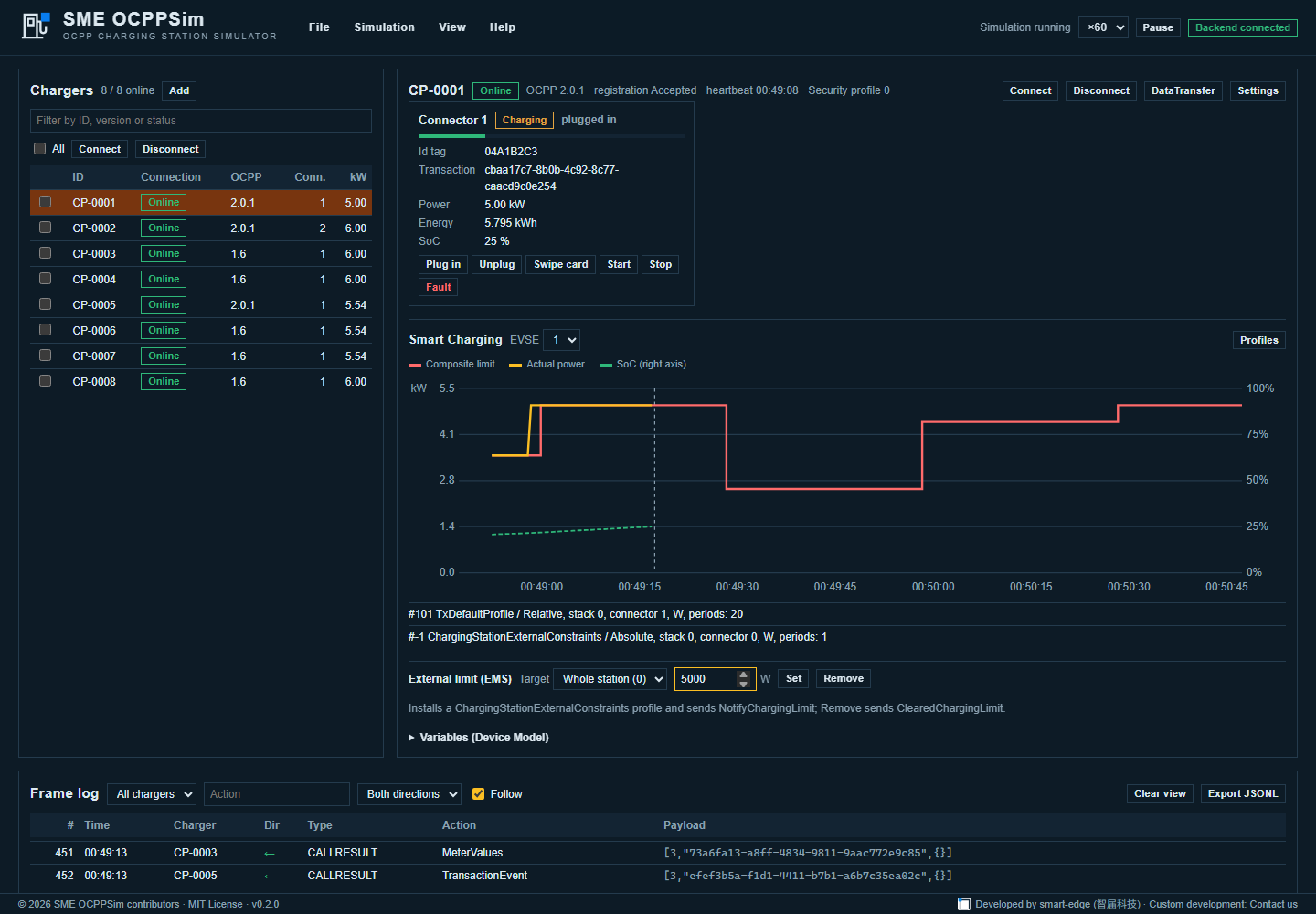 Dark theme |
Quick start
Download the Windows executable from the latest release, or install with pip (Python 3.11+):
python -m venv .venv
.venv\Scripts\pip install sme-ocpp-sim
.venv\Scripts\sme-ocpp-sim -c configs/demo-site.yaml
or run the Docker image (linux/amd64, linux/arm64):
docker run --rm -p 8082:8082 --add-host=host.docker.internal:host-gateway ghcr.io/smartedge-tech-dev/sme-ocpp-sim
Open http://127.0.0.1:8082/. The demo configuration connects three chargers to a SteVe CSMS at
ws://localhost:8180/steve/websocket/CentralSystemService; from Docker use host.docker.internal instead of
localhost. See the quick start for SteVe setup and all options.
Documentation
- Configuration — every YAML field. Saving from the UI rewrites the whole
chargers:block, so don't put comments inside individual charger entries. - OCPP 1.6J messages — supported and unsupported actions
- Smart Charging — rules and the interpretations in this implementation
- Security profiles
- HTTP API — REST routes and the
/wscontract - Development
- Changelog
SME OCPPSim implements the publicly available OCPP specification of the Open Charge Alliance. It is not OCA certified and has not been tested with OCTT.
Commercial support & custom development
SME OCPPSim is developed by smart-edge — Nanjing Smart-Edge Technology Co., Ltd. (南京智届科技有限公司, 智届科技). Since its founding in 2023 the company has developed end-to-end software for distributed energy resources such as solar, batteries and EVs, from equipment control to the cloud and electricity markets. Its products include the AERIS RA platform (リソースアグリゲーター向け) and an AC system (アグリゲーションコーディネーター) for the Japanese electricity markets. The team supports projects in Japanese, from requirements definition through design, implementation, operation and maintenance.
Services:
- Energy management systems (EMS), cloud and on-site
- RA / AC systems for electricity markets (JEPX, EPRX, OCCTO)
- Edge IoT and equipment-control software
- Equipment integration: Modbus, MQTT, BACnet, ECHONET Lite, OpenADR 2.0b
- Energy forecasting and data analytics
- Cloud infrastructure design, build and operation
Need a feature added to SME OCPPSim, or help integrating your devices or EMS? Get in touch:
- Website: https://smartedge-tech.com
- Contact page: https://smartedge-tech.com/contact/
- E-mail: business@smartedge-tech.com
License
1 maintainer

Metadata
1 maintainer
Release files for sme-ocpp-sim 0.1.0
For a detailed explanation of source distributions (sdists) and built distributions (wheels), please see the package formats documentation.
Source distribution (sdist)
| File | Size | Uploaded | Provenance | Actions |
|---|---|---|---|---|
| sme_ocpp_sim-0.1.0.tar.gz | 158.9 kB | With provenance | Details for sme_ocpp_sim-0.1.0.tar.gz |
Built distribution (wheel)
| File | Interpreter | ABI | Platform | Actions Reset |
|---|---|---|---|---|
| sme_ocpp_sim-0.1.0-py3-none-any.whl | Python 3 | none | any | Details for sme_ocpp_sim-0.1.0-py3-none-any.whl |
Total release size: 285.1 kB
Release files / sme_ocpp_sim-0.1.0.tar.gz
| Download URL | sme_ocpp_sim-0.1.0.tar.gz |
|---|---|
| Size | 158.9 kB |
| Tags | Source |
|
SHA-256 checksum How to use checksums |
30a7a0d6e1f9ae3a4c389f50e5828f744d42d5336b820c43ae393de0ab52ed62
|
|
BLAKE2b-256 checksum How to use checksums |
fcf53028ee0e86d9da5a22df20a51c76d19839128fd58eb0b500bffa1710d22e
|
| Upload date | |
|
Uploaded using Trusted Publishing? What is trusted publishing? |
Yes |
| Uploaded via |
twine/7.0.0 CPython/3.13.16
|
Provenance
Provenance describes where a file came from. On PyPI, provenance is shared via attestations, which provide a verifiable record of the build or publishing details. View details, limitations and caveats.


PyPI Publish Attestation
PyPI verified that this artifact, at this checksum, originated from the publisher listed below.
Signed by GitHub Actions, verified by PyPI on Nov 27, 2026.
Transparency logRelease files / sme_ocpp_sim-0.1.0-py3-none-any.whl
| Download URL | sme_ocpp_sim-0.1.0-py3-none-any.whl |
|---|---|
| Size | 126.2 kB |
| Tags | Python 3 |
|
SHA-256 checksum How to use checksums |
b9d6e9d52a8dd302c854a73150e0b5f889ec924d011f6a4a6ac40f199f604333
|
|
BLAKE2b-256 checksum How to use checksums |
b5dc76ef409e4f64106243313013a2ff3d17c531ebbde30360c4603d0f033a97
|
| Upload date | |
|
Uploaded using Trusted Publishing? What is trusted publishing? |
Yes |
| Uploaded via |
twine/7.0.0 CPython/3.13.16
|
Provenance
Provenance describes where a file came from. On PyPI, provenance is shared via attestations, which provide a verifiable record of the build or publishing details. View details, limitations and caveats.
PyPI Publish Attestation
PyPI verified that this artifact, at this checksum, originated from the publisher listed below.
Signed by GitHub Actions, verified by PyPI on Nov 27, 2026.
Transparency logSecurity for sme-ocpp-sim 0.1.0
Provenance
Provenance describes where a file came from. On PyPI, provenance is shared via attestations, which provide a verifiable record of the build or publishing details. View details, limitations and caveats.
Full provenance
Both files in this release have been uploaded with provenance metadata.
Attestation for sme_ocpp_sim-0.1.0.tar.gz
PyPI Publish Attestation
PyPI verified that this artifact, at this checksum, originated from the publisher listed below.
Signed by GitHub Actions, verified by PyPI on Nov 27, 2026.
Transparency logA note on package security
PyPI is a repository for distributing packages, not a service for auditing them. While third-party security researchers and our staff do their best to detect and remove malicious packages, PyPI cannot guarantee the quality, security or suitability of any given package.
To learn more about protecting yourself from malicious actors, visit our package security documentation.














