
Snap Console
Easy-to-use interactive console for Python built on the curses library.
Installation
You can install Snap Console with pip.
pip install snap-console
Getting Started
Snap Console is built on top of the curses library to give you access to powerful console functionality without having to deal with low-level read/writes.
To begin, you can set up the console with the following code:
from snapconsole import SnapConsole

console = SnapConsole()
console.start()
# Handle console commands here
console.stop()
start() initializes the empty console, and stop() resets the console to how it was before. You can also use Python’s context manager syntax to use the console:
from snapconsole import SnapConsole

with SnapConsole() as console:
    # Handle console commands here
The console
The console consists of 2 segments: the display and the input box. Logs are treated like lists, so basic list functions such as append and pop work on them.
with SnapConsole() as console:
    console.logs.append('Hello world!')
    console.get_input() # Request user input to keep the console open until the user types "Enter"
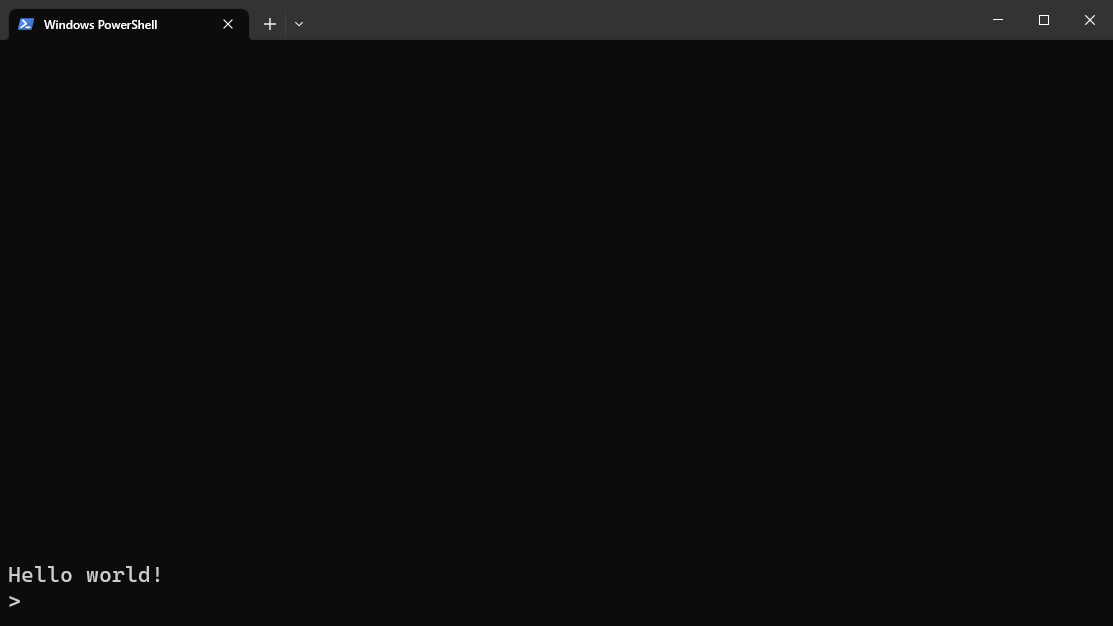
List operations such as + and * work too. Refer to Example 4 for more information.
Alignment
By default, the textbox and logs are aligned to the bottom, but this can be changed in the params.
from snapconsole import SnapConsole, TextboxAlignPosition, LogsAlignPosition

with SnapConsole(
    textbox_align_position=TextboxAlignPosition.TOP,
    logs_align_position=LogsAlignPosition.TOP,
) as console:
    console.logs.append('Logs 1')
    console.logs.append('Logs 2')
    console.logs.append('Logs 3')
    console.logs.append('Logs 4')
    console.logs.append('Logs 5')
    console.get_input()
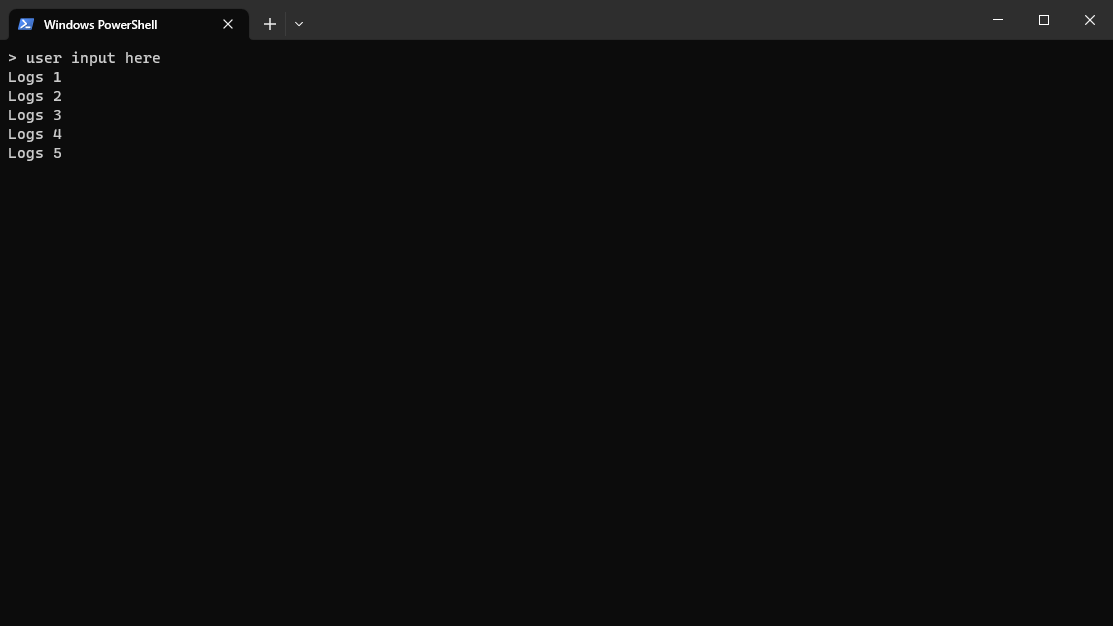
If the textbox is aligned to the top and the logs are aligned to the bottom:
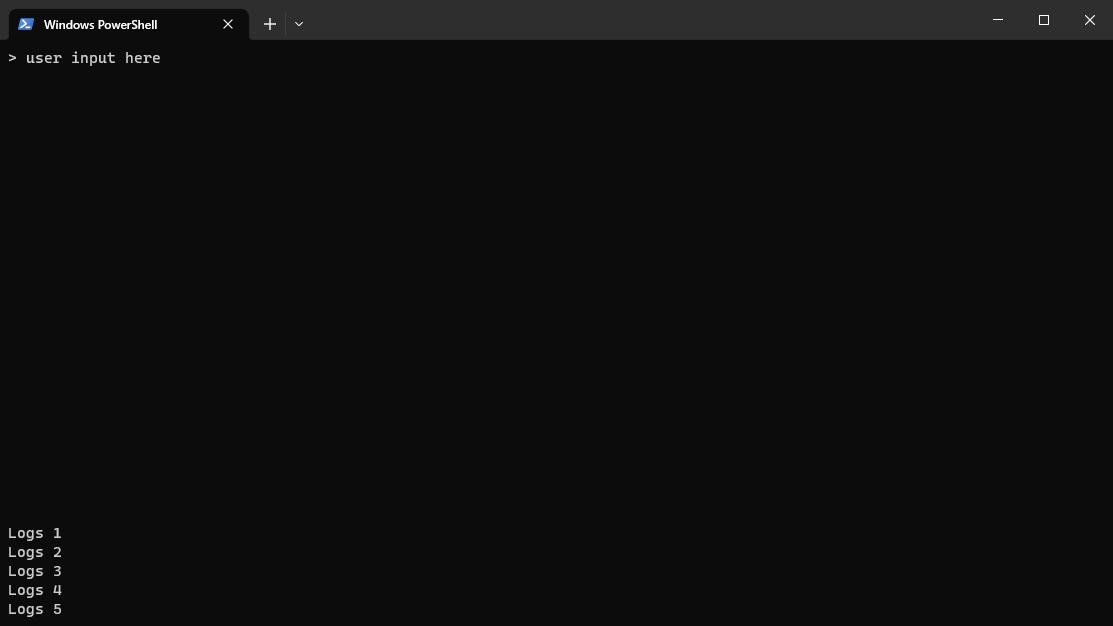
If the textbox is aligned to the bottom and logs are aligned to the top:
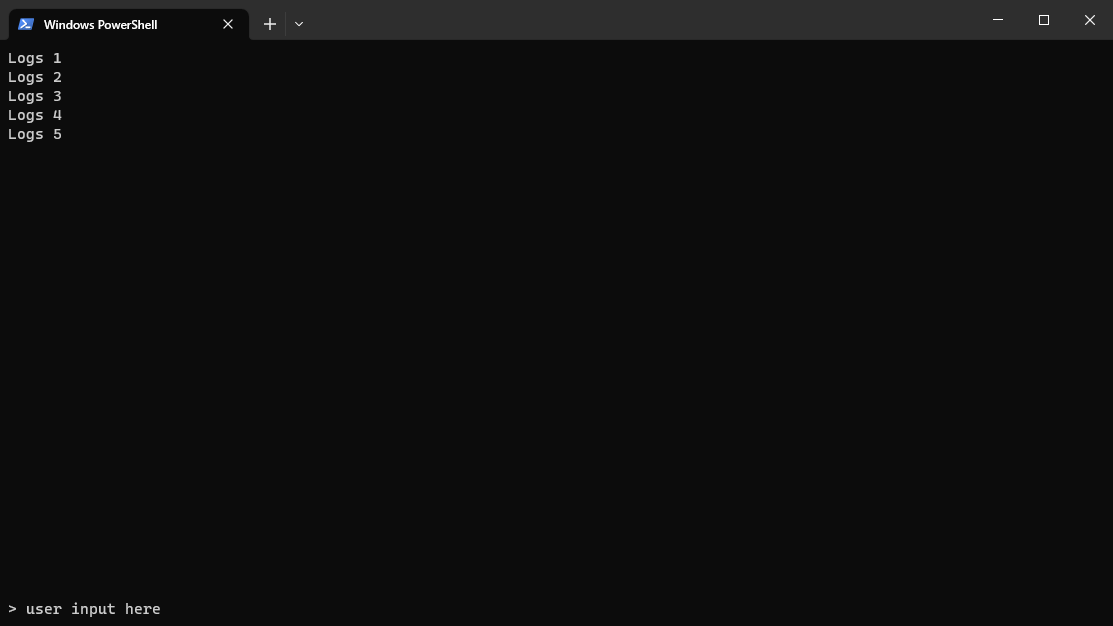
Refer to Example 6.
Styles
If you want to style your inputs, you can use the curses’ built-in styles and colors to render your output. Instead of appending a string, append an array with the style followed by the string.
import curses

with SnapConsole() as console:
    console.logs.append([curses.A_UNDERLINE, 'Hello'])
    console.logs.append([curses.A_REVERSE | curses.A_ITALIC, 'World!'])
    console.get_input()
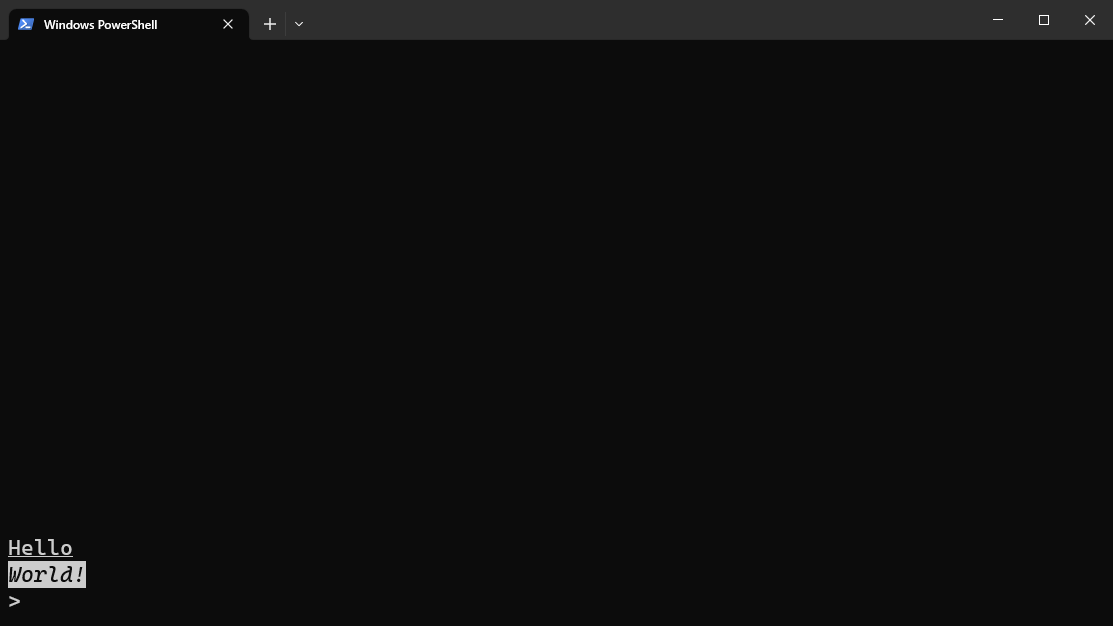
Refer to Example 7 for more examples of styles. Note that different consoles may render these styles differently, or might not even support them.
Colors are also supported.
with SnapConsole() as console:
    # Initialize color
    color_index = 1
    curses.init_pair(color_index, curses.COLOR_RED, curses.COLOR_BLUE)

    console.logs.append([curses.color_pair(color_index), 'Hello world!'])
    console.get_input()
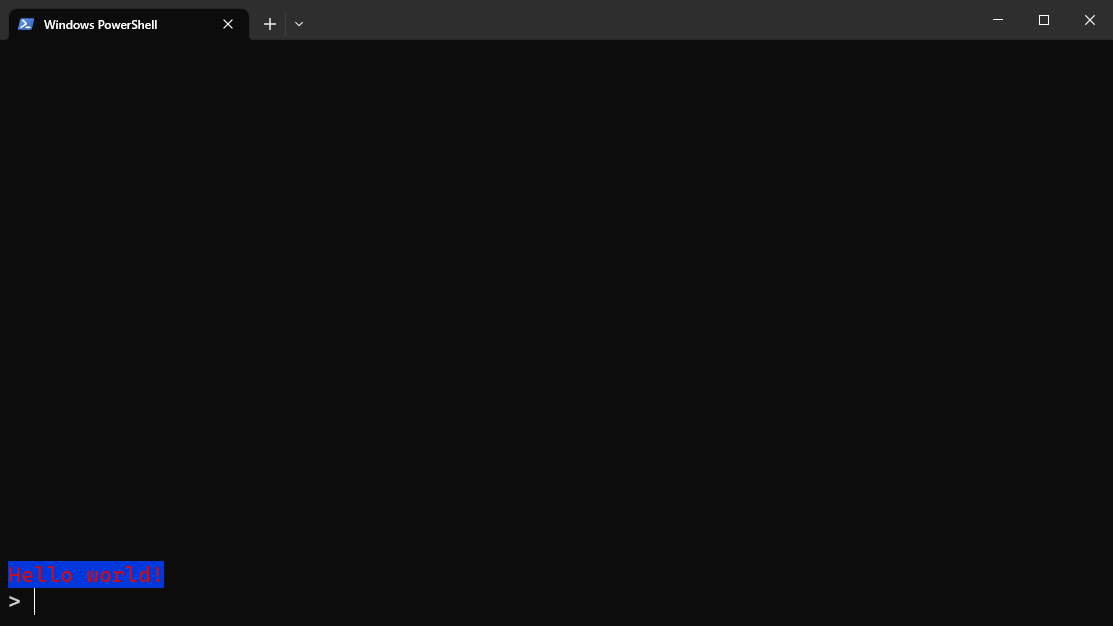
You can also append multiple styles in a single line by concatenating them in the array.
with SnapConsole() as console:
    color_index = 1
    curses.init_pair(color_index, curses.COLOR_RED, curses.COLOR_BLUE)

    console.logs.append([
        curses.A_UNDERLINE, 'Hello',
        curses.A_NORMAL, ' ',
        curses.color_pair(color_index) | curses.A_REVERSE | curses.A_ITALIC, 'World!',
        curses.A_NORMAL, ' It’s a beautiful day!'
    ])
    console.get_input()
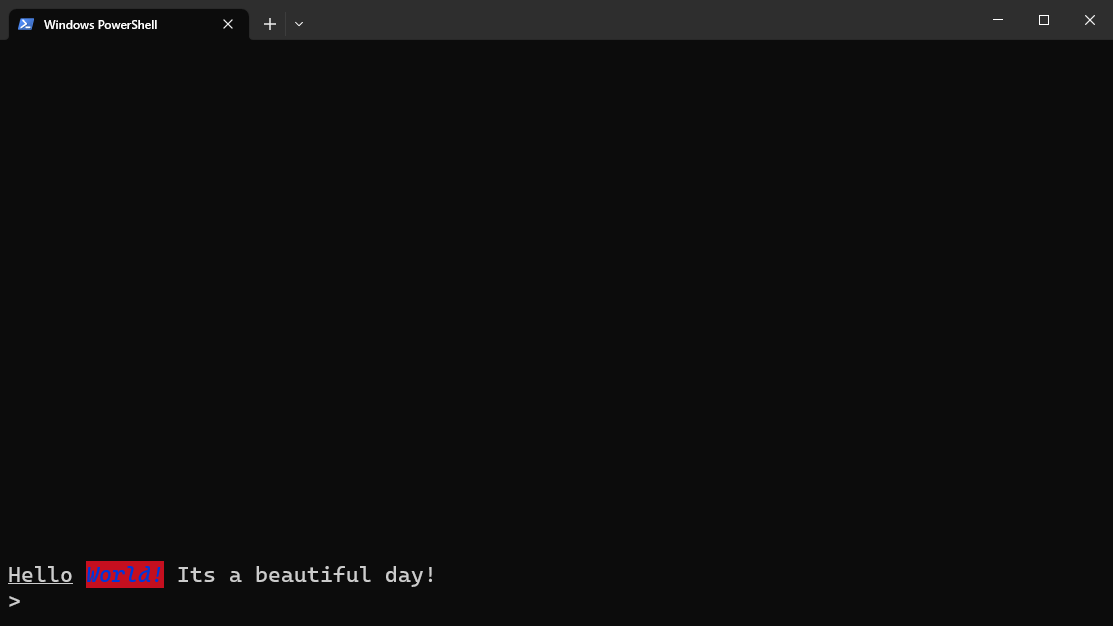
Refer to Example 9 for more examples of styles.
Async
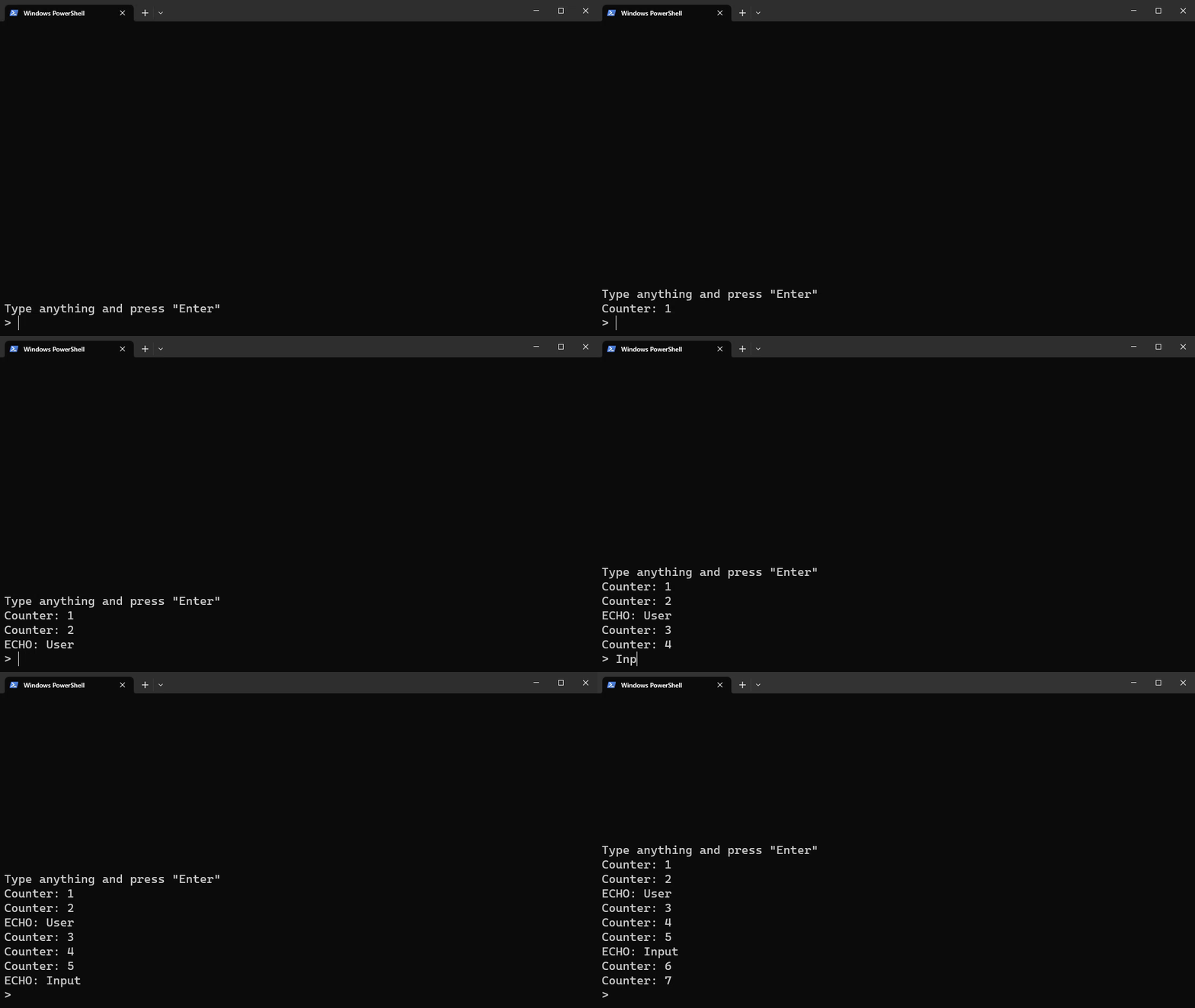
Snap Console support async, allowing you to print new lines while the user can still type their inputs.
import asyncio

async def console_counter_task(console):
    counter = 1
    while True:
        await asyncio.sleep(1)
        console.logs.append(f'Counter: {counter}')
        counter += 1

async def main():
    with SnapConsole() as console:
        counter_task = asyncio.create_task(console_counter_task(console))

        console.logs.append('Type anything and press "Enter"')

        # Loop using "async for" loop instead of "for"
        async for user_input in console:
            if len(user_input) == 0:
                break

            console.logs.append('ECHO: ' + user_input)

        counter_task.cancel()

asyncio.run(main())
1 maintainer

Metadata
1 maintainer
Release files for snap-console 1.0.5
For a detailed explanation of source distributions (sdists) and built distributions (wheels), please see the package formats documentation.
Source distribution (sdist)
| File | Size | Uploaded | |
|---|---|---|---|
| snap-console-1.0.5.tar.gz | 9.5 kB | Details |
Built distribution (wheel)
| File | Interpreter | ABI | Platform | Reset |
|---|---|---|---|---|
| snap_console-1.0.5-py3-none-any.whl | Python 3 | none | any | Details |
Total release size: 19.8 kB
Release files / snap-console-1.0.5.tar.gz
| Download URL | snap-console-1.0.5.tar.gz |
|---|---|
| Size | 9.5 kB |
| Tags | Source |
|
SHA-256 checksum How to use checksums |
76e32b48e418695f93a0b0d4d1bcd6e3ab5dd1a8b7d87206ae43468123787dda
|
|
BLAKE2b-256 checksum How to use checksums |
e7e095313ea94bf7478d6c92180cd32e83bbbf89a27f2dc7cbdf1d22246399d5
|
| Upload date | |
|
Uploaded using Trusted Publishing? What is trusted publishing? |
No |
| Uploaded via |
twine/4.0.2 CPython/3.10.1
|
Release files / snap_console-1.0.5-py3-none-any.whl
| Download URL | snap_console-1.0.5-py3-none-any.whl |
|---|---|
| Size | 10.3 kB |
| Tags | Python 3 |
|
SHA-256 checksum How to use checksums |
2c94423a0b8125f4fa8aee121b93b67e7016dce6a0ebc3b0254f9a8b04433c44
|
|
BLAKE2b-256 checksum How to use checksums |
0314cc3a4a8f6ee32651dc94b7debd989d849f375d746347a425373f18c53850
|
| Upload date | |
|
Uploaded using Trusted Publishing? What is trusted publishing? |
No |
| Uploaded via |
twine/4.0.2 CPython/3.10.1
|














