
⚡ snapdec
Fast, Calibrated Micro-Decisions for AI Coding Agents
Offload high-volume classification, checks, scores, and ranking from frontier LLMs to sub-50ms local models.





📌 What is snapdec?
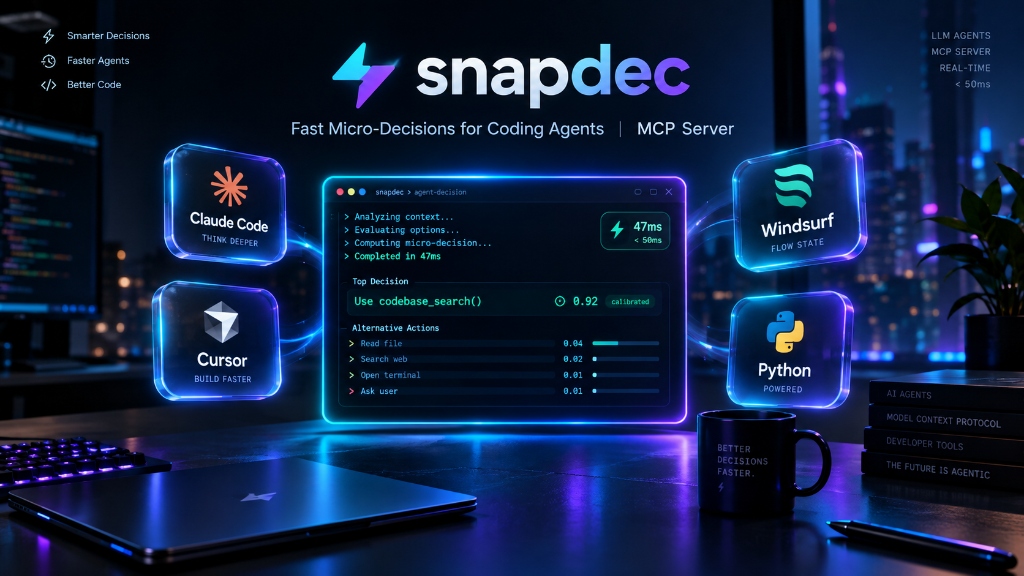
snapdec (Snap Decisions) is a lightweight, zero-configuration Model Context Protocol (MCP) server and Agent Skill that gives AI coding agents a dedicated System 1 fast-thinking engine.
Instead of burning thousands of tokens and 3–5 seconds of latency having frontier LLMs (Claude 3.5 Sonnet, GPT-4o, Gemini 1.5 Pro) deliberate over routine categorical choices, snapdec executes typed micro-decisions—classify, check, score, rank, and deterministic project facts—using specialized local models (Kev, Laya) or free hosted routers in under 50 milliseconds.
💡 Why Coding Agents Need Snapdec
Coding agents execute hundreds of micro-decisions during multi-turn workflows:
- "Is this test error an environmental flake or a code bug?"
- "Which 3 files out of 30 in this git diff touch authentication?"
- "What severity level is this linter violation?"
- "Does this repo use uv, poetry, npm, pnpm, or cargo?"
Sending these trivial questions into a 200,000-token context window bloats costs, slows down the agent loop, and wastes time. snapdec intercepts these tasks, processes them in parallel with calibrated confidence scores, and returns an honest auto | review recommendation.
✨ Key Features
- ⚡ Sub-50ms Micro-Decisions: Run classification and ranking in 5–50 ms locally on CPU, Apple Silicon (MLX), or CUDA GPU.
- 🎯 Calibrated Probabilities & Fail-Closed Abstention: Every decision includes exact confidence scores (
probabilities) and a typed verdict (auto | review). If the model is uncertain, it safely abstains and defers to the host agent. - 🛠️ Tier-0 Deterministic Facts (0 Tokens): Instant, zero-token repository introspection (
project_facts) detecting test runners, linters, package managers, monorepos, and CI setups. - 💻 Hardware-Aware Auto-Profiler:
snapdec initinspects your exact CPU, RAM, GPU, VRAM, and OS, presenting only the local models your machine can genuinely run. - 🔌 Zero-Config Agent Integration: Automatically registers with 9+ coding agents with atomic backups and 1-click clean uninstall:
- Claude Code
- Cursor
- Windsurf
- VS Code & GitHub Copilot
- Codex CLI
- Cline / Roo Code
- OpenCode
- Google Antigravity
- 🔋 Always-On, Zero Idle Drain: Lightweight stdio MCP shim starts in <1s. Daemon starts lazily on first tool call and automatically resurrects dead backends. Zero background battery drain when idle.
- 🔒 100% Private & Local Loopback: Local servers bind strictly to
127.0.0.1. API keys are stored in user-owned state with restricted permissions (0600) and never leak to agent configs. Zero telemetry. - 🔄 Safe, Non-Intrusive Updates:
snapdec updatechecks PyPI with a 24-hour cache. Never installs silently or modifies agent files without user consent.
🚀 Quickstart (60 Seconds)
1. Install snapdec
Install using uv (recommended), pipx, or standard pip:
# Recommended: isolated tool installation via uv
uv tool install snapdec

# Or via pipx
pipx install snapdec

# Or standard python pip
pip install snapdec
2. Run the Interactive Setup Wizard
Run snapdec init to profile your system, choose your backend, and auto-wire all detected coding agents:
snapdec init
The wizard scans your hardware and displays an honest, benchmarked menu tailored to your machine:
Recommended for this machine (13th Gen i5 · 16 GB RAM · Intel UHD · Windows 11)

  LOCAL — free · private · offline
    [1] Laya EN (421M)  —  DI ~0 zero-shot (specialize-first base)
        5–15 ms GPU/Apple · 50–450 ms CPU · setup: ~2 GB        (recommended)
    [2] Laya multilingual (322M)  —  DI ~0 zero-shot · 100+ languages
    [3] Decision 2.0 Eos 0.8B  —  card: JevArena 53.9 · transfer 50.3 (vllm-sr)
        setup: ~3 GB · best Decision 2.0 fit for this machine
        CPU: ~7 s/question (bench)                           [slow on CPU]
    [4] Decision 2.0 Kai 0.6B  —  card: JevArena 48.6 · smallest (~2 GB)
        CPU: ~6 s/question (bench)                           [slow on CPU]
    [5] Kev 0.8B  —  DI 23.3 · OOD acc 0.65
        40–80 ms CUDA · fast on Apple (MLX) · CPU: seconds/question
        setup: ~5 GB                                             [slow on CPU]
  HOSTED — API key · best accuracy
    [6] OpenRouter  —  free keys (openrouter.ai/keys) · typesafe/jev-router · Jev DI 54.0
    [7] TypeSafe Jev  —  native /v1/systemone · Jev DI 54.0 (best known) · paid per call
    [8] Other /v1/systemone URL

Choice [1]:
Headless / CI Mode: You can also initialize non-interactively:
snapdec init --yes --backend local             # Auto-select best local model
snapdec init --yes --api-key sk-or-v1-xxxx     # Auto-detect provider & model
🔍 How It Works
┌─────────────────────────────────────────────────────────────┐
│             Coding Agents (Claude Code, Cursor, ...)        │
└──────────────────────────────┬──────────────────────────────┘
                               │ stdio MCP (thin shim, <1s startup)
                               ▼
┌─────────────────────────────────────────────────────────────┐
│                 snapdec daemon (127.0.0.1 IPC)              │
│       Lazy-start · Health check · Auto-resurrect            │
└──────────────┬───────────────────────────────┬──────────────┘
               │                               │
               ▼                               ▼
    [ Local Inference Engine ]     [ Hosted System One API ]
    • Kev 0.8B / 4B / 9B / 27B     • OpenRouter (jev-router)
    • Laya EN / Multilingual       • TypeSafe Jev
    • Decision 2.0 (vllm-sr)       • Custom /v1/systemone
    • ONNX / PyTorch / MLX
Every response returned to the agent includes calibrated metadata and a discreet status footer:
{
  "results": [
    {"id": "t1", "label": "bug", "p": 0.94, "decision": "auto"},
    {"id": "t2", "label": "infra", "p": 0.61, "decision": "review"}
  ],
  "summary": {
    "items": 2,
    "auto": 1,
    "review": 1
  },
  "status": "· snapdec 0.5.0 · kev-0.8b · 38 ms · 1/2 auto · ~210 tok offloaded"
}
The auto | review Philosophy (Safe Abstention)
decision: "auto": The model's confidence exceeds the calibrated threshold. The agent can act immediately in batch without asking the user or second-guessing.decision: "review": The model's confidence is below threshold or evidence is ambiguous. The agent falls back to inspecting the problem directly.- Advisory Only:
snapdecis strictly an advisory decision engine. It is never used to automatically approve destructive actions (deletions, pushes, migrations).
🧰 Available MCP Tools
When snapdec is registered, agents gain access to 6 specialized tools:
| Tool | Tier | Latency | Tokens | Description |
|---|---|---|---|---|
project_facts |
0 | <1 ms | 0 | Instant inspection of test runner, linter, package manager, monorepo layout, and CI configuration. Fully deterministic. |
classify |
1 | 15–50 ms | Offloaded | Multi-class categorizer. Takes a list of items and candidate classes, returning labels with calibrated probabilities. |
check |
1 | 10–40 ms | Offloaded | Fast boolean verification (yes | no | uncertain) against provided evidence. |
score |
1 | 15–45 ms | Offloaded | Ordinal rating on a calibrated scale of 2–10 levels (e.g. risk assessment, severity rating, priority). |
rank |
1 | 20–60 ms | Offloaded | Evaluates candidates against a query, returning relevance ranking and best-match recommendations. |
ask |
1 | 20–50 ms | Offloaded | Direct structured question answering over short context state. |
Parallel Fan-Out: Multi-item requests are automatically fanned out concurrently in parallel batches so small-context local models never truncate or bottleneck on large collections.
💻 CLI Usage & Mirrors
All MCP tools have direct CLI counterparts for terminal workflows, shell scripts, and CI pipelines:
# Deterministic repository inspection (Tier 0)
snapdec project-facts .

# Categorize errors or logs from stdin (Tier 1)
echo '{"items":[{"id":"1","text":"ConnectionResetError during upload"}],
       "classes":{"network":"transient socket error","bug":"code bug"}}' \
  | snapdec classify --input -

# Diagnostic health check
snapdec doctor --live

# Update to latest version
snapdec update

# View hardware-gated model catalog
snapdec models

# Run local accuracy and latency benchmark suite
snapdec bench --backend mock
🤖 Supported Coding Agents
snapdec init and snapdec agents add automatically configure all installed agent environments:
| Agent | Config Path / Mechanism | Status |
|---|---|---|
| Claude Code | CLI integration (claude mcp add) |
✅ Auto-configured |
| Cursor | ~/.cursor/mcp.json |
✅ Auto-configured |
| Windsurf | ~/.codeium/windsurf/mcp_config.json |
✅ Auto-configured |
| VS Code / Copilot | .vscode/mcp.json / user settings |
✅ Auto-configured |
| Codex CLI | ~/.codex/config.toml |
✅ Auto-configured |
| Cline / Roo Code | cline_mcp_settings.json |
✅ Auto-configured |
| OpenCode | ~/.opencode/mcp.json |
✅ Auto-configured |
| Antigravity | Workspace & user agent custom rules | ✅ Auto-configured |
To export standard configuration for any other MCP-compliant client:
snapdec agents print-snippet
📊 Models & Benchmarks
snapdec supports both local open weights and hosted router endpoints:
| Model | Parameters | Hardware / Runtime | Latency | Accuracy (DI / OOD) | Notes |
|---|---|---|---|---|---|
| Laya EN | 421M | CPU / DirectML / Apple Silicon | 5–15 ms | Base zero-shot | Ultra-lightweight, 2 GB footprint |
| Laya Multilingual | 322M | CPU / DirectML / Apple Silicon | 5–15 ms | Base zero-shot | 100+ languages supported |
| Kev 0.8B | 0.8B | CUDA / Apple Silicon (MLX) | 40–80 ms | DI 23.3 · OOD 0.65 | Recommended for Apple Silicon & GPUs |
| Kev 4B | 4.0B | 16 GB+ VRAM GPU | 60–120 ms | DI 38.0 | High-accuracy local model |
| Kev 9B | 9.0B | 24 GB+ VRAM GPU | 80–180 ms | DI 41.0 | Heavyweight local specialist |
| Kev 27B | 27.0B | 80 GB+ GPU / 96GB+ Mac | 150–350 ms | DI 52.3 | Near-frontier decision intelligence |
| Decision 2.0 Kai | 0.6B | CPU (slow) / CUDA (x86) | ~5.8 s CPU · 4.9 ms GPU (card) | card: JevArena 48.6 (†) | Smallest of the family |
| Decision 2.0 Eos | 0.8B | CPU (slow) / CUDA (x86) | ~7.4 s CPU · 6.0 ms GPU (card) | card: JevArena 53.9 (†) | Starred on CPU/Windows; beats Kev-0.8B on card |
| Decision 2.0 Sol | 2B | CPU (slow) / CUDA (x86) | not benched · 7.2 ms GPU (card) | card: JevArena 52.1 (†) | Fits 16 GB RAM, marked slow on CPU |
| Decision 2.0 Nox | 4B | CUDA (x86) | not benched · 12.9 ms GPU (card) | card: JevArena 63.6 (†) | Needs ≥20 GB RAM |
| TypeSafe Jev | Hosted | Native /v1/systemone |
~120 ms | DI 54.0 (Reference) | Best known decision intelligence |
| OpenRouter | Hosted | typesafe/jev-router |
~150 ms | Jev DI 54.0 | Free API key tier available |
DI (Decision Intelligence) benchmarks cited from the official Kev 1.0 test suite. Measured local performance available in docs/benchmarks/.
(†) Decision 2.0 numbers are from the vendor's model cards (vllm-sr, 2026-10) on their own JevArena index — a different scale from the held-out breadth-v1 numbers above, so the two are never cross-compared (ADR-0008/0010). Measured CPU latency lives in docs/benchmarks/.
🔒 Security, Privacy & Reliability
- Strict Loopback Binding: Local model servers bind only to
127.0.0.1. No external ports are ever opened. - Protected Secrets: API keys are saved with strict
0600file permissions in~/.local/state/snapdec/or read from environment variables. They are never written into agent configuration files. - Fail-Closed Design (NFR-4): If a backend crashes, drops connection, or times out, snapdec returns a valid envelope with
decision: "review". It never throws an unhandled exception or interrupts your agent session. - Zero Telemetry: No usage stats, prompts, code snippets, or user data are ever tracked or phoned home.
🛠️ CLI Command Reference
| Command | Description |
|---|---|
snapdec init |
Interactive system setup wizard (auto-detects hardware and agents). |
snapdec doctor |
Comprehensive health check of daemon, backend, and agent registrations. |
snapdec update |
Check PyPI and upgrade snapdec installation safely. |
snapdec daemon [start|stop|status|logs] |
Manage the background decision daemon. |
snapdec agents [list|add|remove|print-snippet] |
Manage coding agent integrations. |
snapdec models [--all] |
List all runnable models matching current hardware. |
snapdec bench [--backend mock] |
Run the decision accuracy and latency benchmark suite. |
snapdec project-facts [path] |
Deterministic repository fact extraction. |
snapdec classify --input - |
CLI classifier reading JSON from stdin. |
snapdec check --input - |
CLI verification reading JSON from stdin. |
snapdec score --input - |
CLI ordinal scoring tool reading JSON from stdin. |
snapdec rank --input - |
CLI ranker reading JSON from stdin. |
snapdec uninstall |
Cleanly reverses all agent integrations and removes configurations. |
❓ Frequently Asked Questions (FAQ)
How does snapdec reduce coding agent token usage?
Frontier LLMs incur input token costs for every turn in their conversation history. In agent loops, repeatedly passing long logs, diffs, and lists into a 200k context window to ask small classification or boolean questions consumes significant tokens and compute. snapdec offloads these discrete questions to a local model or fast router, returning only the concise answer and confidence score.
Can snapdec run completely offline?
Yes. When you choose a local model (such as Laya or Kev), all dependencies, weights, and runtimes run on your local machine on 127.0.0.1. No internet connection is required after initial model download.
What happens if the local daemon crashes?
The MCP shim features built-in self-healing: if the daemon is stopped or crashes, the shim automatically re-spawns it on the next incoming tool call. If the backend fails to recover, it returns a safe decision: "review" envelope so the agent continues operating without crashing.
How do I remove or uninstall snapdec?
Simply run:
snapdec uninstall
This restores all agent configuration files from their original backups and cleans up registered skills.
📜 Architecture & Decisions
- Architecture Design: SYSONE_ARCHITECTURE.md
- Architectural Decision Records (ADRs):
📄 License
Distributed under the Apache-2.0 License. See LICENSE for details.
snapdec routes to and credits Kev, Laya, TypeSafe Jev, and the vllm-sr Decision 2.0 family. Model weights are distributed under their respective Apache-2.0 licenses.
1 maintainer

Metadata
1 maintainer
Release files for snapdec 0.5.0
For a detailed explanation of source distributions (sdists) and built distributions (wheels), please see the package formats documentation.
Source distribution (sdist)
| File | Size | Uploaded | Provenance | Actions |
|---|---|---|---|---|
| snapdec-0.5.0.tar.gz | 979.1 kB | Without provenance | Details for snapdec-0.5.0.tar.gz |
Built distribution (wheel)
| File | Interpreter | ABI | Platform | Actions Reset |
|---|---|---|---|---|
| snapdec-0.5.0-py3-none-any.whl | Python 3 | none | any | Details for snapdec-0.5.0-py3-none-any.whl |
Total release size: 1.1 MB
Release files / snapdec-0.5.0.tar.gz
| Download URL | snapdec-0.5.0.tar.gz |
|---|---|
| Size | 979.1 kB |
| Tags | Source |
|
SHA-256 checksum How to use checksums |
8eb1550e6d53068550aba635828bb210aaa6a8538e754b42887794a72a6ba71d
|
|
BLAKE2b-256 checksum How to use checksums |
8b3a6d990e88be8f0e340b81a87304e03a87895652a17a400f3230afbff549fd
|
| Upload date | |
|
Uploaded using Trusted Publishing? What is trusted publishing? |
Yes |
| Uploaded via |
uv/0.12.23 {"installer":{"name":"uv","version":"0.12.23","subcommand":["publish"]},"python":null,"implementation":{"name":null,"version":null},"distro":{"name":"Ubuntu","version":"24.04","id":"noble","libc":null},"system":{"name":null,"release":null},"cpu":null,"openssl_version":null,"setuptools_version":null,"rustc_version":null,"ci":true}
|
Release files / snapdec-0.5.0-py3-none-any.whl
| Download URL | snapdec-0.5.0-py3-none-any.whl |
|---|---|
| Size | 85.0 kB |
| Tags | Python 3 |
|
SHA-256 checksum How to use checksums |
63f3c61f2c7561bc1de1b5e770adfa2766b54969eed83835cc18fddf12c15d74
|
|
BLAKE2b-256 checksum How to use checksums |
128534261b13a2187dddea462d4c753aa302ebf89694c8e669edb5575bbf5ffe
|
| Upload date | |
|
Uploaded using Trusted Publishing? What is trusted publishing? |
Yes |
| Uploaded via |
uv/0.12.23 {"installer":{"name":"uv","version":"0.12.23","subcommand":["publish"]},"python":null,"implementation":{"name":null,"version":null},"distro":{"name":"Ubuntu","version":"24.04","id":"noble","libc":null},"system":{"name":null,"release":null},"cpu":null,"openssl_version":null,"setuptools_version":null,"rustc_version":null,"ci":true}
|
Security for snapdec 0.5.0
Provenance
Provenance describes where a file came from. On PyPI, provenance is shared via attestations, which provide a verifiable record of the build or publishing details. View details, limitations and caveats.
No provenance found
None of the files in this release were uploaded with provenance metadata.
A note on package security
PyPI is a repository for distributing packages, not a service for auditing them. While third-party security researchers and our staff do their best to detect and remove malicious packages, PyPI cannot guarantee the quality, security or suitability of any given package.
To learn more about protecting yourself from malicious actors, visit our package security documentation.














