
snapp-mcp: Snappfood and SnappMarket MCP server for AI agents
Let your AI agent shop around on Snappfood and SnappMarket (اسنپفود و اسنپمارکت).
An unofficial, read-only MCP server for Snappfood (restaurant delivery) and SnappMarket (groceries) in Iran:
search dishes and groceries, compare real prices across hundreds of restaurants and stores, read menus and reviews, and catch today's flash deals, all from Claude, Cursor or Copilot.







For AI agents · Why · What it can do · Quick start · Tools · How it works · Good to know · FAQ · Configuration · فارسی · Development
For AI agents
- What: unofficial MCP server (model context protocol) for Snappfood (snappfood.ir, restaurant delivery) and SnappMarket (snapp.market, groceries) in Iran. Queries in Persian match best; prices in Toman.
- Install:
uvx snapp-mcporclaude mcp add snapp -- uvx snapp-mcp. Transport: stdio. Needs uv (Python 3.10+). - Auth: none, no API key or account. Snappfood only accepts Iranian IPs: run it from Iran without a VPN, or set
SNAPP_MCP_PROXYto an HTTP proxy that exits in Iran. System proxy settings are ignored. - Access: read-only. No login, basket, orders or payment, so no confirmation is needed before calling any tool. All 21 tools carry
readOnlyHint: true. - Tools: 21:
find_location,reverse_geocode,list_cities, thenfood_*(9) andmarket_*(9). Most food and market tools needlatandlong(notfood_reviews,market_reviews,market_product,list_cities). Typical sequence:find_location->food_find_cheapest->food_order_costs(groceries:market_find_cheapest->market_store_info). - Units: prices in Toman (1 Toman = 10 Rial), ratings 0-5.
- Use when: comparing the real total (food + packaging + delivery) of dishes or groceries near an address in Iran.
- Do not use when: the user wants to order or pay, or is outside Iran with no Iranian IP or proxy (Snappfood answers HTTP 403).
- Output: compact JSON. Null and empty fields are omitted (a missing
rating= not rated); review and description texts are cut to 400 characters (passfull_text: truetofood_reviews,market_reviewsormarket_productfor the whole text). Restaurant and storevendor_codevalues pass between tools. FoodParty and Gem deals only run in time windows. - Machine-readable:
server.jsonand the awesome-iran-mcp catalog (TOOLS.md,servers.json,llms.txt).
Why
Snappfood shows you one restaurant at a time. Finding the cheapest pizza that actually reaches your door
means opening dozens of menus, adding packaging and delivery fees in your head, and checking each
restaurant's minimum order. An agent with snapp-mcp does that in seconds:
You: Cheapest pizza delivered to Vanak Square right now, including delivery?
Agent: calls
find_location(query="میدان ونک")→food_find_cheapest(query="پیتزا", lat=35.7577, long=51.4095)
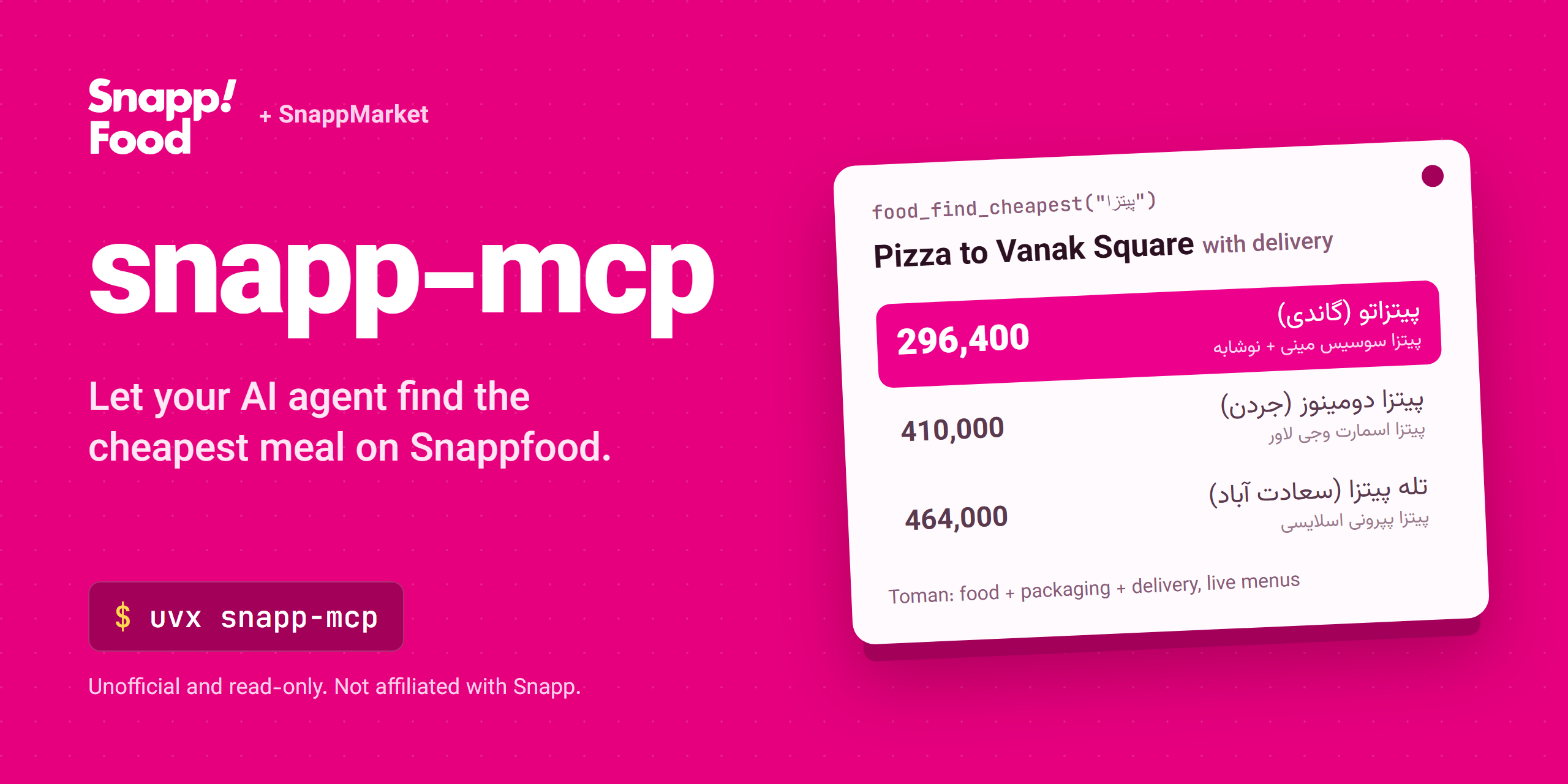
Total Dish Restaurant Breakdown 296,400 پیتزا سوسیس مینی + نوشابه پیتزاتو (گاندی) food 296,400 · free delivery 410,000 پیتزا اسمارت وجی لاور پیتزا دومینوز (جردن) food 360,000 + delivery 50,000 464,000 پیتزا پپرونی اسلایسی تله پیتزا (سعادت آباد) food 315,000 + delivery 149,000 The Pizzato combo is cheapest overall. Want me to check its minimum order and coupons with
food_order_costs?
Real tool output from 2026-10-02; prices change all the time. Prices are in Toman.
What it can do
- Search dishes and grocery products by name near any address in Iran
- Find the true cheapest option: food price after discount + packaging + delivery, checked against live menus
- Browse restaurants and stores with filters: free delivery, discount, coupon, rating, distance
- Read full menus, store catalogs, minimum orders, delivery fees, ETAs and coupons
- Catch deals: FoodParty flash deals, meals for one, Gem hunts, Market Party
- Check quality with customer reviews before recommending anything
- Read-only by design: no login, no basket, no orders, no payment
Example prompts:
- "Which restaurants near Tajrish have free delivery and at least 4.5 stars?"
- "Show FoodParty deals with more than 40% off near me."
- "Where is low-fat milk cheapest near Jordan, Tehran? Include delivery."
- "Find a meal for one under 200k Toman with free delivery near Enghelab Square."
- ارزانترین کباب نزدیک میدان آزادی شیراز با هزینه ارسال؟
- امروز در فودپارتی نزدیک ونک چه تخفیفهایی هست؟
- ارزانترین شیر کمچرب نزدیک میدان ونک را از اسنپمارکت پیدا کن.
Quick start
You need uv and an Iranian IP address (Snappfood blocks most foreign IPs; see FAQ). No API key or account.
Claude Code
claude mcp add snapp -- uvx snapp-mcp
Claude Desktop
Settings → Developer → Edit Config, then add:
{
  "mcpServers": {
    "snapp": { "command": "uvx", "args": ["snapp-mcp"] }
  }
}
Cursor
Click Install in Cursor above, or add the Claude Desktop block to ~/.cursor/mcp.json (or .cursor/mcp.json in a project).
VS Code (Copilot agent mode)
Click Install in VS Code above, or add to .vscode/mcp.json:
{
  "servers": {
    "snapp": { "type": "stdio", "command": "uvx", "args": ["snapp-mcp"] }
  }
}
Codex CLI
codex mcp add snapp -- uvx snapp-mcp
Or in ~/.codex/config.toml:
[mcp_servers.snapp]
command = "uvx"
args = ["snapp-mcp"]
Gemini CLI
Add to ~/.gemini/settings.json:
{
  "mcpServers": {
    "snapp": { "command": "uvx", "args": ["snapp-mcp"] }
  }
}
Windsurf
Add the Claude Desktop block to ~/.codeium/windsurf/mcp_config.json.
Anything else
It's a standard stdio MCP server: run uvx snapp-mcp, or pip install snapp-mcp and run snapp-mcp.
Tools
Every food and grocery tool takes lat / long, because menus, prices and delivery fees depend on the
delivery point. The agent gets them from find_location or list_cities first.
Location (3)
| Tool | What it does |
|---|---|
find_location |
Address, landmark or street → coordinates |
reverse_geocode |
Coordinates → street / neighbourhood names |
list_cities |
Every served city with its center point |
Snappfood: restaurants (9)
| Tool | What it does |
|---|---|
food_search |
Search dishes by name; price sorts are re-checked against live menus |
food_find_cheapest |
Scan nearby menus + FoodParty for the lowest total price (food + packaging + delivery) |
food_restaurants |
Restaurants with filters (free delivery, discount, coupon) and sorting |
food_menu |
One restaurant's full menu with prices, packaging fees and availability |
food_order_costs |
Delivery fee, ETA, minimum order and coupons of one restaurant |
food_reviews |
Customer reviews, with what they ordered and the restaurant's reply |
food_party_deals |
FoodParty flash deals still in stock, with the deal window |
food_meal_for_one |
Single-person meals up to 299k Toman with free delivery |
food_discounted_vendors |
Restaurants running discounts now, plus live Gem deals |
SnappMarket: groceries (9)
| Tool | What it does |
|---|---|
market_search |
Search a product across stores, grouped by store |
market_find_cheapest |
Cheapest in-stock offers for a product, one flat list |
market_stores |
Stores delivering to a point, by delivery fee or rating |
market_store_info |
Delivery fee, minimum order, opening hours and coupons of a store |
market_store_products |
Search inside a store, or browse it by category |
market_categories |
Product categories and their ids |
market_product |
One product's details and price in a store |
market_party_deals |
Market Party flash deals, biggest discount first |
market_reviews |
Customer comments on a store |
All 21 tools are annotated readOnlyHint: true and return compact structured JSON, so they don't flood the agent's context.
How it works
  AI agent  (Claude, Cursor, Copilot, ...)
      │
      │  MCP over stdio
      ▼
  snapp-mcp  (runs on your machine, uses your IP)
      │
      │  HTTPS
      ├──────▶  snappfood.ir    restaurants
      └──────▶  snapp.market    groceries
snapp-mcp runs locally and calls the same public endpoints the Snappfood and SnappMarket web apps use,
with a Chrome-like TLS and header profile, at most 2 requests at a time and small random delays (150-600 ms).
Identical GET requests are cached for 60 seconds, and failed GETs (timeout, network error, 5xx, 429) are retried up to twice with backoff.
It only talks to a fixed allowlist of Snapp hosts and caps response bodies at 5 MB.
The only POST it makes fetches SnappMarket's anonymous token (the public web-app client credentials), which the store and product endpoints need.
There's no hosted server in between, no API key, and nothing about you is sent anywhere else.
Good to know
- Prices are in Toman (1 Toman = 10 Rial). Ratings are normalized to 0–5 (the APIs use 0-10); a missing
ratingmeans not rated yet (null/empty fields are omitted). - True cost of a food order = price − discount + packaging + delivery − coupon, and the basket must reach the restaurant's minimum order.
food_find_cheapestandfood_order_costsgive the agent every piece of that. - Prices are checked live. Search-index prices go stale, so
food_searchprice sorts andfood_find_cheapestre-read live menus and drop dishes that are gone, unavailable or sides (sauce, drink, ...). - Persian queries match best (
پیتزا,کباب,شیر). Name filters treat Arabic ي/ك and half-space vs space as equal. - Deals run in windows. FoodParty and Gem only run at certain times; outside them the tools return
active: falseorgem: null. - Text is cut. Review and description texts are limited to 400 characters unless you ask for
full_text. - Location needed. Menus, prices and fees depend on the delivery point, so almost every tool needs
latandlong. - Iranian IP. Snappfood's firewall only accepts Iranian IP addresses (HTTP 403 otherwise, and some exits get TLS resets); SnappMarket is less strict. Set
SNAPP_MCP_PROXYif you must run from abroad. - Not included: login, OTP, basket, orders, payment, wallet, posting reviews and saving addresses. The server never calls those endpoints.
FAQ
Is there a Snappfood or SnappMarket API or MCP server for AI agents?
Yes: snapp-mcp is an unofficial MCP server with 21 read-only tools for dishes, menus, groceries, delivery fees and
deals. It calls the same public endpoints the Snappfood and SnappMarket web apps use; no API key is needed.
How do I use Snappfood with Claude, Cursor or Copilot?
Add the server with claude mcp add snapp -- uvx snapp-mcp (or the matching config in
Quick start for Claude Desktop, Cursor, VS Code and others), then ask for a dish near an address, in Persian or English.
Is it official, safe and free? Does it work outside Iran?
It is unofficial and not affiliated with Snapp. It is read-only (no login, basket or payment), runs on your machine,
and is free under the MIT license. Outside Iran, Snappfood blocks most IPs, so use an Iranian IP or SNAPP_MCP_PROXY.
I get "blocked the request (HTTP 403)"
Snappfood's firewall only accepts Iranian IP addresses. Run the server on a machine in Iran with the VPN off.
If you must use a VPN, set SNAPP_MCP_PROXY to an HTTP proxy that exits in Iran (several, comma-separated, are fine). Normal system proxy variables
are ignored on purpose, because a foreign VPN exit would get blocked. SnappMarket is less strict.
Can it place an order for me?
No, and that's deliberate. It has no login and never touches the basket, order or payment endpoints. The agent finds the best option; you tap order in the app.
FoodParty or Gem results are empty
Those deals only run in time windows. active: false or gem: null means no window is live right now.
Are the prices exact?
They come live from the Snapp APIs in Toman, and the price sorts re-read each restaurant's current menu, but prices, stock and delivery fees change quickly. Treat them as accurate for the moment of the call, and check the final total in the app before ordering.
Why does the agent need coordinates?
Menus, prices, availability and delivery fees all depend on the delivery point. The agent turns an address or landmark into lat/long with find_location, or uses a city center from list_cities.
Claude Desktop says uvx is not found
Use the full path to uvx (where uvx on Windows, which uvx on macOS/Linux) as command.
How do I debug what the agent sees?
npx @modelcontextprotocol/inspector uvx snapp-mcp
Configuration
| Variable | Required | Default | Meaning |
|---|---|---|---|
SNAPP_MCP_PROXY |
no | unset | HTTP proxy for every request, e.g. http://user:pass@host:port. A comma-separated list is used one at a time: the next proxy takes over when one is blocked (403/429) or cannot connect |
If Snapp answers with a bot-check page, the server can solve it with a headless browser: install snapp-mcp[browser] (e.g. uvx --from 'snapp-mcp[browser]' snapp-mcp), then run patchright install chromium. Off by default.
فارسی: سرور MCP اسنپفود و اسنپمارکت
snapp-mcp یک سرور MCP غیررسمی و فقطخواندنی برای اسنپفود (سفارش آنلاین غذا از رستوران) و اسنپمارکت (خرید آنلاین سوپرمارکت و مواد غذایی) در ایران است. این سرور به دستیار هوش مصنوعی شما (Claude، Cursor، Copilot و ...) اجازه میدهد در اسنپفود و اسنپمارکت جستجو کند، قیمت واقعی غذا و کالا را بین صدها رستوران و فروشگاه مقایسه کند، منو و نظرات را بخواند و تخفیفهای فعال (فودپارتی، جم، مارکتپارتی) را پیدا کند.
- فقط خواندنی است: وارد حساب نمیشود، سبد خرید نمیسازد و سفارش ثبت نمیکند.
- قیمت نهایی را با بستهبندی، هزینه ارسال و حداقل سفارش حساب میکند.
- قیمتها به تومان و امتیازها از ۰ تا ۵ هستند.
- روی سیستم خود شما اجرا میشود و به هیچ سرور واسطی داده نمیفرستد.
- نیازی به کلید API یا حساب کاربری ندارد.
نصب در Claude Code:
claude mcp add snapp -- uvx snapp-mcp
بعد بپرسید: «ارزانترین پیتزا با هزینه ارسال نزدیک میدان ونک کجاست؟»
نکته: سرور باید روی سیستمی با IP ایران و بدون VPN اجرا شود، چون اسنپفود درخواستهای خارج از ایران را مسدود میکند. اگر ناچار به VPN هستید، متغیر SNAPP_MCP_PROXY را روی یک پروکسی HTTP با خروجی ایران بگذارید.
عبارتهای پرجستجو: اسنپفود، اسنپمارکت، سفارش آنلاین غذا، ارزانترین غذا، مقایسه قیمت غذا، فودپارتی، تخفیف رستوران، هزینه ارسال، منوی رستوران، سوپرمارکت آنلاین، قیمت مواد غذایی، دستیار هوش مصنوعی، سرور MCP فارسی.
Development
git clone https://github.com/sepehr071/snapp-mcp && cd snapp-mcp
uv sync
uv run python -m pytest            # offline, against recorded responses
uv run python -m pytest -m live    # real APIs (needs an Iranian IP)
uv run ruff check .
Tools live in src/snapp_mcp/food.py, market.py and location.py; each is a typed async function with a docstring
that tells the agent when to use it. Issues and PRs are welcome, especially new tools and fixes for API changes.
Releases: bump the version in pyproject.toml and server.json, then push a v* tag. GitHub Actions tests,
publishes to PyPI and the MCP Registry, and creates the GitHub Release.
Related servers
- awesome-iran-mcp: catalog of all Iranian-service MCP servers
- okala-mcp: grocery prices and deals across stores
- tapsifood-mcp: food delivery search and menus on another Iranian platform
- digikala-mcp: Digikala product search and prices
- torob-mcp: price comparison across Iranian shops
Disclaimer
Unofficial and not affiliated with or endorsed by Snapp. It is read-only: it only reads the public endpoints of the snappfood.ir and snapp.market web apps, which can change without notice. Please keep request rates reasonable.
License
If this saves you clicks, a star helps others find it.
1 maintainer

Metadata
1 maintainer
Release files for snapp-mcp 0.3.1
For a detailed explanation of source distributions (sdists) and built distributions (wheels), please see the package formats documentation.
Source distribution (sdist)
| File | Size | Uploaded | Provenance | |
|---|---|---|---|---|
| snapp_mcp-0.3.1.tar.gz | 376.5 kB | With provenance | Details |
Built distribution (wheel)
| File | Interpreter | ABI | Platform | Reset |
|---|---|---|---|---|
| snapp_mcp-0.3.1-py3-none-any.whl | Python 3 | none | any | Details |
Total release size: 409.8 kB
Release files / snapp_mcp-0.3.1.tar.gz
| Download URL | snapp_mcp-0.3.1.tar.gz |
|---|---|
| Size | 376.5 kB |
| Tags | Source |
|
SHA-256 checksum How to use checksums |
0f350bb7ec2d7c9ebccf79a84c1f3bfbd34c323a164addde36975b127fbb0ca6
|
|
BLAKE2b-256 checksum How to use checksums |
df77cbfe74b7a4aff30f79b17840efe2af8fc0e568628899bd9babcb783bda13
|
| Upload date | |
|
Uploaded using Trusted Publishing? What is trusted publishing? |
Yes |
| Uploaded via |
twine/7.0.0 CPython/3.13.16
|
Provenance
Provenance describes where a file came from. On PyPI, provenance is shared via attestations, which provide a verifiable record of the build or publishing details. View details, limitations and caveats.


PyPI Publish Attestation
PyPI verified that this artifact, at this checksum, originated from the publisher listed below.
Signed by GitHub Actions, verified by PyPI on Oct 22, 2026.
Transparency logRelease files / snapp_mcp-0.3.1-py3-none-any.whl
| Download URL | snapp_mcp-0.3.1-py3-none-any.whl |
|---|---|
| Size | 33.3 kB |
| Tags | Python 3 |
|
SHA-256 checksum How to use checksums |
797f5d07371795e743f98e248639e53e43f5d418bd909bc75bc477882086ca7f
|
|
BLAKE2b-256 checksum How to use checksums |
cbfce497e342f7c107197817d93ccc0e93c7fba1648b0fd459cd600499e93622
|
| Upload date | |
|
Uploaded using Trusted Publishing? What is trusted publishing? |
Yes |
| Uploaded via |
twine/7.0.0 CPython/3.13.16
|
Provenance
Provenance describes where a file came from. On PyPI, provenance is shared via attestations, which provide a verifiable record of the build or publishing details. View details, limitations and caveats.
PyPI Publish Attestation
PyPI verified that this artifact, at this checksum, originated from the publisher listed below.
Signed by GitHub Actions, verified by PyPI on Oct 22, 2026.
Transparency logSecurity for snapp-mcp 0.3.1
Provenance
Provenance describes where a file came from. On PyPI, provenance is shared via attestations, which provide a verifiable record of the build or publishing details. View details, limitations and caveats.
Full provenance
All 2 files in this release have been uploaded with provenance metadata.
Attestation for snapp_mcp-0.3.1.tar.gz
PyPI Publish Attestation
PyPI verified that this artifact, at this checksum, originated from the publisher listed below.
Signed by GitHub Actions, verified by PyPI on Oct 22, 2026.
Transparency logA note on package security
PyPI is a repository for distributing packages, not a service for auditing them. While third-party security researchers and our staff do their best to detect and remove malicious packages, PyPI cannot guarantee the quality, security or suitability of any given package.














