
snappshop-mcp: Snapp! Shop MCP server for AI agents
Let your AI agent shop around on Snapp! Shop (اسنپشاپ).
An unofficial, read-only MCP server for Snapp! Shop, the Snapp marketplace in Iran:
search products, compare every seller's price in Toman, filter by specs, read buyer reviews and catch today's flash sales, all from Claude, Cursor or Copilot.







For AI agents · Why · What it can do · Quick start · Tools · How it works · Good to know · FAQ · Configuration · فارسی · Development
For AI agents
- What: unofficial MCP server (model context protocol) for Snapp! Shop (snappshop.ir), a marketplace of many shops and pharmacies in Iran: electronics, phones, health and beauty, home, fashion. Queries in Persian match best; prices in Toman.
- Install:
uvx snappshop-mcporclaude mcp add snappshop -- uvx snappshop-mcp. Transport: stdio. Needs uv (Python 3.10+). - Auth: none, no API key or account (it uses the guest session the site gives every visitor). Snapp! Shop only accepts Iranian IPs: run it from Iran without a VPN, or set
SNAPPSHOP_MCP_PROXYto an HTTP proxy that exits in Iran. System proxy settings are ignored. - Access: read-only. No login, basket, orders or payment, so no confirmation is needed before calling any tool. All 13 tools carry
readOnlyHint: true. - Tools: 13:
ss_search,ss_suggest,ss_filters,ss_categories,ss_category,ss_brand,ss_product,ss_compare,ss_reviews,ss_similar,ss_seller,ss_promotions,ss_collection. Typical sequence:ss_search->ss_product(all sellers, cheapest first) ->ss_reviews. Browsing:ss_categories->ss_filters->ss_category. - Ids:
product_id(digits) goes toss_productandss_compare;id(6 characters) toss_reviewsandss_similar;seller_idtoss_seller;collection_idtoss_collection. - Units: prices in Toman, for delivery to Tehran, as the site shows them.
- Use when: comparing prices, sellers, specs and reviews of products sold in Iran, or watching flash sales.
- Do not use when: the user wants to order or pay, or is outside Iran with no Iranian IP or proxy (the site answers HTTP 403).
- Output: compact JSON. Null and empty fields are omitted (a missing
rating= not rated). Lists are 12 items per page; the site caps a list at 10,000 items. Reviewer names are left out. - Machine-readable:
server.jsonand the iran-mcp catalog once the server is listed there.
Why
Snapp! Shop sells one product through many sellers at different prices, warranties and delivery terms. Finding the
best offer means opening product pages one by one. An agent with snappshop-mcp reads them all in seconds:
You: Who sells the Samsung Galaxy A07 (64 GB) cheapest on Snapp! Shop, and with what warranty?
Agent: calls
ss_search(query="Galaxy A07 64")→ss_product(product="25751584")
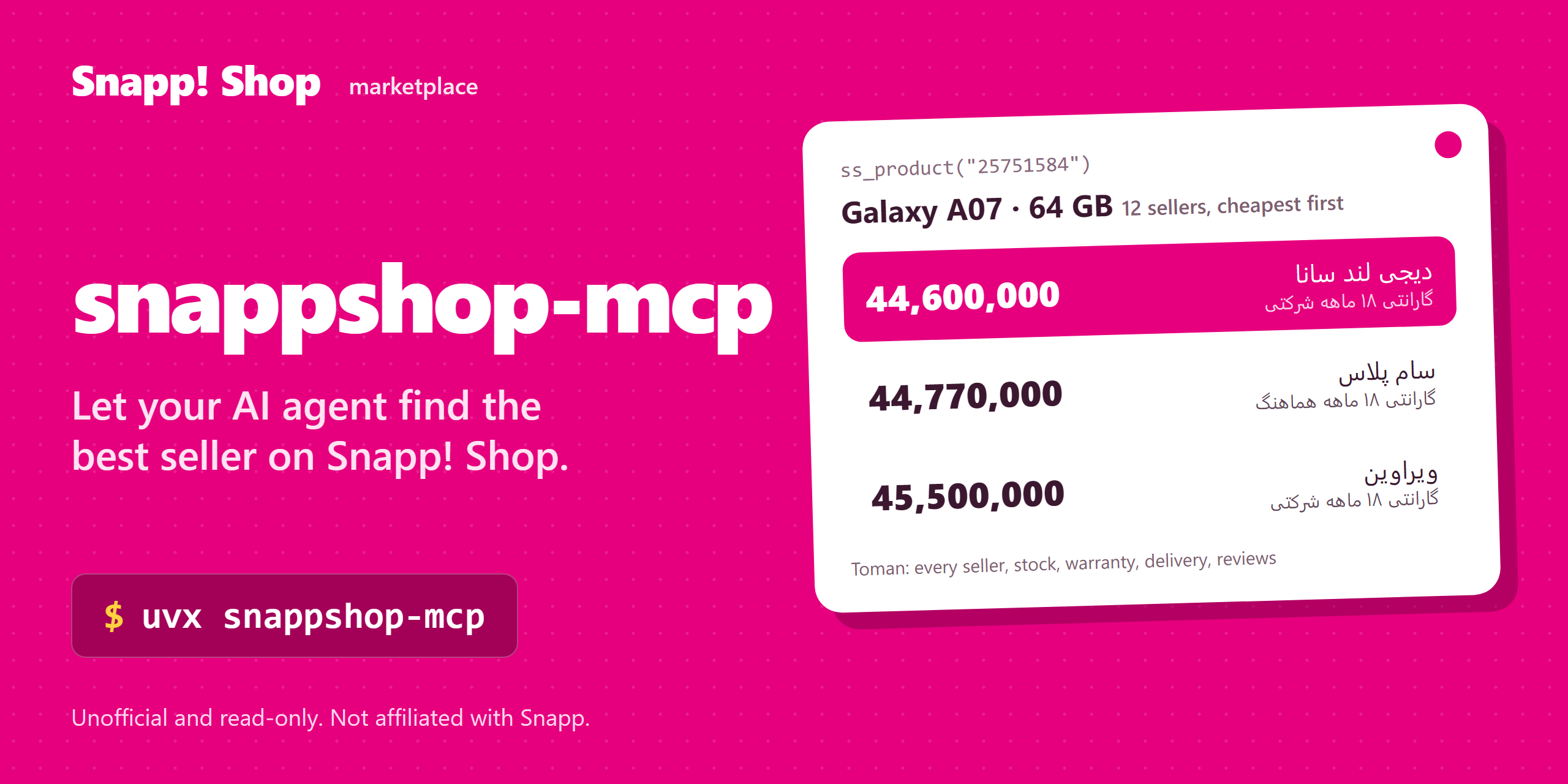
Price (Toman) Seller Colour Warranty 44,600,000 دیجی لند سانا سبز گارانتی ۱۸ ماهه شرکتی 44,770,000 سام پلاس بنفش گارانتی ۱۸ ماهه هماهنگ (داریا همراه) 45,500,000 ویراوین سبز گارانتی ۱۸ ماهه شرکتی 12 sellers in total, rating 4.3 from 370 ratings. Want the reviews with
ss_reviews?
Real tool output from 2026-11-04; prices and stock change all the time. Prices are in Toman.
What it can do
- Search products by name, with price range, brand, spec, colour, stock, discount and fast-delivery filters
- Compare sellers: every offer of a product with price, discount, stock, warranty, delivery method and seller rating
- Compare products side by side: price, rating and only the specs that differ
- Browse the category tree, brand pages and seller pages;
ss_filtersshows the real filters of a list - Read reviews with scores, pros and cons, and find similar products
- Catch deals: flash sales with end times, campaign pages and every product in a promotion
- Read-only by design: no login, no basket, no orders, no payment
Example prompts:
- "Cheapest Samsung phone in stock, with 256 GB storage and a black colour."
- "Compare the Xiaomi Poco X7 Pro and the Galaxy A56: what differs in the specs?"
- "Which seller of this magnesium supplement has the lowest price, and what do buyers say?"
- "What flash sales end tonight on Snapp! Shop?"
- ارزانترین گوشی سامسونگ موجود با حافظه ۲۵۶ گیگابایت را پیدا کن.
- فروشندههای این محصول را با قیمت و گارانتی مقایسه کن.
- امروز چه فروش ویژههایی در اسنپشاپ هست؟
Quick start
You need uv and an Iranian IP address (Snapp! Shop blocks foreign IPs; see FAQ). No API key or account.
Claude Code
claude mcp add snappshop -- uvx snappshop-mcp
Claude Desktop
Settings → Developer → Edit Config, then add:
{
  "mcpServers": {
    "snappshop": { "command": "uvx", "args": ["snappshop-mcp"] }
  }
}
Cursor
Click Install in Cursor above, or add the Claude Desktop block to ~/.cursor/mcp.json (or .cursor/mcp.json in a project).
VS Code (Copilot agent mode)
Click Install in VS Code above, or add to .vscode/mcp.json:
{
  "servers": {
    "snappshop": { "type": "stdio", "command": "uvx", "args": ["snappshop-mcp"] }
  }
}
Codex CLI
codex mcp add snappshop -- uvx snappshop-mcp
Or in ~/.codex/config.toml:
[mcp_servers.snappshop]
command = "uvx"
args = ["snappshop-mcp"]
Gemini CLI
Add to ~/.gemini/settings.json:
{
  "mcpServers": {
    "snappshop": { "command": "uvx", "args": ["snappshop-mcp"] }
  }
}
Windsurf
Add the Claude Desktop block to ~/.codeium/windsurf/mcp_config.json.
Anything else
It's a standard stdio MCP server: run uvx snappshop-mcp, or pip install snappshop-mcp and run snappshop-mcp.
Tools
All tools are read-only. Lists return 12 items per page (page starts at 1).
| Tool | What it does |
|---|---|
ss_search |
Find products by name; filters: price range, brands, specs, colours, in stock, discounted, fast delivery; sort |
ss_suggest |
Popular search phrases for a prefix, with popularity scores |
ss_filters |
Price range, colours, brands and spec filters (with options) of a category or a search |
ss_categories |
Category paths: the top level, or the children of one |
ss_category |
Products of a category or category-brand page, with the same filters as ss_search |
ss_brand |
Products of a brand page |
ss_product |
Specs, rating and every seller's offer (price, discount, stock, warranty, delivery, seller rating), cheapest first |
ss_compare |
2-4 products side by side: price, rating, seller count and the specs that differ |
ss_reviews |
Buyer reviews: score, text, pros and cons, votes, date; with total and pages |
ss_similar |
Similar products, or accessories sold with the product |
ss_seller |
Products of one seller, with the seller's name and score |
ss_promotions |
Flash sales (with end times), carousels and campaign pages; links to the tool that opens each |
ss_collection |
Every product of one promotion from ss_promotions |
Filters use names, not ids: specs=["حافظه داخلی=256 گیگابایت"], colors=["مشکی"]. Call ss_filters first to see
what a category offers.
How it works
The server calls the same JSON API (apix.snappshop.ir) that the Snapp! Shop web app uses, with the guest token the
site hands to every visitor. Requests go out with a Chrome TLS fingerprint and the headers the site's own frontend
sends, so they look like normal browsing. One shared HTTP client caches reads for 60 seconds, limits concurrency,
retries timeouts and server errors, and refuses any host except apix.snappshop.ir.
Nothing is stored and nothing is sent anywhere else. There is no login: the server cannot see or change an account.
Good to know
- Iranian IPs only. From abroad the site answers HTTP 403 ("turn off your VPN"). Use an Iranian connection or
SNAPPSHOP_MCP_PROXY. - Prices are Toman, as the site shows them, for delivery to Tehran. Stock and prices move during the day.
- Totals are capped at 10,000 by the site and can differ by one or two between calls.
- A phrase nothing matches falls back to unrelated products, so check the titles.
- Top-level categories (such as
mobile) have no product list: pick a subcategory fromss_categories. - Reviewer names are not returned.
FAQ
Does it need an API key or an account? No. It uses the guest session every visitor gets.
Can it buy something or add to the basket? No. It is read-only by design.
Why do I get HTTP 403? The site only answers Iranian IPs. Run the server from Iran without a VPN, or set SNAPPSHOP_MCP_PROXY to an HTTP proxy that exits in Iran.
Is this the same as snapp-mcp? No. snapp-mcp covers Snappfood (restaurants) and SnappMarket (groceries); this server covers the Snapp! Shop marketplace.
Which language should I ask in? Persian matches best because titles and specs are Persian; English brand and model names work too.
How do I filter a phone by storage? Call ss_filters(path="mobile/samsung"), then ss_category(path="mobile/samsung", specs=["حافظه داخلی=256 گیگابایت"]).
Configuration
| Variable | Required | Default | Meaning |
|---|---|---|---|
SNAPPSHOP_MCP_PROXY |
no | unset | HTTP proxy for every request, e.g. http://user:pass@host:port. A comma-separated list is used one at a time: the next proxy takes over when one is blocked (403/429) or cannot connect |
فارسی: سرور MCP اسنپشاپ
snappshop-mcp یک سرور MCP غیررسمی و فقطخواندنی برای اسنپشاپ (بازار آنلاین اسنپ با هزاران فروشنده و داروخانه) در ایران است. این سرور به دستیار هوش مصنوعی شما (Claude، Cursor، Copilot و ...) اجازه میدهد در اسنپشاپ جستجو کند، قیمت و گارانتی همهٔ فروشندههای یک کالا را مقایسه کند، مشخصات و نظرات خریداران را بخواند و فروش ویژههای فعال را پیدا کند.
- فقط خواندنی است: وارد حساب نمیشود، سبد خرید نمیسازد و سفارش ثبت نمیکند.
- قیمتها به تومان هستند، همانطور که سایت نشان میدهد.
- روی سیستم خود شما اجرا میشود و به هیچ سرور واسطی داده نمیفرستد.
- نیازی به کلید API یا حساب کاربری ندارد.
نصب در Claude Code:
claude mcp add snappshop -- uvx snappshop-mcp
بعد بپرسید: «ارزانترین گوشی سامسونگ موجود با حافظهٔ ۲۵۶ گیگابایت کدام است و کدام فروشنده ارسال سریع دارد؟»
نکته: سرور باید روی سیستمی با IP ایران و بدون VPN اجرا شود، چون اسنپشاپ درخواستهای خارج از ایران را مسدود میکند. اگر ناچار به VPN هستید، متغیر SNAPPSHOP_MCP_PROXY را روی یک پروکسی HTTP با خروجی ایران بگذارید.
عبارتهای پرجستجو: اسنپشاپ، خرید آنلاین، مقایسه قیمت، قیمت گوشی، مقایسه فروشنده، گارانتی، فروش ویژه، تخفیف، دستیار هوش مصنوعی، سرور MCP فارسی.
Development
git clone https://github.com/sepehr071/snappshop-mcp && cd snappshop-mcp
uv sync
uv run python -m pytest            # offline, against recorded responses
uv run python -m pytest -m live    # real API (needs an Iranian IP)
uv run ruff check .
Tools live in src/snappshop_mcp/shop.py; each is a typed async function with a docstring that tells the agent when
to use it. Issues and PRs are welcome, especially new tools and fixes for API changes.
Releases: bump the version in pyproject.toml and server.json, then push a v* tag. GitHub Actions tests,
publishes to PyPI and the MCP Registry, and creates the GitHub Release.
Related servers
- iran-mcp: catalog of all Iranian-service MCP servers
- snapp-mcp: Snappfood and SnappMarket (restaurants and groceries)
- digikala-mcp: Digikala product search and prices
- torob-mcp: price comparison across Iranian shops
- basalam-mcp: handmade and local products on Basalam
Disclaimer
Unofficial and not affiliated with or endorsed by Snapp. It is read-only: it only reads the public endpoints of the snappshop.ir web app, which can change without notice. Please keep request rates reasonable.
Author
Built and maintained by Sepehr Radmard (سپهر رادمرد). Connect on LinkedIn or follow @sepehr071 on GitHub for more MCP servers for Iranian websites, all listed in iran-mcp. If this saves you time, a star on the repo helps other people find it.
License
If this saves you clicks, a star helps others find it.
1 maintainer

Metadata
1 maintainer
Release files for snappshop-mcp 0.1.0
For a detailed explanation of source distributions (sdists) and built distributions (wheels), please see the package formats documentation.
Source distribution (sdist)
| File | Size | Uploaded | Provenance | Actions |
|---|---|---|---|---|
| snappshop_mcp-0.1.0.tar.gz | 309.9 kB | With provenance | Details for snappshop_mcp-0.1.0.tar.gz |
Built distribution (wheel)
| File | Interpreter | ABI | Platform | Actions Reset |
|---|---|---|---|---|
| snappshop_mcp-0.1.0-py3-none-any.whl | Python 3 | none | any | Details for snappshop_mcp-0.1.0-py3-none-any.whl |
Total release size: 334.8 kB
Release files / snappshop_mcp-0.1.0.tar.gz
| Download URL | snappshop_mcp-0.1.0.tar.gz |
|---|---|
| Size | 309.9 kB |
| Tags | Source |
|
SHA-256 checksum How to use checksums |
6bfeaa550a5951b9bb840d1e6caeef97f51999332cc1c11878d1a22f4a04370d
|
|
BLAKE2b-256 checksum How to use checksums |
7c6c0fe0bd0daa170fafc551cab317db84f89f02d973928943a978d6e315ccd8
|
| Upload date | |
|
Uploaded using Trusted Publishing? What is trusted publishing? |
Yes |
| Uploaded via |
twine/7.0.0 CPython/3.13.16
|
Provenance
Provenance describes where a file came from. On PyPI, provenance is shared via attestations, which provide a verifiable record of the build or publishing details. View details, limitations and caveats.


PyPI Publish Attestation
PyPI verified that this artifact, at this checksum, originated from the publisher listed below.
Signed by GitHub Actions, verified by PyPI on Nov 4, 2026.
Transparency logRelease files / snappshop_mcp-0.1.0-py3-none-any.whl
| Download URL | snappshop_mcp-0.1.0-py3-none-any.whl |
|---|---|
| Size | 24.9 kB |
| Tags | Python 3 |
|
SHA-256 checksum How to use checksums |
4b8240c717374440e37cba4a6d38a0462026addb4a40c53b3886226c3e827565
|
|
BLAKE2b-256 checksum How to use checksums |
17d5a5dfd3a1baf5f3366d42b57d8be90a6c4247bf1d0fc2b9021fd996a3d945
|
| Upload date | |
|
Uploaded using Trusted Publishing? What is trusted publishing? |
Yes |
| Uploaded via |
twine/7.0.0 CPython/3.13.16
|
Provenance
Provenance describes where a file came from. On PyPI, provenance is shared via attestations, which provide a verifiable record of the build or publishing details. View details, limitations and caveats.
PyPI Publish Attestation
PyPI verified that this artifact, at this checksum, originated from the publisher listed below.
Signed by GitHub Actions, verified by PyPI on Nov 4, 2026.
Transparency logSecurity for snappshop-mcp 0.1.0
Provenance
Provenance describes where a file came from. On PyPI, provenance is shared via attestations, which provide a verifiable record of the build or publishing details. View details, limitations and caveats.
Full provenance
All 2 files in this release have been uploaded with provenance metadata.
Attestation for snappshop_mcp-0.1.0.tar.gz
PyPI Publish Attestation
PyPI verified that this artifact, at this checksum, originated from the publisher listed below.
Signed by GitHub Actions, verified by PyPI on Nov 4, 2026.
Transparency logA note on package security
PyPI is a repository for distributing packages, not a service for auditing them. While third-party security researchers and our staff do their best to detect and remove malicious packages, PyPI cannot guarantee the quality, security or suitability of any given package.
To learn more about protecting yourself from malicious actors, visit our package security documentation.













