
A very simple tool for situations where optimization with onnx-simplifier would exceed the Protocol Buffers upper file size limit of 2GB, or simply to separate onnx files to any size you want. Simple Network Extraction for ONNX.

Project description
sne4onnx
A very simple tool for situations where optimization with onnx-simplifier would exceed the Protocol Buffers upper file size limit of 2GB, or simply to separate onnx files to any size you want. Simple Network Extraction for ONNX.
https://github.com/PINTO0309/simple-onnx-processing-tools




Key concept
- If INPUT OP name and OUTPUT OP name are specified, the onnx graph within the range of the specified OP name is extracted and .onnx is generated.
- I do not use
onnx.utils.extractor.extract_modelbecause it is very slow and I implement my own model separation logic.
1. Setup
1-1. HostPC
### option
$ echo export PATH="~/.local/bin:$PATH" >> ~/.bashrc \
&& source ~/.bashrc

### run
$ pip install -U onnx \
&& python3 -m pip install -U onnx_graphsurgeon --index-url https://pypi.ngc.nvidia.com
&& pip install -U sne4onnx
1-2. Docker
https://github.com/PINTO0309/simple-onnx-processing-tools#docker
2. CLI Usage
$ sne4onnx -h

usage:
    sne4onnx [-h]
    -if INPUT_ONNX_FILE_PATH
    -ion INPUT_OP_NAMES
    -oon OUTPUT_OP_NAMES
    [-of OUTPUT_ONNX_FILE_PATH]
    [-n]

optional arguments:
  -h, --help
    show this help message and exit

  -if INPUT_ONNX_FILE_PATH, --input_onnx_file_path INPUT_ONNX_FILE_PATH
    Input onnx file path.

  -ion INPUT_OP_NAMES [INPUT_OP_NAMES ...], --input_op_names INPUT_OP_NAMES [INPUT_OP_NAMES ...]
    List of OP names to specify for the input layer of the model.
    e.g. --input_op_names aaa bbb ccc

  -oon OUTPUT_OP_NAMES [OUTPUT_OP_NAMES ...], --output_op_names OUTPUT_OP_NAMES [OUTPUT_OP_NAMES ...]
    List of OP names to specify for the output layer of the model.
    e.g. --output_op_names ddd eee fff

  -of OUTPUT_ONNX_FILE_PATH, --output_onnx_file_path OUTPUT_ONNX_FILE_PATH
    Output onnx file path. If not specified, extracted.onnx is output.

  -n, --non_verbose
    Do not show all information logs. Only error logs are displayed.
3. In-script Usage
$ python
>>> from sne4onnx import extraction
>>> help(extraction)

Help on function extraction in module sne4onnx.onnx_network_extraction:

extraction(
    input_op_names: List[str],
    output_op_names: List[str],
    input_onnx_file_path: Union[str, NoneType] = '',
    onnx_graph: Union[onnx.onnx_ml_pb2.ModelProto, NoneType] = None,
    output_onnx_file_path: Union[str, NoneType] = '',
    non_verbose: Optional[bool] = False
) -> onnx.onnx_ml_pb2.ModelProto

    Parameters
    ----------
    input_op_names: List[str]
        List of OP names to specify for the input layer of the model.
        e.g. ['aaa','bbb','ccc']

    output_op_names: List[str]
        List of OP names to specify for the output layer of the model.
        e.g. ['ddd','eee','fff']

    input_onnx_file_path: Optional[str]
        Input onnx file path.
        Either input_onnx_file_path or onnx_graph must be specified.
        onnx_graph If specified, ignore input_onnx_file_path and process onnx_graph.

    onnx_graph: Optional[onnx.ModelProto]
        onnx.ModelProto.
        Either input_onnx_file_path or onnx_graph must be specified.
        onnx_graph If specified, ignore input_onnx_file_path and process onnx_graph.

    output_onnx_file_path: Optional[str]
        Output onnx file path.
        If not specified, .onnx is not output.
        Default: ''

    non_verbose: Optional[bool]
        Do not show all information logs. Only error logs are displayed.
        Default: False

    Returns
    -------
    extracted_graph: onnx.ModelProto
        Extracted onnx ModelProto
4. CLI Execution
$ sne4onnx \
--input_onnx_file_path input.onnx \
--input_op_names aaa bbb ccc \
--output_op_names ddd eee fff \
--output_onnx_file_path output.onnx
5. In-script Execution
5-1. Use ONNX files
from sne4onnx import extraction

extracted_graph = extraction(
  input_op_names=['aaa','bbb','ccc'],
  output_op_names=['ddd','eee','fff'],
  input_onnx_file_path='input.onnx',
  output_onnx_file_path='output.onnx',
)
5-2. Use onnx.ModelProto
from sne4onnx import extraction

extracted_graph = extraction(
  input_op_names=['aaa','bbb','ccc'],
  output_op_names=['ddd','eee','fff'],
  onnx_graph=graph,
  output_onnx_file_path='output.onnx',
)
6. Samples
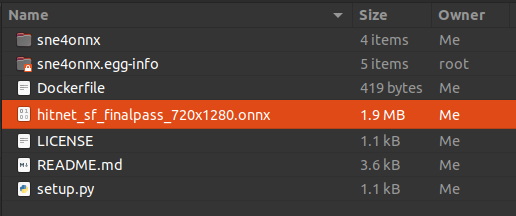
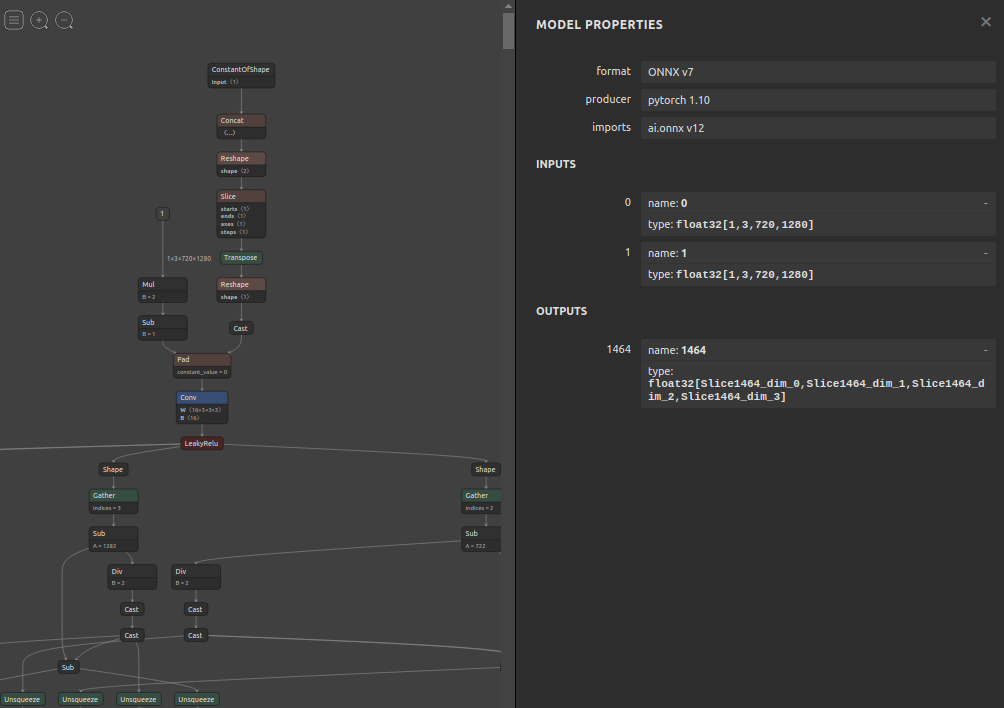
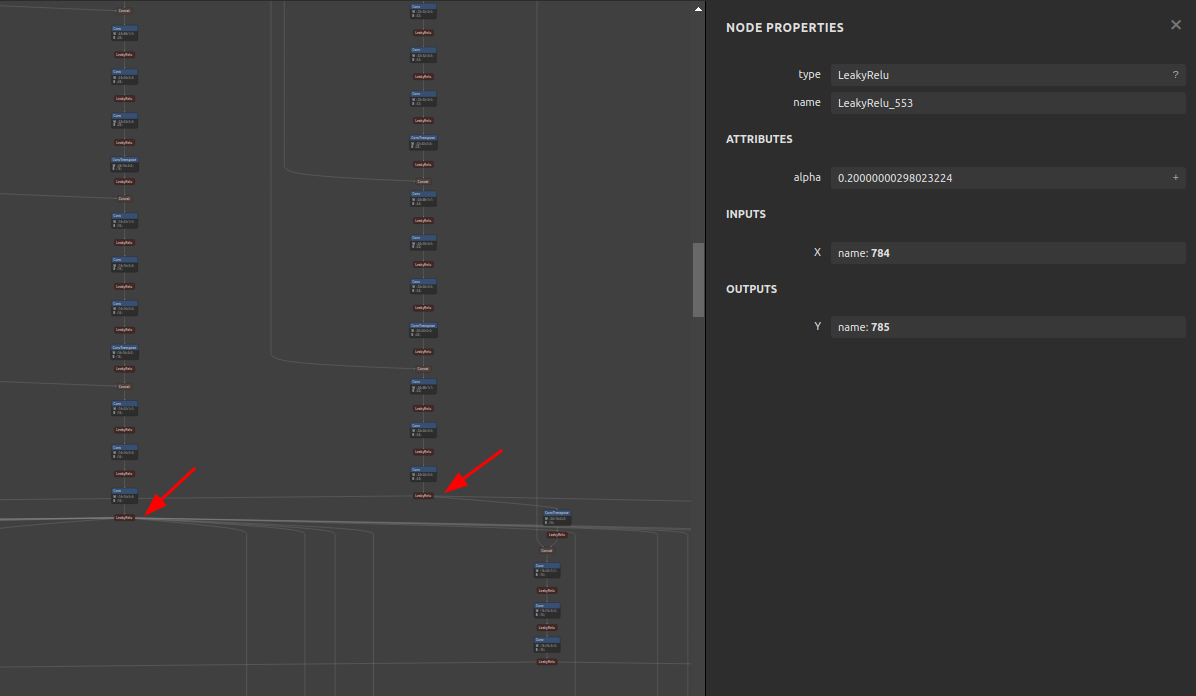
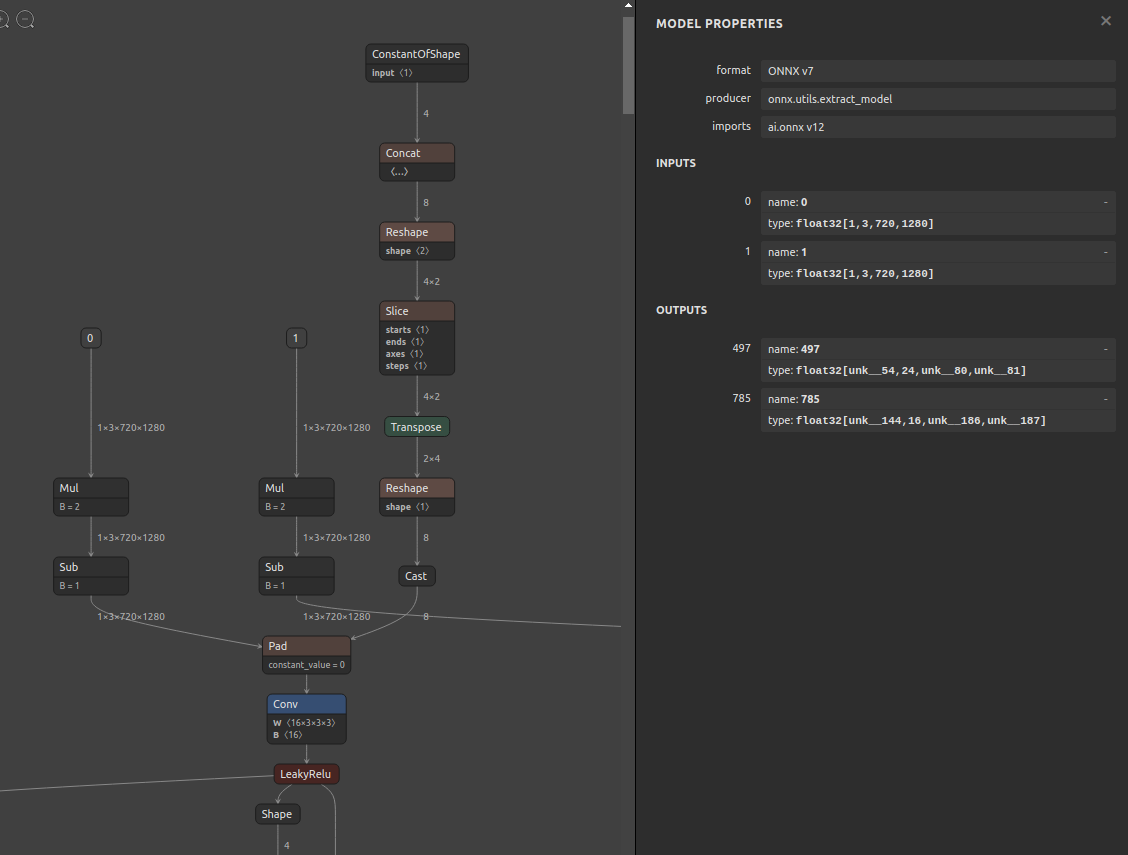
6-1. Pre-extraction
6-2. Extraction
$ sne4onnx \
--input_onnx_file_path hitnet_sf_finalpass_720x1280.onnx \
--input_op_names 0 1 \
--output_op_names 497 785 \
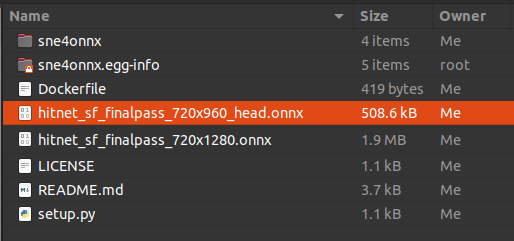
--output_onnx_file_path hitnet_sf_finalpass_720x960_head.onnx
6-3. Extracted
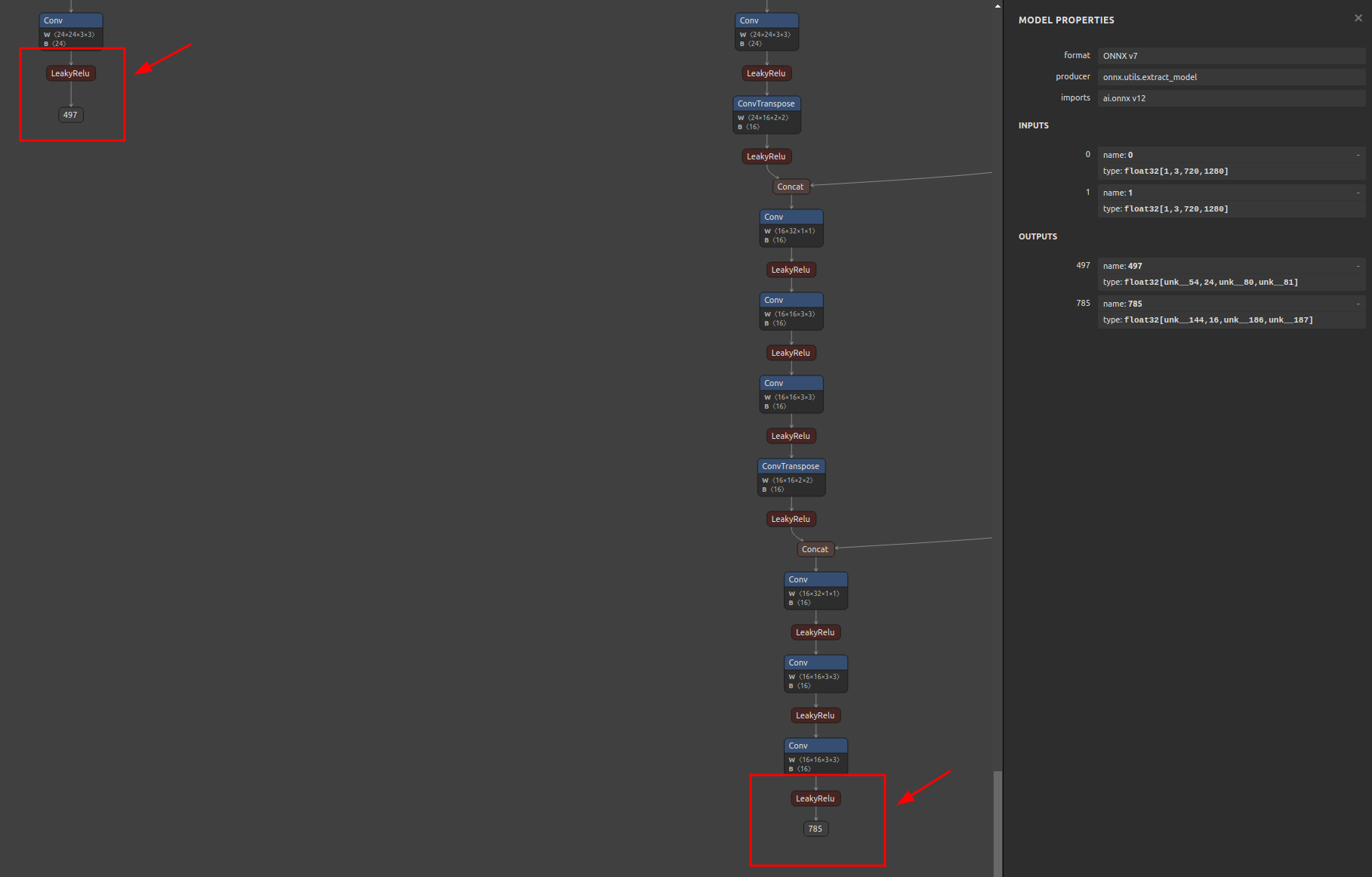
7. Reference
- https://github.com/onnx/onnx/blob/main/docs/PythonAPIOverview.md
- https://docs.nvidia.com/deeplearning/tensorrt/onnx-graphsurgeon/docs/index.html
- https://github.com/NVIDIA/TensorRT/tree/main/tools/onnx-graphsurgeon
- https://github.com/PINTO0309/snd4onnx
- https://github.com/PINTO0309/scs4onnx
- https://github.com/PINTO0309/snc4onnx
- https://github.com/PINTO0309/sog4onnx
- https://github.com/PINTO0309/PINTO_model_zoo
8. Issues
https://github.com/PINTO0309/simple-onnx-processing-tools/issues
Release history Release notifications | RSS feed


Download files
Download the file for your platform. If you're not sure which to choose, learn more about installing packages.
Source Distribution
Built Distribution
Filter files by name, interpreter, ABI, and platform.
If you're not sure about the file name format, learn more about wheel file names.
Copy a direct link to the current filters
File details
Details for the file sne4onnx-1.0.14.tar.gz.
File metadata
- Download URL: sne4onnx-1.0.14.tar.gz
- Upload date:
- Size: 6.6 kB
- Tags: Source
- Uploaded using Trusted Publishing? No
- Uploaded via: twine/6.2.0 CPython/3.9.23
File hashes
| Algorithm | Hash digest | |
|---|---|---|
| SHA256 |
a4c29e068be546dcb074592f1225b32d2978ff7a3dca89d9b13a9f6d8f80e39d
|
|
| MD5 |
3d54c9b635c8f5216b96d6c4c600abfd
|
|
| BLAKE2b-256 |
953f5e29a20aa00f5c70307e51e8e163d1834538fd81d5fcdcf469282b2842b0
|
File details
Details for the file sne4onnx-1.0.14-py3-none-any.whl.
File metadata
- Download URL: sne4onnx-1.0.14-py3-none-any.whl
- Upload date:
- Size: 7.2 kB
- Tags: Python 3
- Uploaded using Trusted Publishing? No
- Uploaded via: twine/6.2.0 CPython/3.9.23
File hashes
| Algorithm | Hash digest | |
|---|---|---|
| SHA256 |
453ed19e48d993113d58775a397ed9630c771f6708ba7bcb988da90f0fc04d39
|
|
| MD5 |
de4ad80a01b8dac8e35c9c5addca779c
|
|
| BLAKE2b-256 |
8cc10069fad3e0495f4744152ab0b5256bdf4c0e8572dee43d0d83b2298e8f5d
|






