
tools for reading, writing, generating, merging, and remapping SNPs

Project description
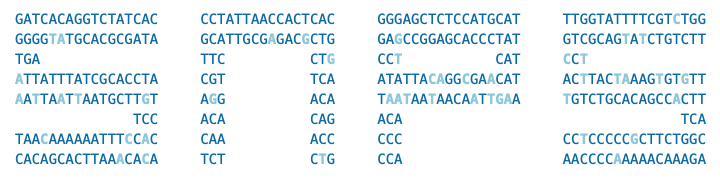







snps
tools for reading, writing, generating, merging, and remapping SNPs 🧬
snps strives to be an easy-to-use and accessible open-source library for working with
genotype data
Features
Input / Output
- Read raw data (genotype) files from a variety of direct-to-consumer (DTC) DNA testing sources with a SNPs object
- Read and write VCF files (e.g., convert 23andMe to VCF)
- Merge raw data files from different DNA tests, identifying discrepant SNPs in the process
- Read data in a variety of formats (e.g., files, bytes, compressed with
gziporzip) - Handle several variations of file types, historically validated using data from openSNP
- Generate synthetic genotype data for testing and examples
Build / Assembly Detection and Remapping
- Detect the build / assembly of SNPs (supports builds 36, 37, and 38)
- Remap SNPs between builds / assemblies
Data Cleaning
- Perform quality control (QC) / filter low quality SNPs based on chip clusters
- Fix several common issues when loading SNPs
- Sort SNPs based on chromosome and position
- Deduplicate RSIDs
- Deduplicate alleles in the non-PAR regions of the X and Y chromosomes for males
- Deduplicate alleles on MT
- Assign PAR SNPs to the X or Y chromosome
Analysis
- Derive sex from SNPs
- Detect deduced genotype / chip array and chip version based on chip clusters
- Predict ancestry from SNPs (when installed with ezancestry)
Supported Genotype Files
snps supports VCF files and
genotype files from the following DNA testing sources:
- 23andMe
- 23Mofang
- Ancestry
- CircleDNA
- Código 46
- DNA.Land
- Family Tree DNA
- Genes for Good
- LivingDNA
- Mapmygenome
- MyHeritage
- PLINK
- Sano Genetics
- SelfDecode
- tellmeGen
Additionally, snps can read a variety of "generic" CSV and TSV files.
Dependencies
snps requires Python 3.9+ and the following Python
packages:
Installation
snps is available on the
Python Package Index. Install snps (and its required
Python dependencies) via pip:
$ pip install snps
For ancestry prediction
capability, snps can be installed with ezancestry:
$ pip install snps[ezancestry]
Examples
To try these examples, first generate some sample data:
>>> from snps.resources import Resources
>>> paths = Resources().create_example_datasets()
Load a Raw Data File
Load a raw data file exported from a DNA testing source (e.g., 23andMe, AncestryDNA, Family Tree DNA):
>>> from snps import SNPs
>>> s = SNPs("resources/sample1.23andme.txt.gz")
snps automatically detects the source format and normalizes the data:
>>> s.source
'23andMe'
>>> s.count
991767
>>> s.build
37
>>> s.assembly
'GRCh37'
The SNPs are available as a pandas.DataFrame:
>>> df = s.snps
>>> df.columns.tolist()
['chrom', 'pos', 'genotype']
>>> len(df)
991767
Merge Raw Data Files
Combine SNPs from multiple files (e.g., combine data from different testing companies):
>>> results = s.merge([SNPs("resources/sample2.ftdna.csv.gz")])
>>> s.count
1006949
SNPs are compared during the merge. Position and genotype discrepancies are identified and
can be inspected via properties of the SNPs object:
>>> len(s.discrepant_merge_positions)
27
>>> len(s.discrepant_merge_genotypes)
156
Remap SNPs
Convert SNPs between genome assemblies (Build 36/NCBI36, Build 37/GRCh37, Build 38/GRCh38):
>>> chromosomes_remapped, chromosomes_not_remapped = s.remap(38)
>>> s.assembly
'GRCh38'
Save SNPs
Save SNPs to common file formats:
>>> _ = s.to_tsv("output.txt")
>>> _ = s.to_csv("output.csv")
To save as VCF, snps automatically downloads the required reference sequences for the
assembly. This ensures the REF alleles in the VCF are accurate:
>>> _ = s.to_vcf("output.vcf") # doctest: +SKIP
All output files are saved to the output directory.
Generate Synthetic Data
Generate synthetic genotype data for testing, examples, or demonstrations:
>>> from snps.io import SyntheticSNPGenerator
>>> gen = SyntheticSNPGenerator(build=37, seed=123)
>>> gen.save_as_23andme("synthetic_23andme.txt.gz", num_snps=10000)
'synthetic_23andme.txt.gz'
The generator supports multiple output formats (23andMe, AncestryDNA, FTDNA) and automatically injects build-specific marker SNPs to ensure accurate build detection.
Documentation
Documentation is available here.
Acknowledgements
Thanks to Mike Agostino, Padma Reddy, Kevin Arvai, Open Humans, and Sano Genetics. This project was historically validated using data from openSNP.
snps incorporates code and concepts generated with the assistance of various
generative AI tools (including but not limited to ChatGPT,
Grok, and Claude). ✨
License
snps is licensed under the BSD 3-Clause License.
Release history Release notifications | RSS feed


Download files
Download the file for your platform. If you're not sure which to choose, learn more about installing packages.
Source Distribution
Built Distribution
Filter files by name, interpreter, ABI, and platform.
If you're not sure about the file name format, learn more about wheel file names.
Copy a direct link to the current filters
File details
Details for the file snps-2.12.1.tar.gz.
File metadata
- Download URL: snps-2.12.1.tar.gz
- Upload date:
- Size: 160.3 kB
- Tags: Source
- Uploaded using Trusted Publishing? No
- Uploaded via: twine/6.2.0 CPython/3.14.2
File hashes
| Algorithm | Hash digest | |
|---|---|---|
| SHA256 |
712389e0643c165f0bf9e1b8306f1bcfb4fbf40a2fa17caec2342542f13f93cc
|
|
| MD5 |
fc936d82c965f36bd3fe4562ebbc3797
|
|
| BLAKE2b-256 |
9c3bc747cc6e99d5b9aa517d33befdf1f9ae4d56745f12aacd0174af6b5cfa52
|
File details
Details for the file snps-2.12.1-py3-none-any.whl.
File metadata
- Download URL: snps-2.12.1-py3-none-any.whl
- Upload date:
- Size: 62.8 kB
- Tags: Python 3
- Uploaded using Trusted Publishing? No
- Uploaded via: twine/6.2.0 CPython/3.14.2
File hashes
| Algorithm | Hash digest | |
|---|---|---|
| SHA256 |
8acc0d58d2e07a675a9b4a96758d450f3558aa8642fe68b37cc9aa5ff543a80d
|
|
| MD5 |
7b832876bed69c80145e94f014da5d3d
|
|
| BLAKE2b-256 |
cced8b162c08204294e73d6c01a6802ec27d2af26b3577cd03fac28cb14fdfeb
|






