
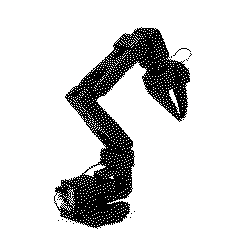
SO101-Nexus: full-stack robot learning for the SO-101 arm







Beta: APIs may change between releases. Feedback and bug reports are welcome.
Full-stack robot learning for the SO-101 arm: teleoperation, imitation learning, and RL in MuJoCo. One installable library that takes a robot from demonstrations to a trained policy, built on LeRobot and Gymnasium.
pip install so101-nexus
Full documentation: so101-nexus.com/docs.
The workflow
Record, then clone, then reinforce. Each stage hands one artifact to the next.
1. Record. Drive a simulated follower with a physical SO-100 or SO-101 leader arm and save LeRobot v3 datasets.
uvx --from "so101-nexus[teleop]" so101-nexus teleop --leader-port /dev/ttyACM0
2. Clone. Bootstrap a policy from those demonstrations with behavior cloning.
3. Reinforce. Fine-tune with PPO on the GPU-parallel Warp backend, anchored to the demos.
Stages 2 and 3 are one command. No leader arm? It defaults to a published dataset, so this runs end to end on its own:
uv run --extra warp --extra train python examples/bc_ppo_warp.py
See the workflow walkthrough for the full path.
Run an environment
import gymnasium as gym
import so101_nexus.mujoco  # registers the MuJoCo env ids

env = gym.make("MuJoCoPickLift-v1", render_mode="rgb_array")
obs, info = env.reset()

for _ in range(256):
    obs, reward, terminated, truncated, info = env.step(env.action_space.sample())
    if terminated or truncated:
        obs, info = env.reset()

env.close()
Six SO-101 manipulation tasks ship on MuJoCo: PickLift, PickAndPlace, StackCube, Touch,
LookAt, and Move. The optional MuJoCo Warp backend (so101-nexus[warp]) registers the same
six as GPU-parallel batched vector environments for large-scale RL. See the
environment reference.
The same environments are published as a
LeRobot EnvHub package, so a LeRobot user
reaches them with one call and no import of their own. The Hub files are shims over this
library, so pip install so101-nexus is still the prerequisite:
from lerobot.envs.factory import make_env

envs = make_env(
    "johnsutor/so101-nexus-envs:envs/MuJoCoPickLift-v1.py",
    n_envs=4,
    trust_remote_code=True,
)
env = envs["MuJoCoPickLift-v1"][0]
Why
Plenty of SO-101 tooling exists, but little of it connects teleoperation, LeRobot datasets, simulated environments, and training loops into one workflow. SO101-Nexus is that connection: collect demonstrations, replay and evaluate them in matching SO-101 environments, bootstrap with imitation learning, then fine-tune with RL.
- Teleoperation recorder with a Gradio UI, writing LeRobot v3 datasets with SO follower state and action units plus wrist and overhead camera fields.
- Gymnasium environments with configurable objects, distractors, colors, spawn regions, rewards, and observation components.
- Training baselines for behavior cloning and PPO, plus LeRobot processors and policy adapters for evaluating real policies.
- Optional GPU-parallel Warp backend (experimental, NVIDIA and CUDA only) for batched RL, and an optional ROCm extra for training on AMD hardware.
Recorded MuJoCo teleoperation datasets are published on Hugging Face: MuJoCoPickLift-v1 (viewer), MuJoCoPickAndPlace-v1 (viewer).
Roadmap
- MuJoCo environments for the SO-101 arm
- SO-101 tasks: Touch, LookAt, Move, PickLift, PickAndPlace, StackCube
- Physical leader-arm teleop recorder for LeRobot datasets
- MuJoCo Warp backend for GPU-parallel throughput
- Stronger training baselines and exemplars for every environment
- Integration with the LeRobot Hub
Development
git clone https://github.com/johnsutor/so101-nexus.git
cd so101-nexus
uv sync

make test       # run all tests
make format     # format code
make lint       # lint code
See CONTRIBUTING.md, and Stability and versioning for the public-API and release policy.
License
This repository's source code is available under the Apache-2.0 License.
1 maintainer

Metadata
1 maintainer
Release files for so101-nexus 0.5.4
For a detailed explanation of source distributions (sdists) and built distributions (wheels), please see the package formats documentation.
Source distribution (sdist)
| File | Size | Uploaded | |
|---|---|---|---|
| so101_nexus-0.5.4.tar.gz | 16.4 MB | Details |
Built distribution (wheel)
| File | Interpreter | ABI | Platform | Reset |
|---|---|---|---|---|
| so101_nexus-0.5.4-py3-none-any.whl | Python 3 | none | any | Details |
Total release size: 29.4 MB
Release files / so101_nexus-0.5.4.tar.gz
| Download URL | so101_nexus-0.5.4.tar.gz |
|---|---|
| Size | 16.4 MB |
| Tags | Source |
|
SHA-256 checksum How to use checksums |
94d7bed2d7742ee6c333621f1e2595c202533b6c56de2ae0f1daf083117172d2
|
|
BLAKE2b-256 checksum How to use checksums |
de0c75cfe9c41c14a8dbfe7c439de691bc6bb291a813ece564e89892d0e1acc1
|
| Upload date | |
|
Uploaded using Trusted Publishing? What is trusted publishing? |
Yes |
| Uploaded via |
twine/7.0.0 CPython/3.13.14
|
Provenance
Provenance describes where a file came from. On PyPI, provenance is shared via attestations, which provide a verifiable record of the build or publishing details. View details, limitations and caveats.


PyPI Publish Attestation
PyPI verified that this artifact, at this checksum, originated from the publisher listed below.
Signed by GitHub Actions, verified by PyPI on Aug 28, 2026.
Transparency logRelease files / so101_nexus-0.5.4-py3-none-any.whl
| Download URL | so101_nexus-0.5.4-py3-none-any.whl |
|---|---|
| Size | 13.0 MB |
| Tags | Python 3 |
|
SHA-256 checksum How to use checksums |
3e1029b2ca109f80d94412d5112988ebbd0ec96b41289dbe73d277010ed5bc86
|
|
BLAKE2b-256 checksum How to use checksums |
df4daa8d75647442e652cae0b00f4dcad3294363661159aaa097bffeabfa39bf
|
| Upload date | |
|
Uploaded using Trusted Publishing? What is trusted publishing? |
Yes |
| Uploaded via |
twine/7.0.0 CPython/3.13.14
|
Provenance
Provenance describes where a file came from. On PyPI, provenance is shared via attestations, which provide a verifiable record of the build or publishing details. View details, limitations and caveats.
PyPI Publish Attestation
PyPI verified that this artifact, at this checksum, originated from the publisher listed below.
Signed by GitHub Actions, verified by PyPI on Aug 28, 2026.
Transparency log













