
soa4onnx
Simple model Output OP Additional tools for ONNX.
https://github.com/PINTO0309/simple-onnx-processing-tools




1. Setup
1-1. HostPC
### option
$ echo export PATH="~/.local/bin:$PATH" >> ~/.bashrc \
&& source ~/.bashrc

### run
$ pip install -U onnx \
&& python3 -m pip install -U onnx_graphsurgeon --index-url https://pypi.ngc.nvidia.com \
&& pip install -U soa4onnx
1-2. Docker
https://github.com/PINTO0309/simple-onnx-processing-tools#docker
2. CLI Usage
$ soa4onnx -h

usage:
    soa4onnx [-h]
    -if INPUT_ONNX_FILE_PATH
    -on OUTPUT_OP_NAMES [OUTPUT_OP_NAMES ...]
    -of OUTPUT_ONNX_FILE_PATH
    [-d]
    [-n]

optional arguments:
  -h, --help
        show this help message and exit.

  -if INPUT_ONNX_FILE_PATH, --input_onnx_file_path INPUT_ONNX_FILE_PATH
        Input onnx file path.

  -on OUTPUT_OP_NAMES [OUTPUT_OP_NAMES ...], \
    --output_op_names OUTPUT_OP_NAMES [OUTPUT_OP_NAMES ...]
        Output name to be added to the models output OP.
        e.g.
        --output_op_names "onnx::Gather_76" "onnx::Add_89"

  -of OUTPUT_ONNX_FILE_PATH, --output_onnx_file_path OUTPUT_ONNX_FILE_PATH
        Output onnx file path.

  -d, --do_not_type_check
        Whether not to check that input and output tensors have data types defined.'

  -n, --non_verbose
        Do not show all information logs. Only error logs are displayed.
3. In-script Usage
>>> from soa4onnx import outputs_add
>>> help(outputs_add)

Help on function outputs_add in module soa4onnx.onnx_model_output_adder:

outputs_add(
    input_onnx_file_path: Union[str, NoneType] = '',
    onnx_graph: Union[onnx.onnx_ml_pb2.ModelProto, NoneType] = None,
    output_op_names: Union[List[str], NoneType] = [],
    output_onnx_file_path: Union[str, NoneType] = '',
    do_not_type_check: Union[bool, NoneType] = False,
    non_verbose: Union[bool, NoneType] = False
) -> onnx.onnx_ml_pb2.ModelProto

    Parameters
    ----------
    input_onnx_file_path: Optional[str]
        Input onnx file path.
        Either input_onnx_file_path or onnx_graph must be specified.
        Default: ''

    onnx_graph: Optional[onnx.ModelProto]
        onnx.ModelProto.
        Either input_onnx_file_path or onnx_graph must be specified.
        onnx_graph If specified, ignore input_onnx_file_path and process onnx_graph.

    output_op_names: List[str]
        Output name to be added to the models output OP.
        If an output OP name other than one that already exists in the model is
        specified, it is ignored.
        e.g.
        output_op_names = ["onnx::Gather_76", "onnx::Add_89"]

    output_onnx_file_path: Optional[str]
        Output onnx file path. If not specified, no ONNX file is output.
        Default: ''

    do_not_type_check: Optional[bool]
        Whether not to check that input and output tensors have data types defined.
        Default: False

    non_verbose: Optional[bool]
        Do not show all information logs. Only error logs are displayed.
        Default: False

    Returns
    -------
    outputops_added_graph: onnx.ModelProto
        onnx.ModelProto with output OP added
4. CLI Execution
$ soa4onnx \
--input_onnx_file_path fusionnet_180x320.onnx \
--output_op_names "onnx::Gather_76" "onnx::Add_89" \
--output_onnx_file_path fusionnet_180x320_added.onnx
5. In-script Execution
from soa4onnx import outputs_add

onnx_graph = outputs_add(
    input_onnx_file_path="fusionnet_180x320.onnx",
    output_op_names=["onnx::Gather_76", "onnx::Add_89"],
    output_onnx_file_path="fusionnet_180x320_added.onnx",
)
6. Sample
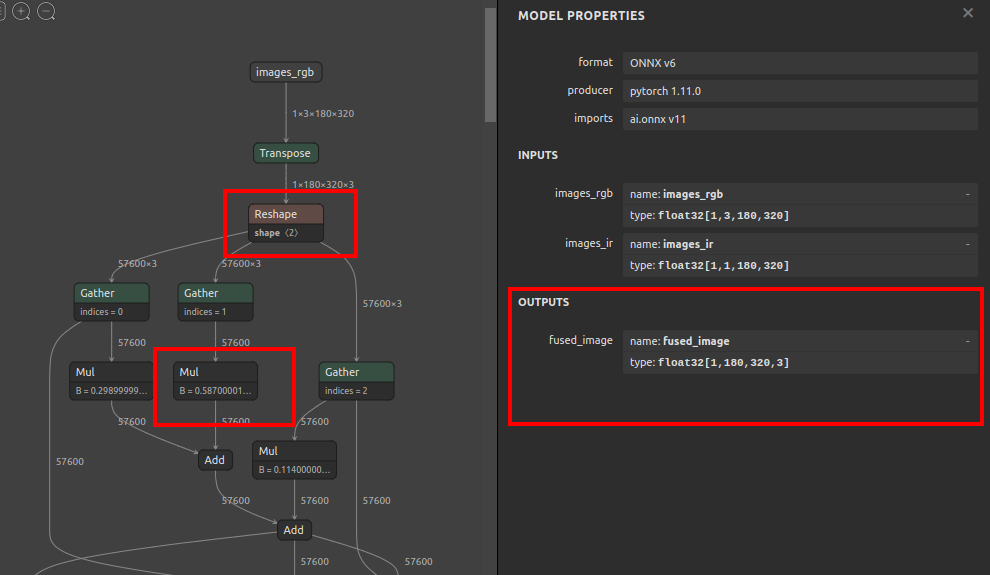
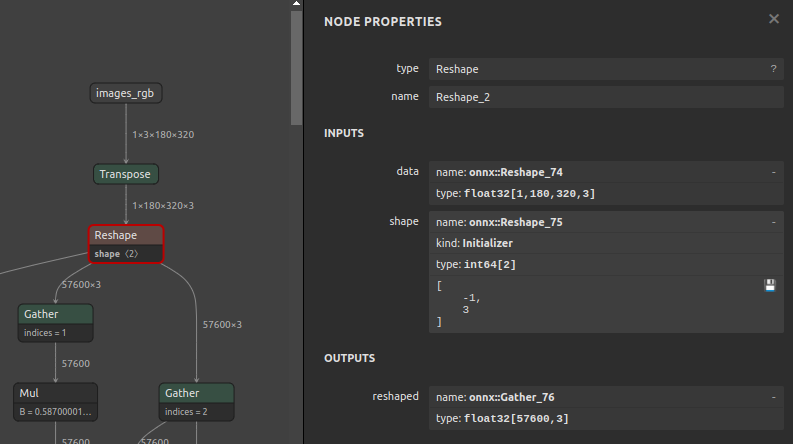
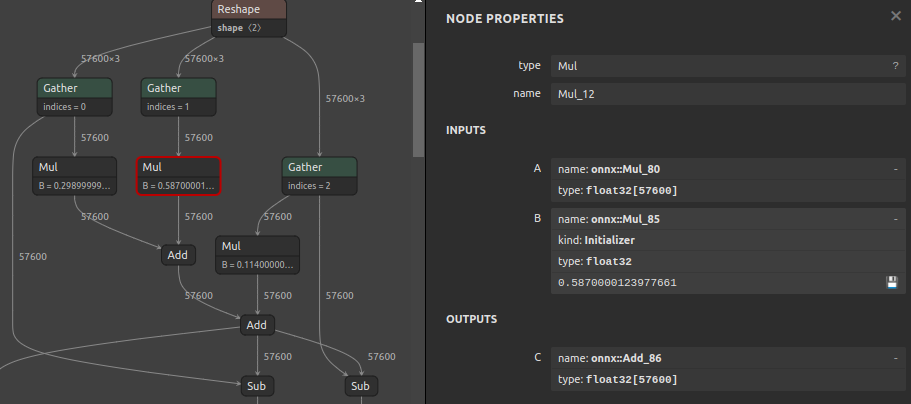
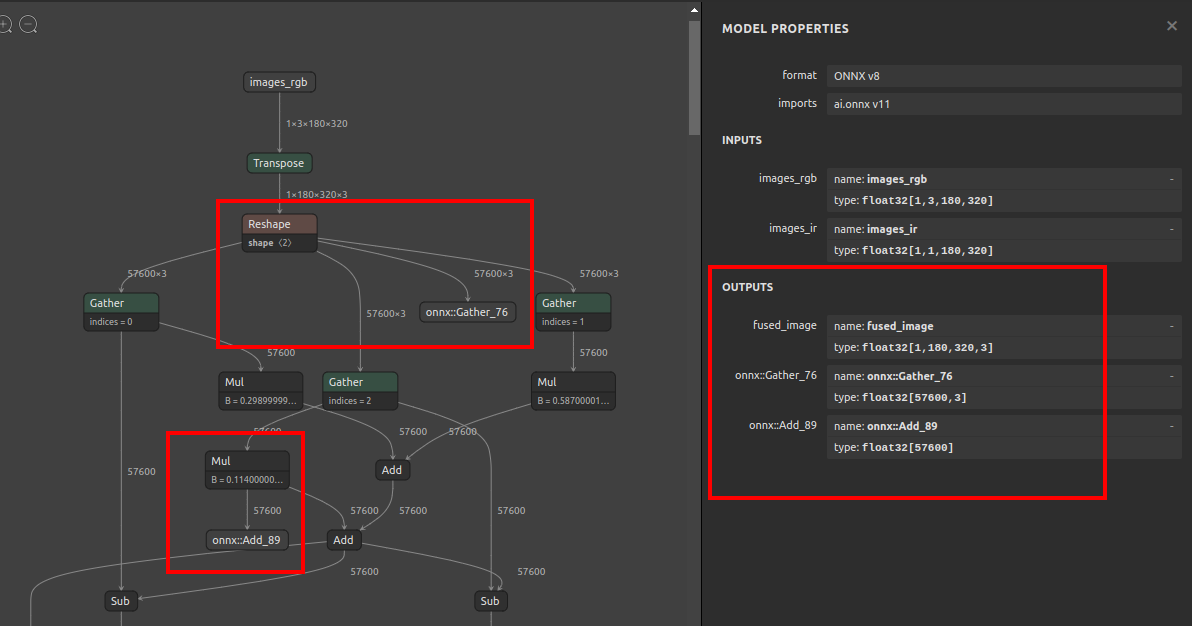
$ soa4onnx \
--input_onnx_file_path fusionnet_180x320.onnx \
--output_op_names "onnx::Gather_76" "onnx::Add_89" \
--output_onnx_file_path fusionnet_180x320_added.onnx
Before
After
7. Reference
- https://github.com/onnx/onnx/blob/main/docs/Operators.md
- https://docs.nvidia.com/deeplearning/tensorrt/onnx-graphsurgeon/docs/index.html
- https://github.com/NVIDIA/TensorRT/tree/main/tools/onnx-graphsurgeon
- https://github.com/PINTO0309/simple-onnx-processing-tools
- https://github.com/PINTO0309/PINTO_model_zoo
8. Issues
https://github.com/PINTO0309/simple-onnx-processing-tools/issues
1 maintainer

Metadata
1 maintainer
Release files for soa4onnx 1.0.5
For a detailed explanation of source distributions (sdists) and built distributions (wheels), please see the package formats documentation.
Source distribution (sdist)
| File | Size | Uploaded | |
|---|---|---|---|
| soa4onnx-1.0.5.tar.gz | 5.7 kB | Details |
Built distribution (wheel)
| File | Interpreter | ABI | Platform | Reset |
|---|---|---|---|---|
| soa4onnx-1.0.5-py3-none-any.whl | Python 3 | none | any | Details |
Total release size: 12.2 kB
Release files / soa4onnx-1.0.5.tar.gz
| Download URL | soa4onnx-1.0.5.tar.gz |
|---|---|
| Size | 5.7 kB |
| Tags | Source |
|
SHA-256 checksum How to use checksums |
0bfebd324224099b65b91447388343a6d68a599b3e2083c05b5550b380f5cba7
|
|
BLAKE2b-256 checksum How to use checksums |
ea08a4874bfcf6b5f52fbf01a62ef869656f9eef0299e300faff379b2ca5903b
|
| Upload date | |
|
Uploaded using Trusted Publishing? What is trusted publishing? |
No |
| Uploaded via |
twine/6.2.0 CPython/3.9.23
|
Release files / soa4onnx-1.0.5-py3-none-any.whl
| Download URL | soa4onnx-1.0.5-py3-none-any.whl |
|---|---|
| Size | 6.5 kB |
| Tags | Python 3 |
|
SHA-256 checksum How to use checksums |
375adcde040c8c4f0be75d6cac2c77ef3a2b8f926ddd885857b4ffc04cda9b63
|
|
BLAKE2b-256 checksum How to use checksums |
a3b64c2f4eab76e166b1a9976a0ca6b350ff47fcfde5f430a7472c94cca8b847
|
| Upload date | |
|
Uploaded using Trusted Publishing? What is trusted publishing? |
No |
| Uploaded via |
twine/6.2.0 CPython/3.9.23
|














