
Automate social media posting via an API for your company or clients


Project description
Automated Social Media Posting APIs

Social Post API is a client for Ayrshare's APIs. Ayrshare is a powerful set of APIs that enable you to automate server-side social media posts to Twitter, Instagram, Facebook, LinkedIn, Reddit, and Telegram for yourself, company, or clients. The Ayrshare API handles all the setup and maintenance for the social media networks. One API to rule them all (yeah, went there). See the full list of features.
If you have a platform or manage multiple clients contact us about the business plan.
Also, check out our video of installing and using the package.
Installation
pip install social-post-api
Setup
-
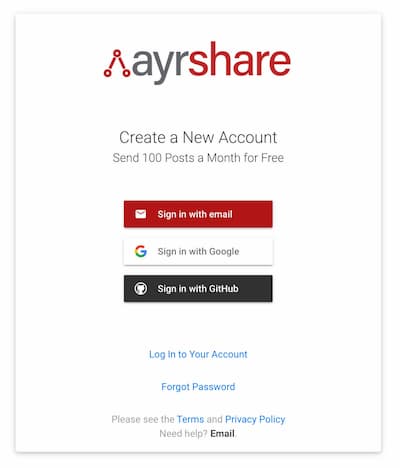
Create a free Ayrshare account.
-
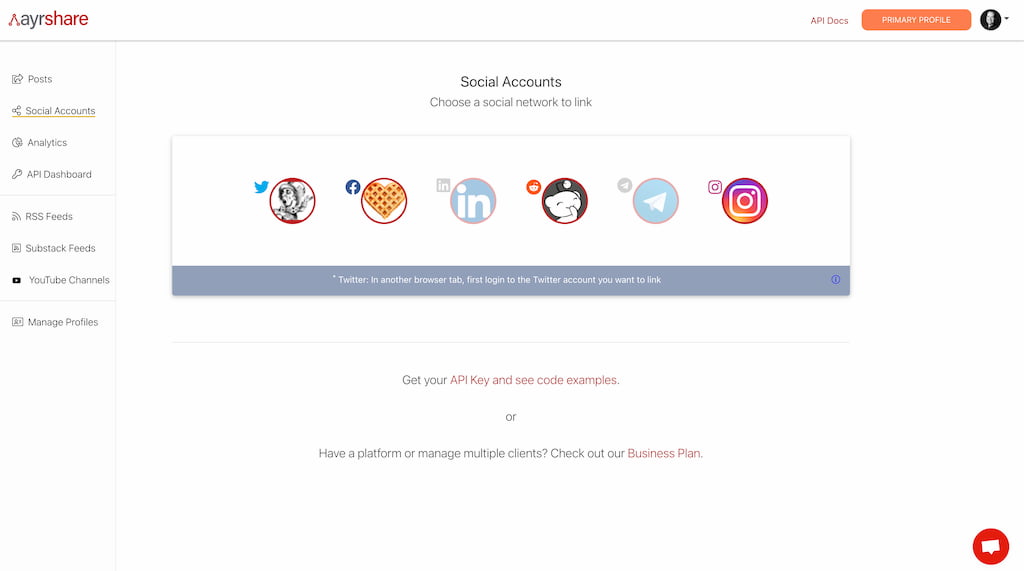
Enable your social media accounts such as Twitter, Facebook, LinkedIn, Reddit, Instagram, or Telegram in the Ayrshare dashboard.
-
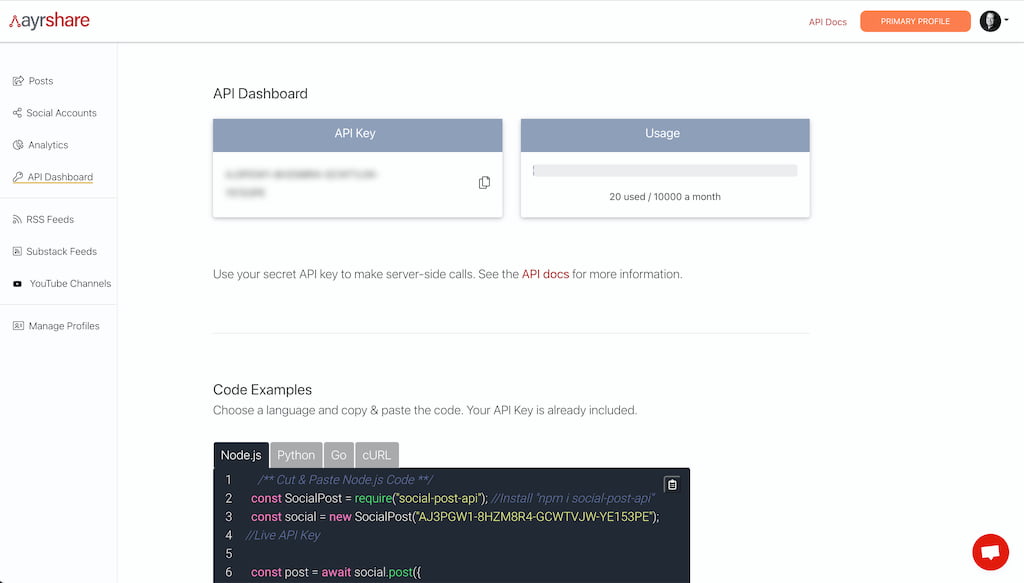
Copy your API Key from the Ayrshare dashboard. Used for authentication.
Getting Started
Initialize Social Post API
Create a new Social Post object with your API Key.
from ayrshare import SocialPost
social = SocialPost('8jKj782Aw8910dCN') # get an API Key at ayrshare.com
History, Post, Delete Example
This simple example shows how to post, get history, and delete the post. This example assumes you have a free API key from Ayrshare and have enabled Twitter, Facebook, and LinkedIn. Note, Instagram, Telegram and Reddit also available.
from ayrshare import SocialPost
social = SocialPost('8jKj782Aw8910dCN') # get an API Key at ayrshare.com

# Post to Platforms Twitter, Facebook, and LinkedIn
postResult = social.post({'post': 'Nice Posting 2', 'platforms': ['twitter', 'facebook', 'linkedin']})
print(postResult)
API
Post
Published a new post to the specified social networks either immediately or at scheduled future date. Returns a promise that resolves to an object containing the post ID and post status (success, error).
postResponse = social.post({
    # Required
    'post': "Best post ever!",

	# Required: Social media platforms to post.
	# Accepts an array of strings with values: "facebook", "twitter", "linkedin", "reddit", or "telegram".
    'platforms': ["twitter", "facebook", "linkedin", "telegram", "reddit"],

	# Optional: URLs of images to include in the post or for Instagram
	'media_urls': ["https://myimage.com/image.png"],

	# Optional: Datetime to schedule a future post.
	# Accepts an ISO-8601 UTC date time in format "YYYY-MM-DDThh:mm:ssZ". Example: 2021-07-08T12:30:00Z
	'scheduleDate': "2020-08-07T15:17:00Z",

	# Required if platform includes "reddit." Title of Reddit post.
	'title': "My Reddit Post",

	# Required if platform includes "reddit." Subreddit to post.
	'subreddit': "test",

	# Optional: Shorten links in the post for all platforms similar to bit.ly.
	# Only URLS starting with http or https will be shortened. Default value: true.
	'shorten_links': true
  })
Delete
Delete a post with a given post ID, obtained from the "post" response. Returns a promise with the delete status. Also, can bulk delete multiple IDs at once using the "bulk" key.
deleteResponse = social.delete({
    # Required
    'id': "POST ID",                          # optional, but required if "bulk" not present
    'bulk': ["Post ID 1", "Post ID 2", ...]   # optional, but required if "id" not present
  })
History
Get a history of all posts and their current status in descending order. Returns a promise that resolves to an array of post objects.
historyResponse = social.history({
  'lastRecords': 10,    # optional: returns the last X number of history records
  'lastDays': 30,       # optional: returns the last X number of days of history records. Defaults to 30 if not present.
})
Upload Media
Upload and store a new image. Returns a URL referencing the image. Can be used in "image_url" in "post".
uploadResponse = social.upload({
	# Required: The image as a Base64 encoded string. Example encoding: https://www.base64-image.de/
	'file': "data:image/jpeg;base64,/9j/4AAQSkZJRgABAQAAAQ...",

	# Optional
	'fileName': "test.png",

	# Optional
    'description': "best image"
})
Get Media
Get all media URLS. Returns a promise that resolves to an array of URL objects.
mediaResponse = social.media()
User
Get data about the logged in user, such as post quota, used quota, active social networks, and created date.
user = social.user()
Shorten URL
Shorten a URL and return the shortened URL.
shortenResponse = social.shorten({
    # Required: URL to shorten
    'url': "https://theURLtoShorten.com/whatmore",
  })
Analytics
Get analytics on shortened links: clicked and source of clicks for iOS, Android, or Desktop.
analytics = social.analytics({
  # Optional range 1-7, default 1 day.
  'lastDays': 3
})
Add an RSS or Substack Feed
Add a new RSS or Substack feed to auto post all new articles. Returns a promise that resolved to an object containing the feed ID. See How to Automate Your Blog or Newsletter for more info.
feedResponse = social.feedAdd({
	# Required: URL to shorten
	'url': "https://theRSSFeed",

	# Optional: Value: "rss" or "substack".
	# If not set, defaults to "rss"
    'type': "RSS",
  })
Delete an RSS or Substack Feed
Delete an RSS feed for a given ID.
feedResponse = social.feedDelete({
	# Required: ID of the feed
	'id': "Feed ID",
  })
Business Plan Functions for Multiple Clients - Business Plan Required
See here for more information
Create Profile
Create a new account profile under the primary account
createProfileResponse = social.createProfile({
    # Required: title
    'title': "New Profile Title",
  })
Delete Profile
Delete a profile owned by the primary account
deleteProfileResponse = social.deleteProfile({
    # Required: profileKey - the API Key of the profile to delete
    'profileKey': "JI9s-kJII-9283-OMKM",
  })
Additional Information and Support
Additional examples, responses, etc. can be found at:
Please contact us with your questions, or just to give us shout-out 📢!
Release history Release notifications | RSS feed


Download files
Download the file for your platform. If you're not sure which to choose, learn more about installing packages.
Source Distribution
Built Distribution
Filter files by name, interpreter, ABI, and platform.
If you're not sure about the file name format, learn more about wheel file names.
Copy a direct link to the current filters







File details
Details for the file
social-post-api-0.1.1.tar.gz.File metadata
File hashes
16d6c9233c1b31cc96cf052697e1187a51eb0eb1492c6ecd3341690402373cbee77bcde87cc7d796459122bc8f842cfde1bb07c9a65b2cbde2447d4990a93240977a150a7e10f5d617498761a00e3d1eSee more details on using hashes here.