
socket-plotter
Instant plotter based on pyqtgraph via socket communication.


Installation
with pipx
- Install CLI commands.
pipx install socket-plotter[pyside]
- Install in python environments where you want to use this library
- activate your environment
pip install socket-plotter
Usage
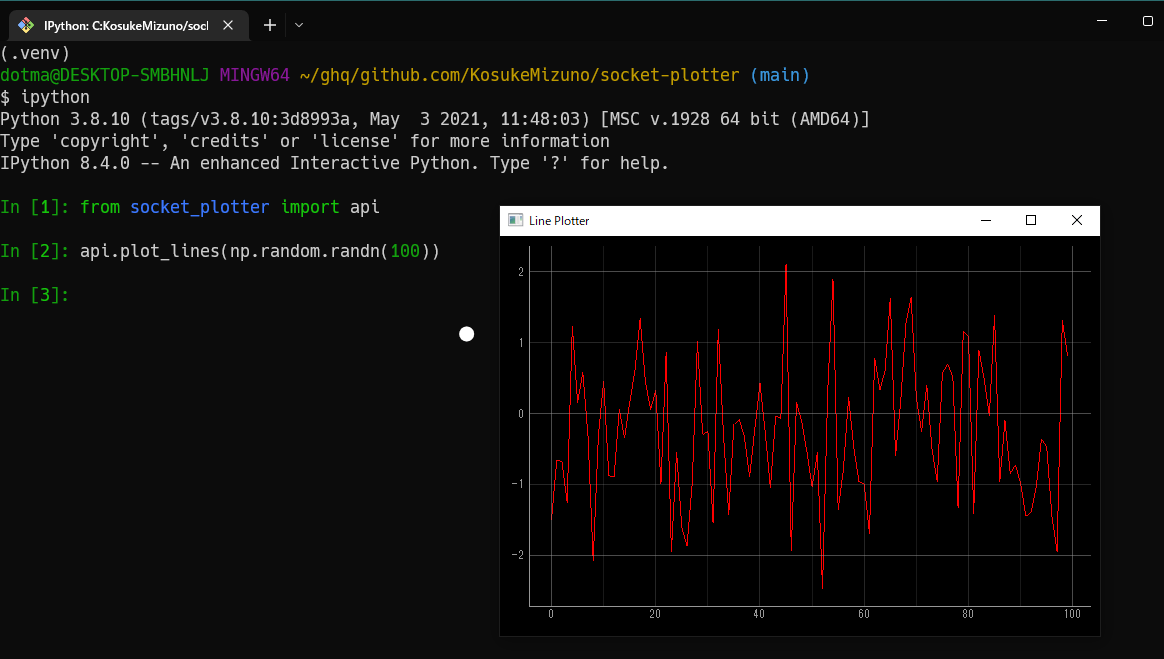
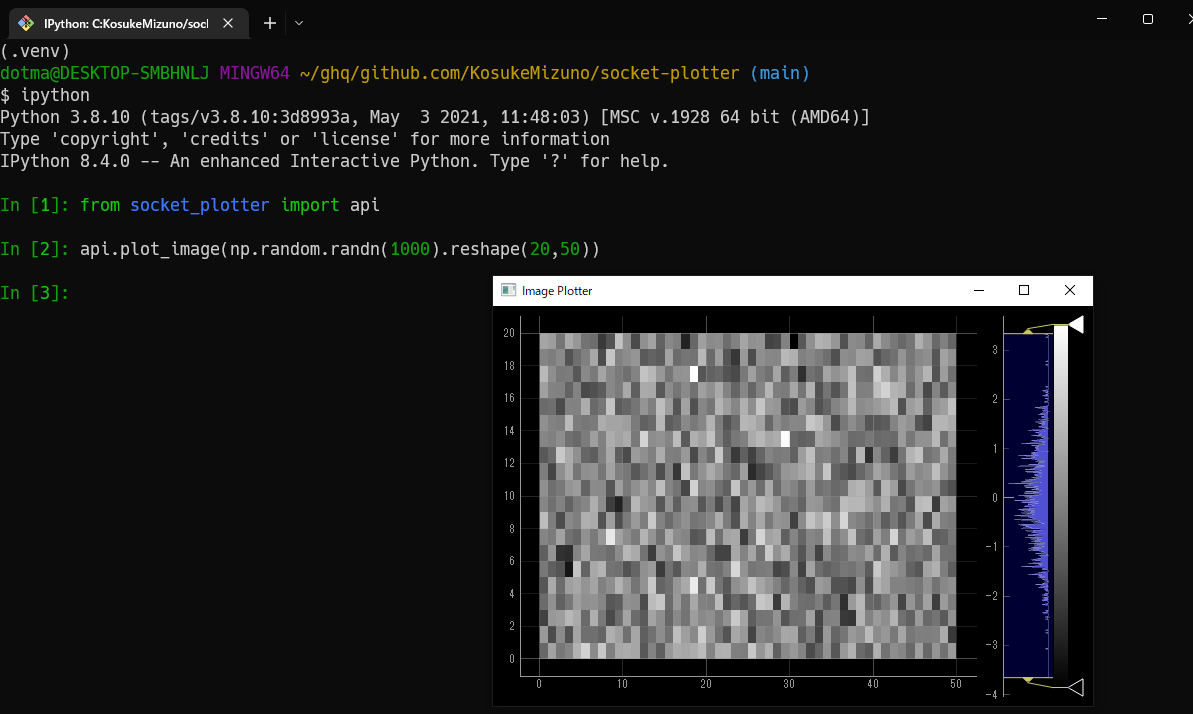
from socket_plotter import plot_lines, plot_image, plot_image_and_lines
import numpy as np

# for line plot
xdata = np.arange(100)
ydata = np.random.randn(100)
plot_lines(xdata, ydata)

# for image plot
img = np.random.randn(100, 100)
plot_image(img)

# for both, the image and each row of the image are displayed.
img = np.random.randn(100, 100)
plot_image_and_lines(img)
The above three functions check if a plotter process exists.
If needed, a new plotter process will be launched before plotting.
You can specify your python executable to launch plotter GUIs via an environment variable SOCKETPLOTTER_PYTHON_EXECUTABLE.
Launch via command line interface
You can launch them as executables.
Note that in this case SOCKETPLOTTER_PYTHON_EXECUTABLE will be ignore.
The python interpreter in the installed environment will be used.
# launch it in background
$ socket_image_plotter &
$ socket_line_plotter &
Addresses and ports
The default ports are 8765 for lineplot and 8766 for imageplot.
The default address is 127.0.0.1.
Other ports and address can be assigned as the following:
plot_lines(xdata, ydata, addr='<address to plotter>', port=7777)
screenshots
Change log
[0.1.4]
- refine docstrings
- add entrypoints via CLI
[0.1.3]
- headers should be json-formatted.
- implement json-based data transfer
[0.1.2]
- executable switch via
SOCKETPLOTTER_PYTHON_EXECUTABLE
[0.1.1]
- removed PySide2 from
install_requiresto avoid automatic installation by package managers for compatibility for pip and anaconda environments
[0.1.0]
- released
Memo
sphinx-build docs docs/_buildat the repo root.
1 maintainer

Metadata
1 maintainer
Release files for socket-plotter 0.1.4
For a detailed explanation of source distributions (sdists) and built distributions (wheels), please see the package formats documentation.
Source distribution (sdist)
| File | Size | Uploaded | Provenance | Actions |
|---|---|---|---|---|
| socket-plotter-0.1.4.tar.gz | 10.7 kB | Without provenance | Details for socket-plotter-0.1.4.tar.gz |
Built distribution (wheel)
| File | Interpreter | ABI | Platform | Actions Reset |
|---|---|---|---|---|
| socket_plotter-0.1.4-py3-none-any.whl | Python 3 | none | any | Details for socket_plotter-0.1.4-py3-none-any.whl |
Total release size: 20.6 kB
Release files / socket-plotter-0.1.4.tar.gz
| Download URL | socket-plotter-0.1.4.tar.gz |
|---|---|
| Size | 10.7 kB |
| Tags | Source |
|
SHA-256 checksum How to use checksums |
35f8e487e11dd20e2d7f8fbe941724f38e018049132b553b02b2403667dba0c5
|
|
BLAKE2b-256 checksum How to use checksums |
55b674092e840f4ecc41359083c4dd50c4e99ca047276b1019be80a37576786e
|
| Upload date | |
|
Uploaded using Trusted Publishing? What is trusted publishing? |
No |
| Uploaded via |
twine/4.0.1 CPython/3.8.10
|
Release files / socket_plotter-0.1.4-py3-none-any.whl
| Download URL | socket_plotter-0.1.4-py3-none-any.whl |
|---|---|
| Size | 9.9 kB |
| Tags | Python 3 |
|
SHA-256 checksum How to use checksums |
4c453bb6fb3c9964fb7a6cbbb7e8877f696245a1e1a6e50f3daef53b3451f46d
|
|
BLAKE2b-256 checksum How to use checksums |
9bfbc8547037973fefb797ba5498322f98c6493457e231249d5735f42e2e467f
|
| Upload date | |
|
Uploaded using Trusted Publishing? What is trusted publishing? |
No |
| Uploaded via |
twine/4.0.1 CPython/3.8.10
|
Security for socket-plotter 0.1.4
Provenance
Provenance describes where a file came from. On PyPI, provenance is shared via attestations, which provide a verifiable record of the build or publishing details. View details, limitations and caveats.
No provenance found
None of the files in this release were uploaded with provenance metadata.
A note on package security
PyPI is a repository for distributing packages, not a service for auditing them. While third-party security researchers and our staff do their best to detect and remove malicious packages, PyPI cannot guarantee the quality, security or suitability of any given package.
To learn more about protecting yourself from malicious actors, visit our package security documentation.














