
Sonofman
# aka BibleMultiTheSonOfMan
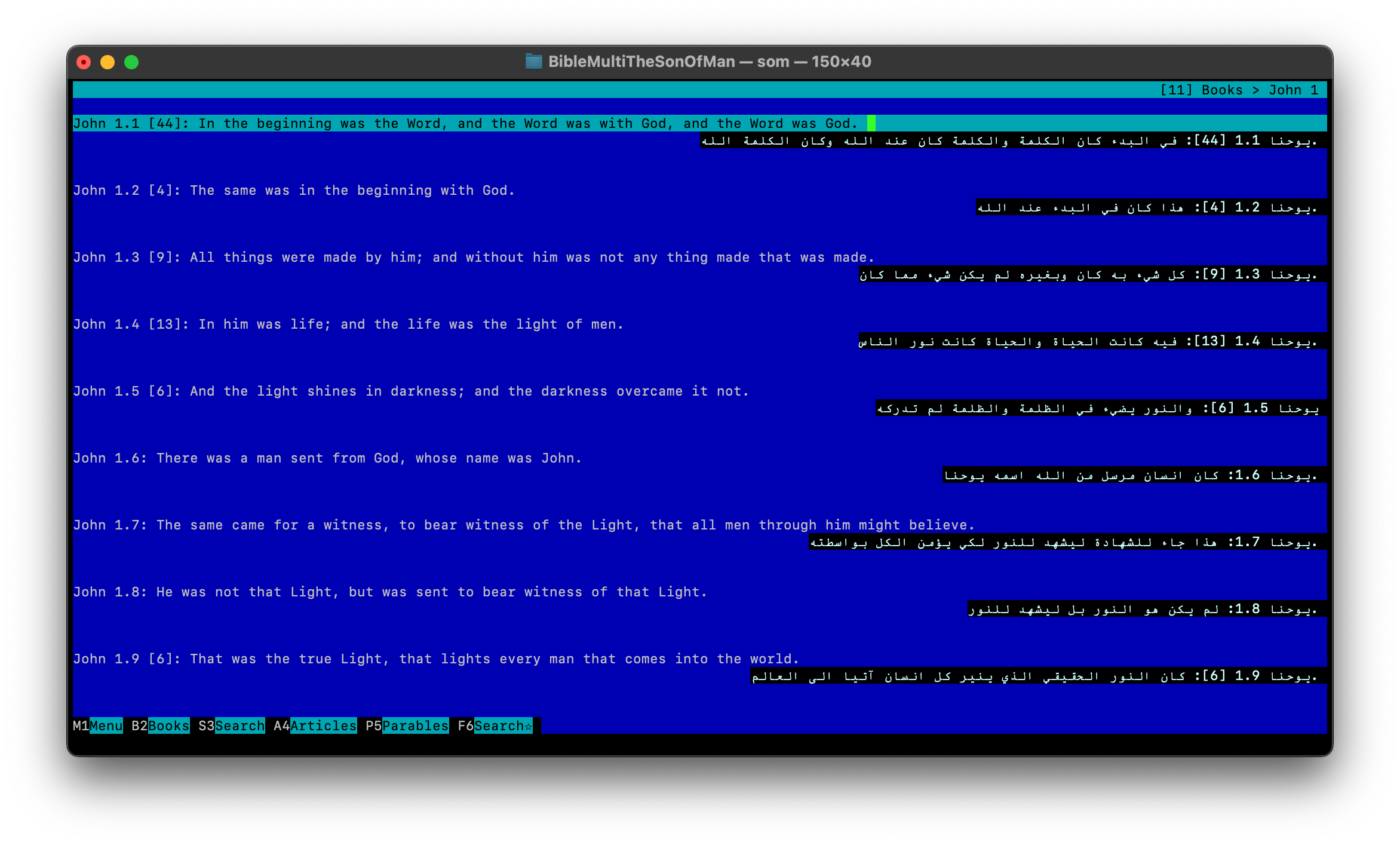
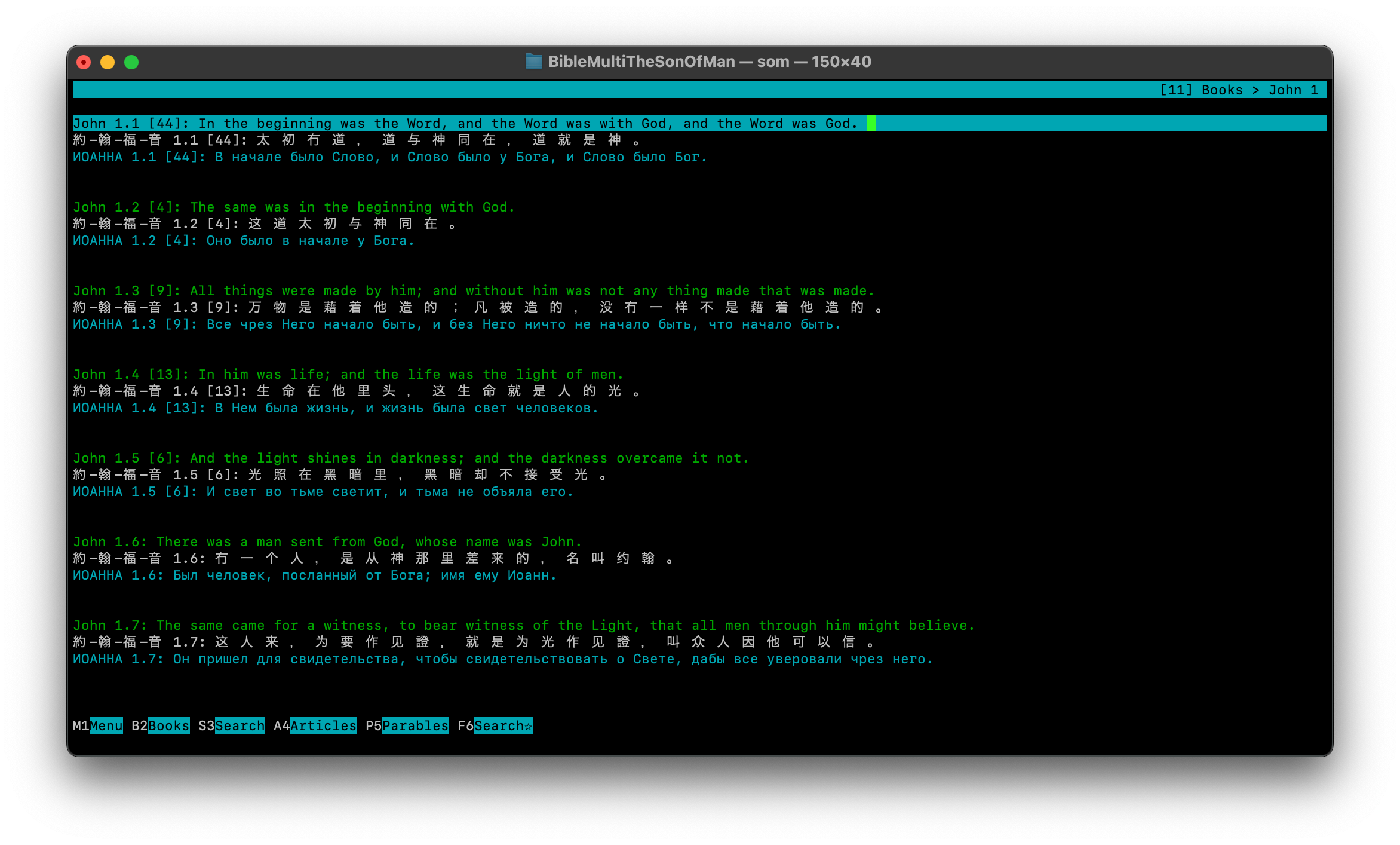
Bible multi languages, free, offline, no advertising, in English, French, Italian, Spanish, Portuguese for Terminal.
Bibles included: King James Version, Bible in Basic English, World English Bible, Louis Segond, Ostervald, Darby, Diodati, Reina Valera, Almeida, Schlachter, Elberfelder, Romanian Bible (Romanian Cornilescu 1928), Polish Bible (Biblia Warszawska 1975), Russian Bible (Russian Synodal Translation 1876), Turkish Bible (New Turkish Bible 2001), Swahili Bible (Swahili Union Version 1997), Arabic Bible (Smith & Van Dyke), Hindi Bible, Bengali Bible (Bengali C.L. Bible 2016), Chinese Bible (New Chinese Version Simplified), Japanese Bible (New Japanese Bible 1973), Farsi Bible (Persian Old Version 1895), Korean Bible (Korean Revised Version 1952/1961), Indonesian Bible (Terjemahan Baru 1974), Vietnamese Bible (Tiếng Việt 1934), Ukrainian Bible (Oгієнко 1962), Philippine Bibles (Ang Dating Biblia 1905, Tagalog Unlocked Literal Bible 2018).
Easy to use with quick searches, parables, articles, cross references, favorites, history.
As there is not a lot of Bible applications in Terminal, my app can be useful. The app exists in several packages: Flatpak, Snap, Anylinux AppImage, PyPI and can be installed on Linux, all ARM, Mac, Windows Native, Android (Termux).
Works with Python and Ncurses. The app is very low in memory and CPU usage. Check my website if you need more graphical interfaces. The app has two brothers :)
Please share the info with your friends. Time is short. Tribulations are at the door.
** All The Glory To God.
To install the app on ARM, the best solution remains to use the PyPI package. Snap and Flatpak would be too heavy for the processor: https://pypi.org/project/sonofman/
For the story: the app was created after Bible Multi The Light (Android) and before Bible Multi The Life (Android, iPhone, iPad, Big Sur, Mac, Linux, Windows). You can find them on their stores or via my website: https://www.biblemulti.org
Works on Linux, Mac, Windows Native, all ARM, Android (Termux)
|
Installation with Flatpak
$ flatpak install flathub org.hlwd.sonofmanRun with Flatpak
$ flatpak run org.hlwd.sonofmanInstallation with Snap
$ snap install bible-multi-the-son-of-manRun with Snap
$ bible-multi-the-son-of-manInstallation with pip
pip install sonofmanRun with pip
$ sonofmanRun with git
$ ./somTips
Linux:
If you have problem in your Linux/Mac console when quitting the application, type “reset” to restore the terminal or CTRL-D.
If you see a xclip error, xclip should be installed: “sudo apt-get install xclip”
If characters are missing, please install the utf8 characters with “sudo dpkg-reconfigure locales”: select en_US, es_ES, fr_FR, it_IT, pt_PT…
Windows:
See the logs
If you have problem in your Terminal, please start another one
To run the app:
(git): python som
(pip): sonofman
Help
Don’t hesitate to talk about the application on social media…
Don’t hesitate to test the application and inform me about suggestions, bugs…
Notes
Due to wide chars some Hindi characters could be replaced.
Customization of colors have been temporary disabled for Hindi and Bengali because it’s not always displayed correctly.
Screenshots
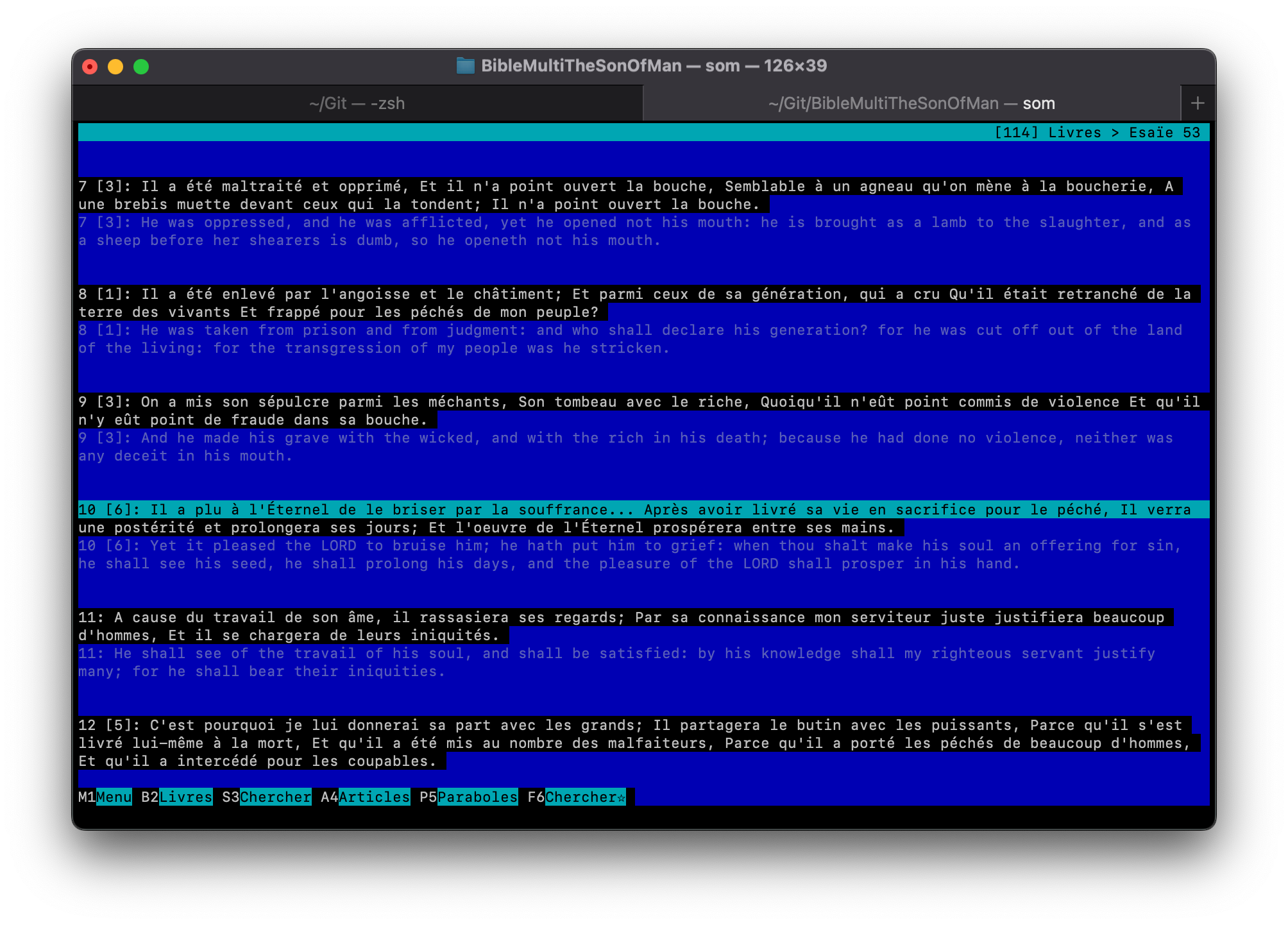
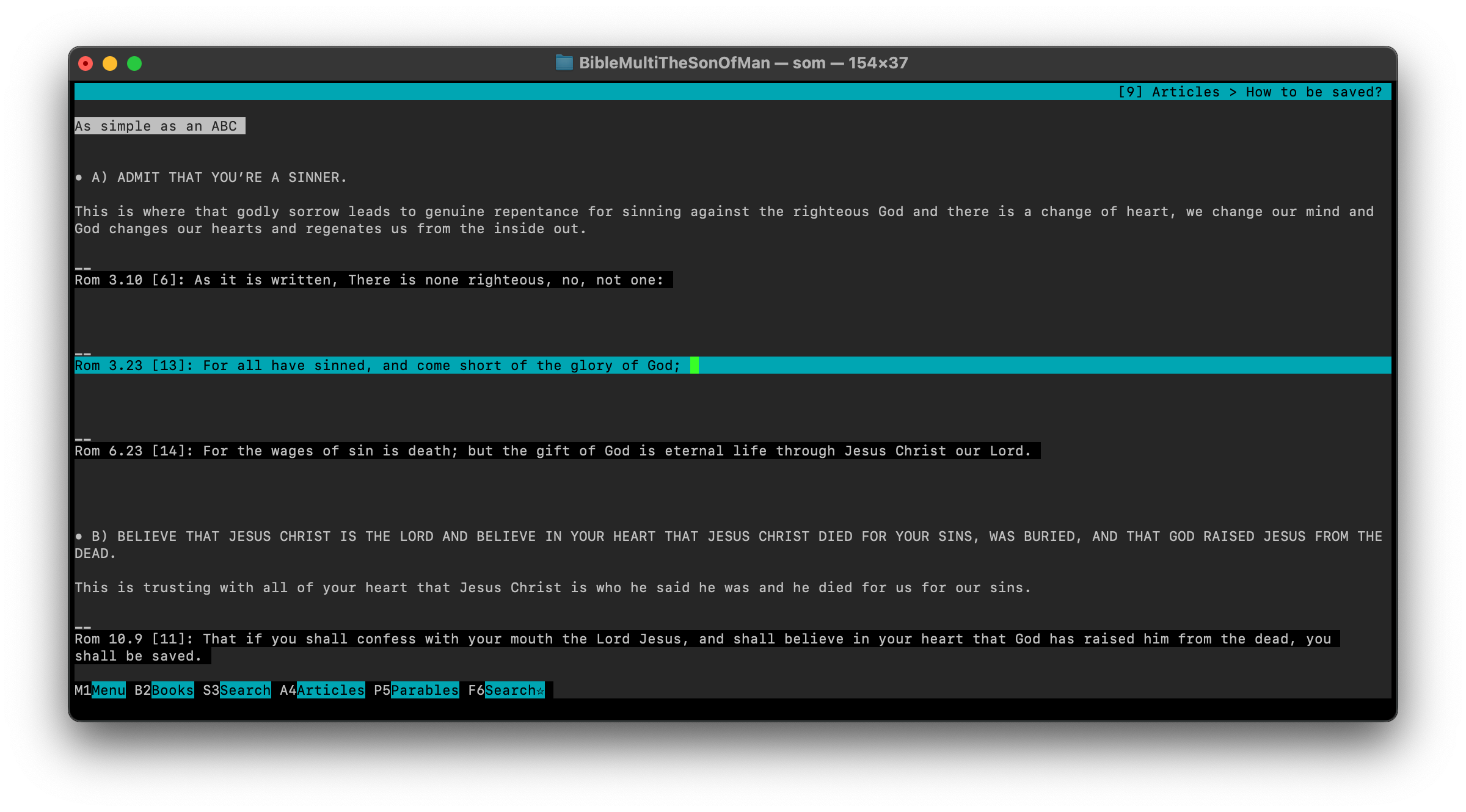
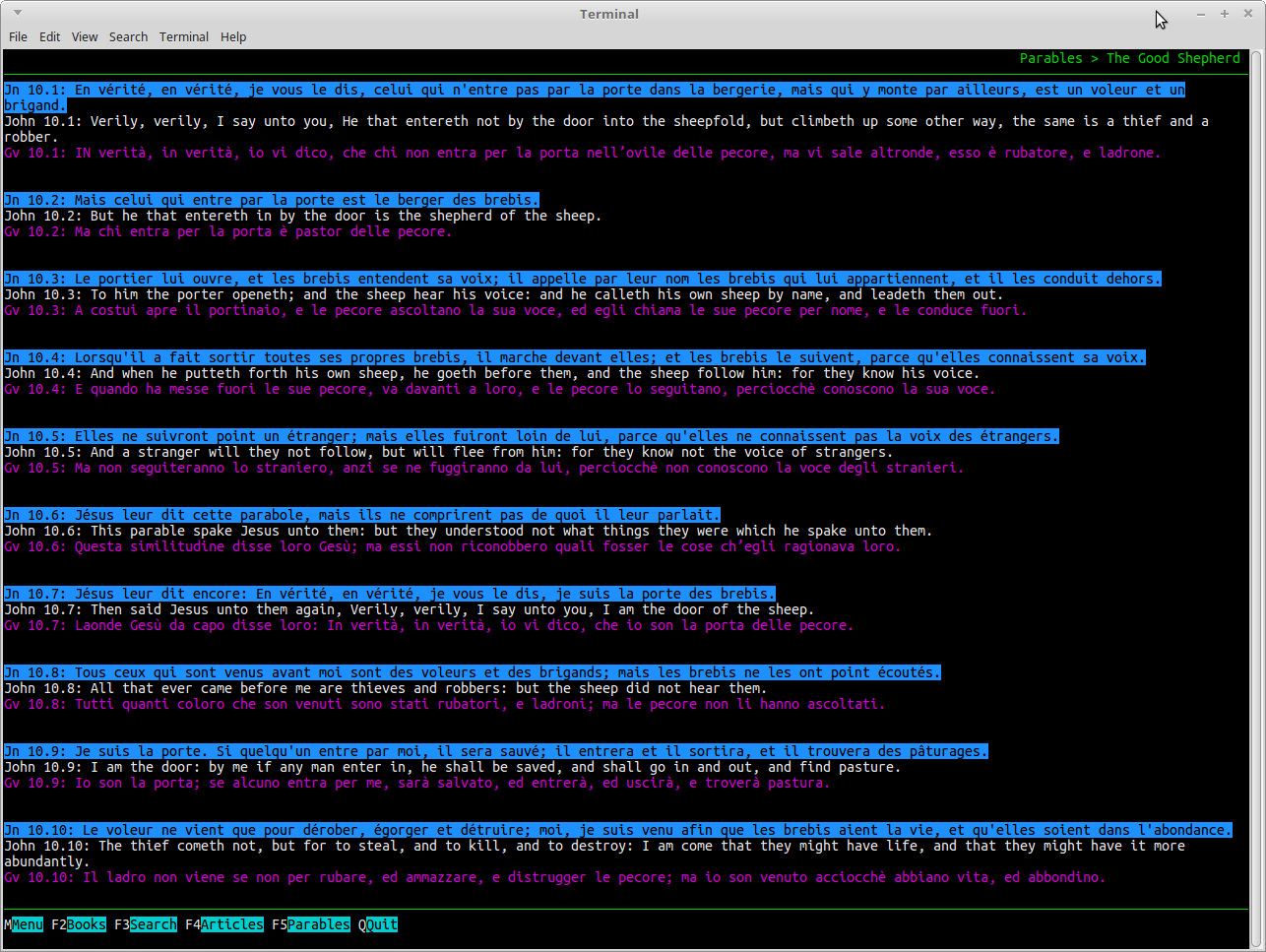
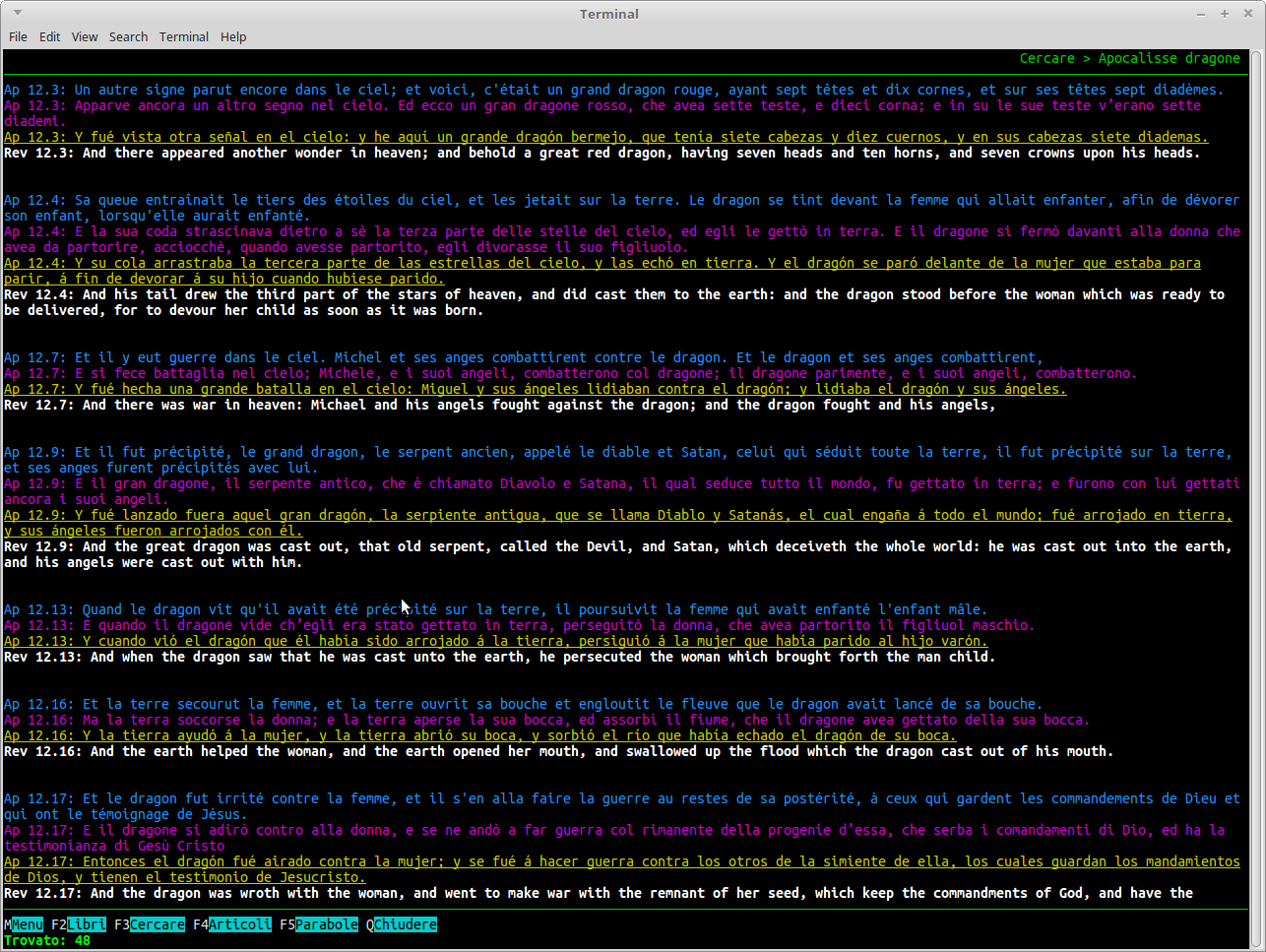
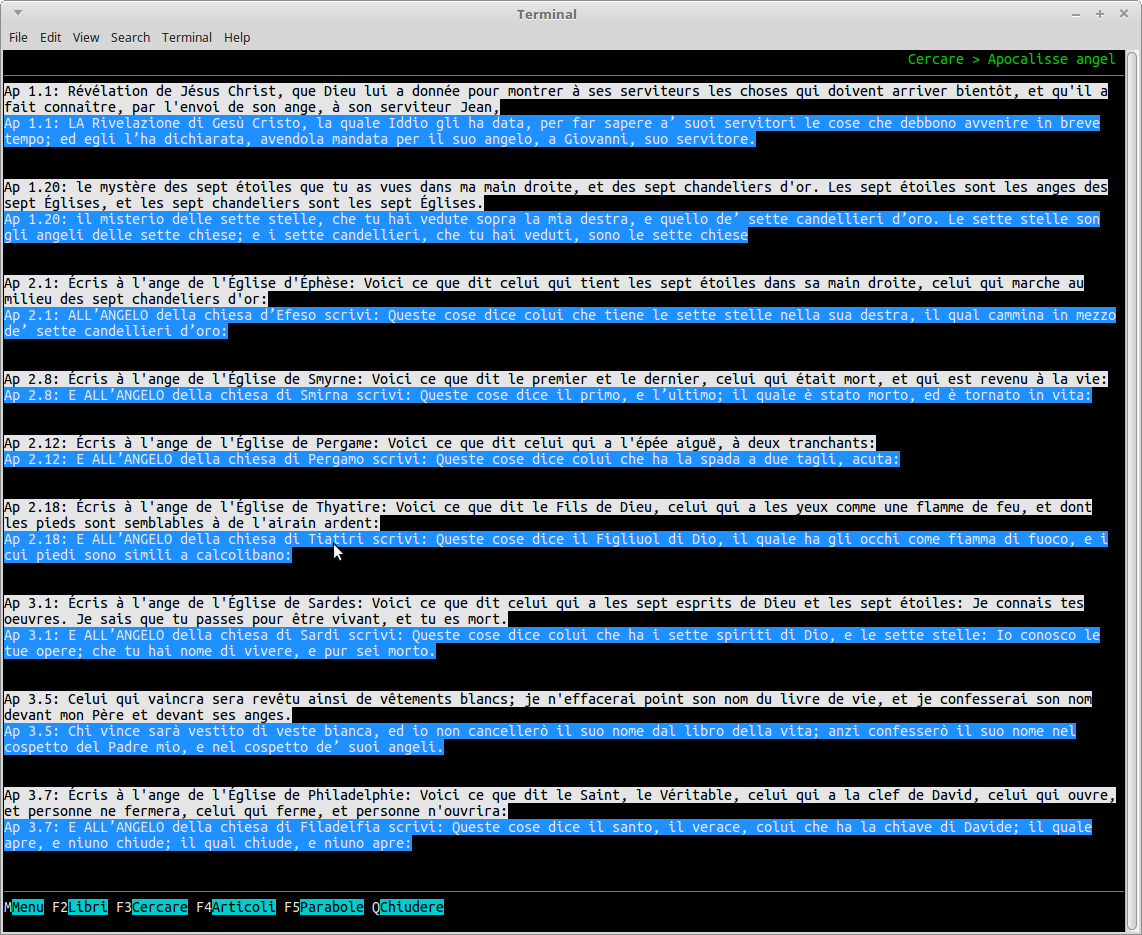
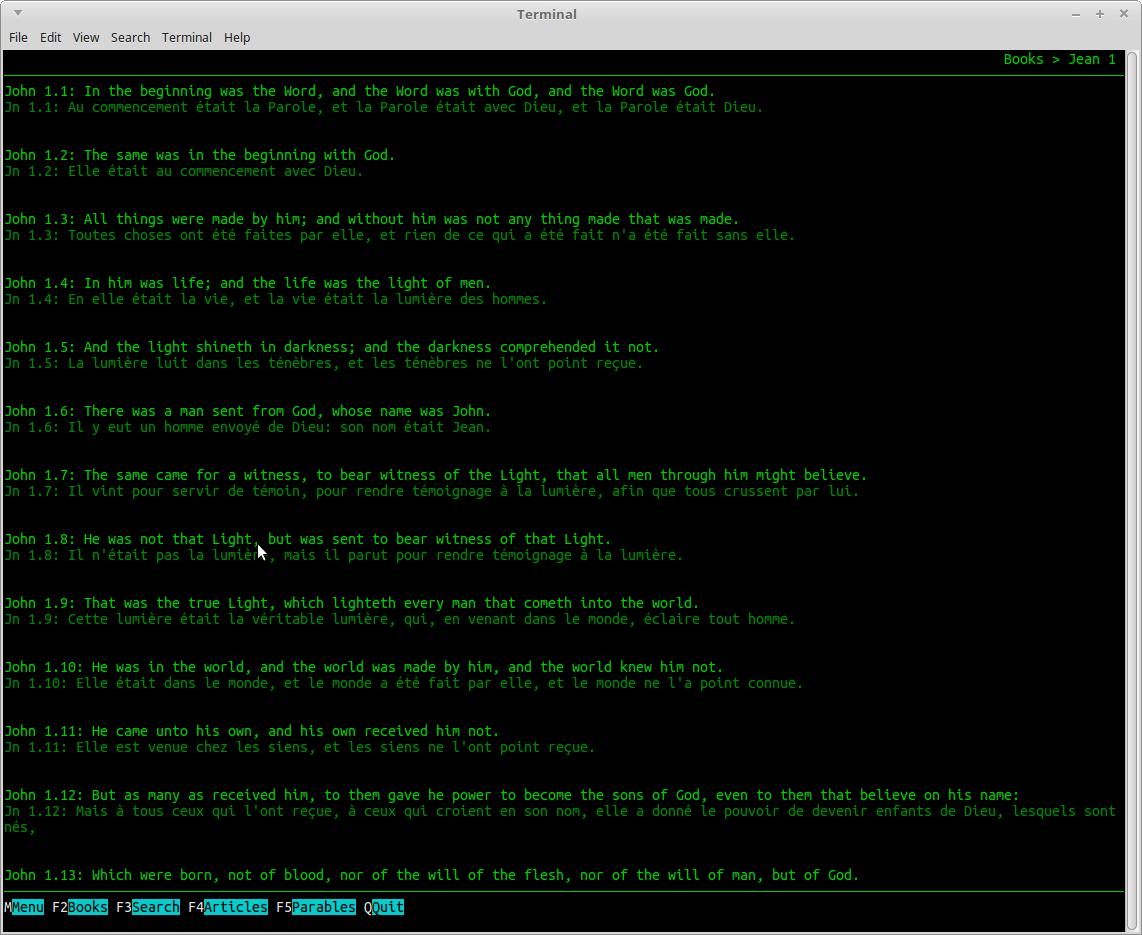
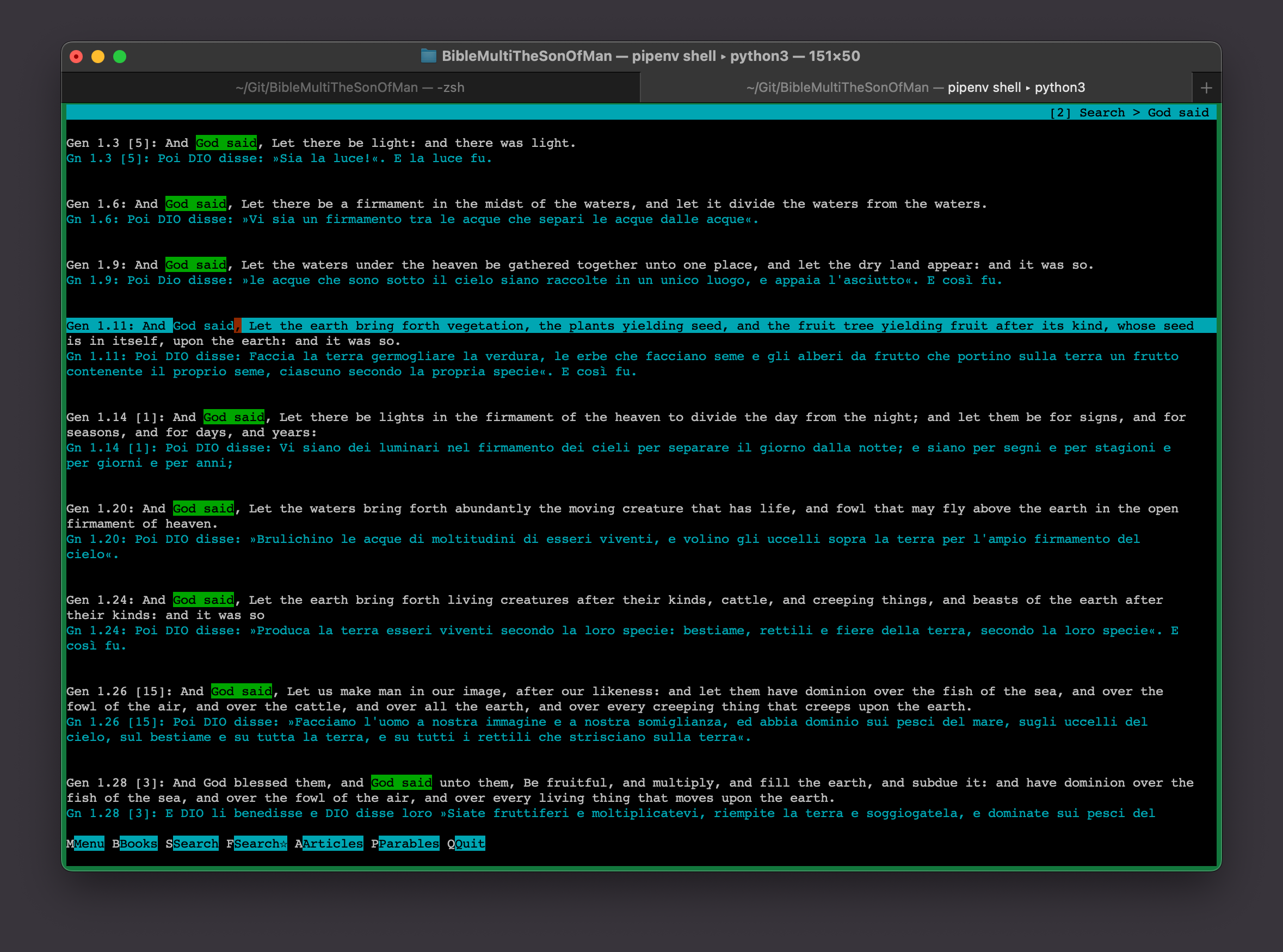
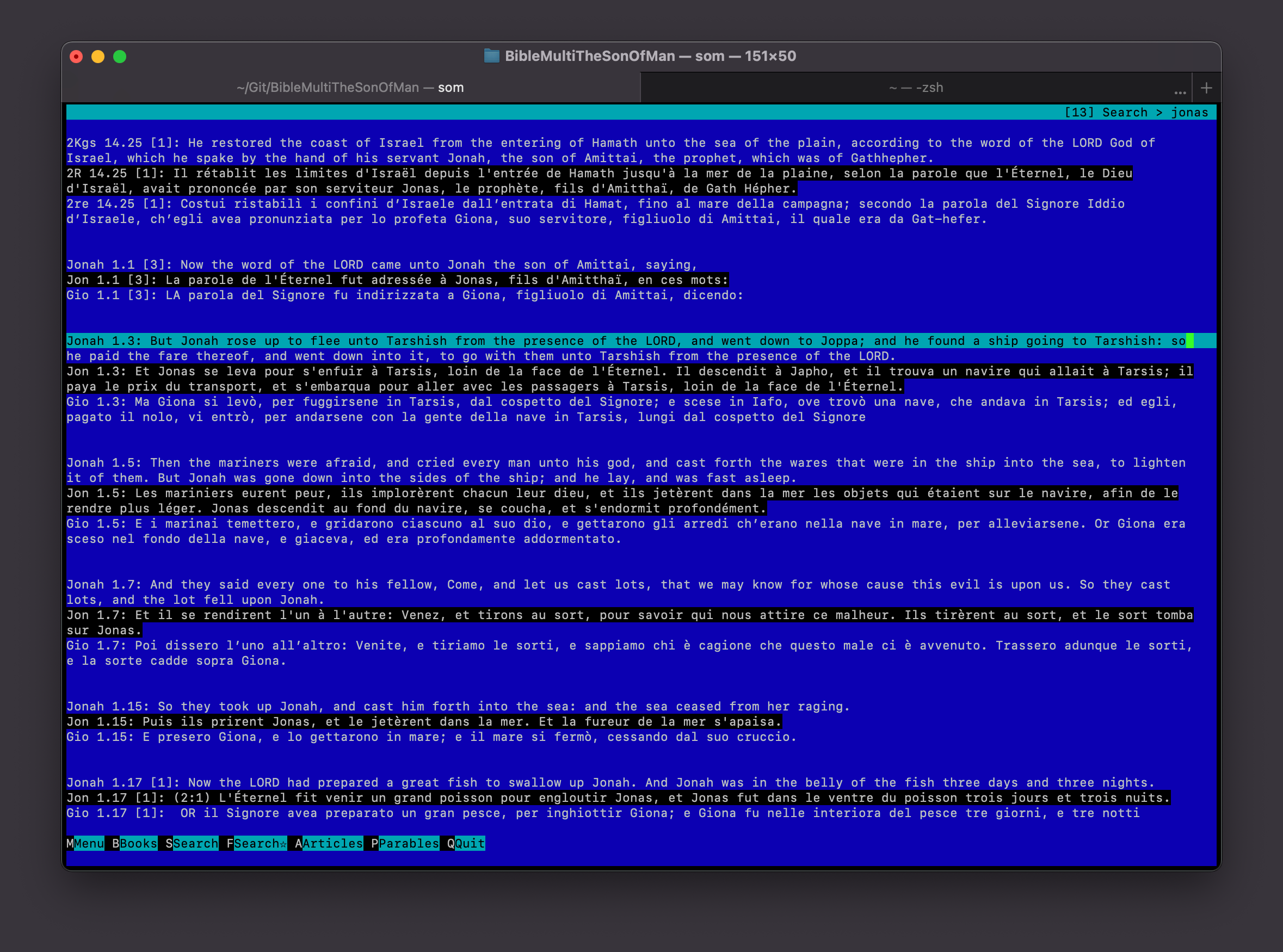
1 maintainer

Metadata
1 maintainer
Release files for sonofman 4.2.0
For a detailed explanation of source distributions (sdists) and built distributions (wheels), please see the package formats documentation.
Source distribution (sdist)
| File | Size | Uploaded | Provenance | Actions |
|---|---|---|---|---|
| sonofman-4.2.0.tar.gz | 71.9 MB | Without provenance | Details for sonofman-4.2.0.tar.gz |
Built distribution (wheel)
| File | Interpreter | ABI | Platform | Actions Reset |
|---|---|---|---|---|
| sonofman-4.2.0-py3-none-any.whl | Python 3 | none | any | Details for sonofman-4.2.0-py3-none-any.whl |
Total release size: 144.6 MB
Release files / sonofman-4.2.0.tar.gz
| Download URL | sonofman-4.2.0.tar.gz |
|---|---|
| Size | 71.9 MB |
| Tags | Source |
|
SHA-256 checksum How to use checksums |
d297895ecff4b2a12b9c42f807befab94bcf083572ec12a9ebb60bf25d468892
|
|
BLAKE2b-256 checksum How to use checksums |
46aa7b40304cb5f4d9add6d5cad947fa28f3ad055a9bcb361a7b2d87cb52e2df
|
| Upload date | |
|
Uploaded using Trusted Publishing? What is trusted publishing? |
No |
| Uploaded via |
twine/7.0.0 CPython/3.14.6
|
Release files / sonofman-4.2.0-py3-none-any.whl
| Download URL | sonofman-4.2.0-py3-none-any.whl |
|---|---|
| Size | 72.8 MB |
| Tags | Python 3 |
|
SHA-256 checksum How to use checksums |
bde96b84db59dfb301a529ffec11d6d58fca0fcf3401ea32e79ac9461f31b725
|
|
BLAKE2b-256 checksum How to use checksums |
36121c3742017563e609db2b2fa5934897fe6dc00f07412a7f1394560a9e050a
|
| Upload date | |
|
Uploaded using Trusted Publishing? What is trusted publishing? |
No |
| Uploaded via |
twine/7.0.0 CPython/3.14.6
|
Security for sonofman 4.2.0
Provenance
Provenance describes where a file came from. On PyPI, provenance is shared via attestations, which provide a verifiable record of the build or publishing details. View details, limitations and caveats.
No provenance found
None of the files in this release were uploaded with provenance metadata.
A note on package security
PyPI is a repository for distributing packages, not a service for auditing them. While third-party security researchers and our staff do their best to detect and remove malicious packages, PyPI cannot guarantee the quality, security or suitability of any given package.
To learn more about protecting yourself from malicious actors, visit our package security documentation.














