
Sonosthesia tools for baking audio analysis data

Project description
sonosthesia-audio-pipeline
Python based tooling to analyse audio files and write results to file for use in realtime visualization apps. Results can be written using Message Pack for efficient (de)serialization or JSON for human readable output. Readers are provided for the Unity timeline, to be used alongside the original audio files.
Installation
Installation requires python (version 3.9 to 3.12 are supported). Once you have python you can run
pip install sonosthesia-audio-pipeline
Python Pipeline
Sound Analysis
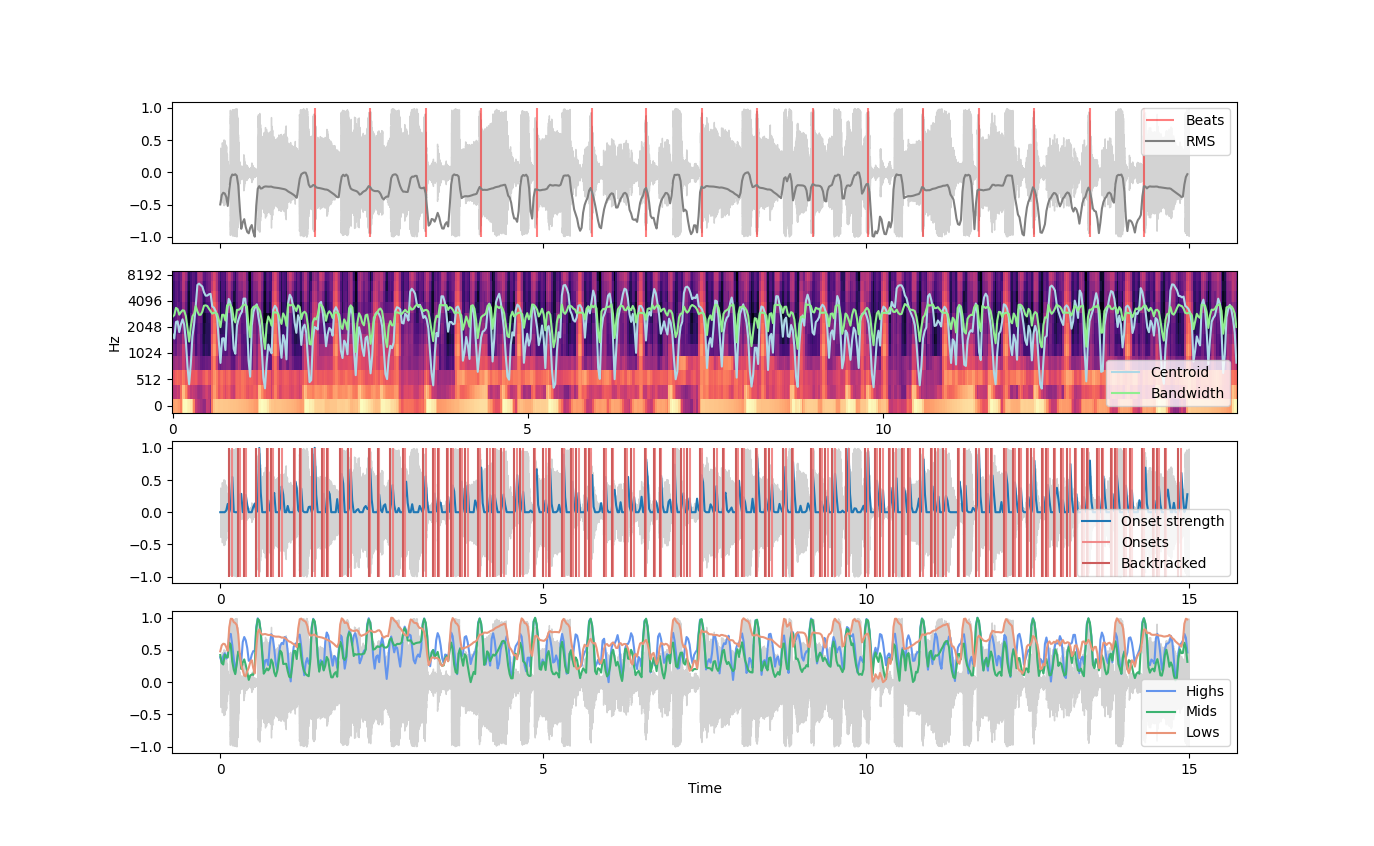
Librosa is used to extract audio features which are of particular interest for driving reactive visuals, notably:
- Beats and tempo
- RMS magnitude
- Energy in low, mid and high frequency bands
- Onsets
- Spectral centroid and bandwidth
The analysis data is writen to a file using MessagePack which is highly efficient both in terms of size and (de)serialization performance. The serialized data is an array of dictionaries each of which represents a time step
{
    'time': float,
    'rms': float,
    'lows': float,
    'mids': float,
    'highs': float,
    'centroid': float,
    'onset': bool
}
There is a preview mode which uses matplotlib to present analysis data
Source Separation
Currently using Demucs because it seems to score better on overall SDR and is a lot easier to install with pip than Spleeter.
Look into using Essentia which seems to be good for highler level musical descriptors.
Notes
- Can install python with chocolatey or homebrew
- Note works with Python up to 3.12, issues with 3.13 as both librosa and matplotlib do not support it
- Exit command prompt on windows with Ctrl Z and enter
- Locate interpreter on windows with
python -c "import os, sys; print(os.path.dirname(sys.executable))"
Unity Timeline
The com.sonosthesia.audio package provides tooling which allows audio analysis files generated using the Python Pipeline described above to be played alongside corresponding timeline audio through sonosthesia signals


Download files
Download the file for your platform. If you're not sure which to choose, learn more about installing packages.
Source Distribution
Built Distribution
Filter files by name, interpreter, ABI, and platform.
If you're not sure about the file name format, learn more about wheel file names.
Copy a direct link to the current filters
File details
Details for the file sonosthesia_audio_pipeline-0.0.8.tar.gz.
File metadata
- Download URL: sonosthesia_audio_pipeline-0.0.8.tar.gz
- Upload date:
- Size: 13.7 kB
- Tags: Source
- Uploaded using Trusted Publishing? No
- Uploaded via: twine/5.1.1 CPython/3.9.6
File hashes
| Algorithm | Hash digest | |
|---|---|---|
| SHA256 |
cea38924c189e33a760d7d840b0ff2ed0643336b29e29b40a0416ebb6e741d8c
|
|
| MD5 |
09fe52de39865a4f22cd091dc5a86415
|
|
| BLAKE2b-256 |
0b027ab1517b413c795e354397f5e85458fd922d4fef572f48d3017ff0a76952
|
File details
Details for the file sonosthesia_audio_pipeline-0.0.8-py3-none-any.whl.
File metadata
- Download URL: sonosthesia_audio_pipeline-0.0.8-py3-none-any.whl
- Upload date:
- Size: 17.0 kB
- Tags: Python 3
- Uploaded using Trusted Publishing? No
- Uploaded via: twine/5.1.1 CPython/3.9.6
File hashes
| Algorithm | Hash digest | |
|---|---|---|
| SHA256 |
65d734b1227425de11857b595989d46492027edfa5f692277205357d327fb797
|
|
| MD5 |
3dd9852867b656812cf828f84116150f
|
|
| BLAKE2b-256 |
7c5bebdc0adc1fbf31728599b09fc318d02d5257ea011d83acd1611198dc6119
|






