
soundcloud-dl

A small command-line program to download tracks from soundcloud.com You'll need to get an API key since there are rate limits on streams
Installation
Using Pip
- Run
pip install soundcloud_dl
From Source
- Clone the repo or download the zip
- Make sure you have pip installed
cdto the folderpip install -r "requirements.txt"
Getting an API key
- SoundCloud has stopped registering apps so the only way to get an API key is from the dev console
Navigate to soundcloud.com and check for any XHR request params to find a
client_idthat can be used - Use
sc-dl --set-api-key <CLIENT_ID>to set the API key
Usage
Options
usage: soundcloud_dl.py [-h] [-t | -n | -u [URL]] [--set-api-key SET_API_KEY]
                        [-s] [-d DIR] [-a] [-l] [-e EXCLUDE [EXCLUDE ...]]
                        [-i INCLUDE [INCLUDE ...]] [--limit LIMIT]
                        [-r RANGE RANGE] [-g [GENRE]]

optional arguments:
  -h, --help            show this help message and exit
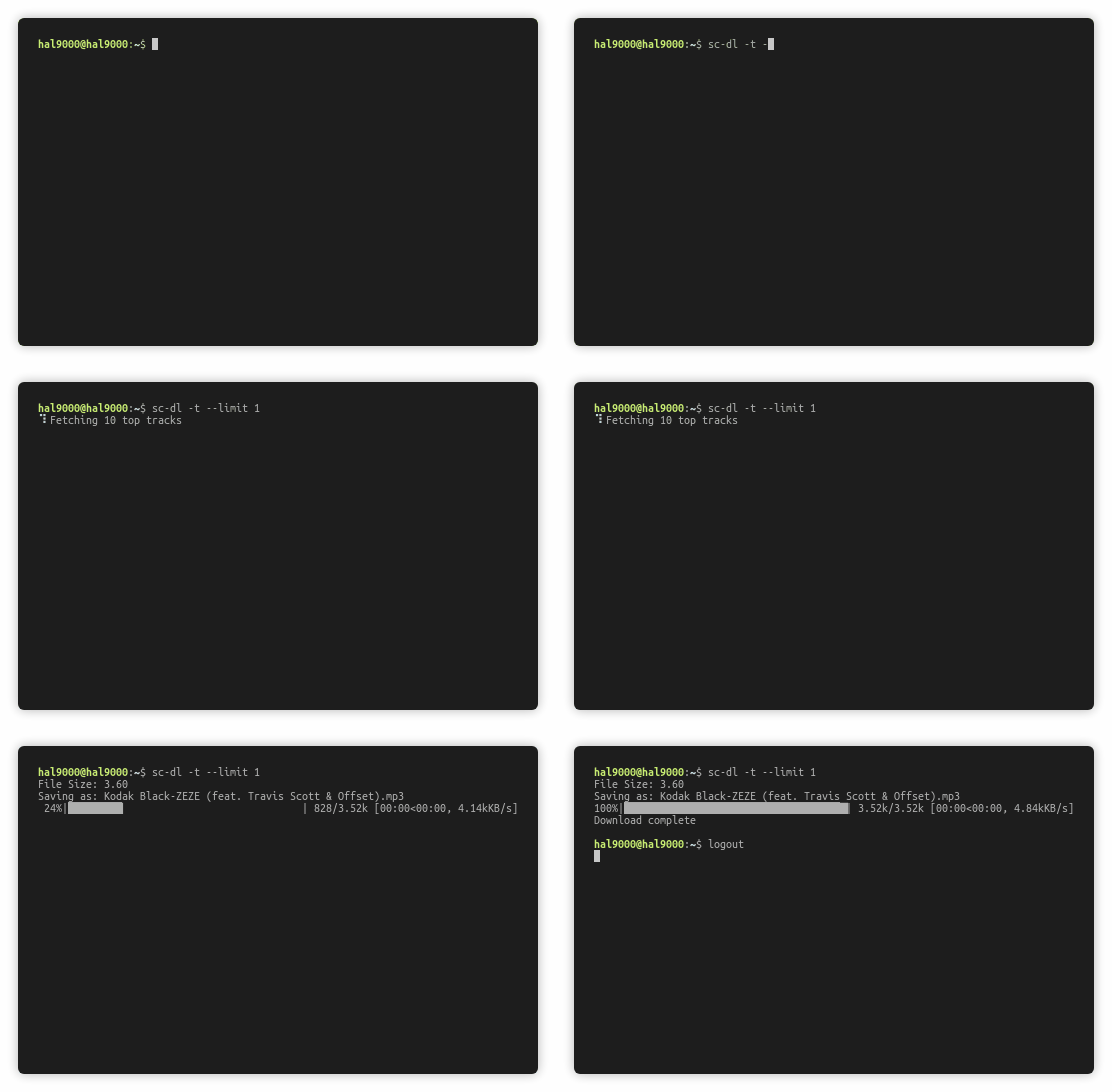
  -t, --top             Downloads the top 10 tracks across all genres
  -n, --new             Downloads 10 new tracks across all genres
  -u [URL], --url [URL]
                        URL to download tracks from
  --set-api-key SET_API_KEY
                        sets the soundcloud API key
  -s, --similar         Downloads 10 tracks similar to the track in the URL
  -d DIR, --dir DIR     Directory to save tracks in. Defaults to current
                        working directory
  -a, --all             Download all tracks (Uploads and likes)
  -l, --likes           Download only liked tracks.
  -e EXCLUDE [EXCLUDE ...], --exclude EXCLUDE [EXCLUDE ...]
                        Enter track numbers to exclude.
  -i INCLUDE [INCLUDE ...], --include INCLUDE [INCLUDE ...]
                        Enter track numbers to include
  --limit LIMIT         Maximum number of tracks to download
  -r RANGE RANGE, --range RANGE RANGE
                        Enter range of tracks to download.
  -g [GENRE], --genre [GENRE]
                        use with --top to get top tracks from a specific genre
- sc-dl can be used instead of soundcloud-dl
--top,--newand--urlarguments are mutually exclusive- The url can be a link to a user, a track or a user's playlists. Downloads a user's uploads unless --all or --likes options are given
- Adding the --include option overrides the --exclude option
- Example :
sc-dl https://soundcloud.com/aaasrith --dir D:\Music - Example :
sc-dl https://soundcloud.com/aaasrith --dir D:\Music --exclude 1 2 3 - Example :
sc-dl https://soundcloud.com/aaasrith/closurewithaclause -s
Contributions
If you want to add features, improve them, or report issues, feel free to send a pull request!
1 maintainer

Metadata
1 maintainer
Release files for soundcloud-dl 0.1.26
For a detailed explanation of source distributions (sdists) and built distributions (wheels), please see the package formats documentation.
Source distribution (sdist)
| File | Size | Uploaded | |
|---|---|---|---|
| soundcloud_dl-0.1.26.tar.gz | 8.6 kB | Details |
Built distribution (wheel)
| File | Interpreter | ABI | Platform | Reset |
|---|---|---|---|---|
| soundcloud_dl-0.1.26-py3-none-any.whl | Python 3 | none | any | Details |
Total release size: 17.5 kB
Release files / soundcloud_dl-0.1.26.tar.gz
| Download URL | soundcloud_dl-0.1.26.tar.gz |
|---|---|
| Size | 8.6 kB |
| Tags | Source |
|
SHA-256 checksum How to use checksums |
dbdbd4505e672577de69c837bd9b4adb78269e08655f75ea3bf6c753dcb1faee
|
|
BLAKE2b-256 checksum How to use checksums |
200ef246ab3b9e0d728cbdee321a3d1167073d24cd38de8e1e9b9bdf8d30fced
|
| Upload date | |
|
Uploaded using Trusted Publishing? What is trusted publishing? |
No |
| Uploaded via |
twine/3.3.0 pkginfo/1.7.0 requests/2.25.1 setuptools/49.2.1 requests-toolbelt/0.9.1 tqdm/4.57.0 CPython/3.9.1
|
Release files / soundcloud_dl-0.1.26-py3-none-any.whl
| Download URL | soundcloud_dl-0.1.26-py3-none-any.whl |
|---|---|
| Size | 8.9 kB |
| Tags | Python 3 |
|
SHA-256 checksum How to use checksums |
72777a0d54eacab3527ed749213eee522e23453411b6bcbe7d790dc6d21b0d9e
|
|
BLAKE2b-256 checksum How to use checksums |
6535257c8d0195d9e9d8d45542c55f197f4f0864a557cb88ae2573329999290a
|
| Upload date | |
|
Uploaded using Trusted Publishing? What is trusted publishing? |
No |
| Uploaded via |
twine/3.3.0 pkginfo/1.7.0 requests/2.25.1 setuptools/49.2.1 requests-toolbelt/0.9.1 tqdm/4.57.0 CPython/3.9.1
|














