



Source Agent
A simple coding agent.
How it Works
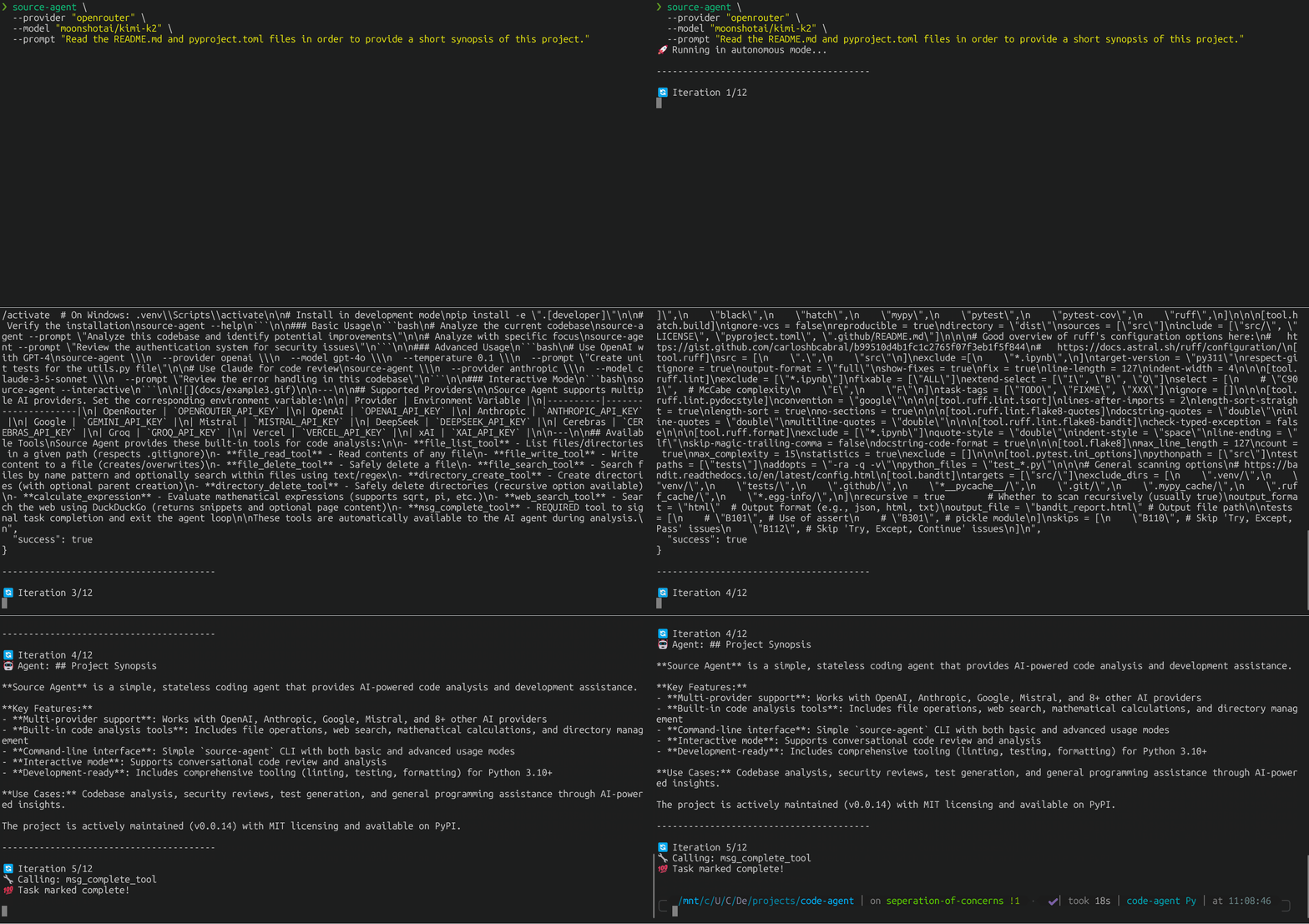
Source Agent operates as a stateless entity, guided by clear directives and external context. Its behavior is primarily defined by AGENTS.md, which serves as the core system prompt.
Installation
Quick Start
# Clone the repository
git clone https://github.com/christopherwoodall/source-agent
cd source-agent

# Create virtual environment (recommended)
python -m venv .venv
source .venv/bin/activate  # On Windows: .venv\Scripts\activate

# Install in development mode
pip install --editable ".[developer]"

# Verify the installation
source-agent --help
Basic Usage
# Analyze the current codebase
source-agent --prompt "Analyze this codebase and identify potential improvements"

# Analyze with specific focus
source-agent --prompt "Review the authentication system for security issues"
Advanced Usage
# Use OpenAI with GPT-4
source-agent \
  --provider openai \
  --model gpt-4o \
  --temperature 0.1 \
  --prompt "Create unit tests for the utils.py file"

# Use Claude for code review
source-agent \
  --provider anthropic \
  --model claude-3-5-sonnet \
  --prompt "Review the error handling in this codebase"
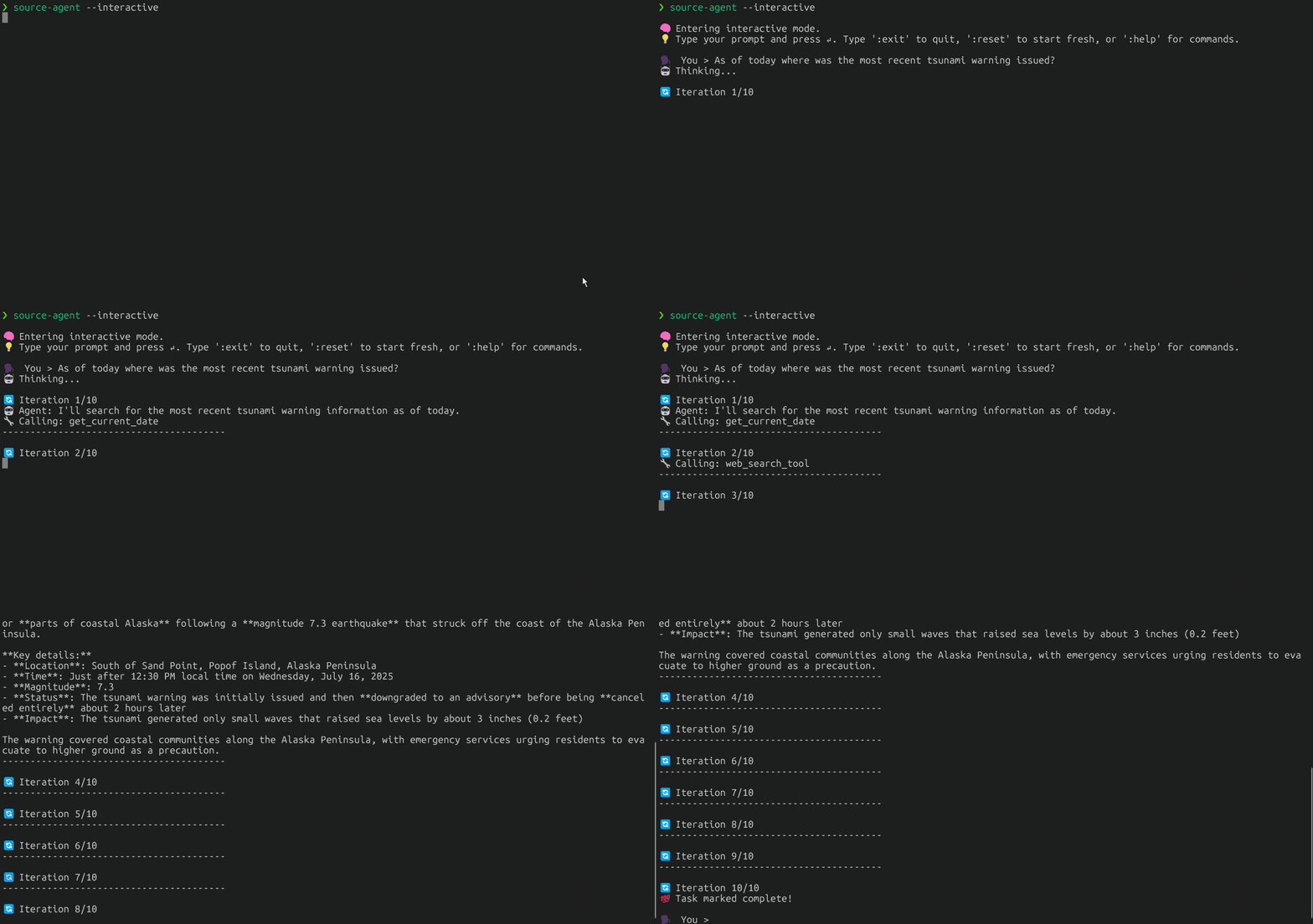
Interactive Mode
source-agent --interactive
Supported Providers
Source Agent supports multiple AI providers. Set the corresponding environment variable:
| Provider | Environment Variable |
|---|---|
| OpenRouter | OPENROUTER_API_KEY |
| OpenAI | OPENAI_API_KEY |
| Anthropic | ANTHROPIC_API_KEY |
GEMINI_API_KEY |
|
| Mistral | MISTRAL_API_KEY |
| DeepSeek | DEEPSEEK_API_KEY |
| Cerebras | CEREBRAS_API_KEY |
| Groq | GROQ_API_KEY |
| Vercel | VERCEL_API_KEY |
| xAI | XAI_API_KEY |
Available Tools
Source Agent provides these built-in tools for code analysis:
- file_list_tool - List files/directories in a given path (respects .gitignore)
- file_read_tool - Read contents of any file
- file_write_tool - Write content to a file (creates/overwrites)
- file_delete_tool - Safely delete a file
- file_search_tool - Search files by name pattern and optionally search within files using text/regex
- directory_create_tool - Create directories (with optional parent creation)
- directory_delete_tool - Safely delete directories (recursive option available)
- calculate_expression - Evaluate mathematical expressions (supports sqrt, pi, etc.)
- web_search_tool - Search the web using DuckDuckGo (returns snippets and optional page content)
- msg_complete_tool - REQUIRED tool to signal task completion and exit the agent loop
These tools are automatically available to the AI agent during analysis.
1 maintainer

Metadata
1 maintainer
Release files for source-agent 0.0.16
For a detailed explanation of source distributions (sdists) and built distributions (wheels), please see the package formats documentation.
Built distribution (wheel)
| File | Interpreter | ABI | Platform | Reset |
|---|---|---|---|---|
| source_agent-0.0.16-py3-none-any.whl | Python 3 | none | any | Details |
Release files / source_agent-0.0.16-py3-none-any.whl
| Download URL | source_agent-0.0.16-py3-none-any.whl |
|---|---|
| Size | 29.3 kB |
| Tags | Python 3 |
|
SHA-256 checksum How to use checksums |
1a8c821a2460fc3221e61e1a9e77cdbb0a003ca37dc5f07f96b6049adcc058fc
|
|
BLAKE2b-256 checksum How to use checksums |
190d3d06e44be972b499f0ec97ab06ec3e01b7079cc019a5f60e17531bdd79dd
|
| Upload date | |
|
Uploaded using Trusted Publishing? What is trusted publishing? |
No |
| Uploaded via |
twine/6.1.0 CPython/3.12.9
|
Security for source-agent 0.0.16
Provenance
Provenance describes where a file came from. On PyPI, provenance is shared via attestations, which provide a verifiable record of the build or publishing details. View details, limitations and caveats.
No provenance found
None of the files in this release were uploaded with provenance metadata.
A note on package security
PyPI is a repository for distributing packages, not a service for auditing them. While third-party security researchers and our staff do their best to detect and remove malicious packages, PyPI cannot guarantee the quality, security or suitability of any given package.














