
Generate sparklines for numbers using Unicode characters only.

Project description
Sparklines







Sparklines brings Edward Tufte's sparklines to your terminal — compact Unicode bar charts like ▃▁▄▁▅█▂▅, right in your shell or Python code. Originally built for sanity-checking sensor data in IoT networks, it works anywhere you need a quick visual summary of a sequence of numbers.
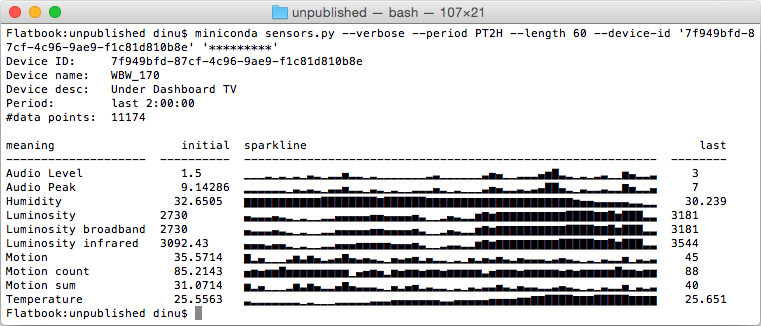
Example usecase for such "sparklines" on the command-line,
showing IoT sensor values (generating code not included here).
Positive values work best, but negatives are fully supported: mixed data auto-splits into two rows, all-negative data renders as downward bars (see Mixed and negative datasets below). True line-style sparklines would require a dedicated font — out of scope here. We use "▁▂▃▄▅▆▇█" for values and a blank for missing ones.
Use cases
Finance — stock price history, daily P&L (bipolar: gains above, losses below), trading volume spikes, bid-ask spread over a session.
IoT — temperature and humidity sensors, power consumption per circuit, air quality index, battery charge on remote devices.
DevOps & SRE — request rate and error rate per minute, CI build duration trend, queue depth, replica lag.
Data Science & ML — training loss and validation accuracy per epoch, gradient norms, data drift score, inference latency after a deployment.
Agentic computing — token usage and cost per API call, context window fill level, cache hit rate, tool-call frequency per agent loop iteration.
Health & Fitness — heart rate during exercise, sleep quality over weeks, blood glucose across a day, daily caloric balance.
Sample output
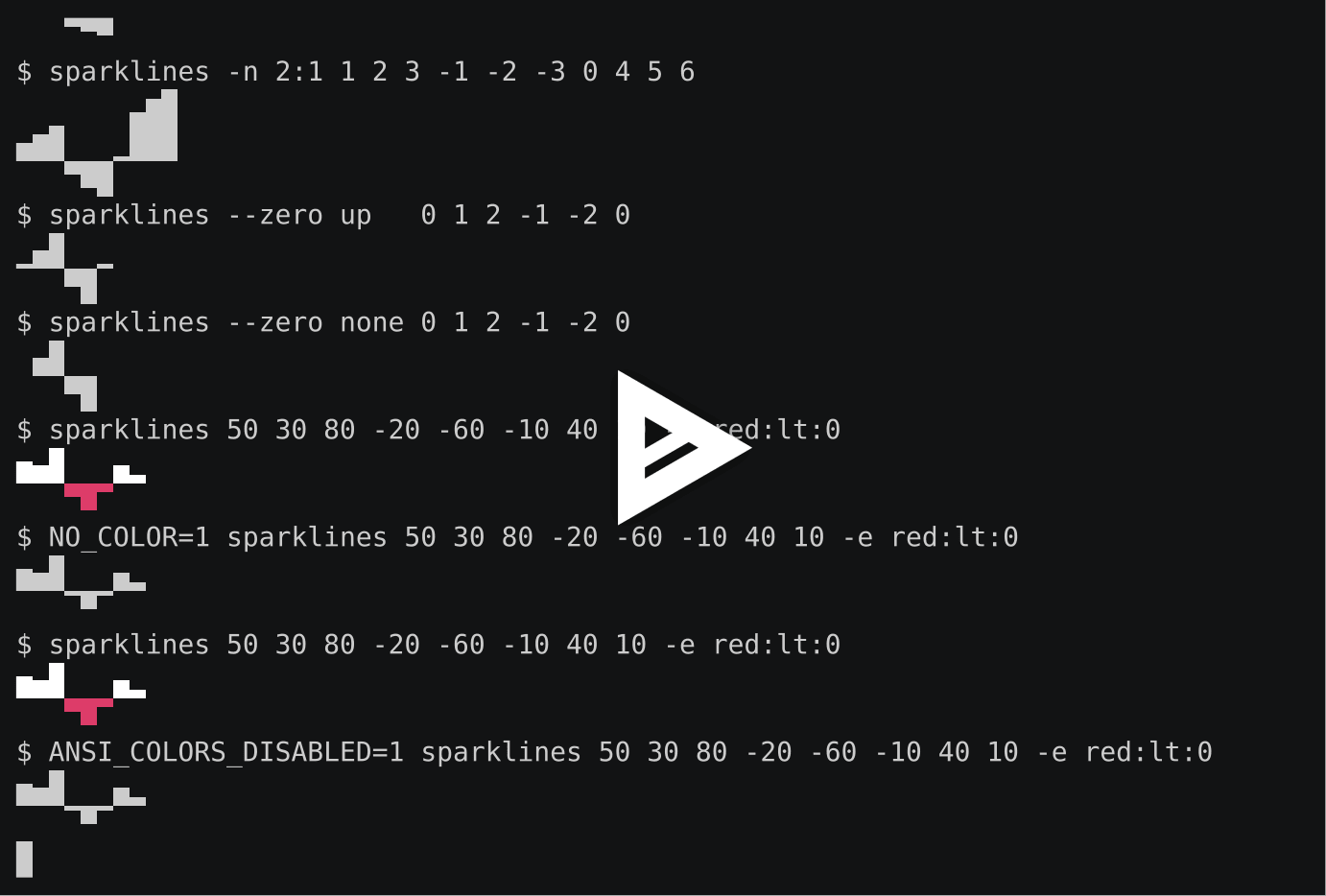
A recorded demo session — click the image to play it on Asciinema:
Installation
From PyPI
pip install sparklines
On macOS with Homebrew
brew tap deeplook/sparklines
brew install sparklines
With uv
uvx sparklines 2 7 1 8 2 8 1 8
Or install it into your uv tool environment:
uv tool install sparklines
From Source
git clone https://github.com/deeplook/sparklines.git
cd sparklines
pip install .
Development
git clone https://github.com/deeplook/sparklines.git
cd sparklines
pip install -e ".[dev]"
pytest tests
Usage
Python
from sparklines import sparklines

for line in sparklines([1, 2, 3, 4, 5.0, None, 3, 2, 1]):
    print(line)
# ▁▃▅▆█ ▅▃▁

for line in sparklines([1, 2, 3, 4, 5.0, None, 3, 2, 1], num_lines=2):
    print(line)
#   ▁▅█ ▁
# ▁▅███ █▅▁
Mixed and negative datasets
Mixed positive/negative data is split automatically — no flags needed:
from sparklines import sparklines

data = [50, 30, 80, -20, -60, -10, 40, 10]
for line in sparklines(data):
    print(line)
# ▅▄█   ▄▂
#    ▔▀▔
All-negative data renders as inverted (downward) bars automatically.
-n / --num-lines
| Form | Behaviour |
|---|---|
integer (default 1) |
total rows, split proportionally; shared scale |
auto |
smallest row count for an exact proportional split |
up:down (e.g. 2:1) |
explicit per-side layout; independent scaling |
$ sparklines -n auto 1 2 3 -1 -2 -3 0 4 5 6
       ▃▆█
▄▆█   ▁███
   ▔▔▀
$ sparklines -n 2:1  1 2 3 -1 -2 -3 0 4 5 6
       ▃▆█
▄▆█   ▁███
   ▔▀█
--zero: up (default) places zeros on the positive baseline; none renders them as gaps.
$ sparklines --zero up   0 1 2 -1 -2 0
▁▄█  ▁
   ▀█
$ sparklines --zero none 0 1 2 -1 -2 0
 ▄█
   ▀█
Downward bars use ANSI reverse video for full 8-level resolution. Falls back to ▔▀█ when NO_COLOR, ANSI_COLORS_DISABLED, or TERM=dumb is set.
References
Inspired by Zach Holman's spark, with prior Python ports by Kenneth Reitz (spark.py), RedKrieg (pysparklines), and Roger Allen (shorter spark.py).
This package adds:
- multi-line rendering for higher resolution (-n)
- gaps for missing values (None)
- auto-split for mixed positive/negative data
- inverted bars for all-negative data
- proportional row allocation (-n auto)
- explicit per-side layout (-n up:down)
- zero handling (--zero up / --zero none)
- colour emphasis via --emphasize
- line wrapping via --wrap
Release history Release notifications | RSS feed


Download files
Download the file for your platform. If you're not sure which to choose, learn more about installing packages.
Source Distribution
Built Distribution
Filter files by name, interpreter, ABI, and platform.
If you're not sure about the file name format, learn more about wheel file names.
Copy a direct link to the current filters
File details
Details for the file sparklines-1.0.0.tar.gz.
File metadata
- Download URL: sparklines-1.0.0.tar.gz
- Upload date:
- Size: 243.4 kB
- Tags: Source
- Uploaded using Trusted Publishing? No
- Uploaded via: uv/0.11.3 {"installer":{"name":"uv","version":"0.11.3","subcommand":["publish"]},"python":null,"implementation":{"name":null,"version":null},"distro":{"name":"macOS","version":null,"id":null,"libc":null},"system":{"name":null,"release":null},"cpu":null,"openssl_version":null,"setuptools_version":null,"rustc_version":null,"ci":null}
File hashes
| Algorithm | Hash digest | |
|---|---|---|
| SHA256 |
eee3ed5ac6dc954096ab092ce336941050eca790e2f33f85de65a4ea0a43cf74
|
|
| MD5 |
f90ca3d9402fad6df0ebb41d72607f6a
|
|
| BLAKE2b-256 |
be523e3c437c665397047e2c9364e27f53f85024c57fe990f422a30593fd8c98
|
File details
Details for the file sparklines-1.0.0-py3-none-any.whl.
File metadata
- Download URL: sparklines-1.0.0-py3-none-any.whl
- Upload date:
- Size: 15.3 kB
- Tags: Python 3
- Uploaded using Trusted Publishing? No
- Uploaded via: uv/0.11.3 {"installer":{"name":"uv","version":"0.11.3","subcommand":["publish"]},"python":null,"implementation":{"name":null,"version":null},"distro":{"name":"macOS","version":null,"id":null,"libc":null},"system":{"name":null,"release":null},"cpu":null,"openssl_version":null,"setuptools_version":null,"rustc_version":null,"ci":null}
File hashes
| Algorithm | Hash digest | |
|---|---|---|
| SHA256 |
6d3d2cd7ad955b071c3f0abcb5e04662c65cc51ab287342ed2602f3b95576033
|
|
| MD5 |
633bd7d0ccc88012b6e1c66259f3107d
|
|
| BLAKE2b-256 |
2d1b712ddc74da87118f4f0c60a2adb5d6faadc986c72fa4bcef3d45be999c58
|






