
This program is intended to build sparse matrices in a more intuitive GUI environment.

Project description
Matrix Builder
What is the Matrix Builder?
The importance of linear algebra and its representation in matrix form has been on a growing trend for a long time. However, working with the matrix can be a difficult challenge; especially working with many big matrices in a computer can be a quite tedious task. Therefore, through this project we have sought to alleviate these burdensome problems with an intuitive solution. Matrix builder is the GUI program which helps users to build any matrix using an interactive canvas based on the tkinter library. The program uses a basic drag-and-drop scheme to interact with the users. It supports various ways to convert users' works in the program into useful formats which users can directly utilize.
Builder Layout
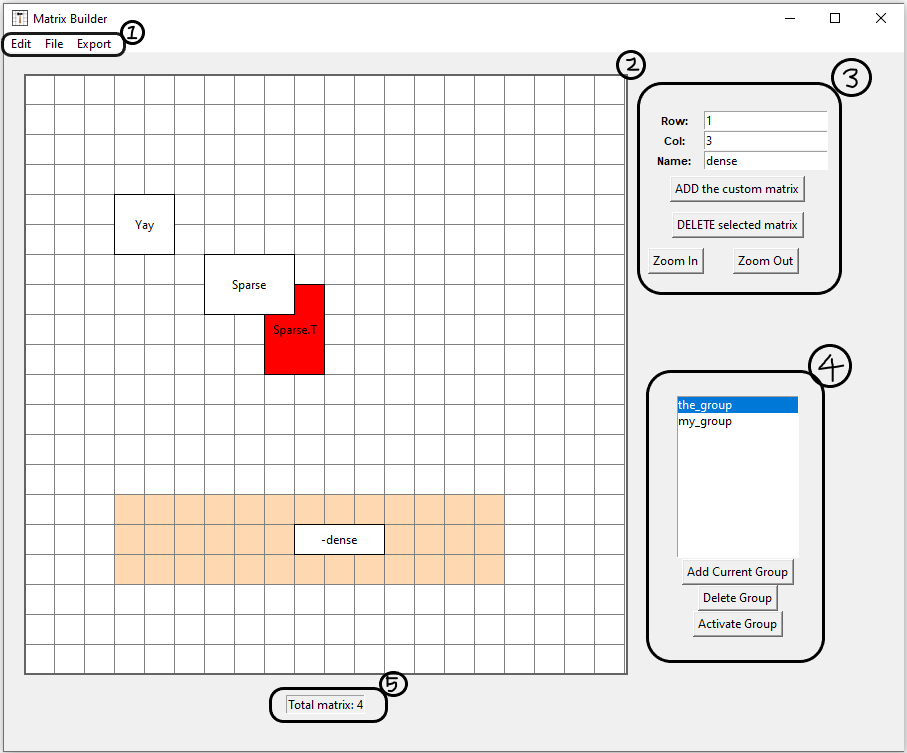
- Menu Bar, which the user can saved/load or export the progress in different forms.
- Canvas, which the user can interact with.
- Control Frame, which the user can use to configure various aspects of the matrix.
- Group Manager, manages 'matrix group'; see below for detailed explanation.
- Status Bar
How to Start
From Command-line console
build-matrix
From Python Context
import builder as bd

# To Start the GUI
bd.main()
How to Use (Example)
Delete, Create, and Rename Matrix
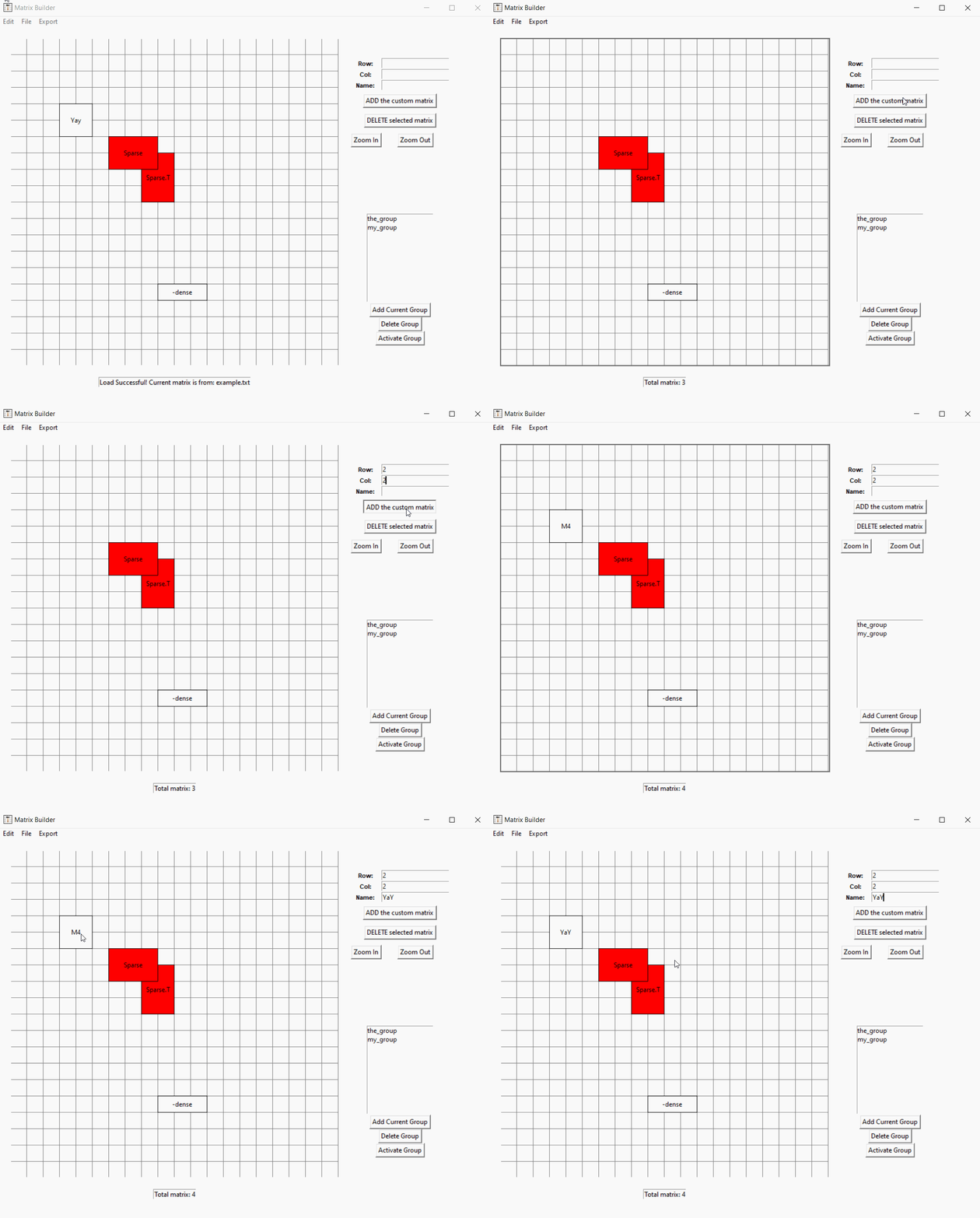
- Use RMB (Two-finger click in Mac) on canvas to see drop down options.
- If a matrix is not given a name, its default name is "M + number of total matrix".
Zoom In/Out, and Translation
Resize Matrix
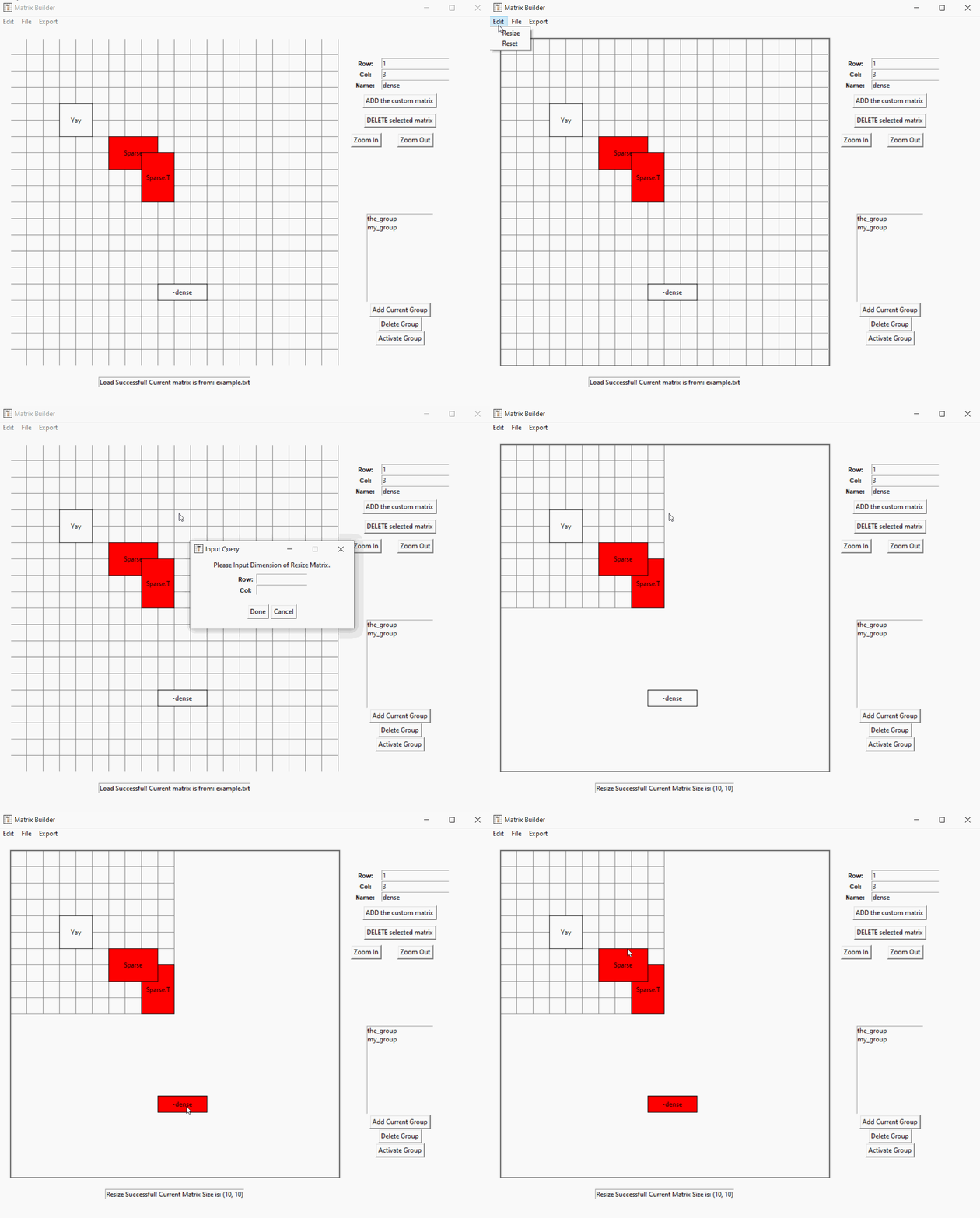
- Reset does the same thing as resize, but it does not save matrices.
Group Transpose
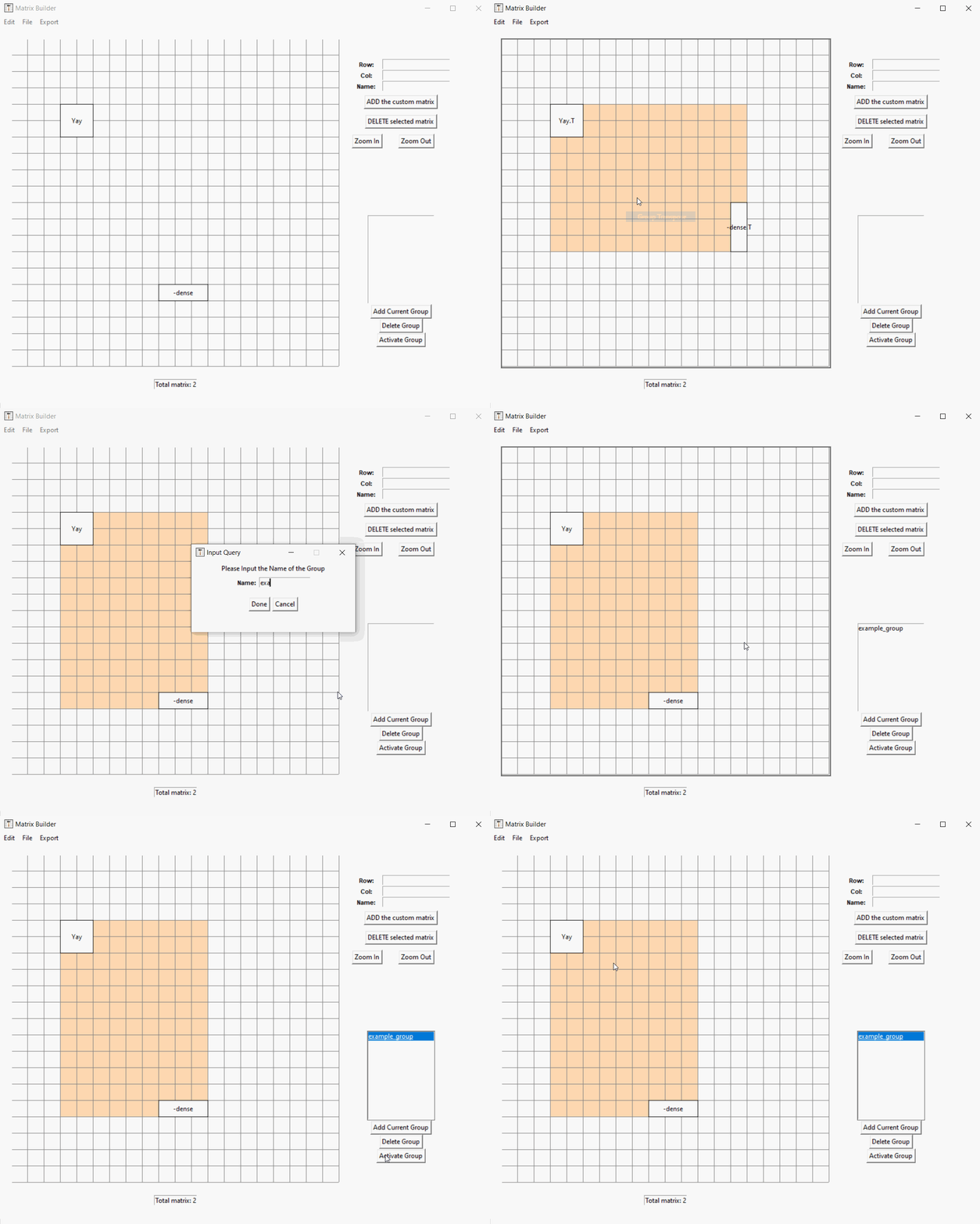
- Group cannot be moved once created, but it can be deleted.
- Group List will not be saved after load or reset function.
Save and Load
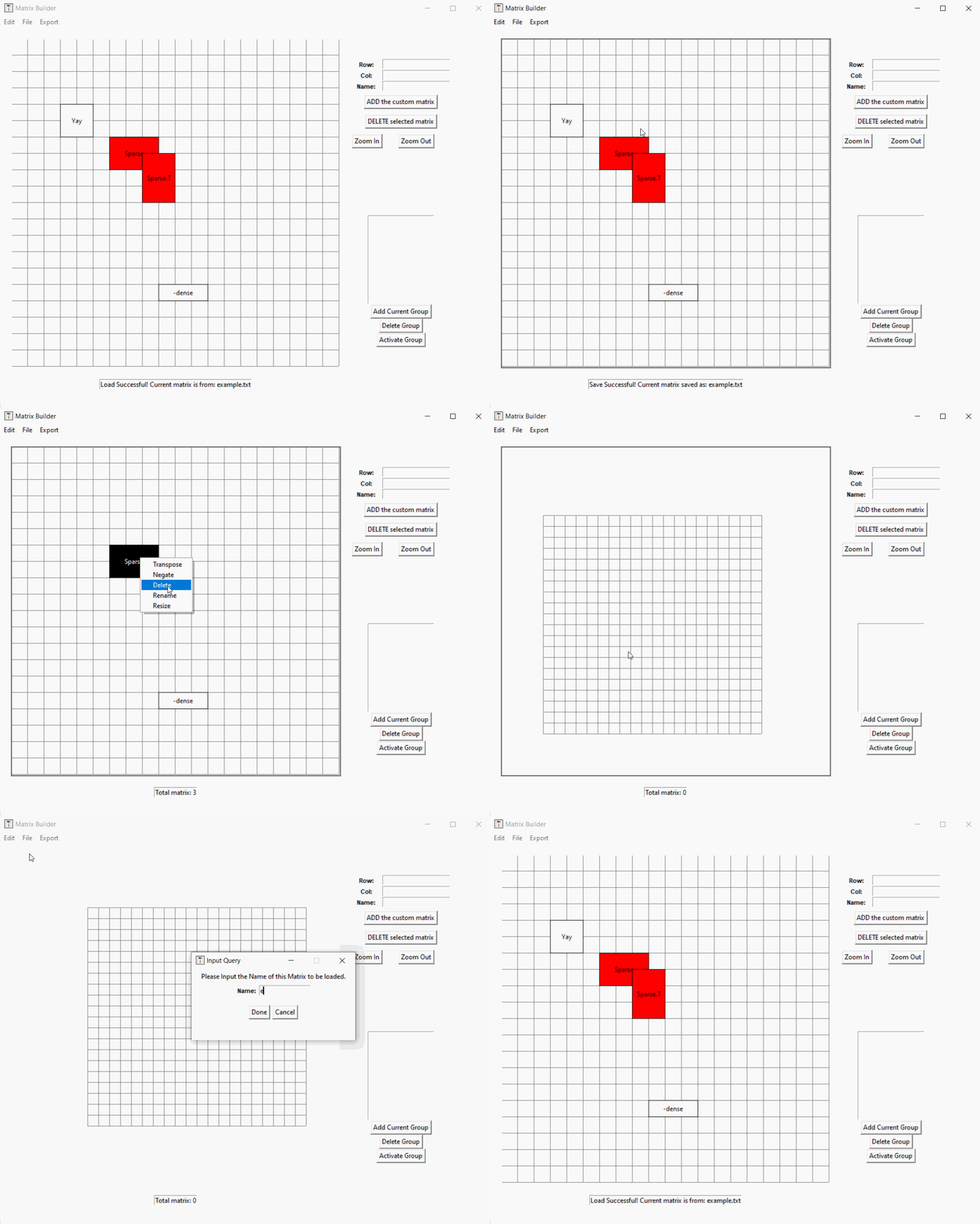
- ALL saved/exported files will be placed in the local copy of the builder package.
Export
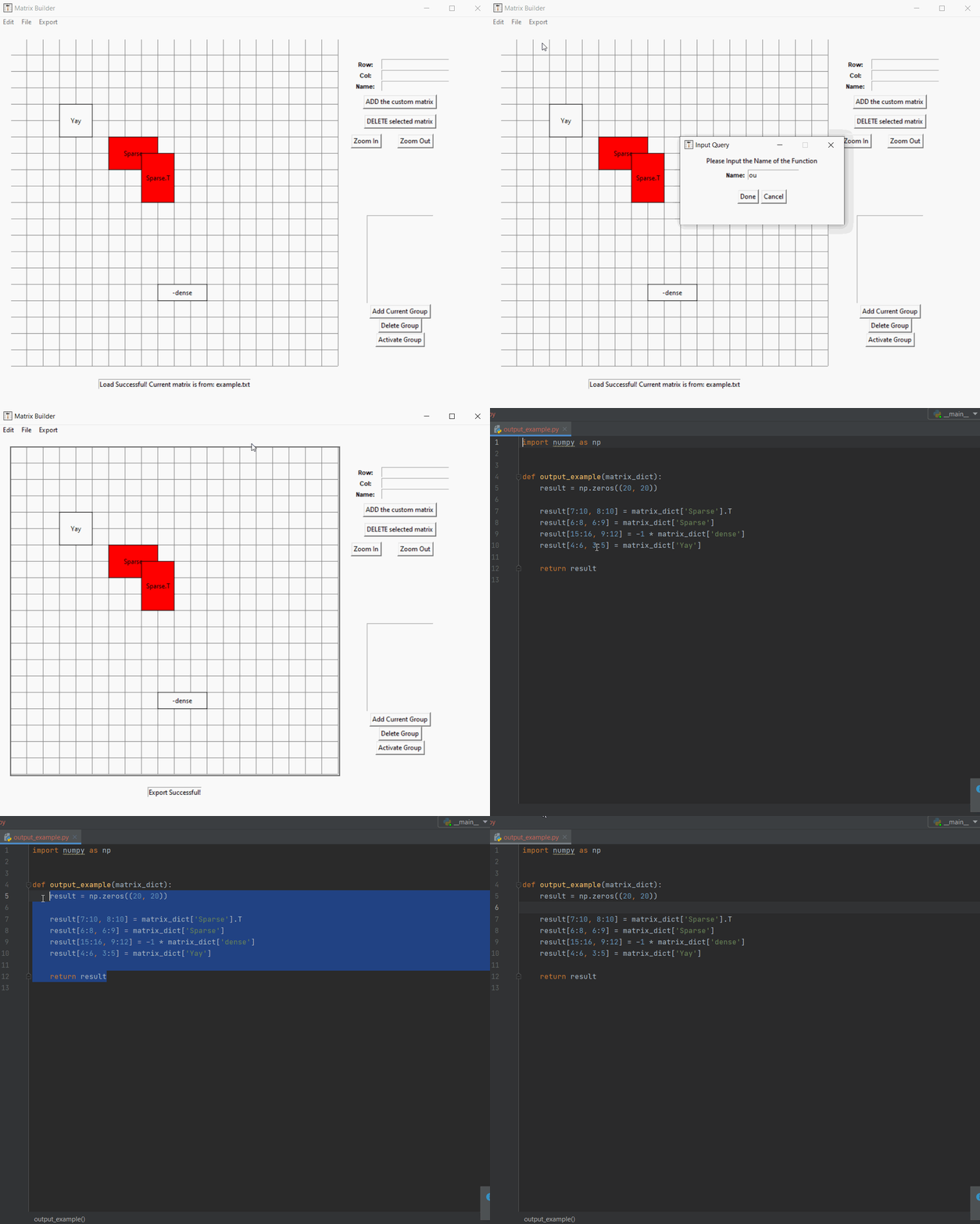
- ALL saved/exported files will be placed in the local copy of the builder package.
- Sparse Python and Sparse C++ options are for matrices with few zeros.
Helpful Key Bindings
- Ctrl + v : Copy and Paste the currently highlighted matrices
- (Hold) Ctrl : Enter Multiple Selection Mode. In this mode user can highlight multiple matrices
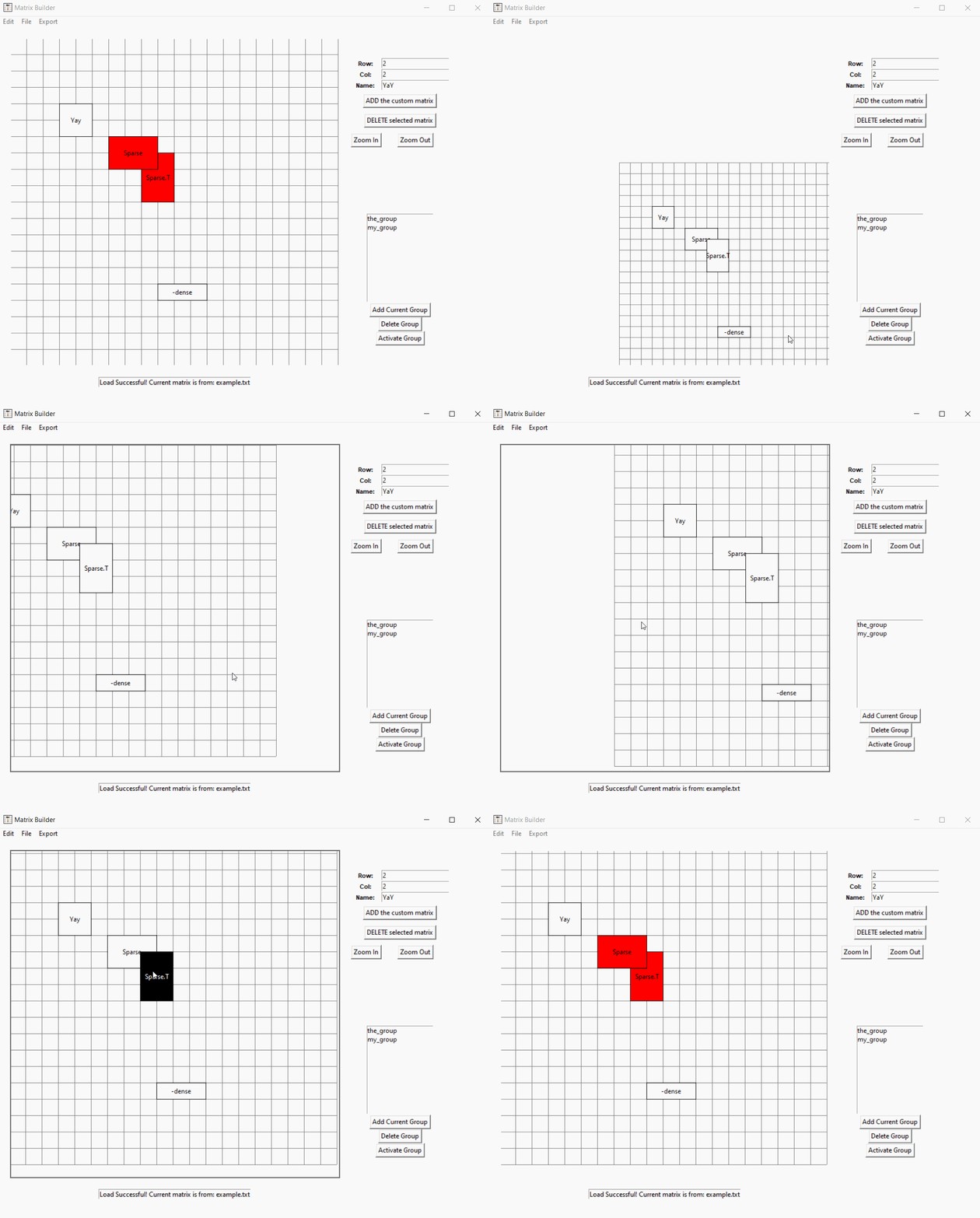
- Ctrl + Mousewheel : Zoom in and out of the canvas. The pivot point of zoom is where the point is currently located.
- Shift + LMB Drag : Can move the matrix inside the canvas
- RMB : Provides useful options depending on a selected entity in the canvas.
Contributor: Taewoo Han
Advisor: Dr. Forrest Laine
This project started during UC Berkeley Spring 2020 as a research project. If there is any
issue or recommendation regarding the program, please email me at: htw1127@gmail.com


Download files
Download the file for your platform. If you're not sure which to choose, learn more about installing packages.
Source Distributions
Built Distribution
Filter files by name, interpreter, ABI, and platform.
If you're not sure about the file name format, learn more about wheel file names.
Copy a direct link to the current filters
File details
Details for the file sparse_matrix_builder-0.0.6-py3-none-any.whl.
File metadata
- Download URL: sparse_matrix_builder-0.0.6-py3-none-any.whl
- Upload date:
- Size: 155.9 kB
- Tags: Python 3
- Uploaded using Trusted Publishing? No
- Uploaded via: twine/3.3.0 pkginfo/1.7.0 requests/2.25.1 setuptools/52.0.0 requests-toolbelt/0.9.1 tqdm/4.56.0 CPython/3.8.1
File hashes
| Algorithm | Hash digest | |
|---|---|---|
| SHA256 |
b241d6b2c999e31947b180124e5a81048e48f45116f9708bb11d62e55c24a59d
|
|
| MD5 |
5a0c44503d064b796588034c6470ea9d
|
|
| BLAKE2b-256 |
2fd1dc79cb796204f89afb739764e0e9905d4e396373d25a30ee0de324c8ab93
|






